
By the FlowUP team, gaming PC builder in Genappe (Belgium) · Updated 17 November 2026
In brief: To run the game, Larian sets the bar fairly low: GTX 970 or RX 480, Core i5-4690, 8 GB of RAM, but an SSD with 150 GB free. The real deciding factor is Act 3 and its packed city: there, the processor matters more than the graphics card. Our pick: the PC AQUA (Ryzen 5 7500X3D, RTX 5070) for 1440p.
Three years after its release, Baldur's Gate 3 is still the role-playing game you come back to for another playthrough, another class, another moral choice. On PC, it runs on a lot of machines, at least up to Act 3.
Once you reach the City of Baldur's Gate, with its streets full of passers-by, a comfortable PC until then can fall below 60 FPS. Here’s what you really need for Baldur's Gate 3 on PC: the required specs, the role of the processor, the right settings, and the PCs we build in the workshop for this game.
Baldur's Gate 3 PC: the official required specs
Larian publishes the required specs for Baldur's Gate 3 in two tiers on its support site. The last column is what we build in Genappe so you can play all the way through Act 3 without thinking about it.
| Component | Minimum | Recommended | Workshop tip |
|---|---|---|---|
| Processor | Core i5-4690 or FX 8350 | Core i7-8700K or Ryzen 5 3600 | Ryzen X3D (7500X3D, 7800X3D) |
| Graphics card | GTX 970 or RX 480 (4 GB) | RTX 2060 Super or RX 5700 XT (8 GB) | RTX 5070 or RX 9070 XT |
| RAM | 8 GB | 16 GB | 16 GB, 32 GB for 4K |
| Storage | 150 GB on SSD | 150 GB on SSD | 1 TB NVMe SSD |
| System | Windows 10, 64-bit | Windows 10, 64-bit | Windows 11 |
| API | DirectX 11 (Vulkan possible) | DirectX 11 (Vulkan possible) | DirectX 11 |
Source: official support from Larian Studios. Last column: FlowUP workshop choice.
- The SSD is mandatory: Larian puts it in black and white. On a hard drive, loading times and scenery pop-ins become a chore.
- 150 GB is a lot. With updates and a few mods, a 500 GB SSD fills up quickly. Our guide to choose your SSD helps you size it properly.
- The recommended tier targets a smooth experience in the first two acts. Act 3 asks for more, especially from the processor.
Act 3: why the processor makes the difference
In the Lower City, hundreds of characters move, talk, and react at the same time. Each frame asks the processor to keep track of all that activity, and that workload relies mostly on one fast core.
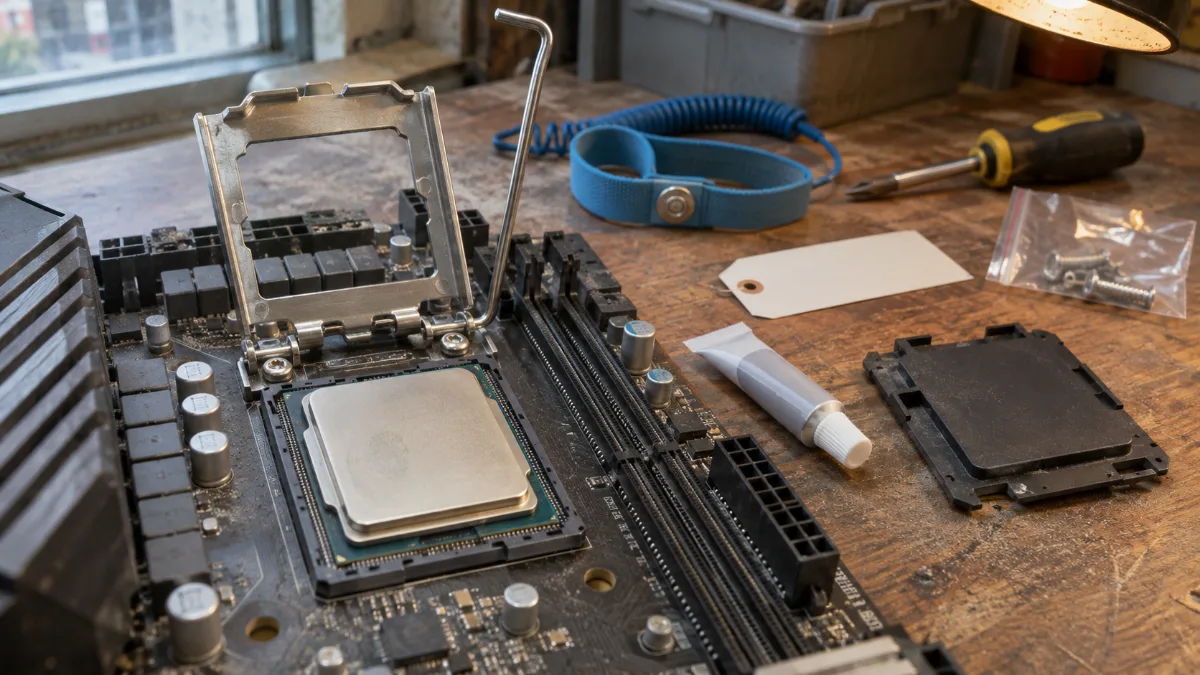
In Act 3 of Baldur's Gate 3, it’s the processor that sets the limit.
- GamersNexus measured an average of around 60 FPS in the city, compared with 70 and up in combat in the open world, using the same machine.
- From an RX 7700 XT or RTX 3070-class card, their 1440p Ultra results hit the processor limit: a more expensive card barely brings any improvement.
- Dropping the graphics from Ultra to Low only gains about 10% in Act 3, according to the figures compiled by Gaming-ST. Turning off dynamic crowd density adds roughly 5%.
- The 3D cache of the Ryzen X3D helps in exactly this kind of scenario: lots of data to fetch, often.
Our position: for this game, it’s better to get a Ryzen X3D with a mid-range graphics card than to pair a mid-tier processor with a high-end graphics card. We’ve detailed this choice in our review of the Ryzen 7 7800X3D and in the guide Ryzen 7 gaming PC.
Which graphics card for Baldur’s Gate 3 in 1080p, 1440p and 4K?
When it comes to the graphics card, there’s no point aiming for the absolute top end. GamersNexus talks about diminishing returns beyond cards in the range of around 600 to 700 dollars.
- In 1080p Ultra, an RX 6600 or a GTX 1660 Super does the job. Any current entry-level card, like the RX 9060 XT or the RTX 5060, is above that.
- In 1440p Ultra, an RTX 3060 Ti was already averaging 80 FPS at GamersNexus. An RTX 5070 or an RX 9070 XT leaves some room for Act 3.
- In 4K Ultra, an RX 7800 XT or an RTX 4070 averaged about 63 FPS. Beyond that, it’s the processor that limits performance.
- Video memory: count on around 7 to 8 GB in 1440p Ultra and about 10 GB in 4K, based on Gaming-ST’s measurements. An 8 GB card handles 1080p comfortably, but it’s a bit tight for 1440p Ultra.
For an 8 or 16 GB card, our comparison RX 9060 XT 8 GB or 16 GB helps you decide. For 1440p and 4K, see our PC gamer RX 9070 XT.
The settings that really gain you FPS
- DLSS or FSR in Quality mode: very effective in 4K, where the graphics card does the most work. In 1080p in Act 3, the improvement stays limited, since the processor is the bottleneck.
- DLAA on NVIDIA cards: clean anti-aliasing if you have some FPS to spare in 1080p or 1440p.
- Dynamic crowd: turning it off lightens the load on the processor in crowded areas, for a few extra FPS.
- DirectX 11 or Vulkan: on NVIDIA and AMD, GamersNexus doesn’t see any real difference. On an Intel Arc card, Vulkan is essential to avoid stuttering.
- Limit FPS to your screen’s refresh rate: the city stays smoother when the card isn’t doing a yoyo.
RAM and storage: what goes into our PCs
- 16 GB of RAM is enough to play, this is the recommended threshold by Larian.
- 32 GB become useful if you play in 4K, with mods, or with Discord and a browser open during long co-op sessions. Our guide 16 GB or 32 GB of RAM lays it out.
- A 1 TB NVMe SSD: the game takes 150 GB, and you’ll probably want to keep other installed games too.
Our PCs for Baldur’s Gate 3: which one to choose?
These three PCs are assembled, wired and tested in Genappe, and they come with Windows 11. Each Baldur’s Gate 3 configuration below was selected for Act 3, where the processor matters as much as the graphics card.
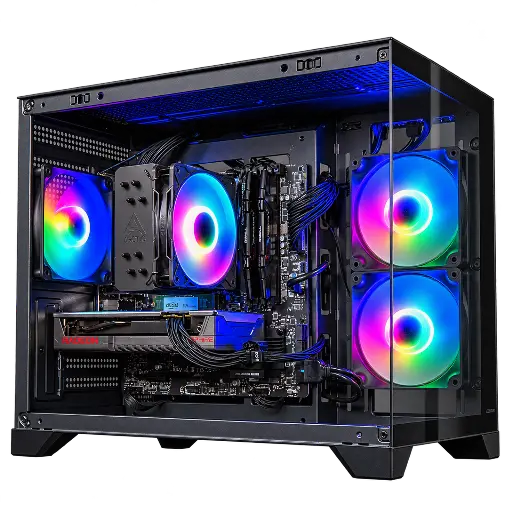
Toyger Radeon RX 9060 XT 8GB PC
- Ryzen 5 5600 (6 cores), RX 9060 XT 8 GB
- 16 GB of RAM, 1 TB SSD
- Windows 11 installed
To play in 1080p with the settings at maximum. Its 8 GB of video memory are enough at this resolution, and the 1 TB SSD installs the game without any hassle.
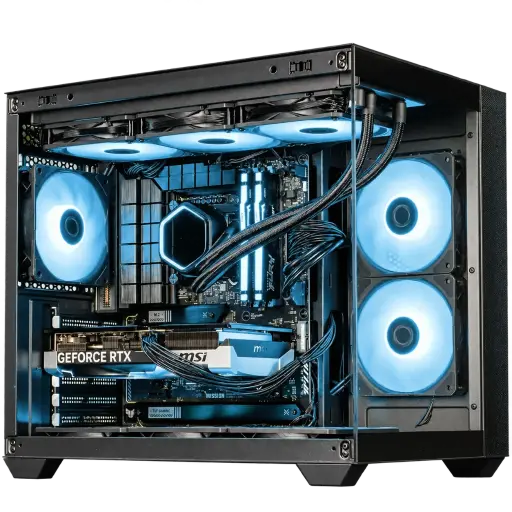
AQUA PC GeForce RTX 5070
- Ryzen 5 7500X3D, RTX 5070 12 GB
- 16 GB of DDR5, 1 TB SSD
- Watercooling Cooler Master, panoramic case
Our choice for Baldur’s Gate 3: the 3D cache of the 7500X3D to handle the lower city, plus an RTX 5070 for 1440p with DLSS.
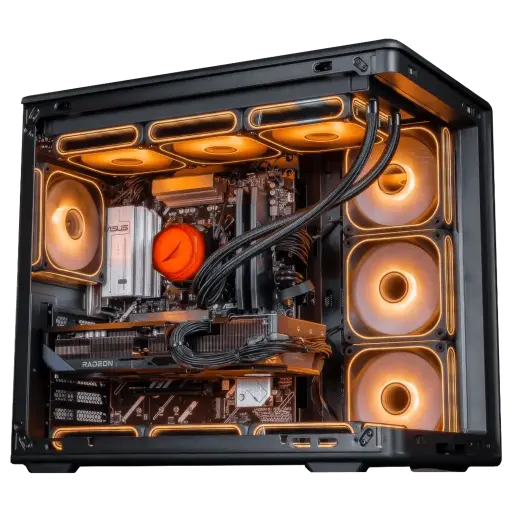
Apex Radeon RX 9070 XT 16GB PC
- Ryzen 7 7800X3D, RX 9070 XT 16 GB
- 32 GB of DDR5, 1 TB SSD
- 850 W power supply 80 Plus Gold
The PC we recommend for a 1440p 144 Hz screen or higher, and for 4K too, with its 8 X3D cores and 32 GB of RAM. It’s part of our Top Player selection for Black Friday.
The workshop’s take
- To play in 1080p: the Toyger PC.
- For 1440p, Act 3 included: the AQUA PC and its X3D Ryzen.
- For 4K and mods: the Apex PC.
- More than 50,000 PCs shipped since Genappe: if you can’t decide between two configurations, the team will get back to you before you buy.
Baldur’s Gate 3 FAQ on PC
What is the minimum configuration for Baldur’s Gate 3?
A Core i5-4690 or an FX 8350, a GTX 970 or an RX 480 with 4 GB of video memory, 8 GB of RAM, 64-bit Windows 10, DirectX 11, and 150 GB free on an SSD.
Why does Baldur’s Gate 3 stutter in Act 3?
The Lower City keeps hundreds of characters active at the same time, which mainly stresses the processor. Lowering the graphics settings gives little benefit. A faster processor, ideally a Ryzen X3D, is the real solution.
Does Baldur’s Gate 3 work on a hard drive?
Larian requires an SSD, for both the minimum and the recommended specs. On a hard drive, loading times and the environment display become too slow.
Which graphics card for Baldur’s Gate 3 at 1440p?
A card from the RTX 3060 Ti class is already enough for an average of 80 FPS at 1440p Ultra, according to GamersNexus. You’re recommended to get a RTX 5070 or an RX 9070 XT to stay on the safe side, with a solid processor.
Do you need 32 GB of RAM for Baldur’s Gate 3?
No, 16 GB is enough according to Larian. 32 GB becomes interesting in 4K, with mods or with lots of apps open.
