 Your PC in instalments (up to 12x)
Understand the names of Intel processors in 3 minutes
Choosing a processor for your computer can feel intimidating, especially when you’re faced with names like “Intel Core i7-13700K”. But don’t panic! Once you understand the codes, everything becomes clearer.
Here’s a simple, fun guide to decode the name of Intel processors and find the one that suits you.
Series: Core i3, i5, i7 or i9?
Each Intel Core family is split into sub-series, which indicate the performance level:
- Core i3: For light tasks. Suitable for office work or student use.
- Core i5: A good compromise for gaming and multitasking.
- Core i7: Faster and more powerful. Ideal for content creators or demanding gamers.
- Core i9: The flagship tier, aimed at professionals or players looking for maximum performance.
Memory tip: the higher the number, the more powerful the processor.
Generation numbers: what does “13700” mean?
Let’s take the example of the Intel Core i7-13700K:
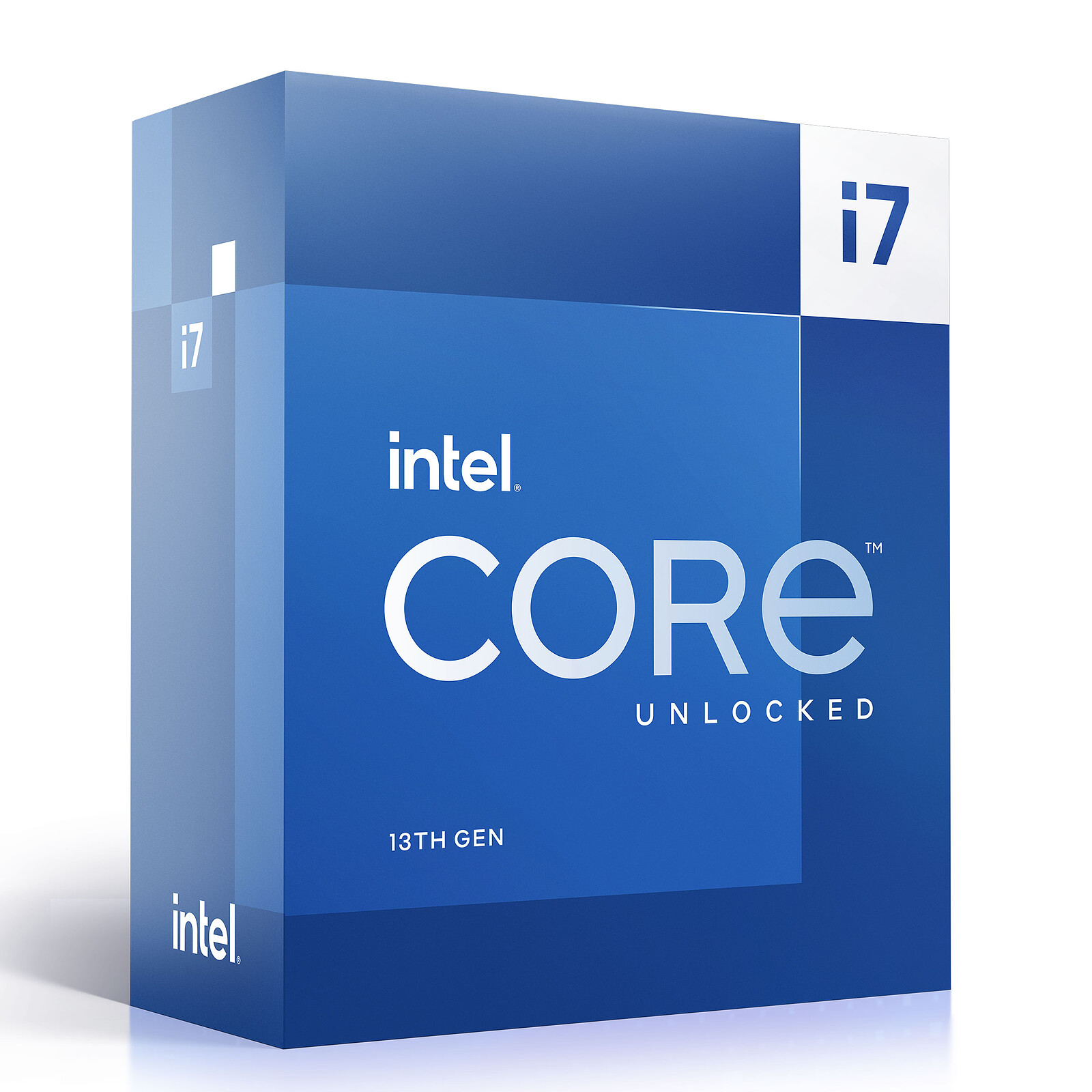
- 13: This is the processor generation. Here, it refers to the 13th generation, which corresponds to the most recent models (2022–2023).
- 700: This number indicates performance within that generation. The higher the number, the more powerful the processor (for example, a 13700 will be better than a 13400).
Letters at the end: what do they mean?
The letters at the end of the processor name provide extra information about its features:
- K: Unlocked processor for overclocking (manual performance boost).
- F: No integrated graphics card. You’ll need an external graphics card.
- KF: Unlocked + no integrated graphics card.
- T: Low-power version for energy efficiency.
- U and P: Processors for laptops (energy-savers).
- H and HK: Increased performance for laptops (often for gamers).
Practical example: the Intel Core i5-12400F
Let’s break down this name:
- i5: A mid-range processor.
- 12: 12th generation (released in 2021–2022).
- 400: Performance level—ideal for gaming/office use.
- F: No integrated graphics card. An external graphics card is required.
So this processor is an excellent choice for a budget gaming desktop PC.
How do you choose your Intel processor?
To find the ideal processor, here are a few simple questions:
- What’s your main use? (office work, gaming, video editing, etc.)
- Your budget? (A Core i3 will be cheaper than an i9).
- Don’t you have a graphics card? If that’s the case, avoid models with the “F” & “KF” letters.
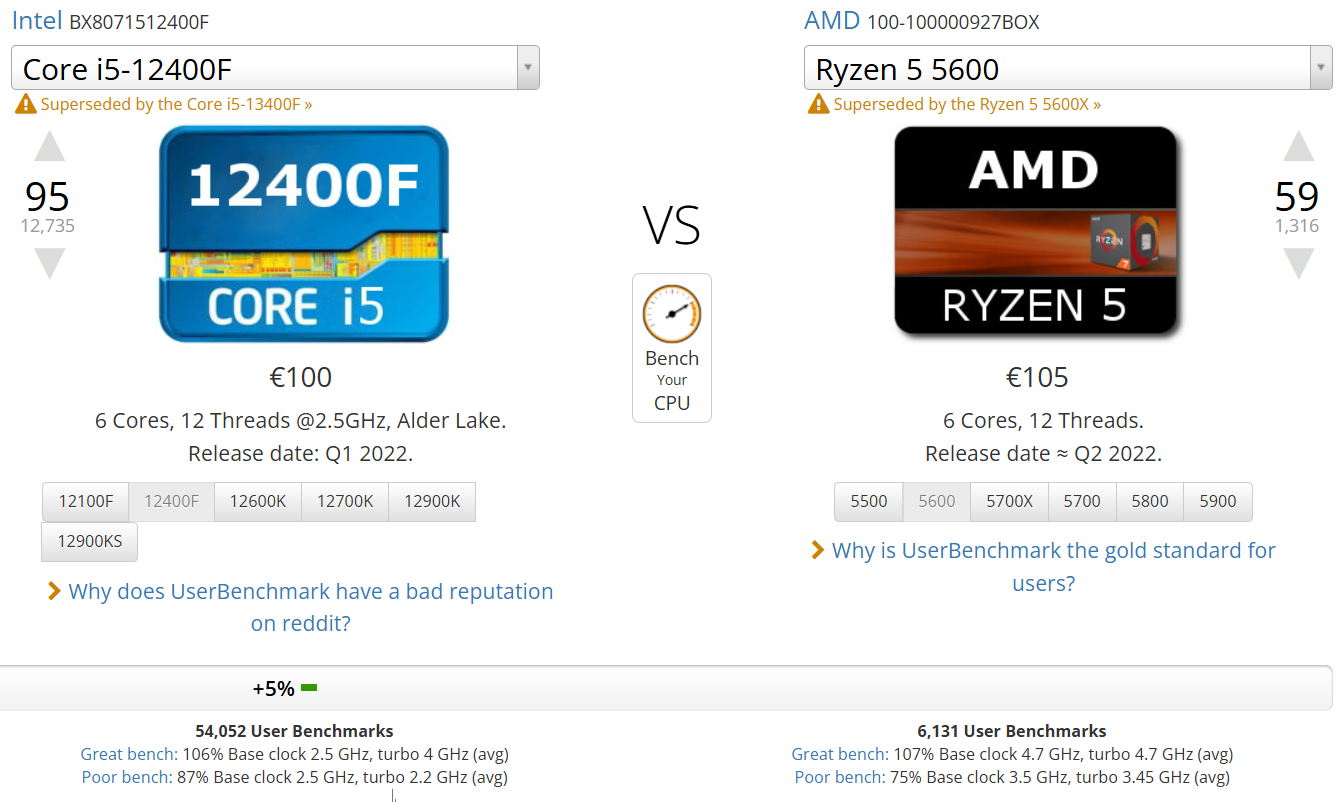
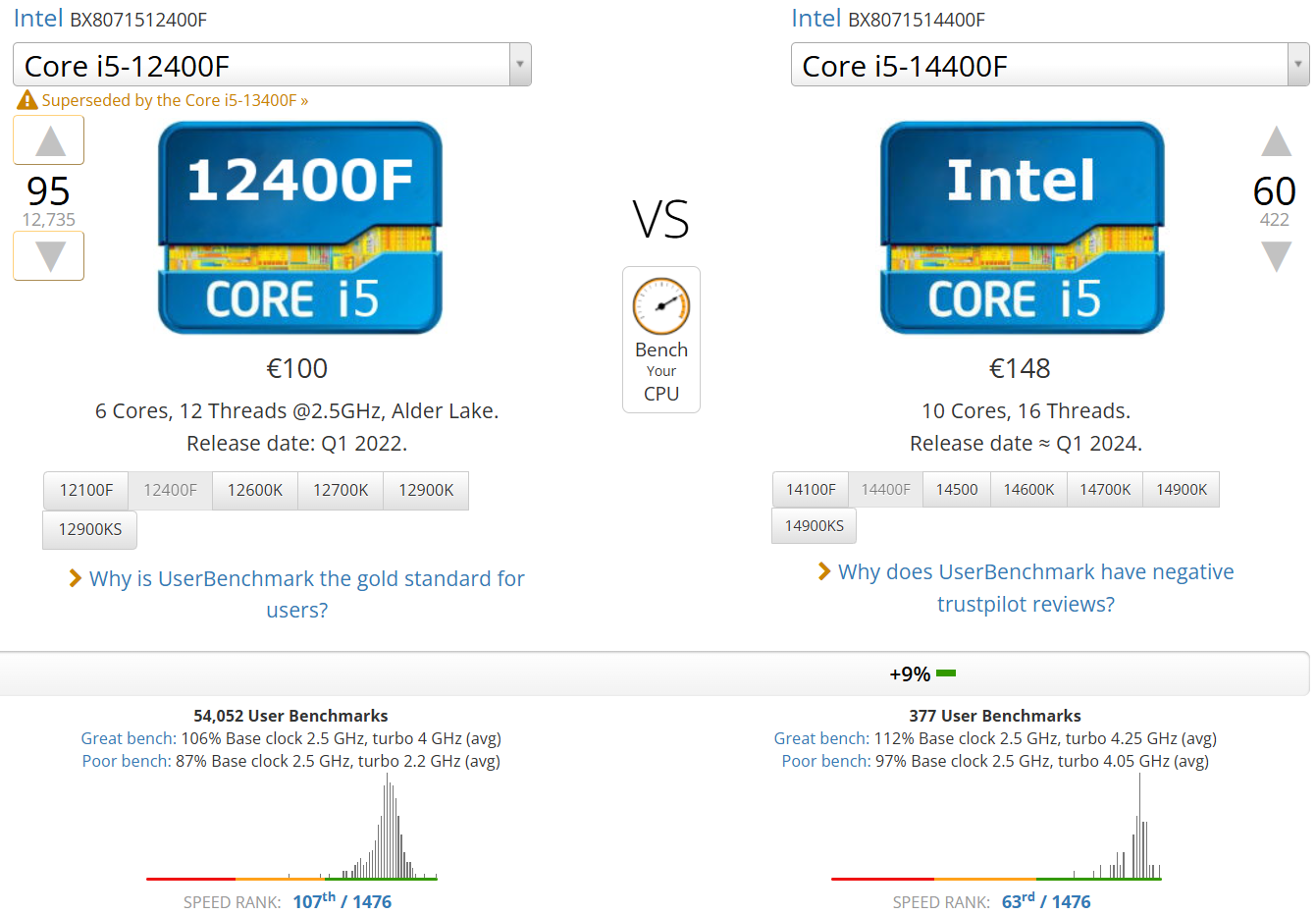
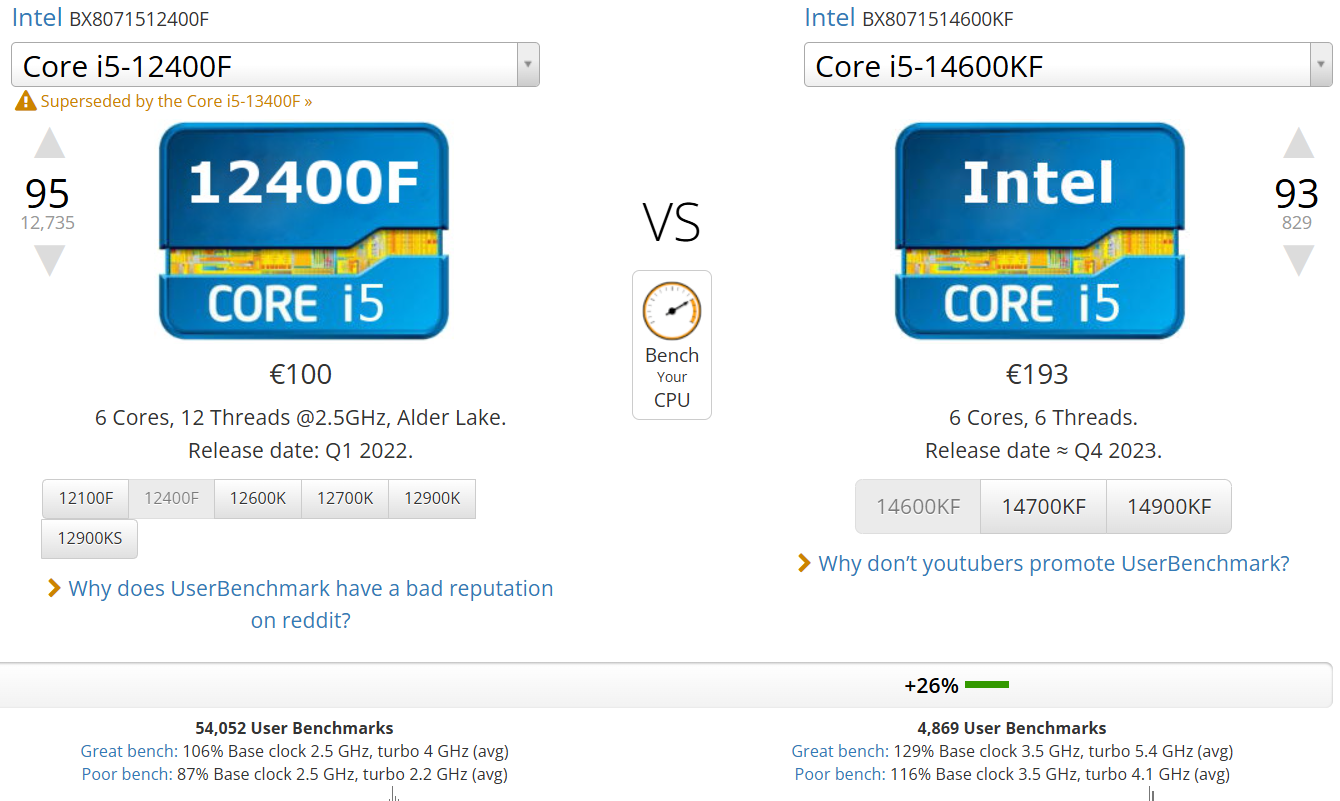
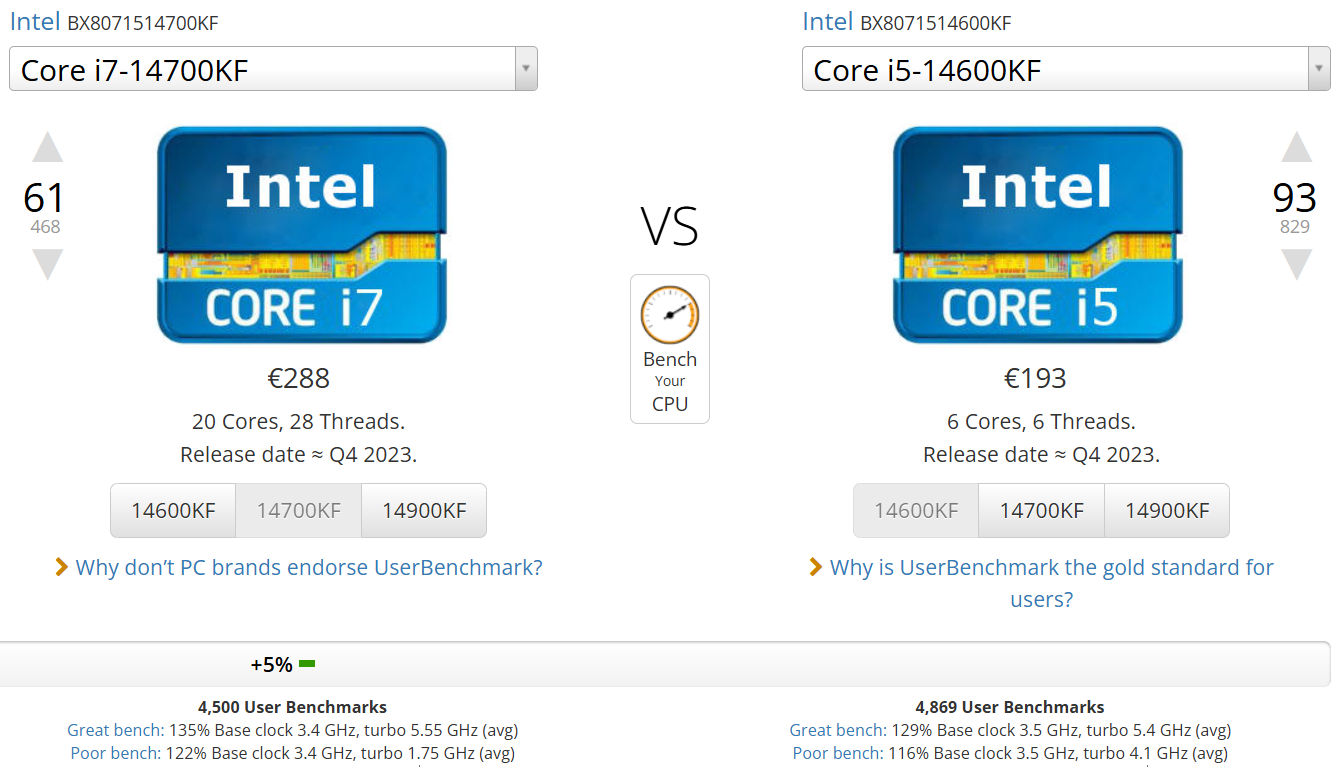
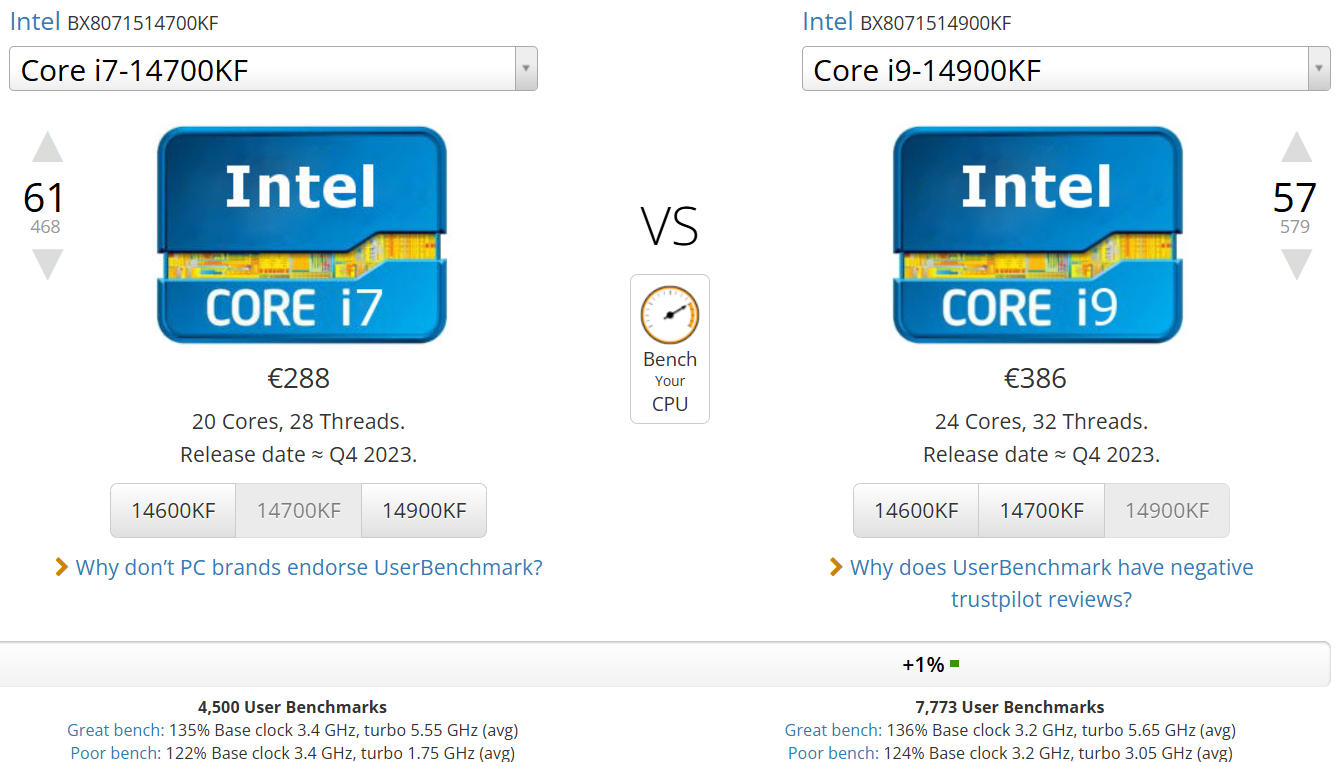
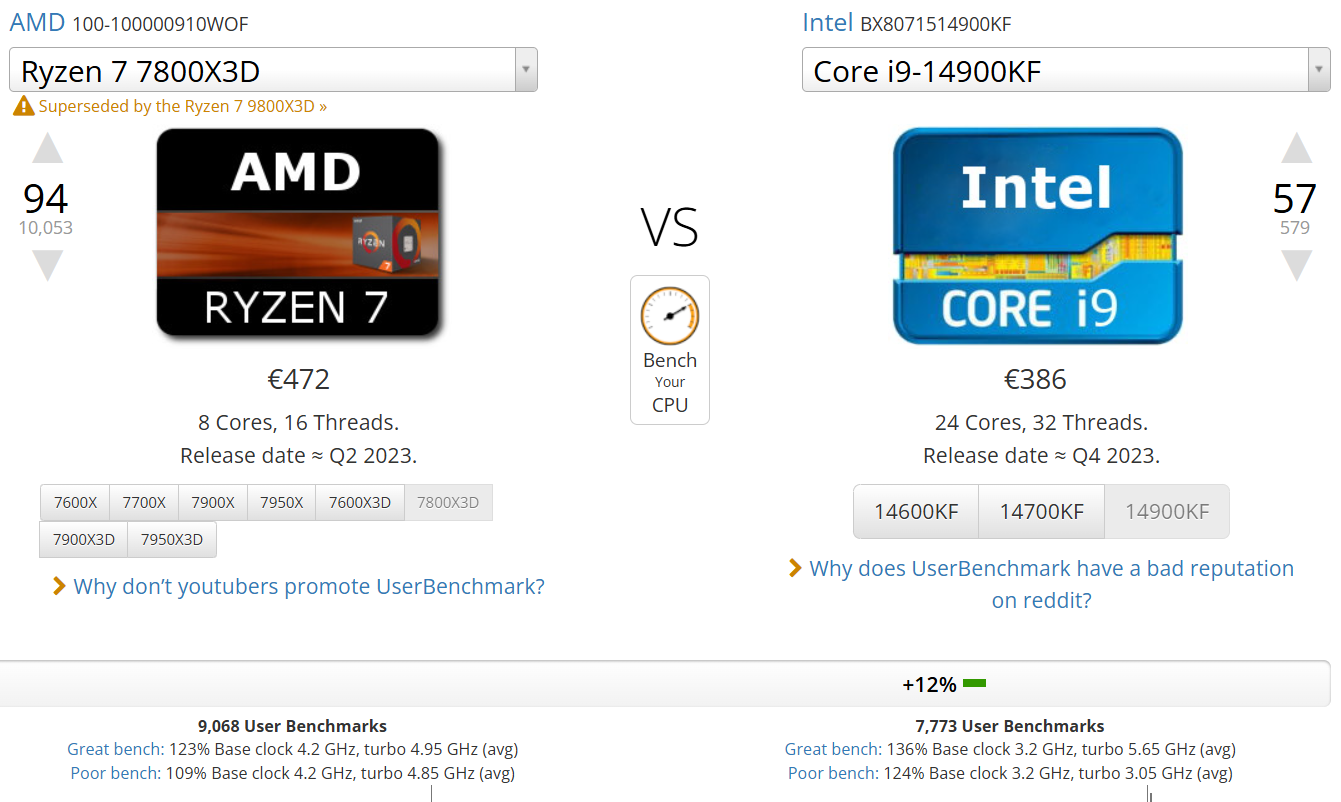
Benchmark of Intel processors for flowup PCs
In conclusion: a code with no more secrets!
Decoding the names of Intel processors is like learning a new language. Once you know how to read the key elements (series, generation, performance, and suffixes), you can choose the perfect model without stress.
So, ready to choose your processor like a pro?
