
By the FlowUP team, gaming PC builder in Genappe (Belgium) · Updated 2 November 2026
In brief:
- Why use a gaming PC water cooling: a cooler CPU under long loads, less noise, and a clearer interior where the graphics card breathes better.
- 240 mm AIO: more than enough for a Ryzen 5 or a 6-8 core CPU for gaming.
- 360 mm AIO: the right choice for power-hungry processors (Core i7, Core Ultra 7, Ryzen 9) and for a very quiet PC.
- Maintenance: an AIO water-cooling system is a sealed circuit, filled at the factory. No filling, no draining.
Open the side panel of a modern gaming PC: one time out of two, above the processor there’s no longer a large finned radiator, but a discreet pump connected by two tubes to a ventilated radiator. This is a gaming PC water cooling. And PC water cooling is no longer reserved for €3,000 builds.
Should you want one, though? It depends on your processor, your tolerance for noise, and the size of your case. Here’s what water cooling really changes, how to choose between a 240 mm and 360 mm AIO, and the PCs we build in Genappe with liquid cooling.
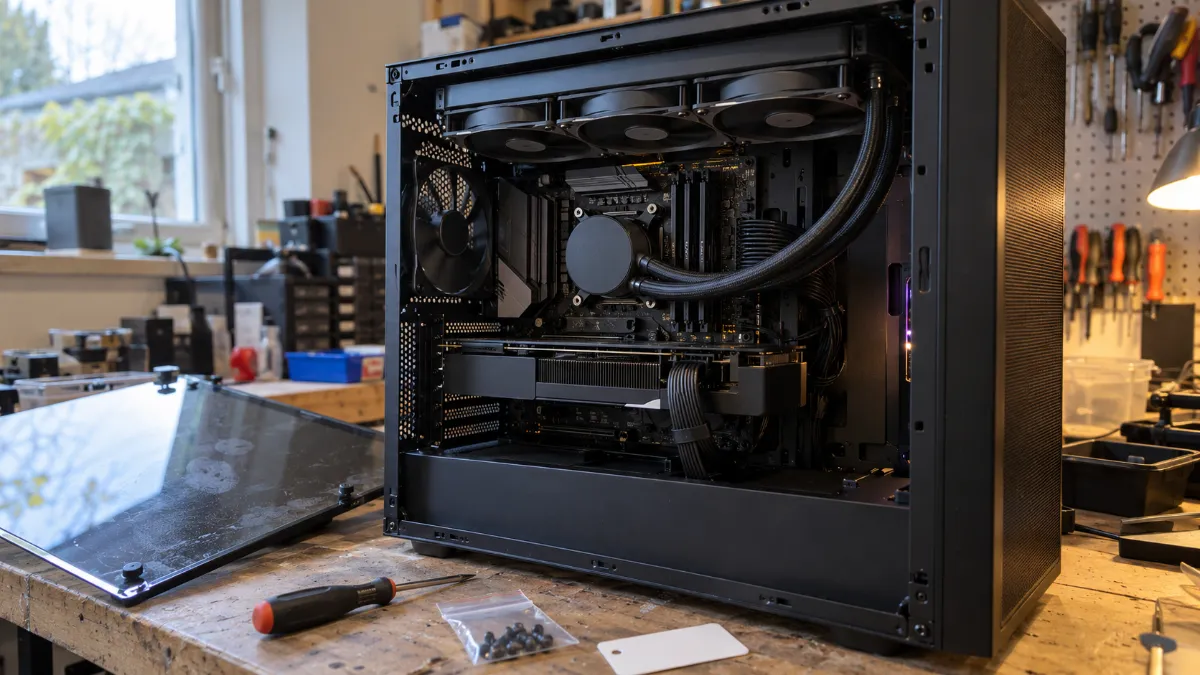
A 360 mm AIO mounted at the top of the case, in exhaust mode: the most common configuration.
What is a water-cooled gaming PC?
A gaming PC water cooling cools the CPU with liquid: a pump circulates the liquid between the processor and a ventilated radiator, which releases the heat outside the case. In a built PC, it’s almost always a water cooling AIO (“All In One”):
- Sealed circuit: the pump, tubes and radiator are factory-sealed. No filling, no draining.
- 240 or 360 mm radiator: two or three 120 mm fans.
- Not to be confused with custom water cooling, assembled piece by piece with a reservoir, which requires regular maintenance. We don’t offer it in our PCs.
Here, liquid cooling is only for the CPU. The graphics card keeps its own fans, but it benefits from a less cluttered area around it.
Water cooling or air cooler: which should you choose for a gaming PC?
A good air cooler handles a gaming CPU very well. Water cooling pulls ahead with a CPU that runs hot, during long sessions when you want quiet, and behind a glass side panel. We compared the two in detail in our article air cooler or water cooling, but here’s the short version:
| Criteria | Air cooler | Water cooling AIO |
|---|---|---|
| 6-core processor in games (Ryzen 5 5600, Ryzen 5 9600X) | Sufficient | Quieter, more headroom |
| Power-hungry processor (Core i7-14700KF, Core Ultra 7 265KF) | Limited under long loads | Recommended, in 360 mm |
| Quiet while gaming | Good | Best: slower fans at the same load |
| Aesthetics, side window | Bulky in the centre | Clear interior, pump often with backlighting |
| Maintenance | Dust removal | Dust removal from the radiator, nothing else |
Our take: for a gaming PC starting from the RTX 5070, we prefer water cooling, for the silence and for the extra room it leaves your CPU during long sessions. Below that, a 240 mm water cooling still remains a real advantage, but a good air cooler gets the job done too.
AIO 240 or 360 mm: what radiator size?
A 360 mm radiator offers 50% more heat-exchange surface than a 240 mm radiator: at equal load, its fans spin less fast, so the PC makes less noise.
- 240 mm AIO: Ryzen 5, Core i5, 6 to 8-core processors used in gaming. This is what we put into the Banger RTX 5060 PC.
- 360 mm AIO: Core i7, Core Ultra 7, Ryzen 7 and Ryzen 9, streaming, video editing, long sessions. This is our standard starting from the RTX 5070.
- Case: a 360 mm radiator requires a 360 mm mounting position at the front or on the top. On our PCs, this point is sorted out before the build.
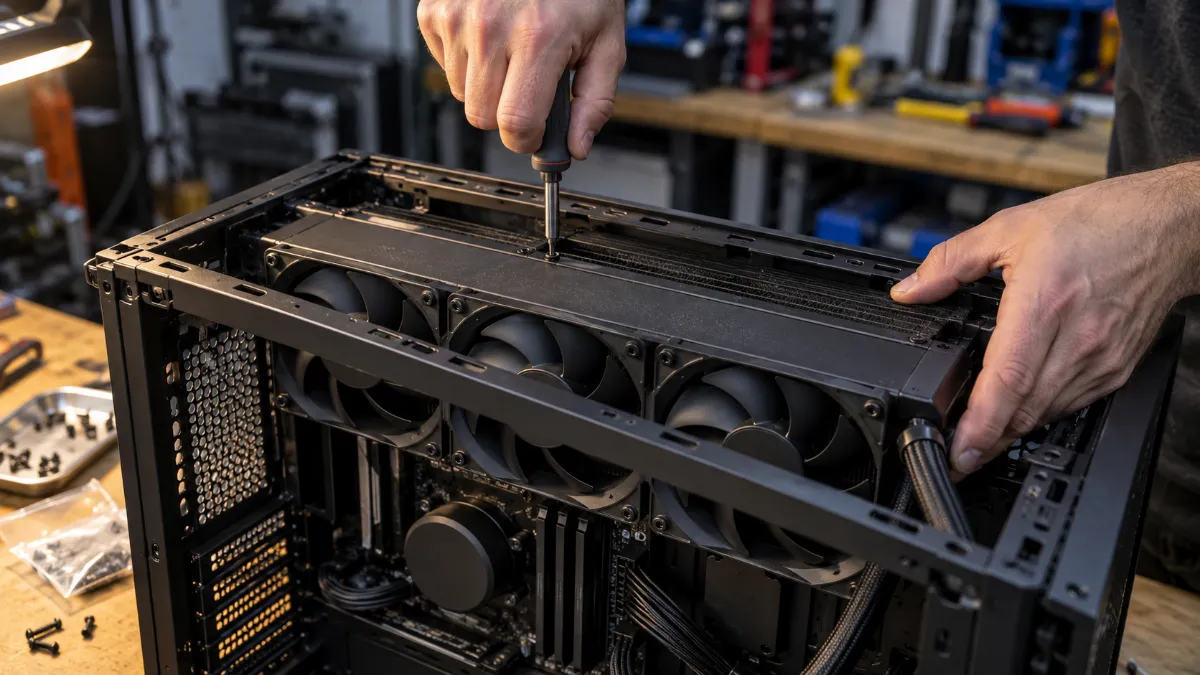
Three 120 mm fans on a 360 mm radiator: more surface, less noise.
One rule when mounting it: the top of the radiator must always sit higher than the pump. Otherwise, the air left in any sealed loop collects there and the pump gets noisy. Hence our two placements: radiator on top as exhaust, or at the front with the tubes running down.
Our water-cooled gaming PCs: which one should you choose?
These PCs are assembled, cabled and tested in Genappe, including watercooling: you don’t need to install anything. The current price and delivery lead time are shown on each product page.
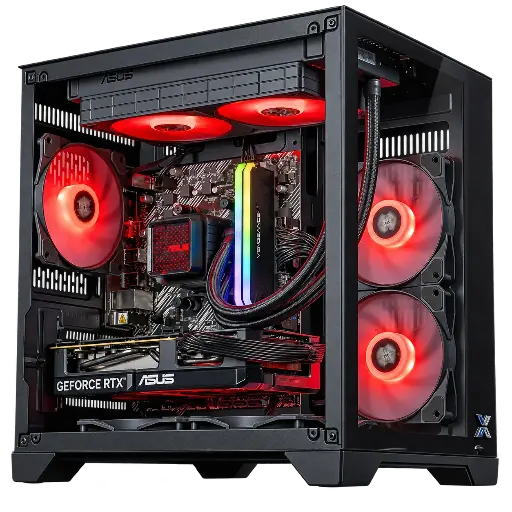
Banger PC GeForce RTX 5060 Powered by ASUS
- ASUS Prime LC II 240 ARGB watercooling
- Ryzen 5 5600, RTX 5060 8 GB, 16 GB DDR4, 1 TB SSD
The most affordable watercooled PC in the range: a perfectly sized 240 mm for a Ryzen 5 in 1080p.
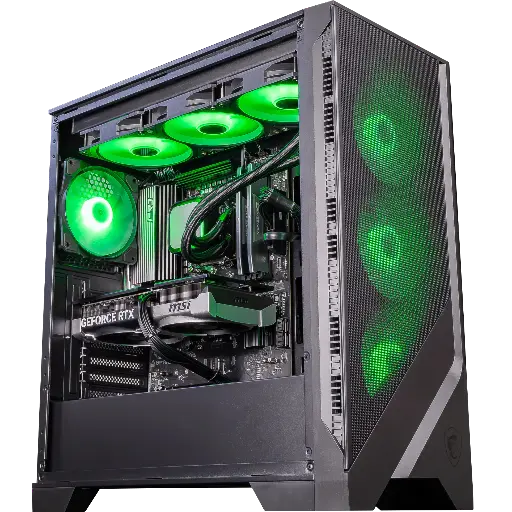
Spatium PC GeForce RTX 5070
- MSI MAG CoreLiquid A13 360 watercooling
- Ryzen 5 9600X, RTX 5070 12 GB, 16 GB DDR5, 1 TB SSD
- MSI MAG Forge 320R Airflow case
Our recommendation for 1440p: a recent AM5 platform, 360 mm cooling and a breathable case.
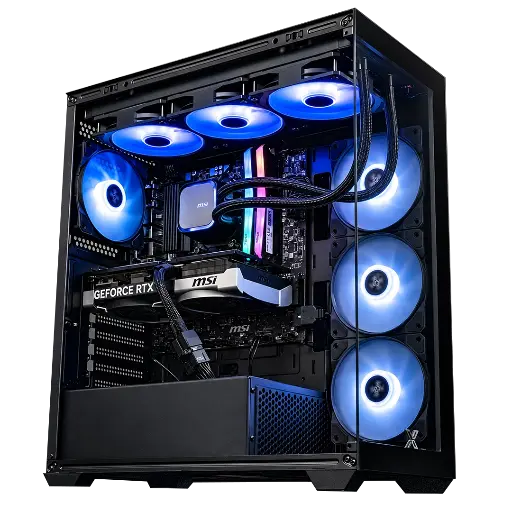
Rampage V2 PC GeForce RTX 5070
- MSI MAG CoreLiquid A13 360 watercooling
- Ryzen 7 5700X, RTX 5070 12 GB, 32 GB DDR4, 1 TB SSD
8 cores and 32 GB of RAM: the right choice for gaming and streaming, kept cool and quiet.
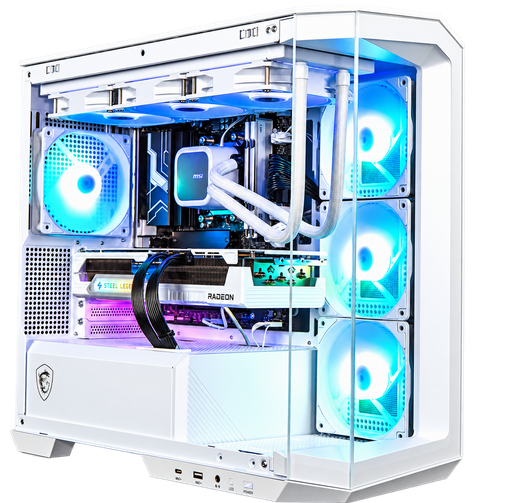
Polaris Radeon RX 9070 16GB PC
- White MSI MAG CoreLiquid A13 360 watercooling
- Ryzen 7 7800X3D, Radeon RX 9070 16 GB, 32 GB DDR5, 1 TB SSD
- MSI MAG PANO M100R PZ case (white)
The all-white RGB gaming PC from the selection, with the most popular gaming processor of the AM5 generation.
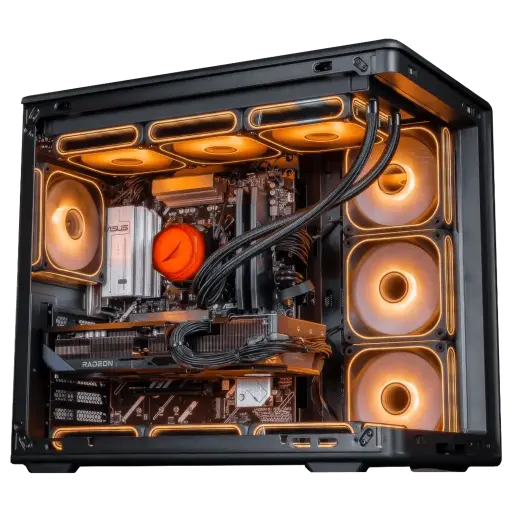
Apex Radeon RX 9070 XT 16GB PC
- Cooler Master MasterLiquid Core II watercooling
- Ryzen 7 7800X3D, Radeon RX 9070 XT 16 GB, 32 GB DDR5, 1 TB SSD
- Cooler Master 850 W 80 Plus Gold power supply
A very high-framerate 1440p setup, cooled with liquid and powered by 850 W Gold.
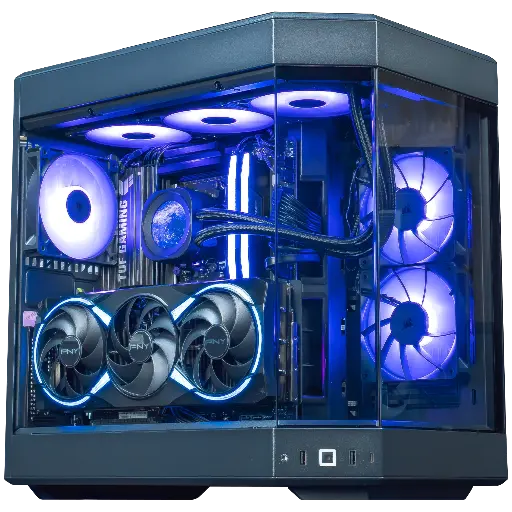
Orion PC GeForce RTX 5080
- Corsair Nautilus 360 RS ARGB watercooling with LCD module
- Ryzen 7 9800X3D, RTX 5080 16 GB, 32 GB DDR5, Samsung 990 EVO Plus 1 TB SSD
- HYTE Y60 case, MSI 1000 W 80 Plus Gold power supply
The showpiece of the selection: a panoramic case, a screen on the pump and one of the best gaming processors around.
For the very high end, the PC Kraken RTX 5090 pairs an NZXT Kraken Elite 360 LCD watercooling with a Ryzen 9 9950X3D.
Is a watercooled gaming PC quieter?
Yes, under load, as long as the radiator is properly sized: it’s often the best reason to choose a quiet watercooled gaming PC.
- In game: the radiator fans run slower than an air cooler on the same processor, especially with 360 mm.
- At idle: the difference is small; both solutions are discreet.
- The graphics card remains the main source of noise while gaming: watercooling only reduces the noise on the processor side.
Workshop opinion
- Up to the RTX 5060: a 240 mm watercooling like on the Banger PC, for quiet operation and style.
- From the RTX 5070: switch to 360 mm, as on the Spatium and Rampage V2 PCs.
- For a showpiece setup: the Orion PC and its screen on the pump, or the Polaris PC entirely in white.
- More than 50,000 PCs shipped from Genappe: each PC is tested before it leaves.
Also to read: RTX 5060 or 5060 Ti gaming PC, which gaming tower to choose and gaming i7 PC.
Watercooled gaming PC FAQ
Does an AIO watercooling system require maintenance?
No. The circuit is closed and filled at the factory: you never add any liquid. Just dust the radiator and its fans, like the rest of the PC.
Can a watercooling system leak?
It’s rare with a well-known branded AIO, installed correctly. The AIOs in our PCs come from established manufacturers (MSI, ASUS, Arctic, Cooler Master, Corsair, NZXT) and each PC is tested before it leaves.
240 or 360 mm watercooling for gaming?
240 mm for a 6 to 8-core processor used for gaming, 360 mm for a Core i7, a Core Ultra 7, a Ryzen 9, or if silence is a priority.
Does watercooling also cool the graphics card?
No, in an AIO-equipped PC, only the processor is cooled by liquid. The graphics card keeps its fans, but benefits from a more unobstructed airflow inside the case.
Does an RGB gaming PC with water cooling run cooler?
Lighting changes nothing in terms of temperatures. What matters is the radiator size, the quality of the fans, and the airflow in the case.
