
By the FlowUP team, assembling a gaming PC in Genappe (Belgium) · Updated 28 September 2026
A thread (execution thread) is a sequence of instructions that a CPU core can process. Thanks to simultaneous multithreading (SMT on AMD, Hyper-Threading on Intel), the same physical core handles two threads at the same time: while one waits for data, the other keeps going. So a “8 cores, 16 threads” processor has 8 physical cores that behave like 16 logical processors for Windows.
In short: threads improve multitasking (game + Discord + stream) but they’re not the same as extra cores. To play in 2026, 12 to 16 threads are an excellent starting point.

Thread vs core: what’s the difference?


| Core | Thread | |
|---|---|---|
| Nature | Physical, etched into the chip | Logical, managed by the core |
| What it does | Runs calculations | Keeps the core busy during its idle time |
| Performance gain | Important for parallel tasks | Variable, always lower than one extra core |
For everything you need to know about the cores themselves, read our guide processor core: what is it and how many do you need? And for the overview, our article CPU: what is it and what is it used for?
How do threads work?
- Software creates tasks: for example, a game separates rendering, physics, sound and networking.
- These tasks become threads, independent sequences of instructions.
- Windows assigns them to the available logical processors using its scheduler.
- Each core runs its threads, and with SMT it alternates between two, so it never sits idle.
Important detail: not all processors have SMT. Desktop Intel Core Ultra 200S dropped it, and on hybrid Intel processors only the P-cores handle two threads, while the E-cores handle just one. That’s why a Core i5-14400F shows 10 cores but 16 threads.
Hyper-Threading and SMT explained in a video by Tech_Sama.
Why threads matter in 2026
| Use | What changes |
|---|---|
| Recent games | Engines distribute their work better across multiple threads |
| Streaming | OBS, chat, the browser and capture run at the same time as the game |
| Creation | Editing, 3D rendering and compilation use all available threads |
| Multitasking | Discord, browser, launchers and background updates |
How many threads do you need in 2026?
Short answer: 12 threads to play in 1080p, 16 threads to play and stream comfortably, and 24 to 32 threads for creation and heavy use.
| Threads | Use | Processor example | PC FlowUP |
|---|---|---|---|
| 12 threads | 1080p gaming, office work | Ryzen 5 5500 (6 cores) | PC Corvus |
| 16 threads | 1080p and 1440p gaming, light streaming | Ryzen 7 5700X (8 cores) | PC Spike |
| 28 threads | Stream, editing, heavy multitasking | Core i7-14700K (20 cores) | PC Rainbow V2 (Intel version) |
| 32 threads | 3D rendering, AI, workstation | Ryzen 9 9950X3D (16 cores) | PC Kraken |
Number of cores and threads according to AMD and Intel’s official specifications.
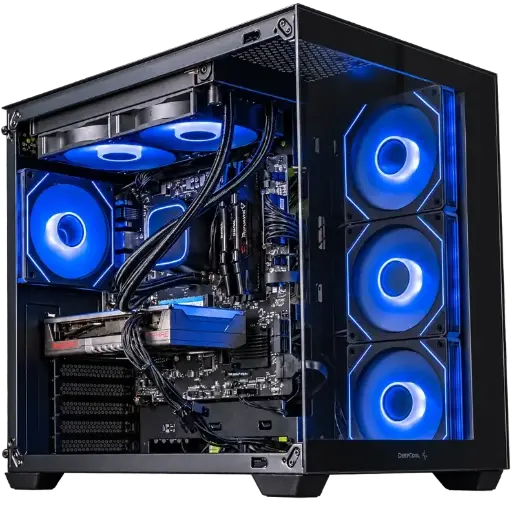
PC Spike: 16 threads
Ryzen 7 5700X (8 cores, 16 threads) and Radeon RX 9060 XT: a very good balance for gaming in 1080p and 1440p.
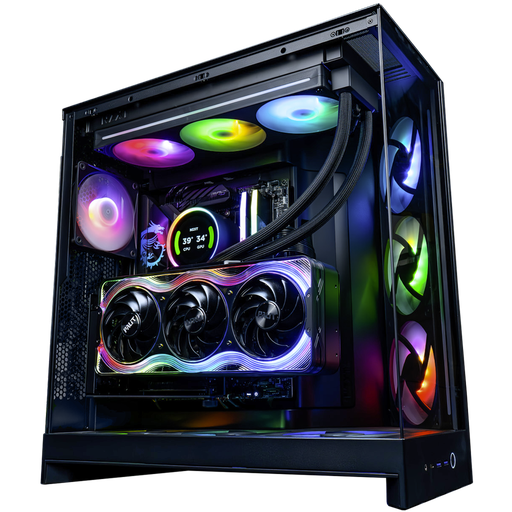
PC Kraken: 32 threads
Ryzen 9 9950X3D (16 cores, 32 threads) and RTX 5090: for rendering, AI and creation without compromise.
Mistakes to avoid
- Count threads as if they were cores: 16 threads on 8 cores are not the same as 16 cores.
- Bet everything on the number of threads for gaming: beyond 12 to 16 threads, clock speed (see our guide CPU frequency) and cache matter more for FPS.
- Forget the graphics card: a 32-thread processor with an entry-level GPU is still limited for gaming.
To find the most suitable processor for your use, follow our guide how to choose your processor.
Frequently asked questions about threads
What is a thread in a processor?
A thread is a sequence of instructions that the processor executes. With SMT or Hyper-Threading, each physical core can handle two in alternation, which improves multitasking.
What’s the difference between 8 cores and 16 threads?
A processor with 8 cores and 16 threads has 8 physical cores, each capable of handling two threads. Windows sees 16 logical processors, but the power still comes from 8 cores, with a performance gain in multitasking.
Are 12 threads enough to play?
Yes, for most 1080p games. A recent 6-core and 12-thread processor is still a solid starting point. For playing and streaming at the same time, 16 threads are more comfortable.
Does Hyper-Threading increase FPS?
Rarely in a noticeable way while gaming. It helps mainly when other programmes run in parallel (stream, Discord, browser) and in creative software.
How do I find out the number of threads on my processor?
Open the Task Manager (Ctrl + Shift + Esc), the Performance tab, then Processor: the “logical processors” correspond to the number of threads.
A balanced PC, from the CPU to the graphics card
Our configurations pair the right number of cores and threads with the right graphics card, depending on your use: gaming, streaming or creation.
