
By the FlowUP team, gaming PC builder in Genappe (Belgium) · Updated 28 September 2026
The CPU (Central Processing Unit), or processor, is the chip that runs the instructions of all your programmes: Windows, your games, and your browser. It performs calculations, makes logical decisions, and assigns work to the other components, starting with the graphics card. That’s why it’s called the brain of the PC. This guide explains what it’s used for, how it works, and which specifications to look at so you can choose the right one.
In brief
- The CPU executes the instructions of the programmes and coordinates the rest of the PC.
- It contains arithmetic units (ALUs), a control unit, registers and cache memory.
- Key specifications: number of cores and threads, clock speed, cache, power use (TDP) and socket.
- In games, it matters most at 1080p and in competitive titles with very high frames per second.
- The right processor is the one that matches your graphics card and how you use your PC.
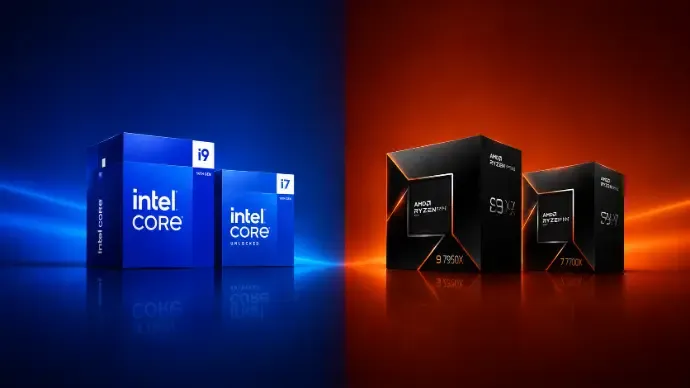
Intel and AMD split the PC processor market.
What is a processor for?
Every action on your PC goes through it. Concretely, the processor:
- runs and executes software, games and the operating system;
- performs arithmetic operations (additions, multiplications) and logical operations (comparisons, decisions);
- exchanges data constantly with RAM, storage and the graphics card;
- splits the workload across its cores and threads to handle multiple tasks in parallel.
In games, it calculates everything that isn’t the image itself: physics, the characters’ artificial intelligence, the positions of online players, then it prepares the instructions that the graphics card turns into images.
The main units of a processor
| Unit | Role |
|---|---|
| ALU (arithmetic and logic unit) | Performs calculations and logical operations |
| Control unit | Reads instructions and coordinates their execution |
| Registers | Tiny, ultra-fast memory for data currently being processed |
| Cache memory (L1, L2, L3) | Keeps frequently used data close at hand, so you don’t have to wait for RAM |

How does a CPU work?
A processor repeats the same cycle over and over again, billions of times per second:
- Read: it fetches the next instruction from memory.
- Decoding: the control unit interprets what needs to be done.
- Execution: the ALU carries out the requested operation.
- Writing the result: the result is stored in a register or memory, and then the cycle starts again.
The pace of this cycle is set by the processor clock, measured in gigahertz, everything is explained in our guide on CPU frequency and GHz.
Cores, frequencies and processor names explained in a video (Joshua PCL channel).
The features to look at
| Specification | What it indicates | To go further |
|---|---|---|
| Cores | The number of independent computing units: the more there are, the more the processor can run tasks in parallel | Cores guide |
| Threads | The number of execution threads the processor handles at the same time | Threads guide |
| Frequency (GHz) | The speed of each core, base and in boost | GHz guide |
| Cache memory | A very fast built-in memory; a large cache helps a lot in games | AMD X3D models |
| TDP / power consumption | The heat that needs to be dissipated and the cooling required | Choose your cooling |
| Socket | The motherboard connector: it must match the processor | Choose your motherboard |
What impact in games and in everyday use?
- In games: the processor matters mostly at 1080p and in competitive games where you’re targeting a very high number of frames per second. At 1440p and in 4K, the graphics card becomes the main factor.
- For content creation: video editing, streaming and 3D directly benefit from having a high number of cores and threads.
- Every day: browsing, Discord, office work, any recent processor is sufficient.
The key is balance: a too-weak processor bottlenecks the graphics card, while a processor that’s too powerful for your use is money spent unnecessarily.
How to choose the right CPU for your profile
To decode the references, read our guide on Intel processor names, then our complete guide for choosing your processor. A few benchmarks with our PCs:
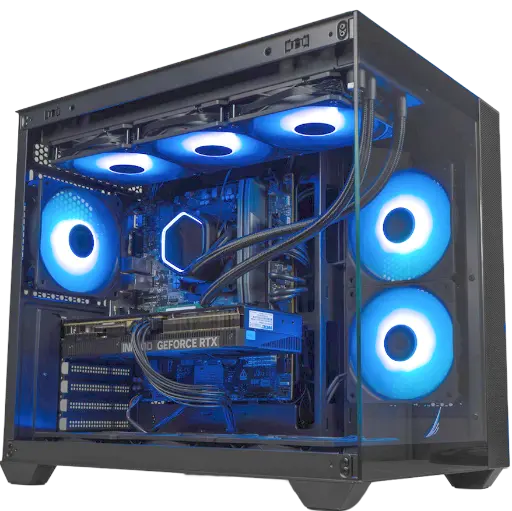
PC Umbra GeForce RTX 5070
Ryzen 5 7500F (6 cores) and RTX 5070: a modern, upgradeable setup, on DDR5 platform, for Full HD and 1440p.
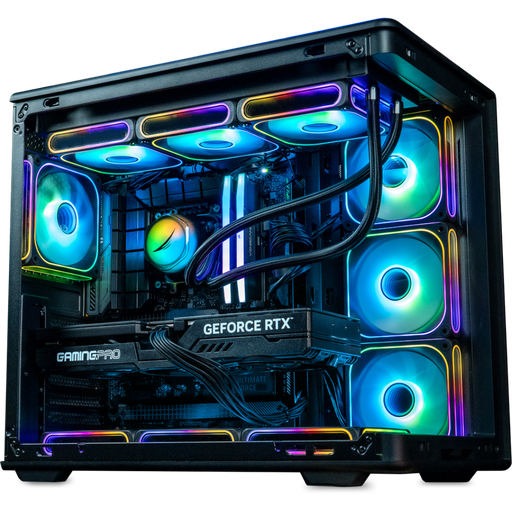
PC Rainbow V2 GeForce RTX 5070 Ti
Intel Core i7-14700KF or Ryzen 7 7800X3D with a RTX 5070 Ti: plenty of headroom for ultra 1440p, streaming and video editing.
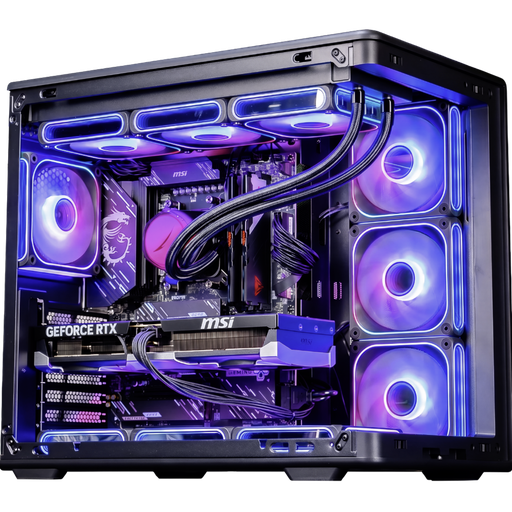
PC Ascent X3D GeForce RTX 5080
Ryzen 7 9800X3D and RTX 5080: high-end for competitive gaming and 4K.
The mistakes to avoid
- Buy the most expensive processor when the graphics card already limits performance.
- Neglect cooling: a powerful processor needs a good air cooler or water cooling.
- Forget compatibility: the socket, motherboard, BIOS and RAM type must match.
- Compare GHz across two different generations or two different brands.
FAQ
What’s the difference between a CPU and a processor?
None: CPU is the English abbreviation for Central Processing Unit, meaning the main processor.
What’s the difference between a CPU and a GPU?
The CPU runs all types of instructions with a few very versatile cores. The GPU, the graphics card chip, has thousands of small specialised units for parallel calculations, ideal for producing images.
Intel or AMD?
Both offer excellent processors. In 2026, AMD’s Ryzen X3D processors are especially popular for gaming, while Intel remains strong for versatility. Compare specific models with the same budget.
How many cores do you need for gaming?
6 recent cores are enough for most games; 8 cores provide some room to stream or keep lots of applications open.
Can you change your processor without changing the motherboard?
Yes, if the new processor uses the same socket and the motherboard supports it, sometimes after a BIOS update.
