
By the FlowUP team, gaming PC assembler in Genappe (Belgium) · Updated 28 September 2026
Overclocking means running a processor, graphics card or memory beyond their factory frequencies to boost performance. In 2026, it’s no longer essential on a gaming PC: modern components already “boost” automatically. It can still deliver a few extra frames per second, especially on the graphics card, as long as you’re willing to accept more heat, higher power consumption and stability testing. Here’s how to decide whether it’s worth it for you.
In brief
- Overclocking = increasing a component’s frequency (and often its voltage) beyond its factory settings.
- Processor: often a small gain in games, because automatic boosting already taps into most of the potential.
- Graphics card: generally a few per cent gain, most noticeable at 1440p and 4K.
- Risks: instability, heat, increased power consumption, and a possible loss of warranty depending on the manufacturer.
- Simpler alternatives: enable the RAM XMP/EXPO profile, manufacturers’ automatic settings, or undervolting.
What is overclocking?
Each component comes with frequencies guaranteed by the manufacturer. Overclocking means deliberately going beyond them: raising a processor’s multiplier, increasing a graphics core or a graphics card’s memory frequency, or pushing the RAM to run faster. The goal is to gain performance without changing hardware.
More frequency almost always means higher power consumption and more heat. That’s why overclocking requires a good power supply, adequate cooling, and serious stability testing. To understand what these frequencies translate to, read our guide on CPU frequency and GHz.
Processor overclocking: useful for gaming?
Rarely. Newer processors already go very high thanks to their automatic boost, and not all of them are overclockable:
| Processor | Manual overclocking | To know |
|---|---|---|
| Intel Core “K” and “KF” (e.g. i7-14700KF) | Yes | Requires a Z-chipset motherboard |
| Intel without “K” (e.g. i5-14400F) | No | Locked multiplier |
| Mainstream AMD Ryzen | Yes | PBO and Curve Optimizer are often more effective than a fixed overclock |
| AMD Ryzen 7 9800X3D | Yes | First X3D with an unlocked multiplier |
| AMD Ryzen 7 7800X3D | Limited | No free multiplier, only PBO settings |
In games, the graphics card most often limits performance from 1440p onwards: a few extra hundred megahertz on the processor doesn’t change much. The advantage is more noticeable for tasks that load all cores (rendering, compilation) or in certain CPU-dependent games at 1080p.
The basics of CPU overclocking, in video (FrenchHardware).
Graphics card overclocking: more FPS?
This is where the margin is most interesting. With MSI Afterburner or the manufacturer’s software, you gradually increase the core and video memory frequency. The gain is usually a few per cent and is most visible in demanding games at 1440p and 4K, where the graphics card is the limiting factor.
Two simple options also exist: NVIDIA’s app offers a one-click automatic performance tuning for GeForce cards, and AMD Adrenalin includes automatic tuning options. If the overclock is too aggressive, visual artefacts (points, coloured lines) or crashes appear, then you need to back it off.
Is overclocking risky in 2026?
Less than before, thanks to the thermal and electrical protections of modern components. But it remains a manual setting with downsides:
- The warranty: processor manufacturers generally exclude damage related to operation outside specifications.
- Stability: an overclock must be validated with tests (OCCT, Cinebench, 3DMark) before it’s used day-to-day.
- Heat: more frequency means more heat to dissipate. See our guide for an air cooler or liquid cooling and our article about a PC that gets too hot.
- Power consumption: the PSU must have some headroom. Our guide to choose your power supply helps you size it.
How to overclock your gaming PC, step by step
- Measure the starting point: temperatures, frequencies and a score in a test (3DMark, Cinebench).
- Start with the RAM: simply enable the XMP profile (Intel) or EXPO (AMD) in the BIOS. That’s the easiest and safest gain.
- Processor: in the BIOS/UEFI, enable PBO (AMD) or raise the multiplier in small steps (Intel K), then test.
- Graphics card: in MSI Afterburner, increase the core clock in steps of 15 to 25 MHz, test, then do the same for the memory.
- Validate: several hours of gaming and testing without crashes or artefacts. If anything goes wrong, return to the last stable setting.
What about undervolting?
Undervolting is the opposite: lower the voltage to keep more or less the same performance with less heat, less noise, and less power consumption. On recent graphics cards, it’s often the most interesting setting for an everyday gaming PC.
Verdict: should you overclock your gaming PC in 2026?
If you like tinkering and squeezing out a few extra frames per second, GPU overclocking is still an interesting option, and the XMP/EXPO profile of your RAM is a reflex you should have. For the rest, modern components are already pushed close to their limits at the factory: a well-balanced and well-cooled PC delivers more than an aggressive overclock.

PC Novara GeForce RTX 5070 12GB
Ryzen 5 7500X3D, RTX 5070 12GB, 16GB DDR5 and 1TB M.2 SSD: a ready-to-play setup straight out of the box.
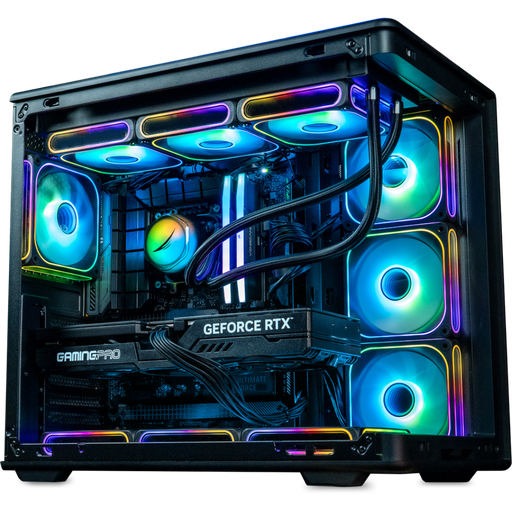
PC Rainbow V2 GeForce RTX 5070 Ti
Intel Core i7-14700KF or Ryzen 7 7800X3D with an RTX 5070 Ti, for ultra 1440p and 4K.
Overclocking FAQ
Is overclocking your PC dangerous?
Not if you do it gradually, with good cooling and stability testing. An overly aggressive setting mainly causes crashes, rarely damage, thanks to built-in protections. Voltage tweaks are the most delicate part.
How many FPS do you gain with GPU overclocking?
Generally, a few percent, varying depending on the card and the game. The gain is especially noticeable in 1440p and 4K in demanding games.
Do you need liquid cooling to overclock?
No. A good air cooler and good airflow are enough for moderate overclocking. Liquid cooling only becomes useful when you want to push a high-end processor.
Does overclocking void the warranty?
It can affect it: processor manufacturers generally exclude damage caused by operation outside specifications. Find out before you get started, and contact our support if you have a FlowUP PC.
CPU or GPU overclocking: which is more interesting?
To gain FPS in games: the graphics card. The processor mainly brings benefits in software that loads all the cores.
Sources: NVIDIA, automatic performance setting in the NVIDIA application ; TechSpot, unlocked multiplier of the Ryzen 7 9800X3D.
