 Your PC in instalments (up to 12x)
By the FlowUP team, gaming PC builder in Genappe (Belgium) · Updated 30 September 2026
In short: PCIe (PCI Express) is the bus that connects the graphics card and NVMe SSDs to the processor. Each generation doubles throughput: around 2 GB/s per lane in PCIe 4.0 and 4 GB/s in PCIe 5.0. For a graphics card in x16, moving from PCIe 4.0 to 5.0 changes almost nothing in games. Only cards in x8 with 8 GB of video memory are sensitive: for them, 16 GB of video memory matters more than the PCIe version.
What is PCIe?
PCI Express is the communication lane between the processor and the components that need a lot of bandwidth: the graphics card, NVMe SSDs, and sometimes a network card or a capture card. On the motherboard, it takes the form of long ports, PCIe slots, and M.2 ports for SSDs.
Two numbers describe a PCIe link: its generation (3.0, 4.0, 5.0), which sets the speed of each lane, and its number of lanes (x4, x8, x16), which tells you how many lanes work in parallel.
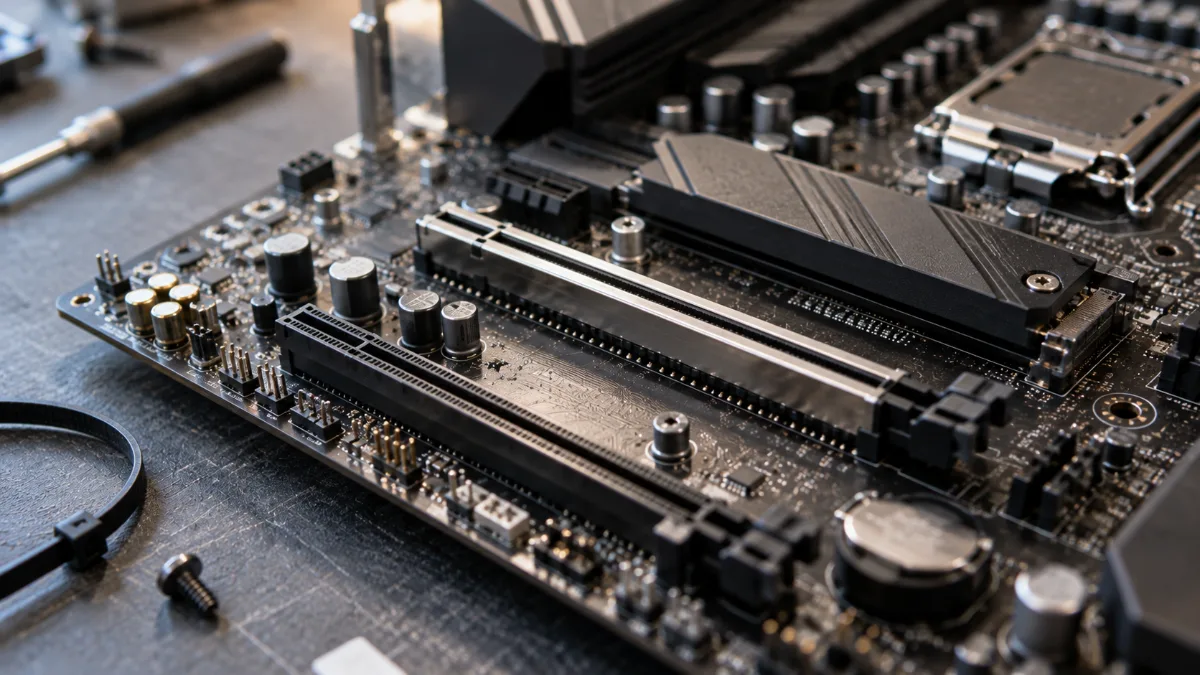
PCIe slots on a motherboard: the longest, reinforced one is where the graphics card goes.
PCIe 3.0, 4.0 or 5.0: what throughputs?
| Generation | Published standard | Per lane | x4 (SSD) | x8 | x16 (graphics card) |
|---|---|---|---|---|---|
| PCIe 3.0 | 2010 | about 1 GB/s | about 4 GB/s | about 8 GB/s | about 16 GB/s |
| PCIe 4.0 | 2017 | about 2 GB/s | about 8 GB/s | about 16 GB/s | about 32 GB/s |
| PCIe 5.0 | 2019 | about 4 GB/s | about 16 GB/s | about 32 GB/s | about 64 GB/s |
Source: PCI-SIG; transfer throughput per direction, rounded.
Generations are compatible with each other: a PCIe 5.0 card works in a PCIe 4.0 slot, and vice versa. The link simply runs at the speed of the slowest component. PCIe 6.0 has existed on paper since 2022, but it doesn’t concern gaming PCs yet.
x16, x8, x4: what do the lanes mean?
Imagine a highway: the generation is the permitted speed, and the lanes are the number of lanes. Most graphics cards use 16 lanes. Some entry-level cards, like the RTX 5060 and RTX 5060 Ti, use only 8: their connector is wired as x8 even if it has the size of an x16. An NVMe SSD, on the other hand, only needs 4 lanes.
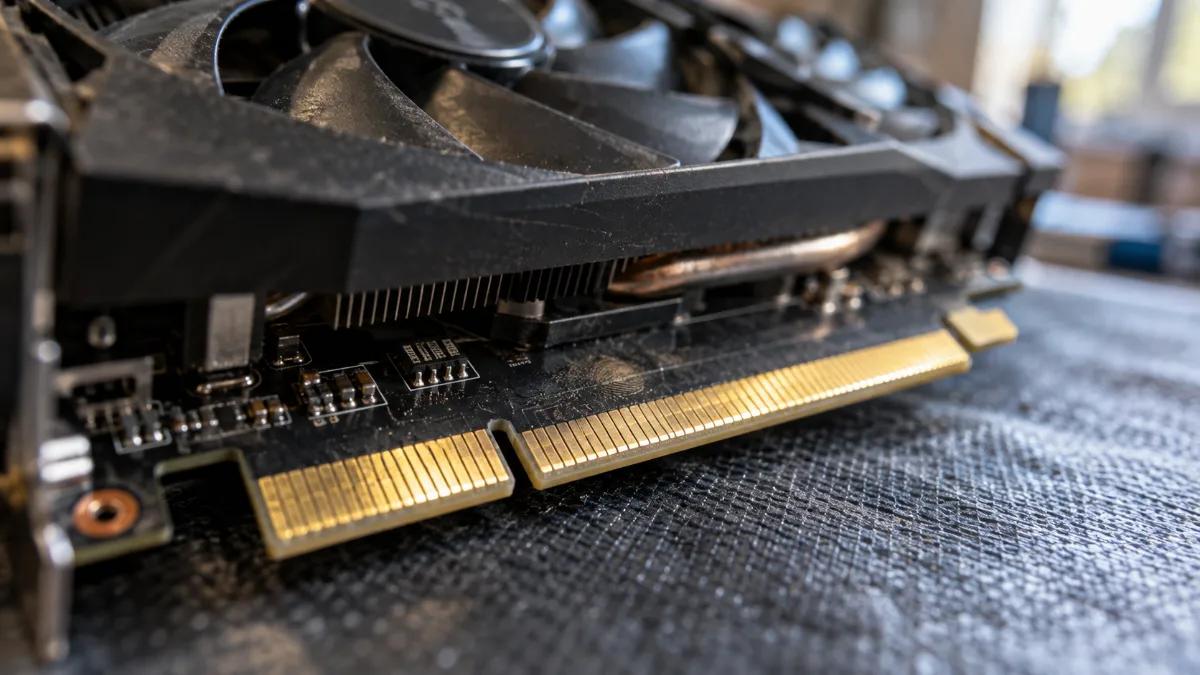
The gold connector of the graphics card: its size doesn’t always tell you how many lanes are actually wired.
Do you need PCIe 5.0 for a graphics card?
For a x16 card, no. Even an RTX 5090, the fastest card around at the moment, gains almost nothing from PCIe 5.0 compared with 4.0. Cards in x8 with 8 GB of video memory are a special case: when their memory overflows, they pull data from the PC’s RAM over the PCIe bus, and every gigabyte per second counts.
| Card | Comparison | Result | Source |
|---|---|---|---|
| GeForce RTX 5090 (x16) | PCIe 5.0 vs 4.0 | Virtually no difference, up to 1-4% versus PCIe 3.0 | GamersNexus, February 2025 |
| GeForce RTX 5060 Ti 8 GB (x8) | PCIe 5.0 vs 4.0, 27 games at 1440p | About 6% fewer in PCIe 4.0 (59.4 vs 55.8 fps) | ComputerBase, via Tom's Hardware, May 2025 |
Our builder’s take: don’t choose a motherboard for its PCIe 5.0, choose a graphics card with enough memory. A RTX 5060 Ti 16 GB or an RX 9060 XT 16 GB avoids the problem, whatever the port generation. To go further: how much VRAM do you need to game.
And for the NVMe SSD?
A PCIe 4.0 NVMe SSD reaches around 7,000 MB/s in read speeds, twelve times more than a SATA SSD. PCIe 5.0 models exceed 14,000 MB/s. On a large file transfer or video export, the difference is noticeable.
In games, much less: loading times between a good PCIe 4.0 SSD and a PCIe 5.0 SSD remain very close, because the processor also has to decompress the data. A good PCIe 4.0 SSD is still the best choice for a gaming PC. Our full guide: how to choose your SSD in 2026.
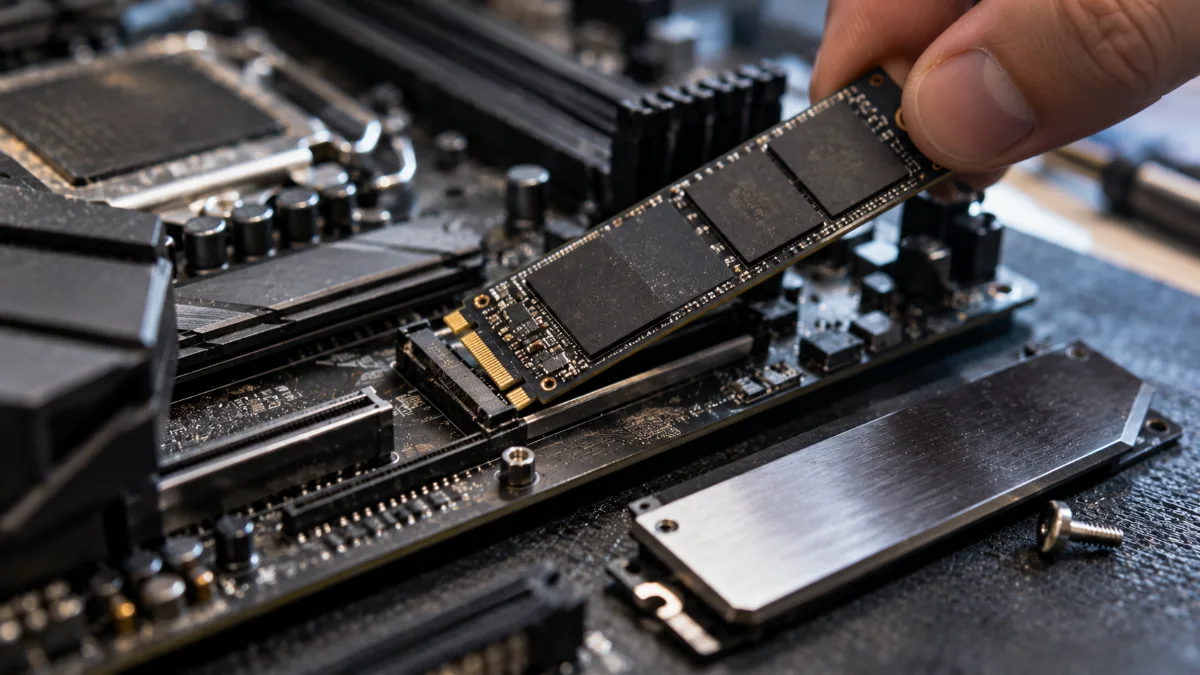
An M.2 NVMe SSD uses 4 PCIe lanes.
Our gaming PCs with 16 GB of video memory
Mathis and Gauthier tested our Rift PC, with its Radeon RX 9060 XT 16 GB:
Mathis and Gauthier, test of the FlowUP Rift PC
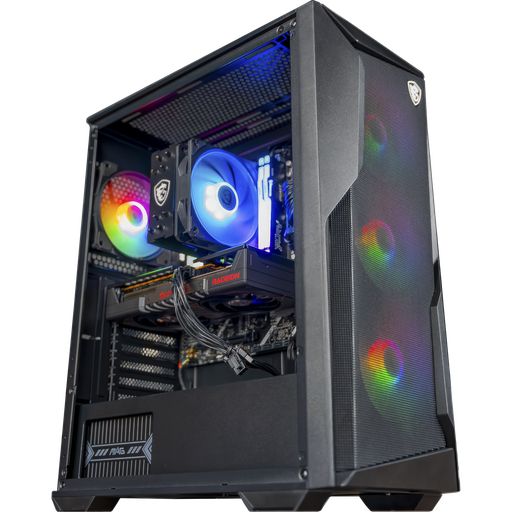
PC Rift: RX 9060 XT 16 GB
RX 9060 XT 16 GB in PCIe x16 and Ryzen 5 7500F on AM5 platform: 1080p and 1440p with no worries about video memory.
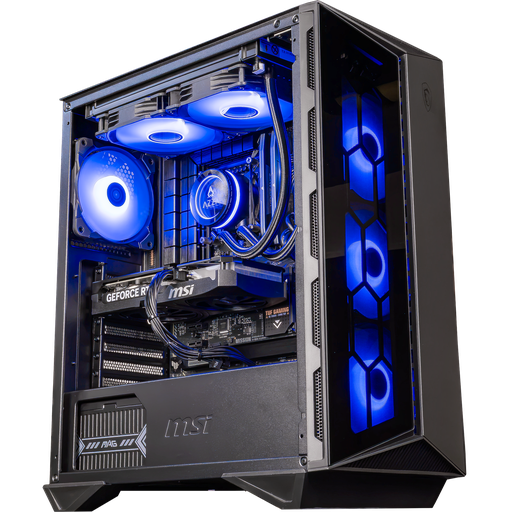
PC Swift: RTX 5060 Ti 16 GB
The RTX 5060 Ti in a 16 GB version, which keeps enough memory so you don’t depend on the x8 bus, with a Core i5 14400F and DDR5.
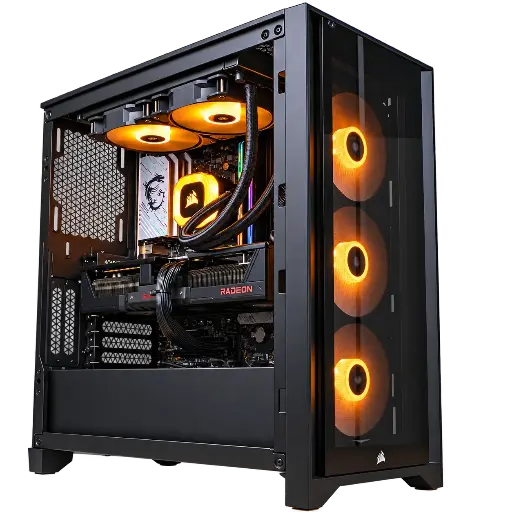
PC Prism: RX 9070 XT 16 GB
RX 9070 XT 16 GB, Ryzen 5 7600 and 32 GB of DDR5: 1440p in ultra and an entry into 4K.
FAQ: PCIe
What does PCIe mean?
PCI Express, for Peripheral Component Interconnect Express: the bus that connects the graphics card and NVMe SSDs to the processor.
Does a PCIe 5.0 graphics card work on a PCIe 4.0 motherboard?
Yes. PCIe is backwards compatible: the card runs at the speed of the port, and in games the difference is very small for a card in x16.
What’s the difference between PCIe 4.0 and 5.0?
PCIe 5.0 doubles the throughput per lane: about 4 GB/s versus 2 GB/s, i.e. about 64 GB/s versus 32 GB/s in x16.
Why does the RTX 5060 Ti 8 GB lose performance on PCIe 4.0?
It uses only 8 lanes. When its 8 GB of video memory overflows, it goes via the PCIe bus to fetch data from RAM, and PCIe 4.0 x8 offers half the bandwidth of 5.0 x8.
Do you need a PCIe 5.0 SSD to play games?
No. A good PCIe 4.0 NVMe SSD delivers loading times very close to those in games, for less money.
