 Your PC in instalments (up to 12x)
 Add to cart
More space
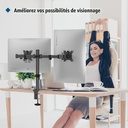
The original feet disappear from your desk. You get back space for the keyboard, mouse, mat and the rest of your setup.
 (2283 reviews)

Free up your desk and place your two screens exactly where you want.
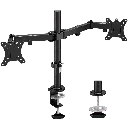
The BONTEC dual monitor mount replaces the original feet to create a cleaner, more comfortable, and better-organised setup. Ideal for keeping your game front and centre, and Discord, OBS, or your browser on the second screen.
✓ Two monitors from 13 to 32 inches
✓ Up to 10 kg per monitor
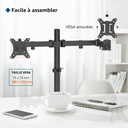
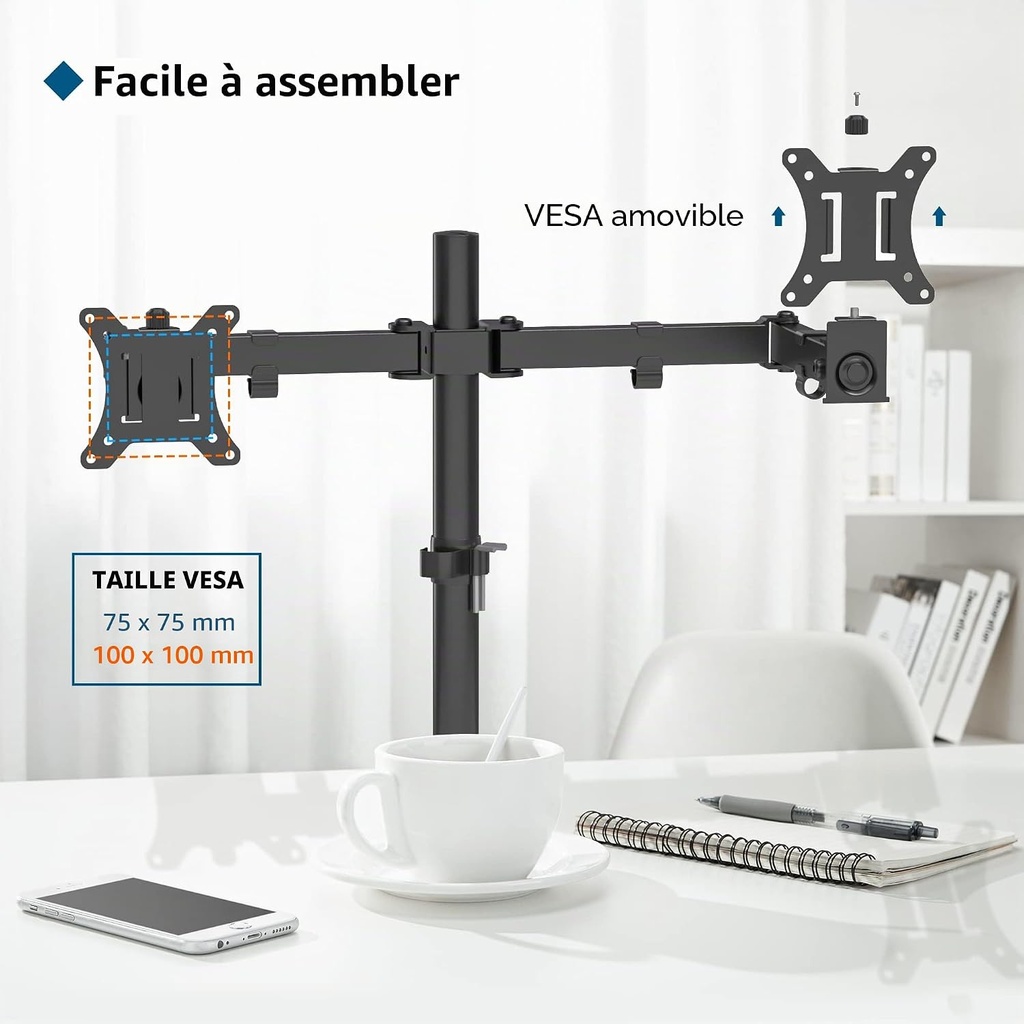
✓ VESA compatible 75 × 75 and 100 × 100 mm
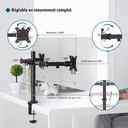
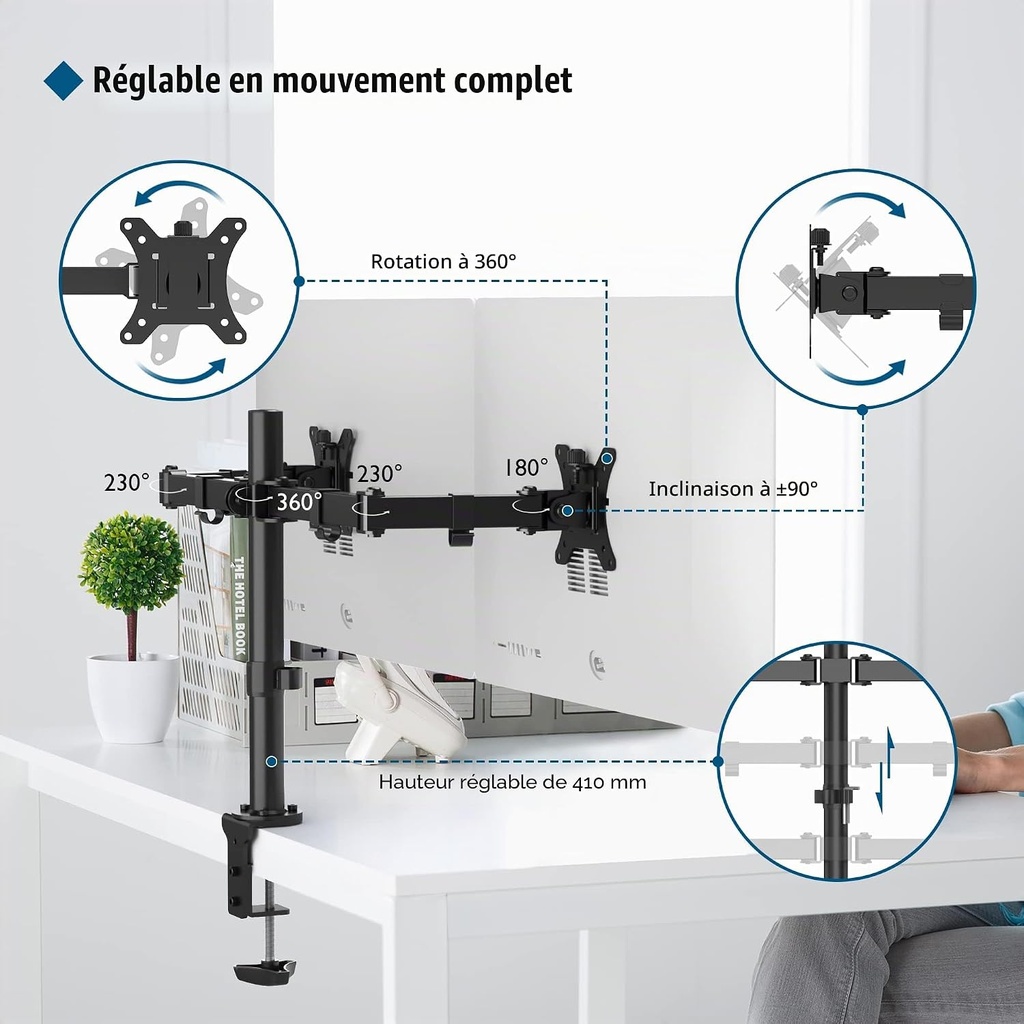
✓ Tilt ±90° and 360° rotation
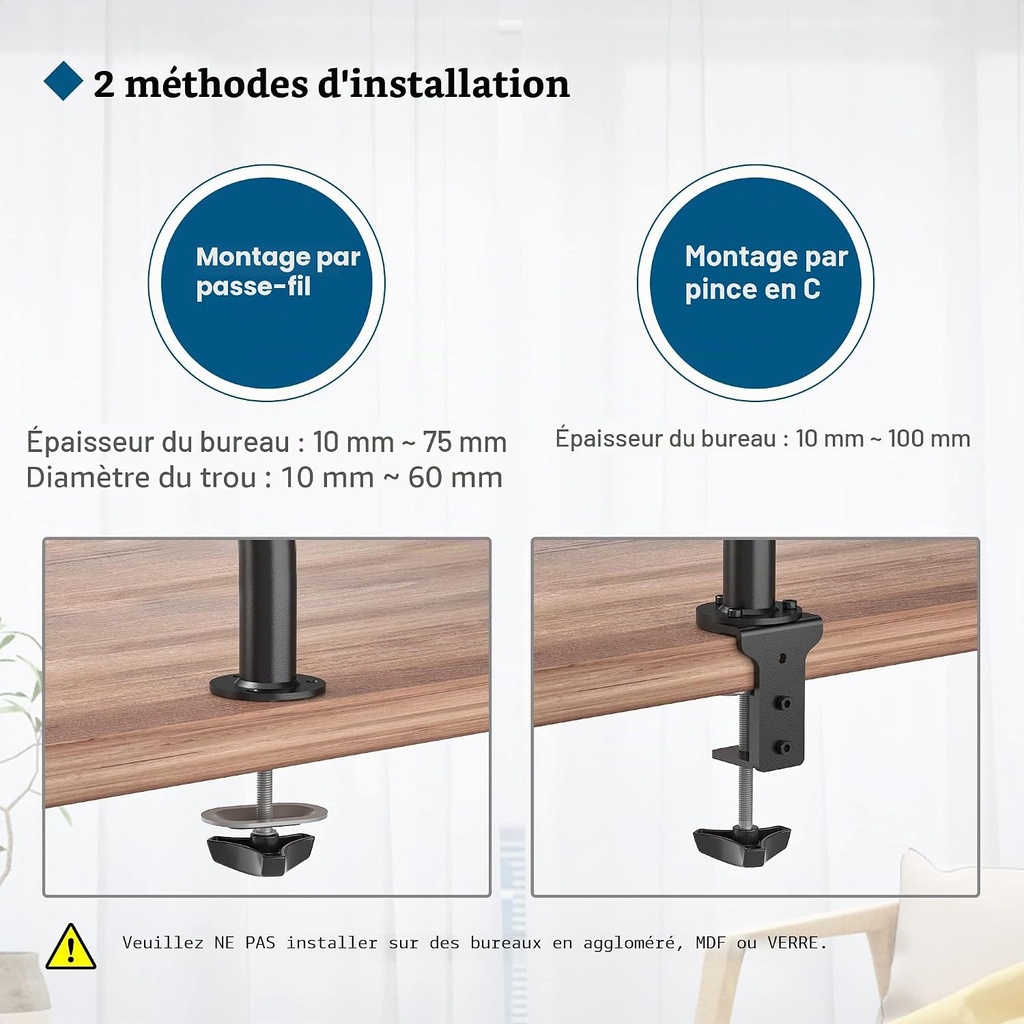
✓ Installed with a clamp or through-mounting
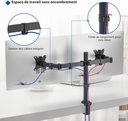
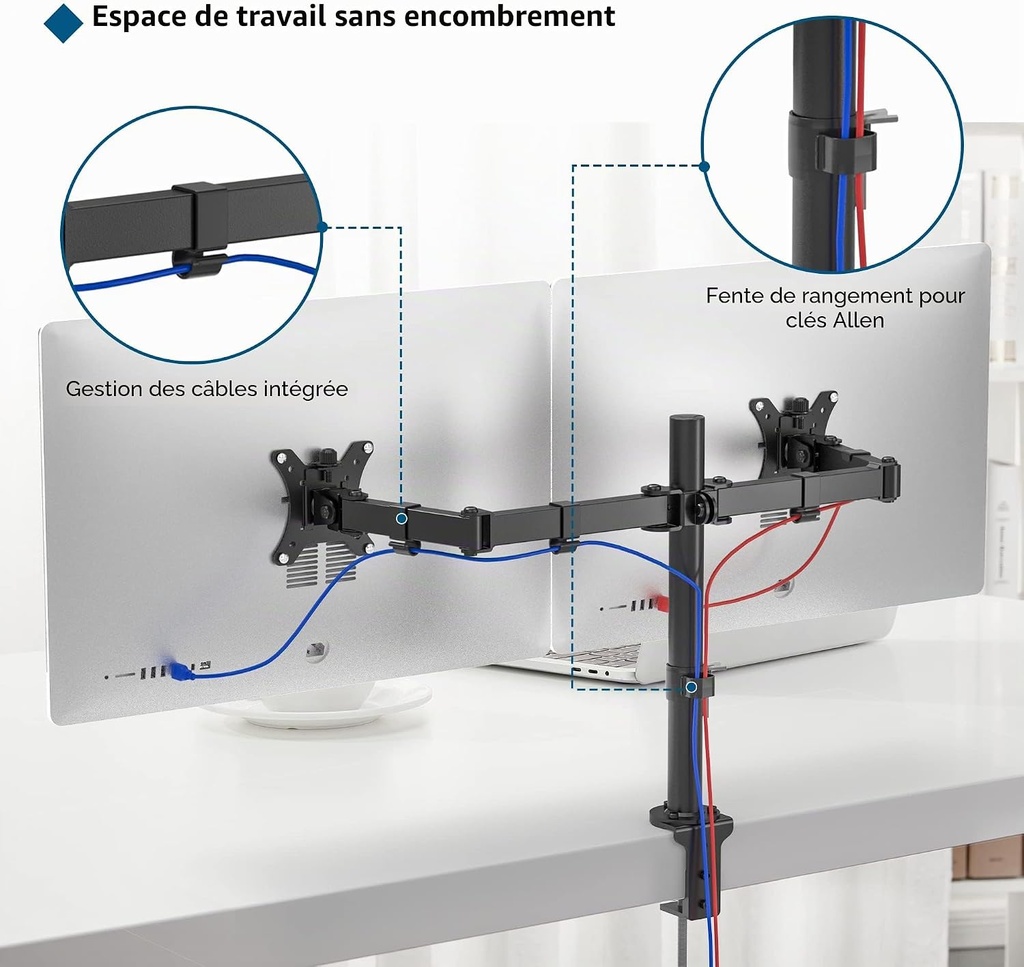
✓ Built-in cable routing

Fast shipping
Payment in 2, 3, 4, 10 or 12X.
2 years of statutory seller warranty.

Customer service accessible by phone.
Right of withdrawal of 14 days
General Terms and Conditions of Sale (GTC)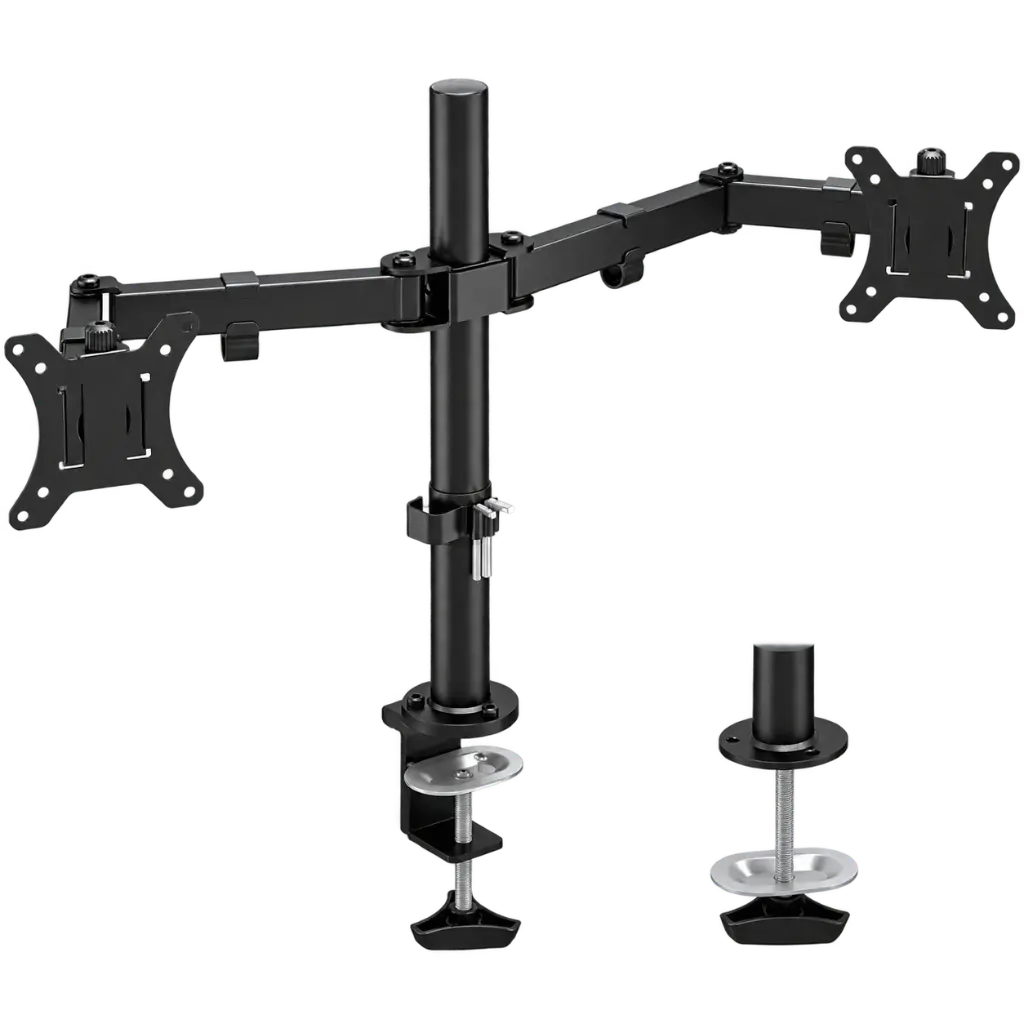
The BONTEC dual monitor stand frees up the space taken by the original feet and lets you position each monitor at the right height. Neater for your setup, more comfortable for gaming, working or streaming.

A good monitor arm improves both desk organisation and your gaming position. And when the setup is tidy, everything becomes easier.
The original feet disappear from your desk. You get back space for the keyboard, mouse, mat and the rest of your setup.
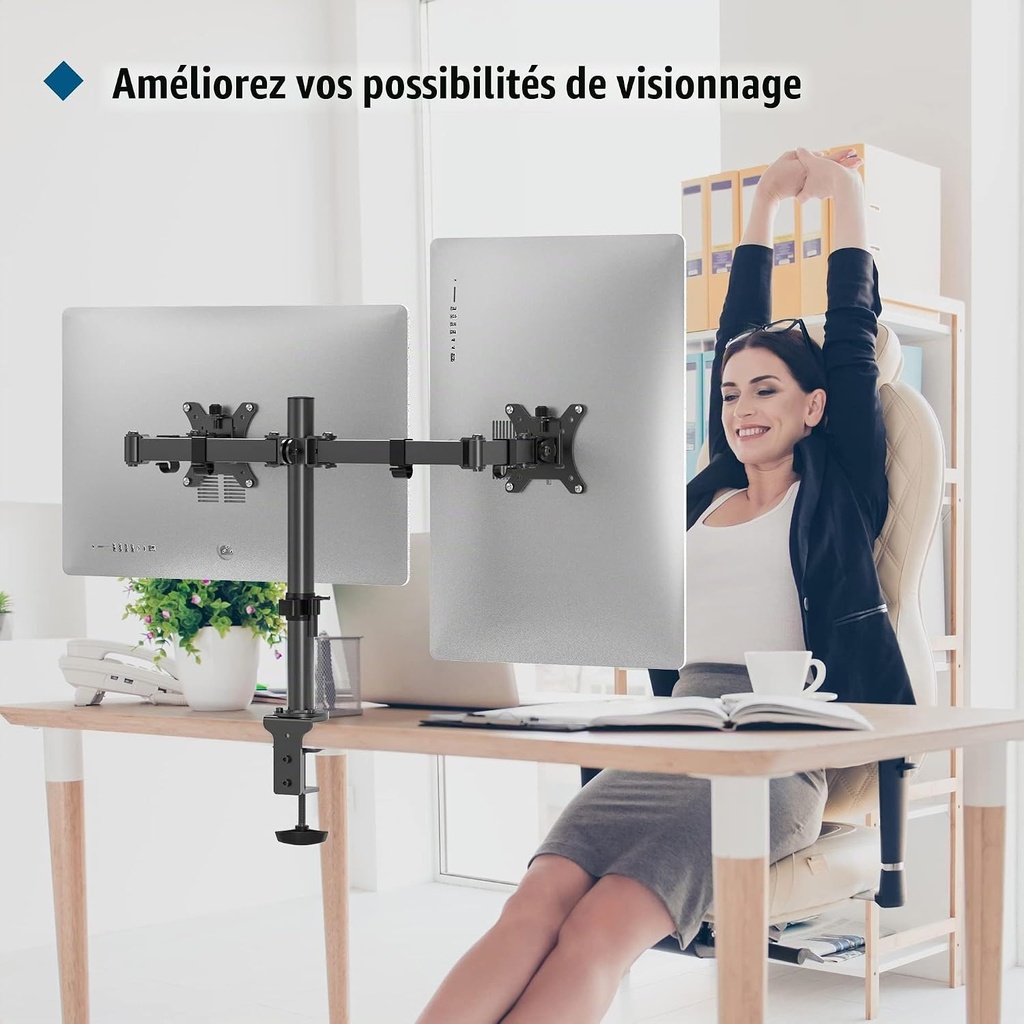
The screens can be raised and oriented to avoid spending the evening leaning forward.
Keep your game on the main screen and place Discord, OBS, the chat or your browser on the second.
The built-in guides help route the cables along the arms instead of letting them hang down.


The size in inches isn’t enough. Also check the weight without the original stand and the spacing of the four holes located at the back of the screen.
Main screen centred, secondary screen slightly angled for Discord, Spotify or a guide.
Gameplay in front of you and a vertical or side screen for OBS, chat and monitoring.
Two windows that are truly visible without constantly juggling between tabs.
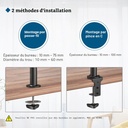
Choose the method that fits your desktop. Both mounting systems are included in the kit.

The simplest solution: the C-clamp tightens onto the edge of the desktop. No drilling required, and the mount can be repositioned easily.

If your desk has a cable pass-through or a suitable hole, the through base attaches the mount directly through the desktop. Compatible with a desktop thickness of 10 to 100 mm.
The built-in clips route the video and power cables along the arms and then the central mast. The result is cleaner, without blocking the adjustments.


Look at the back of the monitor: four mounting holes must form a square of 75 × 75 mm or 100 × 100 mm. The standard is also indicated in the technical data sheet or the monitor’s manual.
No. To check the 10 kg limit per arm, use the weight of the monitor without its original stand, since it will be removed during installation.
Yes, provided that each screen measures between 13 and 32 inches, weighs no more than 10 kg without its stand, and uses a VESA 75 × 75 or 100 × 100 mm mount.
Yes, if both screens meet the weight, size, and VESA mounting limits. However, the exact alignment may vary depending on the height and shape of each monitor.
Not necessarily. The C-clamp attaches directly to the edge of a desktop that is 10 to 75 mm thick. Through-mounting is a second option if your desk already has a suitable hole or cable pass-through.
Do not install it on glass without the desk manufacturer’s explicit confirmation and without a suitable reinforcement solution. The weight and the concentrated pressure of the clamp may damage a fragile desktop.
Check the size, weight, and VESA mounting of your monitors. If all three are a match, your setup is ready for an upgrade.
The BONTEC dual monitor stand frees up the space taken by the original feet and lets you position each monitor at the right height. Neater for your setup, more comfortable for gaming, working or streaming.
A good monitor arm improves both desk organisation and your gaming position. And when the setup is tidy, everything becomes easier.
The original feet disappear from your desk. You get back space for the keyboard, mouse, mat and the rest of your setup.
The screens can be raised and oriented to avoid spending the evening leaning forward.
Keep your game on the main screen and place Discord, OBS, the chat or your browser on the second.
The built-in guides help route the cables along the arms instead of letting them hang down.
The size in inches isn’t enough. Also check the weight without the original stand and the spacing of the four holes located at the back of the screen.
Main screen centred, secondary screen slightly angled for Discord, Spotify or a guide.
Gameplay in front of you and a vertical or side screen for OBS, chat and monitoring.
Two windows that are truly visible without constantly juggling between tabs.
Choose the method that fits your desktop. Both mounting systems are included in the kit.
The simplest solution: the C-clamp tightens onto the edge of the desktop. No drilling required, and the mount can be repositioned easily.
If your desk has a cable pass-through or a suitable hole, the through base attaches the mount directly through the desktop. Compatible with a desktop thickness of 10 to 100 mm.
The built-in clips route the video and power cables along the arms and then the central mast. The result is cleaner, without blocking the adjustments.
Look at the back of the monitor: four mounting holes must form a square of 75 × 75 mm or 100 × 100 mm. The standard is also indicated in the technical data sheet or the monitor’s manual.
No. To check the 10 kg limit per arm, use the weight of the monitor without its original stand, since it will be removed during installation.
Yes, provided that each screen measures between 13 and 32 inches, weighs no more than 10 kg without its stand, and uses a VESA 75 × 75 or 100 × 100 mm mount.
Yes, if both screens meet the weight, size, and VESA mounting limits. However, the exact alignment may vary depending on the height and shape of each monitor.
Not necessarily. The C-clamp attaches directly to the edge of a desktop that is 10 to 75 mm thick. Through-mounting is a second option if your desk already has a suitable hole or cable pass-through.
Do not install it on glass without the desk manufacturer’s explicit confirmation and without a suitable reinforcement solution. The weight and the concentrated pressure of the clamp may damage a fragile desktop.
Check the size, weight, and VESA mounting of your monitors. If all three are a match, your setup is ready for an upgrade.