
By the FlowUP team, gaming PC builder in Genappe (Belgium) · Updated 16 November 2026
In short: Flight Simulator 2024 launches with 16 GB of RAM and a GTX 970, but Microsoft recommends 32 GB and cites 64 GB for its ideal setup. To fly in 1440p over cities without stutters, go for a X3D processor, at least 32 GB of RAM, and a graphics card with 12 to 16 GB. Our pick: the PC Apex (Ryzen 7 7800X3D, RX 9070 XT 16 GB, 32 GB DDR5).
Final approach, flaps out, and the image freezes for half a second when the city appears under the wing. In Flight Simulator 2024 (MSFS 2024 for regulars), this kind of hitch rarely comes from the screen. It comes from the processor, RAM or the connection, because the simulator downloads the world while you’re flying.
So a Flight Simulator 2024 setup is thought about differently than a PC for a shooter. Here’s what the official specs say, what the tests show, and how to build a Flight Simulator 2024 PC in the Genappe workshop.
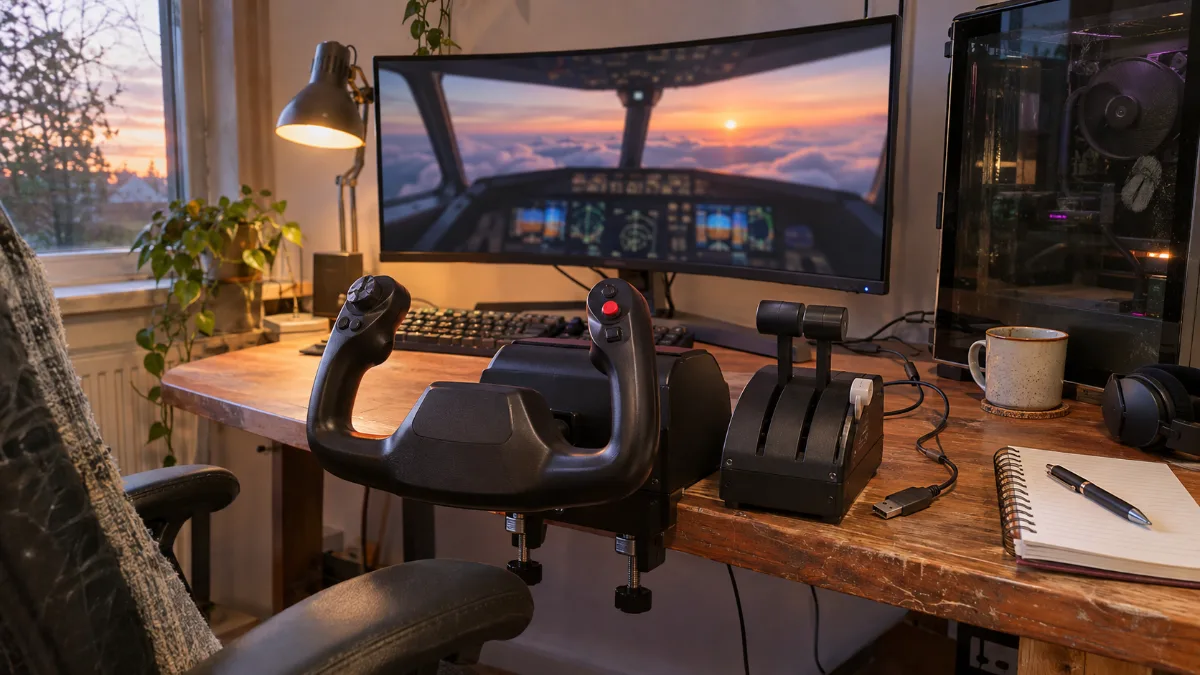
Flight Simulator 2024: the official system requirements
Microsoft and Asobo have published three tiers. The minimum lets you launch the simulator, the recommended lets you fly properly in 1080p, and the ideal targets high settings. The last column is what you build for a virtual pilot who plays in 1440p.
| Component | Minimum | Recommended | Ideal | Workshop tip |
|---|---|---|---|---|
| Processor | Core i7-6800K or Ryzen 5 2600X | Core i7-10700K or Ryzen 7 2700X | Core i7-14700K or Ryzen 9 7900X | Ryzen 7 7800X3D or 9800X3D |
| Graphics card | GTX 970 or RX 5700 | RTX 2080 or RX 5700 XT | RTX 4080 or RX 7900 XT | RX 9070 XT, RTX 5070 Ti or RTX 5080 |
| Video memory | 4 GB | 8 GB | 12 GB | 16 GB |
| RAM | 16 GB | 32 GB | 64 GB | 32 GB, 64 GB with lots of add-ons |
| Storage | 50 GB | 50 GB | 50 GB | 1 TB NVMe SSD |
| Connection | 10 Mb/s | 50 Mb/s | 100 Mb/s | Fibre or cable, PC over Ethernet |
Sources: system requirements published by Microsoft and Asobo, as reported by Neowin, PC Gamer and PCGamesN (September 2024). Last column: FlowUP workshop choice.
- The 50 GB aren’t a mistake: the scenery is streamed from the servers during the flight instead of being installed on the drive.
- The 64 GB of RAM in the ideal column is a real signal: the simulator keeps an enormous amount of data in memory around the aircraft.
- Add-ons (airports, paid aircraft, detailed sceneries) drive disk space way beyond that. PC Gamer mentions up to 2 TB for a very heavily loaded installation.
Processor: the real boss of your FPS in Flight Simulator 2024
In most games, you choose the graphics card first. Here, the processor handles flight physics, air traffic, real-time weather and scenery streaming. On the ground, at a busy airport, it’s the first to fall behind.
- In 1080p Ultra, Tom’s Hardware’s test shows a ceiling around 100 FPS, even with the biggest graphics cards tested. The processor is what bottlenecks.
- In 1080p Medium, with a Radeon RX 7900 XTX, a Ryzen 7 9800X3D delivered 59% more FPS than a Core i9-12900K.
- In 4K Ultra, the gap between processors drops to a few percentage points: the graphics card takes back control.
Our position is clear: for a Flight Simulator 2024 PC, we go for a Ryzen X3D. The 7800X3D is the right compromise. The 9800X3D is worth the extra cost if you often fly above large cities or with a lot of online traffic. Our article on the Ryzen 7 gaming PC details the difference between the two.
32 or 64 GB of RAM for Flight Simulator 2024?
The official specs already give three reference points: 16 GB minimum, 32 GB recommended, 64 GB ideal. Here’s how to read them.
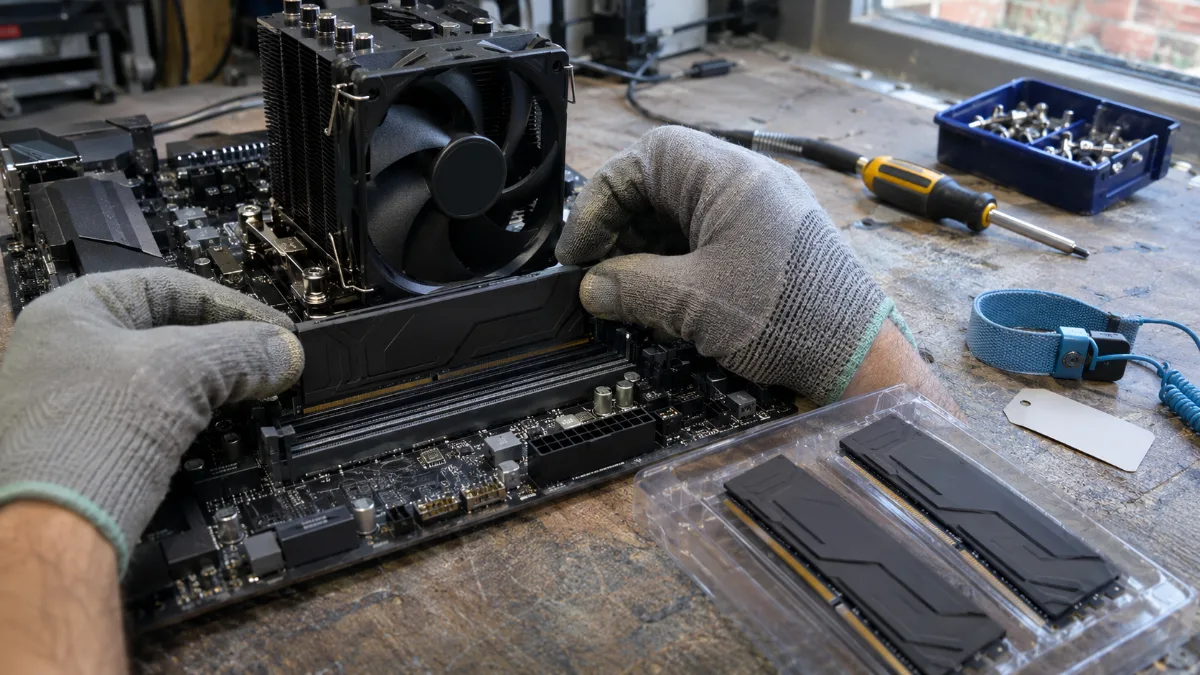
DDR5 installation in the workshop: for a simulator, we go with 32 GB in two sticks.
- 16 GB: the simulator starts. But with Windows, a browser and a flight-planning tool open alongside it, memory fills up quickly, and micro-stutters show up when approaching the cities.
- 32 GB: a good starting point. This is the minimum amount you should fit in a PC for Flight Simulator 2024.
- 64 GB: useful if you stack payware airports, complex aircraft and third-party tools (weather, air traffic control, flight tracking), or if you fly in VR.
A build tip: take your RAM in two sticks instead of four, to keep a high frequency in DDR5. For the details, see our comparison 16 GB or 32 GB of RAM.
Graphics card: which GPU for your screen resolution?
Once you’ve chosen the processor, the graphics card determines the resolution and the level of detail. Tom’s Hardware’s test (23 cards, Ryzen 7 9800X3D) provides good benchmarks, even though it was done at the game’s launch, with the RTX 40 and RX 7000 series.
| Your use case | What the test showed | Our recommendation for 2026 |
|---|---|---|
| 1080p, Ultra settings | To reach 60 FPS, you needed at least an RTX 4070 or an RX 7800 XT | RTX 5070 12 GB |
| 1440p Ultra | the RTX 4070 and above managed over 60 FPS, while the 8 GB cards lost smoothness | RX 9070 XT or RTX 5070 Ti, 16 GB |
| 4K Ultra | only the RTX 4090 reached 60 FPS (61 FPS) without upscaling | RTX 5080 with DLSS, or RX 9070 XT with FSR and adjusted settings |
| VR | headset and two images to render | 16 GB video memory and an X3D processor |
Source: Tom’s Hardware, Microsoft Flight Simulator 2024 PC performance testing (end of 2024). Last column: workshop tip from FlowUP.
- 8 GB video memory works at 1080p. At 1440p notes Tom’s Hardware a drop in smoothness, and at 4K the 8 GB cards run short on memory. For a simulator you’ll keep for years, aim for at least 12 GB, ideally 16 GB.
- The Medium preset runs at roughly twice the speed of Ultra and still looks very good. Lower volumetric clouds or the density of ground traffic before you think about changing your PC.
- DLSS and FSR help mainly at 4K. At 1080p, when the processor is the bottleneck, they add almost nothing.
For 1440p, our RX 9070 XT gaming PCs are the balanced choice we recommend, simulator included.
SSD, connection and peripherals: what you often overlook
- NVMe SSD: the official spec doesn’t require it, but the scenery cache and add-ons are streamed continuously. A 1 TB NVMe SSD reduces load times and textures that arrive too late.
- Connection: 50 Mb/s recommended, 100 Mb/s for the ideal setup. Plug the PC into Ethernet if you can: a congested Wi‑Fi link creates more gaps in the scenery than a slightly underpowered processor.
- USB ports: yoke, throttle, rudder pedals, sometimes a radio panel. Before you buy, count them: you quickly end up with four or five ports at the back of the PC.
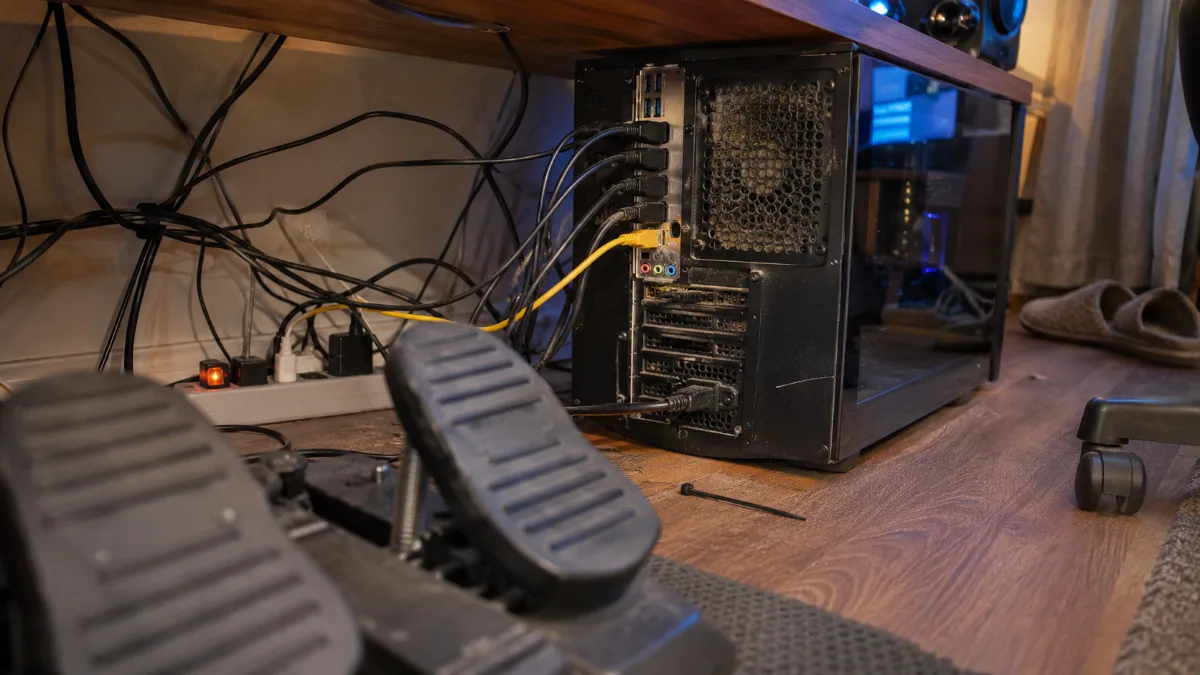
Flying with a VR headset is another experience, more demanding on video memory and the processor: our guide VR PC explains what you need. If you also drive cars, the simracing PC shares a lot in common with a flight-simulator PC. And if space allows, see our Star Citizen setup.
Our PCs for Flight Simulator 2024: which one should you choose?
These three PCs have been assembled, cabled and tested in Genappe, and they ship with Windows 11. All of them have a X3D processor, the foundation we recommend for a simulator.
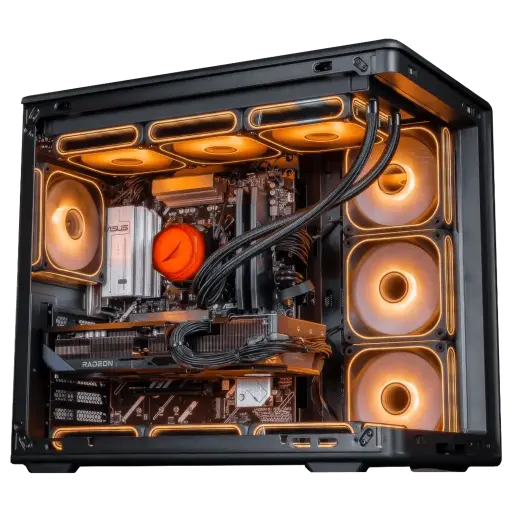
Apex PC Radeon RX 9070 XT 16GB
- Ryzen 7 7800X3D (8 cores, 96 MB L3 cache), RX 9070 XT 16 GB
- 32 GB DDR5, 1 TB SSD
- ASUS B850-Plus WiFi motherboard
Our pick for Flight Simulator 2024: an 8-core X3D, 32 GB of RAM and 16 GB of video memory for 1440p. It’s part of our Black Friday Top Player range.
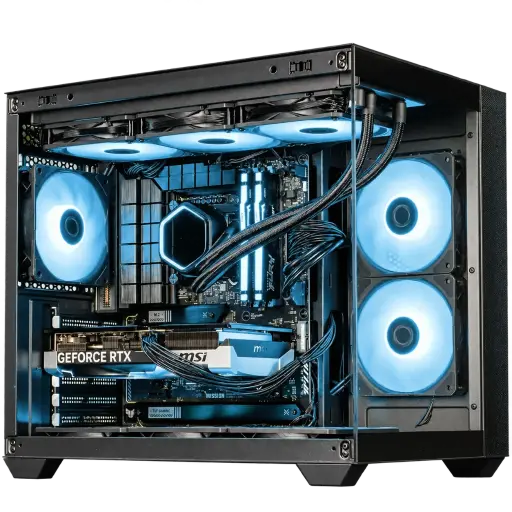
AQUA PC GeForce RTX 5070
- Ryzen 5 7500X3D, RTX 5070 12 GB
- Base 16 GB DDR5, option 32 GB (2 x 16 GB), 1 TB SSD
- Watercooling: Cooler Master, MSI B850 Gaming Plus motherboard
The entry-level option that we validate for the simulator in 1080p and 1440p, with one condition: tick the 32 GB option at checkout.
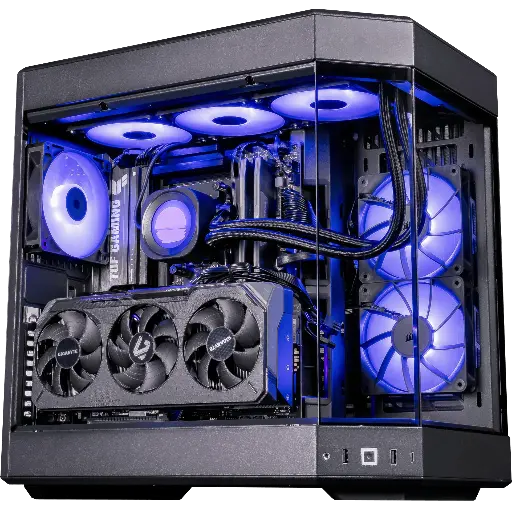
Shadow V2 PC Radeon RX 9070 XT
- Ryzen 7 9800X3D, RX 9070 XT 16 GB
- 32 GB DDR5, 1 TB SSD
- ASUS B850-Plus WiFi motherboard
The processor that’s most at ease in simulators. For big cities, online traffic and big airports in add-ons.
Workshop feedback
- To discover the simulator: the PC AQUA with the 32 GB option.
- For flying often in 1440p: the PC Apex.
- For dense cities, heavy add-ons or VR: the PC Shadow V2, and consider 64 GB if you stack extensions.
- More than 50,000 PCs shipped from Genappe: if you’re unsure about the RAM or the screen, the team will get back to you before you buy.
FAQ: Flight Simulator 2024
What is the minimum configuration for Flight Simulator 2024?
An Core i7-6800K or a Ryzen 5 2600X, a GTX 970 or an RX 5700 with 4 GB of video memory, 16 GB of RAM, 50 GB of storage space, and a 10 Mb/s connection. This minimum runs the simulator. For comfortable flying, we recommend 32 GB of RAM and an X3D processor.
Does Flight Simulator 2024 run with 16 GB of RAM?
Yes, that’s the official minimum. But Microsoft recommends 32 GB and cites 64 GB as the ideal configuration. With 16 GB, expect stuttering around busy cities and packed airports.
Do you need an SSD for Flight Simulator 2024?
The official spec doesn’t require it, but we strongly recommend it: the simulator reads its cache and add-ons continuously. A 1 TB NVMe SSD is the right choice.
Why does Flight Simulator 2024 stutter over cities?
Three causes come up again and again: a CPU that’s overloaded, RAM that’s too tight, or a connection that can’t keep up with streaming the scenery. Open the Task Manager in-flight to see which one is maxing out, then test on Ethernet.
Intel or AMD for a PC for Flight Simulator 2024?
Both work. In Tom’s Hardware’s CPU test, a Ryzen 7 9800X3D was getting 59% more FPS than a Core i9-12900K in 1080p Medium. For this simulator, we therefore recommend a Ryzen X3D.
