
By the FlowUP team, gaming PC builder in Genappe (Belgium) · Updated 27 November 2026
In brief: a PC OLED screen delivers perfect blacks and a responsiveness that no IPS can match (0.03 ms claimed). For gaming, the 27-inch 1440p 240 Hz QD-OLED is today the best entry point. Burn-in does exist, but it can be managed with a few settings, and a RTX 5070 Ti is the right partner to make the most of it in today’s newer games.
At the workshop, we connect every PC to a monitor before approving it. Since an OLED screen arrived on the test bench, it’s still the same reflex among the people who come through: they fire up a dark game, look at the shadows, and they don’t want to go back to their old IPS.
Choosing a OLED screen for PC still requires a bit of method: there are two main types of panel, burn-in deserves to be taken seriously, and you need a graphics card that can keep up with 240 Hz. You can find the selection below.
PC OLED screen: what really changes compared with an IPS?
On an IPS or VA, backlighting keeps the entire panel lit all the time. On an OLED, each pixel lights up by itself, and a black pixel is simply turned off. Controller in hand, the difference is obvious:
- Truly deep blacks: a night scene in Cyberpunk 2077 or Alan Wake 2 no longer has that grey haze you get with conventional screens.
- A record response time: our OLED screens boast 0.03 ms response time, versus up to 1 ms for a good fast IPS. A quick panorama in a FPS stays readable at 240 Hz.
- HDR that actually makes sense: since black is at zero, bright areas stand out without a halo around them.
- The downside: lower full-screen brightness (Gigabyte typically claims 250 cd/m² for its 34-inch OLED) and a risk of burn-in with static images.
If you’re still torn between the classic panel technologies, our guide VA or IPS panel lays the groundwork.
QD-OLED, WOLED or Tandem OLED: which panel should you choose?
Behind the word OLED, there are two panel manufacturers and two approaches. Here’s what we take from having seen them up close:
| Panel | Highlights | Downsides | For whom | At FlowUP |
|---|---|---|---|---|
| QD-OLED (Samsung Display) | Very saturated colours, excellent HDR performance | Black leans slightly towards grey in a very bright room | Gamers who mostly play in the evening, fans of colour | AOC Q27G4ZDR, Philips Evnia 27M2N6501L, AORUS FO32U |
| WOLED (LG Display) | Deeper blacks in bright light, often with a matte coating | Slightly less striking colours at high brightness | Office facing a window | Depending on stock deliveries |
| Tandem OLED | Multiple stacked luminous layers: more brightness | Less common, still a limited range | Gamers who want punchy, standout HDR | iiyama G-Master Titan Falcon (up to 1,500 cd/m² claimed in HDR) |
- For most gamers, QD-OLED is the simplest choice: it’s the most widely used technology in 27-inch 240 Hz models, so it’s also the easiest to find.
- Is your desk in full sun? Look instead at a matte panel or Tandem, which are better suited when the light hits the screen.
- Text: on both technologies, the arrangement of subpixels can create slight coloured fringes around letters. In games, you don’t really notice it. In spreadsheets all day, some people do.
27-inch 1440p, 32-inch 4K or 34-inch curved?
Size and resolution matter just as much as the panel. Our take, model by model:
- 27-inch OLED screen in 1440p (QHD) at 240 Hz: the go-to format for gaming. Sharp enough at 60-70 cm, high refresh rate, and a reasonable graphics card is all you need.
- 32-inch 4K OLED screen: gorgeous for single-player games and creative work, but it requires a powerful graphics card to hit high FPS.
- 34-inch curved (21:9): immersion for simulation, racing or strategy. Check you have enough space on your desk before you commit.
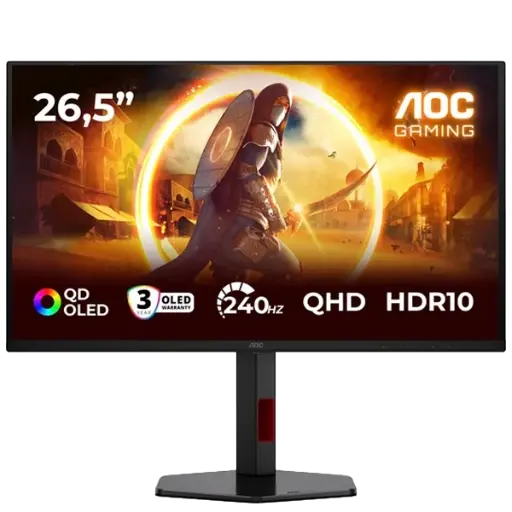
AOC Q27G4ZDR: the 27-inch QD-OLED to start with
27-inch QD-OLED 1440p, 240 Hz and 0.03 ms: the 27-inch OLED screen we recommend for discovering OLED without going for the very top end.
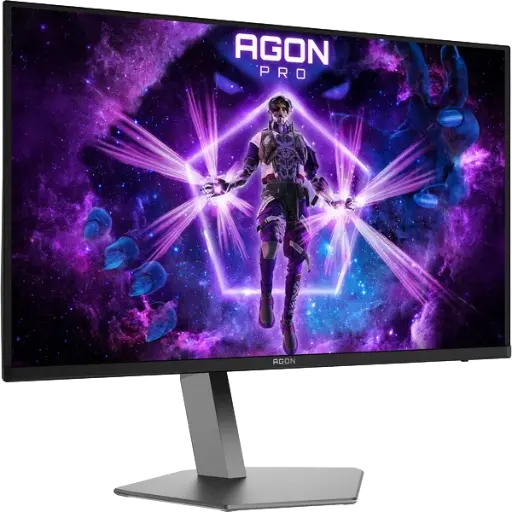
AOC AGON PRO AG326UZD2: 4K at 240 Hz
32 inches, 4K UHD, 240 Hz, DisplayPort 2.1, DisplayHDR True Black 500 certification, and an OLED warranty of 3 years under conditions as announced by AOC. The high-end choice for a very powerful PC.
Want something ultra-wide? The Gigabyte MO34WQC 34-inch curved (QD-OLED, WQHD, 175 Hz, 1800R curve) is a very solid simulation screen. To compare it with non-OLED displays, our guide which gaming monitor to choose covers all the definitions and refresh rates.
Burn-in (image retention): should you really be worried?
Yes, burn-in exists, because pixels that display the same static image for hundreds of hours age faster than the others. But in games, with normal use, it’s rarely a problem.
- What wears out the most: the Windows taskbar, an identical game HUD for thousands of hours, a productivity window left open all day.
- Builtin protections: our OLED screens run panel refresh cycles and slightly move the image. Let those cycles run, even if it means turning the screen off for a few minutes.
- The right habits: auto-hide taskbar, dark theme in Windows, and a screen that turns off after 5 to 10 minutes with no activity.
- The warranty: check whether it explicitly covers image retention. Several of our OLED screens come with a 3-year warranty from the manufacturer.
A PC that’s used 8 hours a day for Excel and 1 hour for gaming? We’d recommend a good IPS instead. A PC for gaming and movies? OLED is made for you.
What PC to enjoy an OLED 240 Hz screen?
An OLED 240 Hz screen plugged into a graphics card that tops out at 70 frames per second is like a Ferrari in town. To understand the link between refresh rate and the number of FPS, remember this:
- 1440p 240 Hz for esports (Valorant, CS2, Fortnite on competitive settings): an RTX 5070, like the one in the PC Cheetoh, has what it takes to make the most of a good portion of those 240 Hz.
- 1440p 240 Hz in recent AAA games: aim for an RTX 5070 Ti, using DLSS to get close to the monitor’s refresh rate. Our guide RTX 5070 Ti gaming PC breaks down the configurations.
- 4K on 32 inches: minimum RTX 5080 for comfortable ultra settings, like the Orion RTX 5080 PC. More info in our guide gaming in 4K.
- The cable: use DisplayPort for high refresh rates and enable G-Sync or FreeSync (our explanation FreeSync of G-Sync).
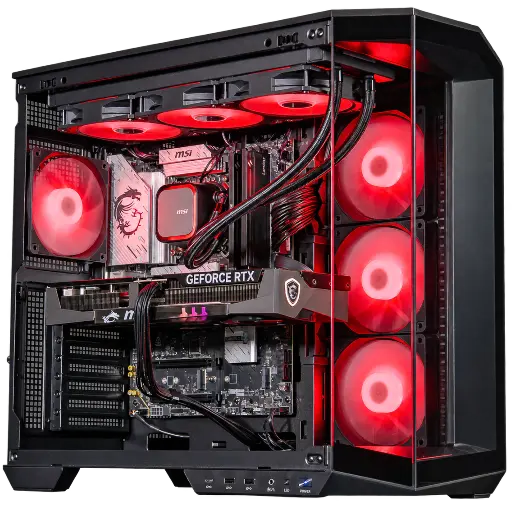
Abyssin PC GeForce RTX 5070 Ti
Panoramic case, liquid cooling, and RTX 5070 Ti: the PC we most often pair with a OLED gaming monitor 1440p 240 Hz for recent games.
Our OLED screens: which one should you choose?
We’ve selected OLED screens that you can have delivered with your PC or on their own. No prices here, they move too much at the moment: everything is up to date on the product pages.
- To get started: the AOC Q27G4ZDR, 27-inch QD-OLED 1440p 240 Hz.
- Same format on Philips: the Philips Evnia 27M2N6501L, 27-inch QD-OLED 1440p 240 Hz.
- Fastest and brightest: the iiyama G-Master Titan Falcon, Tandem OLED 27 inches at 280 Hz, 65 W USB-C and integrated KVM.
- 4K OLED at 165 Hz: the AORUS FO32U, 32-inch 4K QD-OLED at 165 Hz.
- 4K without compromise: the AOC AGON PRO AG326UZD2, 32-inch 4K at 240 Hz.
- The ultra-wide: the Gigabyte MO34WQC, 34-inch curved.
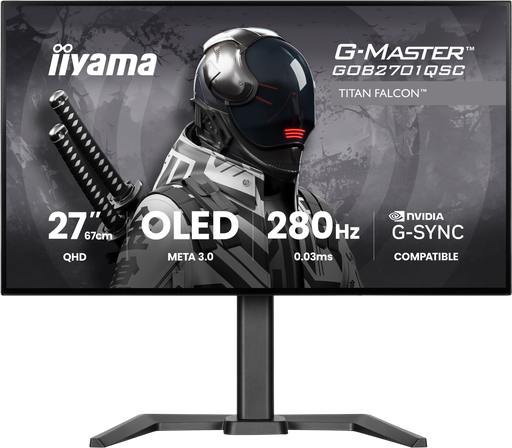
iiyama G-Master Titan Falcon: The 280 Hz Tandem OLED
27 inches, 1440p, 280 Hz, advertised Tandem OLED panel up to 1,500 cd/m² in HDR and 3 years’ warranty. Our favourite pick for a bright room.
All our other screens, OLED or not, fall under the gaming monitors category.
The workshop’s opinion
Our advice, after sending more than 50,000 PCs since Genappe:
- You mainly play competitively: a 27-inch 1440p OLED at 240 Hz, and an RTX 5070 is enough.
- You play big new titles in ultra: the same screen with an RTX 5070 Ti, like the PC Abyssin or the PC Blackwell.
- You want 4K: 32-inch 4K OLED and at least an RTX 5080.
- You work all day on the same screen: keep an IPS for the office, or alternate with a second monitor.
FAQ OLED PC screen
Is an OLED screen suitable for office work?
Yes for a few hours a day, with precautions: dark mode, a hidden taskbar, and fast sleep/standby. For 8 hours of spreadsheet work on fixed windows, an IPS remains more reassuring. Some people also notice slight coloured fringing around the text, linked to the arrangement of the subpixels.
QD-OLED or WOLED for gaming?
QD-OLED delivers more vivid colours and is the most common technology on 27-inch 240 Hz gaming monitors. WOLED keeps a deeper black when the room is very bright. In a fairly dark room or in the evening, choose a QD-OLED without hesitation.
Is a 27-inch OLED screen in 1440p enough?
Yes, it’s even the best compromise for gaming. At a distance of 60-70 cm, the 1440p stays sharp on a 27-inch screen, and the graphics card can handle a high refresh rate. 4K is mainly worthwhile at 32 inches, for single-player games and content creation.
How long does an OLED screen last?
There’s no single reliable figure for everyone: everything depends on brightness and how long you spend looking at static images. Rely more on the warranty: its duration and the fact that it explicitly mentions screen burn-in in black and white. Several of our OLED screens are guaranteed for 3 years.
Do you need a powerful graphics card for an OLED screen?
Not to make it work, but to enjoy its refresh rate. For a 1440p 240 Hz OLED screen, an RTX 5070 is enough for esports, and an RTX 5070 Ti is recommended for newer games in ultra. For 4K, aim for an RTX 5080 or higher.
