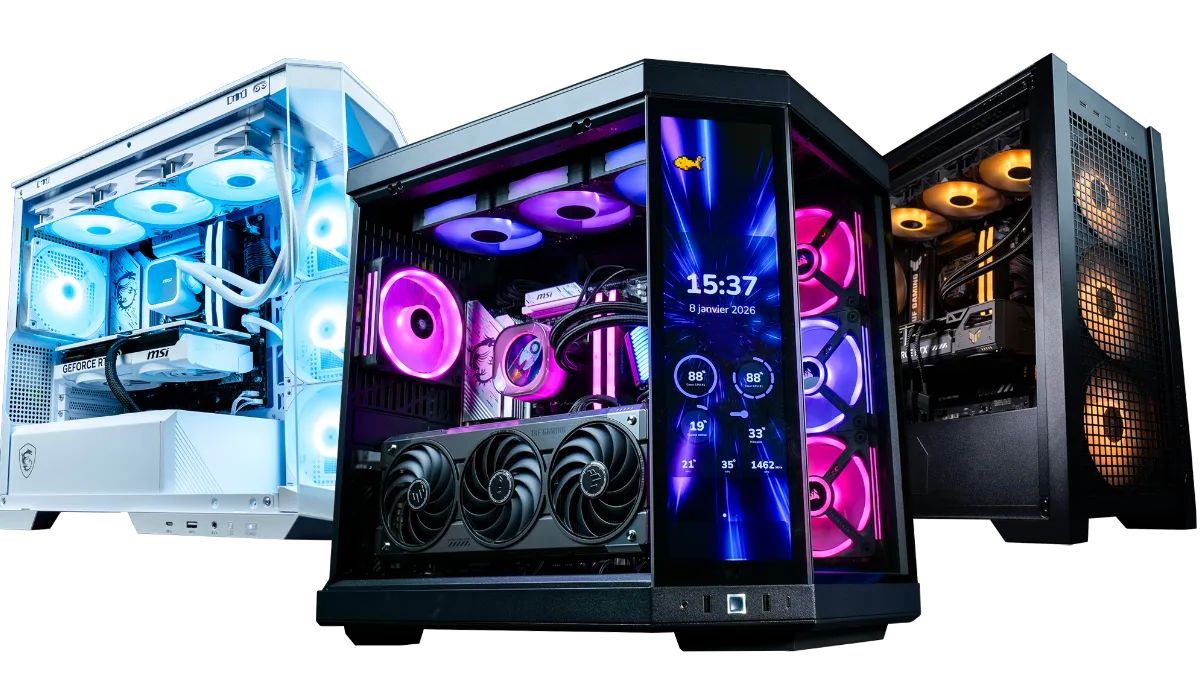
The Ultimate Buying Guide for Beginners: How to Choose the Perfect Gaming PC

The Ultimate Buying Guide for Beginners: How to Choose the Perfect Gaming PC ?


Welcome to the exciting world of PC gaming! Whether you’re a passionate gaming newcomer or a console player ready to make the leap, choosing the right gaming PC is essential to ensure hours of immersive, smooth gameplay without any hassle. 

In this complete guide, we’ll walk you through the essential steps to find your ideal gaming companion. Fasten your seatbelts, because we’re taking you on an educational and fun adventure that will help you make the best decision for your needs.

Introduction to the flowup brand and its gaming PCs

Step 1: Understand what you’re buying


Chapter 1: Know your needs 

Before you dive into buying a gaming PC, it’s important to understand your specific needs. Explore the types of games you like to play, the graphics you’re looking for, and the performance you expect from your PC. This way, you’ll be able to choose the right components for your setup.

Here are some key aspects to consider to understand your needs:

Types of games : Start by identifying the types of games you enjoy playing or plan to play. Are you into open-world role-playing games, first-person shooters, real-time strategy games, or racing games? Each game genre has its own hardware requirements, so knowing your preferences will help you choose the right components.

Graphics : Think about the level of graphics you want in your games. Do you want to enjoy stunning visuals with detailed textures, advanced visual effects, and immersive environments? Or are you happy with simpler—but still effective—graphics? This will affect your choice of graphics card and other components.

Performance : Consider the performance you expect from your gaming PC. Do you want to play resource-heavy games with high graphics settings and smooth frame rates? Or are you more interested in lighter, less demanding games? This will influence your choice of processor, graphics card, RAM, and other key components.

Display resolution : Decide on the display resolution you want to play at. Are you planning to play on a Full HD screen (1920 x 1080 pixels), a Quad HD screen (2560 x 1440 pixels), or even a 4K screen (3840 x 2160 pixels)? Display resolution directly affects the requirements of your graphics card.

Future goals : Think about your future gaming goals. Are you planning to move into streaming, content creation, or even esports? These activities may require more powerful components and a greater expansion capability.

By understanding your specific gaming needs—graphics, performance, and display resolution—you’ll be able to choose the components that best match your expectations. This will help you avoid wasting money on oversized components or ending up with a configuration that doesn’t meet your requirements.

Remember that your needs can change over time, so take your future goals into account when selecting your components. Keeping a clear view of your needs will help you make informed decisions throughout the process of buying your gaming PC.


Everything you need to know before buying a FlowUP PC!

everything you need to know before buying from flowup


Chapter 2: The processor, the brain of your machine 


When it comes to choosing the processor for your gaming PC, you’re faced with a crucial decision. The processor, also known as the CPU (Central Processing Unit), is essentially the brain of your machine. It performs the calculations and operations needed for your games and applications to run properly.

Different brands and models: Two of the most popular processor brands on the market are Intel and AMD. Intel has long been a major player in the industry, delivering solid performance and compatibility with a wide range of software. On the other hand, AMD has become a competitive force in recent years, offering powerful processors at competitive prices. It’s important to consider the performance, reliability and reputation of each brand when making your choice.

Clock speeds and number of cores: The processor’s technical specifications play a crucial role in its performance. Clock speed, measured in gigahertz (GHz), indicates how quickly the processor executes instructions. The higher the clock speed, the faster the processor. The number of cores is also important. Quad-core, six-core and eight-core processors are common in gaming PCs. The more cores you have, the more tasks your processor can run simultaneously, which can improve overall performance.

Impact on game performance: The processor plays a crucial role in gaming performance, particularly when it comes to how quickly it processes information and instructions. It is especially important for games that require intensive calculations, such as real-time strategy games and simulations. A powerful processor enables faster loading times, better responsiveness and overall smoother gameplay.

Budget and needs: When choosing a processor, you should consider your budget and your specific requirements. High-end processors deliver top-tier performance, but they can also be more expensive. Assess the requirements of the games you play and find a balance between performance and your budget. It’s important to note that the processor is not the only factor that influences gaming performance. It must work in harmony with other components, such as the graphics card and RAM.

The latest technologies: Keep an eye on the latest technologies and advances in processors. Manufacturers regularly release new generations of processors with performance improvements, increased energy efficiency and new features. Do your research, read reviews and compare specifications to make sure you get the processor that best suits your needs.

Choosing the right processor for your gaming PC is essential for optimal performance. Take into account the brands, technical specifications, performance and prices to make the right choice. Also remember that the processor must work in harmony with the other components in your setup to achieve the best gaming performance.


How to choose a processor?

Blog: how to choose a processor?


Chapter 3: Graphics cards—bring your game to life 

When you play games on your PC, the quality of the graphics is essential for an immersive and captivating experience. That’s where graphics cards, also known as GPUs (Graphics Processing Units), come in. They are responsible for displaying images, textures and visual effects on your screen. Step into the world of graphics cards and discover how to choose the one that will bring your games to life.

Different brands and models: The two main graphics card brands on the market are NVIDIA and AMD. NVIDIA is known for its GeForce series, offering a range of powerful and high-performance graphics cards. AMD also offers competitive graphics cards with its Radeon series. Each brand provides several models with different specifications and performance. Research performance comparisons and user reviews to find the one that best matches your needs and budget.

Graphics technologies : Graphics cards are evolving rapidly with new graphics technologies that improve performance and the visual quality of games. Among the most popular technologies are Ray Tracing, which delivers more realistic lighting and reflection effects, and DLSS (Deep Learning Super Sampling), which uses artificial intelligence to enhance image quality. Get to know these technologies and their benefits to choose a graphics card that’s compatible with them.

Video memory : The graphics card’s video memory is an important factor to consider. It stores textures, shaders and other graphical data needed to display images on the screen. More video memory enables higher resolutions to be handled and supports more advanced graphical details. However, it’s important to note that video memory alone does not determine the card’s overall performance.

Performance and benchmarks : When choosing a graphics card, it’s essential to consider its real-world performance. Check benchmarks and performance comparisons to assess the graphics power of different cards. Specialist websites and gaming forums are good sources of information for understanding how graphics cards perform in specific games. Be sure to take into account the display resolution you plan to play at, as this can affect performance.

Budget and upgradability : Graphics cards come in a range of price points, from affordable entry-level models to more expensive high-end models. Set your budget and look for a graphics card that offers performance suited to your needs. Also bear in mind the upgradability of your setup. If you plan to upgrade in the future, make sure you choose a graphics card that can meet your needs going forward.

In conclusion, graphics cards play a crucial role in the visual quality of your games. Explore different brands, technologies and specifications to find the one that best suits your needs and your budget. Don’t forget to consult benchmarks and performance comparisons to evaluate the graphics cards’ real-world performance. With the right graphics card, you’ll be able to bring your games to life and enjoy a breathtaking visual experience.

How to choose a graphics card?

Blog: how to choose a graphics card


Chapter 4: RAM—the key to smooth performance 

When it comes to smooth gaming performance, RAM—also known as Random Access Memory—plays a crucial role. RAM acts as a temporary data reservoir for your PC, enabling quick access to the information needed to run games and applications. Discover how the amount of RAM affects gaming performance, how to choose the right clock speed (frequency), and what capacity is suitable for your needs.

The role of RAM in gaming performance : RAM plays an essential role in smooth gaming performance. When you play a game, your PC loads the game’s data into RAM, including textures, 3D models, scripts and other elements needed to render images in real time. The more RAM you have, the more temporary data your PC can store, reducing loading times and stuttering during gameplay.

Recommended amount of RAM : The amount of RAM recommended for games varies according to the requirements of the games and the applications you use. For most players, 8 GB of RAM is considered the minimum for decent gaming performance. However, for more demanding resource-heavy games, such as open-world games or next-generation titles, it’s better to opt for 16 GB of RAM or more. This will help prevent stuttering and ensure a smooth gaming experience.

RAM Frequency : The RAM frequency, measured in megahertz (MHz), determines the speed at which data can be transferred between the RAM and the processor. RAM with a higher frequency allows faster access to data, which can improve gaming performance. However, it’s important to note that the RAM frequency must be considered together with the processor and the motherboard, because all components need to be compatible in order to fully benefit from a higher frequency.

Optimising RAM : For a smooth gaming experience, it’s also important to optimise how your RAM is used. Close unnecessary applications running in the background to free up memory, use memory-management utilities to free space when needed, and make sure your drivers and operating system are up to date. Optimising your RAM will help reduce stuttering and improve the game’s overall performance.

RAM Scalability : When choosing your RAM, also consider the scalability of your setup. If you plan to upgrade in the future, make sure your motherboard can support a larger amount of RAM and a higher frequency. This will allow you to grow your system by adding more RAM as your needs increase.

RAM is a key element for smooth gaming performance. Choose the amount of RAM based on the requirements of your games, take into account the frequency compatible with your setup, and make sure you optimise how your RAM is used. With an adequate and well-optimised amount of RAM, you can enjoy a smooth, stutter-free gaming experience.

How to choose your RAM?

Blog: How to choose your RAM


Chapter 5 : Storage, space and speed 

When you play games on your gaming PC, choosing your storage is crucial to ensure fast game loading and efficient management of your game library. There are two main storage technologies to consider: hard disk drives (HDD) and solid-state drives (SSDs). Explore the advantages of each of these technologies, find out how to combine them to maximise storage efficiency and space, and learn tips for optimising your storage.

Hard disk drives (HDD) : Hard drives are traditional storage devices that use magnetic platters to store data. They offer a large storage capacity at a relatively low cost per gigabyte. HDDs are ideal for storing large files, such as bulky games and media. However, they are slower in terms of read and write speeds compared with SSDs.

SSDs (Solid-State Drive) : SSDs are newer and faster storage devices. They use flash memory chips to store data, which allows them to deliver faster loading times and higher performance than hard drives. SSDs are particularly suitable for installing the operating system, applications and games, because they enable reduced loading times and improved responsiveness. They are also more resistant to shocks and vibrations, making them ideal for portable gaming setups.

HDD and SSD Combination : A common approach to maximising storage efficiency and space is to combine the two technologies. You can install your operating system, the most frequently used applications and games on an SSD to benefit from fast performance, while using a hard drive to store less frequently used files. This lets you enjoy both the speed advantages of SSDs and the large storage capacity of hard drives.

Storage optimisation tips : To optimise your storage, it’s important to manage the available space effectively. Regularly delete unused files and games to free up space. Use disk-cleaning utilities to remove temporary and unnecessary files. You can also move some games or files to an external hard drive to free up space on your main drive. Use game-library management software to organise your games and avoid duplicates.

Storage scalability : When choosing your storage, consider the scalability of your setup. If you plan to download and install many games in the future, make sure your system has enough storage space to meet your needs. You can consider adding extra hard drives or expanding your SSD storage capacity depending on your future requirements.

Choosing storage for your gaming PC is a balance between speed and capacity. SSDs offer fast loading times and increased responsiveness, while hard drives provide large storage capacity at an affordable cost. Combining the two technologies can maximise efficiency and storage space. Don’t forget to optimise your storage and plan for scalability to meet your future gaming and storage needs.

How to choose your storage?

Blog: how to choose your storage


Chapter 6: Power supply—don’t overlook the wattage 

The power supply is often overlooked, but it’s an essential component for ensuring the stability and longevity of your gaming PC. Discover how to choose a power supply suited to your configuration: understand watts, certifications, and the required cables. Learn how to take future upgrades into account so you have enough power.

The power supply is responsible for supplying power to all the components in your system, including the processor, graphics card, memory, and peripherals. Discover how to choose a power supply suited to your configuration: understand the watts, certifications, and the required cables, and learn how to consider future upgrades for sufficient power.

Power (watts) : When choosing a power supply, one of the most important aspects to consider is the power in watts. The required wattage will depend on the power consumption of your components, particularly the processor and graphics card. Make sure you choose a power supply with enough wattage to power your entire configuration, while leaving headroom for future upgrades. You can consult the power consumption specifications of your components and use online calculators to estimate the required wattage.

Efficiency certifications : High-quality power supplies are often certified for their energy efficiency. The most common certifications are 80 PLUS, which comes in several levels (Bronze, Silver, Gold, Platinum, Titanium). These certifications ensure that the power supply operates efficiently and minimises energy losses. Preferably choose a power supply certified 80 PLUS, Gold level or higher, for better energy efficiency.

Connectors and cables : Check the connectors and cables included with the power supply to make sure they’re compatible with your configuration. The most common connectors are for the processor (ATX 12V), the motherboard (ATX 20/24-pin), the graphics card (PCIe), hard drives and SSDs (SATA), and peripherals (Molex, SATA). Ensure that the power supply has enough connectors to meet your current and future needs.

Modularity : Modular power supplies offer extra flexibility by allowing you to disconnect unused cables. This makes cabling easier and enables better cable management inside the case, improving airflow and overall aesthetics. Semi-modular power supplies offer partial modularity, with the essential cables already attached and the option to detach additional cables. Modularity can be a valuable advantage for a clean, well-organised build.

Accounting for future upgrades : When choosing your power supply, it’s wise to take into account potential upgrades you might consider in the future. If you plan to add energy-hungry components, such as a high-end graphics card or a more powerful processor, make sure the power supply can support these future additions. Leave extra wattage headroom to avoid having to replace the power supply later.

Power supply is an essential component to ensure the stability and longevity of your gaming PC. Choose a unit that suits your setup, taking into account the required wattage, efficiency certifications, and the necessary connectors and cables. Also think about any future upgrades you might plan. A quality power supply will ensure a stable and reliable supply of power, and will help you maximise the performance of your gaming PC.

How to choose a power supply?

Blog: How to choose a power supply


Chapter 7: Cooling—keep a cool head 

When you use your gaming PC intensively, it generates heat that can affect performance and the lifespan of your components. That’s why cooling is an essential factor to consider. Dive into the world of fans and liquid cooling systems, and find out how to maintain an optimal temperature to preserve your hardware’s performance. We’ll share tips to optimise cooling and avoid the drawbacks caused by heat.

Case fans : Case fans play a crucial role in dissipating heat. They allow air to circulate inside the case, thereby exhausting the heat generated by the components. Make sure you have an optimal fan arrangement, promoting efficient airflow. The fans should be positioned to expel hot air at the rear and draw in cool air at the front of the case. You can also use additional fans on the top or side to improve air circulation.

Liquid cooling systems : Liquid cooling systems, also known as watercooling, provide an advanced cooling solution for the hottest components, such as the processor and the graphics card. They use a coolant that circulates through tubes and cooling blocks to extract heat from the components. Liquid cooling systems can offer more efficient heat dissipation compared with traditional fans. However, they require a more complex installation and can be more expensive.

Thermal paste : Thermal paste is a heat-conductive material applied between the processor and the heat sink to facilitate heat transfer. When installing or upgrading your system, make sure you apply a thin layer of thermal paste to optimise heat transfer between the processor and the heat sink. This will help keep the processor temperatures at an optimal level.

Cable management : Poor cable management can block airflow inside the case, leading to a build-up of heat. Make sure you organise and route the cables neatly, using cable ties and cable conduits. This will free up space inside the case and promote smoother airflow.

Regular cleaning : Dust and particles can accumulate inside the case and clog the fans, reducing their effectiveness. It’s important to clean your PC regularly to remove dust. Use compressed air or a low-power vacuum to gently remove dust from the fans, radiators, and heat sinks. Also be sure to clean the dust filters to ensure optimal airflow.

In conclusion, good cooling is crucial for preserving your gaming PC’s performance and lifespan. Use effective case fans, consider using liquid cooling systems for the hottest components, and make sure you apply thermal paste correctly. Manage the cables neatly and clean your PC regularly to prevent dust build-up. By keeping your PC properly cooled, you’ll enjoy optimal performance and avoid the downsides caused by heat.

How to choose your cooling?

Blog: Choosing PC cooling


Chapter 8: Choosing the case—a matter of style and functionality 

When building your gaming PC, choosing the case is far more than just a matter of aesthetics. The case plays an essential role by protecting your components, making installation easier, ensuring adequate ventilation, and providing connectivity options. Discover the different case sizes, connectivity options, and how to choose a case that matches your aesthetic tastes while meeting your functional needs.

Case sizes : Cases come in a range of sizes, from compact mini-ITX cases to full-size tower cases. The right size will depend on your needs in terms of available space, expansion capacity, and the configuration of your system. Larger cases generally offer more room for components, better airflow, and easier installation, while compact cases are ideal for setups with limited space constraints.

Ventilation : Make sure you choose a case that provides adequate ventilation to keep your components cool. Look for cases with additional fan mounting positions on the front, rear and top of the case. Preferably choose cases with dust filters to prevent dust build-up inside the case and to make cleaning easier. Good ventilation will help prevent overheating and maintain optimal performance.

Connectivity : Check the case’s connectivity options, in particular USB ports, audio jacks, and memory card slots. Make sure the case provides the connections you need for your devices and peripherals, such as keyboards, mice, headsets and external storage devices. Also look for cases with USB Type-C ports for faster, more convenient connectivity.

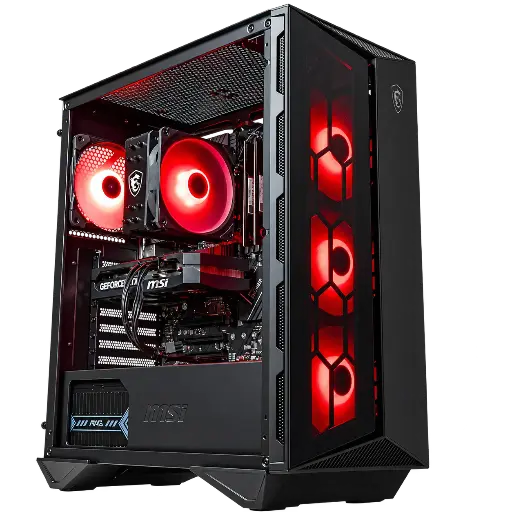
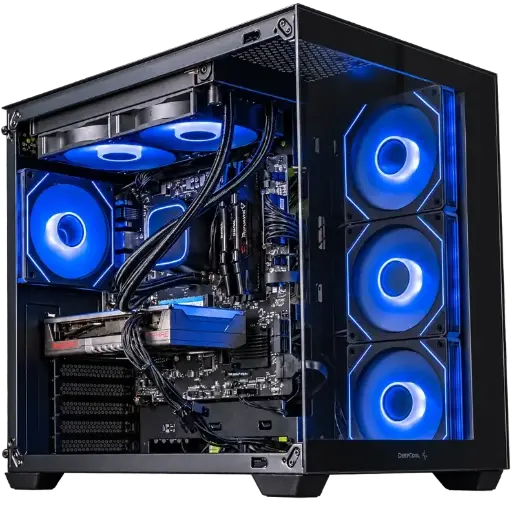
Aesthetics : The case is also a matter of personal style. Choose a case that matches the look and atmosphere you want to create in your gaming space. Cases are available in a wide variety of designs, colours and lighting—ranging from minimalist options to bold, eye-catching designs. Also consider side windows to showcase your components and create an enjoyable visual effect.

Cable management : Effective cable management inside the case is essential for a neat appearance and optimal airflow. Look for cases with dedicated cable routing points and fasteners to keep the cables in place. Take the time to organise the cables properly by routing them behind the motherboard or through cable channels. This will improve the case’s appearance and ensure unobstructed airflow.

Choosing the case for your gaming PC is a combination of style and functionality. Consider the case size based on your needs, look for adequate ventilation, check the connectivity options, choose an aesthetically pleasing design, and take the time to organise the cables for a clean look and optimal airflow. A good case will provide protection, ventilation and aesthetics for your gaming setup.

How to choose your computer case?

Blog: How to choose a PC case?


Chapter 9 : Peripherals—the art of control 

When you play games on your gaming PC, the peripherals you use play an essential role in creating an immersive gaming experience. Whether it’s the keyboard, mouse, headset or other peripherals, they are the tools that allow you to control and interact with the game. Dive into the world of gaming peripherals, explore the different technologies, and discover how to choose the best tools to enhance your gaming experience. Learn about the latest features and the key elements to consider when buying peripherals.

Gaming keyboards : Gaming keyboards are designed to provide a responsive and comfortable typing experience, with features specifically made for gaming. Among the key features to consider are mechanical switches, which offer better tactile feedback and increased durability, customizable backlighting for visual immersion, programmable macros for personalised shortcuts, and ergonomic wrist rests for long-lasting comfort. Choose a keyboard that suits your gaming style and your preferences when it comes to keys.

Gaming mice : Gaming mice are specially designed to deliver greater precision and responsiveness during movement. Gaming mice offer high-precision sensors, adjustable DPI to fine-tune sensitivity, programmable buttons for quick actions, and ergonomic designs for optimal comfort. Also consider the weight of the mouse, as some models allow you to adjust it for a personalised feel. Try different models to find the one that best fits your hand and your gaming style.

Gaming headsets : Gaming headsets provide the sound immersion that’s essential for an immersive gaming experience. Look for headsets with high-quality speakers, acoustic insulation for better immersion, a built-in microphone for online communication, and comfort for long gaming sessions. Some headsets also offer virtual surround sound features for more precise audio positioning. Try different headsets to find the one that delivers optimal sound quality and a comfortable fit.

Other peripherals : In addition to keyboards, mice and headsets, there is a variety of other peripherals that can enhance your gaming experience. This includes game controllers for console games, high-quality mouse mats for smooth and precise movement, racing wheels for racing games, and specialised game controllers for fighting games or simulation games. Choose the peripherals that match the game genres you play most often.

Customisation and compatibility : Many gaming peripherals offer customisation options, whether through dedicated software, customizable backlighting, or programmable buttons. Customisation lets you tailor the peripherals to your preferences and your gaming style. Also make sure that the peripherals you choose are compatible with your operating system and your favourite games.

Gaming peripherals play an essential role in improving your gaming experience. Choose keyboards, mice, headsets and other peripherals that match your needs, your gaming style, and your personal preferences. Look for the latest features, make sure you have adequate compatibility, and don’t forget that you can customise the peripherals according to your preferences. With the right peripherals, you’ll be able to enjoy precise control and full immersion in your favourite games.

MOUSE FLOWUP


Step 2: Find out more 

Chapter 10: Budget—finding the right balance 

When you’re considering buying a gaming PC, it’s crucial to find the right balance between the performance you want and your budget. Building a gaming PC can be expensive, but there are ways to make the most of your spending while still getting satisfactory performance. Explore different options and price ranges for each component to create a setup that fits your financial needs. Discover tips for saving money without compromising your PC’s overall performance.

Set a realistic budget : The first step in finding the right balance between performance and budget is to set a realistic budget. Decide how much you’re willing to invest in your gaming PC, taking into account the financial resources you have available. This will help guide your component choices and ensure you stay within your budget.

Prioritise the essential components : Identify the components that are essential for gaming performance, such as the processor, the graphics card and the memory. Allocate a larger share of your budget to these key components, as they will have the biggest impact on the overall performance of your gaming PC. On the other hand, you can save money on other components, such as storage or the case, which can be upgraded later.

Explore different price ranges : It’s important to explore different price ranges for each component. There is a wide variety of choices available on the market, from high-end components to more affordable options. Compare the performance and features offered by different models and brands across various price ranges. You may find more cost-effective options that meet your needs without significantly compromising performance.

Consider refurbished or used options : Another tip for saving money is to consider refurbished or used options. You can find high-quality components at reduced prices. However, make sure you do thorough research, buy from reliable sellers, and check the condition of the components before purchasing.

Save on extras and accessories : Extras and accessories such as peripherals, custom lighting, or branded mouse mats can add extra costs to your setup. Consider what you genuinely need and don’t spend unnecessarily on extras that won’t necessarily improve gaming performance. You can always add extras later, once your budget allows.

Plan for future upgrades : If your budget is limited, consider planning for future upgrades. You can start with a solid basic configuration that meets your immediate needs, then add more powerful components as your budget allows. Plan your setup so upgrades are easy and scalable.

Finding the right balance between performance and budget is an essential part of buying a gaming PC. Set a realistic budget, prioritise essential components, explore different price ranges, consider refurbished or used options, save on extras, and plan for future upgrades. By following these tips, you can build a gaming configuration that delivers solid performance while staying within your budget.


Chapter 11 : Brands and manufacturers—choose quality 

In the world of gaming PCs, there are many well-known and reputable brands and manufacturers offering a wide range of components and systems. It’s important to know the major players in the industry and their specific offerings in order to make an informed choice. Explore the pros and cons of each brand and discover users’ hands-on feedback to help you choose quality components.

Intel : Intel is one of the most well-known and most reputable processor manufacturers. Their processors offer good performance and broad compatibility with software and games. However, Intel processors can be slightly more expensive than their competitors.

AMD : AMD is a strong competitor to Intel in the processor market. Their processors deliver excellent performance at competitive prices. They are often seen as offering a better value for money, which makes them a popular choice among gamers.

NVIDIA : NVIDIA is widely recognised for its high-end graphics cards. Their cards offer exceptional performance, advanced features, and excellent support for graphics rendering technologies. However, they can be more expensive than AMD alternatives.

AMD Radeon : AMD Radeon is NVIDIA’s direct competitor in the graphics card market. Their cards deliver excellent performance at competitive prices. They are also appreciated for their support of cutting-edge technologies such as ray tracing and 4K resolution.

Corsair : Corsair is a well-established brand in the gaming components and peripherals space. They offer a wide range of quality products, such as cases, power supplies, coolers, RAM memory and peripherals. Corsair is appreciated for the reliability and performance of their products.

ASUS : ASUS is known for its high-quality gaming motherboards, graphics cards and monitors. They offer advanced features, excellent build quality and good software support. ASUS also provides a wide range of products to meet the needs and budgets of different players.

MSI : MSI is a well-known manufacturer of gaming motherboards, graphics cards and laptops. Their products are often praised for their attractive design, solid performance and good value for money.

Gigabyte : Gigabyte is a brand known for its motherboards, graphics cards and cooling solutions. They offer a variety of quality products with features tailored to gamers’ needs.

Seagate and Western Digital : These two brands are among the market leaders in hard drives and SSDs. They provide reliable performance for data storage, making them popular choices for gamers who need extra storage space.

Razer : Razer is an iconic brand in the gaming peripherals field, such as keyboards, mice, headsets and mouse pads. Their products are known for their build quality, carefully designed aesthetics and game-specific features.

When choosing brands and manufacturers, it’s essential to take your specific needs into account, set a budget, and look up user reviews and experiences. Don’t hesitate to consult specialised review sites, discussion forums and player communities to gather valuable information and recommendations. This will help you choose quality components that meet your expectations in terms of performance and reliability.


Chapter 12 : Forecasts for how things will evolve—investing in the future 

When choosing your gaming PC, it’s important to think about the upgradability of your configuration. Anticipating future needs and considering potential upgrades is essential to get the most out of your investment. Learn about the components that can be upgraded easily and make sure your machine is ready to tackle the new games and technologies still to come.

Motherboard : The motherboard is the central component of your gaming PC. Make sure you choose a motherboard with enough expansion options, such as slots for additional RAM memory, PCIe slots for graphics cards or expansion cards, and connectors for USB ports and peripherals. Also opt for a motherboard that supports the latest technology standards, such as fast storage interfaces (NVMe) or USB 3.1 Gen 2 connections, so you’re prepared for upcoming developments.

Power supply : Choose a quality power supply with enough wattage for your current setup, but also for future upgrades. Modular power supplies can be beneficial because they let you use only the cables you need and make cabling easier. Make sure you check compatibility with future energy-saving technologies, such as the 80 PLUS certification, for optimal energy efficiency.

Processor : When choosing your processor, consider compatibility with future sockets and processor generations. Choose a platform that offers easy upgrade options, so you can switch to a more powerful processor when needed.

Graphics card : A graphics card is one of the most important components for gaming. Anticipate future games and graphical demands by choosing a powerful graphics card that will meet your needs for several years. Also look out for emerging technologies such as ray tracing, which promises to revolutionise graphics in games. Make sure your graphics card is compatible with these new technologies so it doesn’t become obsolete too quickly.

Storage : Storage space is essential for installing your games and multimedia files. Choose a hard drive or SSD with enough capacity for your current needs, and allow extra space for future games and files. You may also consider investing in expandable storage, such as a RAID system, which will let you add additional hard drives as and when your needs grow.

RAM memory : RAM memory has a direct impact on your PC’s performance. Choose a sufficient amount of RAM for your current games, but bear in mind that future games may require more memory to run optimally. Check your motherboard’s expansion capacity so you can add extra memory when needed.

Connectivity and ports : Technologies evolve quickly, so think about your PC’s connectivity. Make sure your system has the latest ports, such as USB 3.1 Gen 2, HDMI 2.1 or DisplayPort 1.4, so you’re ready for future peripherals and higher display resolutions.

Investing in the future of your gaming PC setup is essential to ensure it lasts. Choose upgradeable components, take into account compatibility with future technologies, and plan expansion options to meet future needs. By taking a proactive approach, you can enjoy your gaming PC for many years and stay up to date with technological advances in the world of gaming.


Chapter 13 : Reviews and recommendations, listen to the community 

When you’re looking for information about different gaming PC configurations, the gaming community can be a valuable resource. Online reviews and recommendations, forums and dedicated gaming groups can provide genuine real-world feedback and practical advice. Learning how to filter relevant information and make informed decisions using the community’s collective knowledge can help you choose the best configuration for your gaming PC.

Look for online reviews : Consult websites that publish specialist reviews for gaming and computer components. The writers and experts on these sites test and evaluate products, which can give you a clear idea of the performance and features of the components. Read the reviews carefully and take note of the strengths and weaknesses mentioned.

Consult forums and groups dedicated to gaming : Forums and online groups are places where players share their experiences, ask questions and give advice. Feel free to join these communities and ask specific questions about the components you’re thinking of buying. You can get answers from people with hands-on experience of the products, which can be extremely helpful for making an informed decision.

Pay attention to the reliability of sources : When you read online reviews, make sure you consider the credibility and reputation of the sources. Prefer reliable, well-regarded sites and users, and be wary of reviews that are extremely positive or negative and may be biased. It can also be useful to consult several sources to get a more complete picture.

Consider the specifics of your situation : When you read reviews and recommendations, remember that everyone has different needs and preferences. What works well for one person may not suit your own needs. Take into account your budget, your gaming preferences, your performance expectations, and the specific details of your setup.

Filter relevant information: There may be an abundance of contradictory or confusing information online. Learn to filter the relevant information by focusing on the aspects that matter to you. Identify common points and the overall trends in reviews to get a more balanced perspective.

Don’t limit yourself to a single source: To get a broader view, consult multiple sources of information. Compare reviews and recommendations from different sources to obtain a more complete, balanced perspective.

The gaming community can provide valuable reviews and recommendations when choosing your gaming PC setup. Look for reviews online, check gaming forums and dedicated groups, but don’t forget to take into account the specifics of your situation. Filter the relevant information and use the community’s collective knowledge to make informed decisions and choose the best configuration for your gaming PC.


Chapter 14: Offers and promotions—seize the opportunities 

In the world of gaming, it’s important to keep an eye out for offers and promotions that can help you get better value for your money. Sales, special events and bundles can provide interesting opportunities to save on components and gaming PCs. Learn to monitor these deals and be ready to seize the opportunities to make the most of your budget.

Regular sales: Regular sales, such as summer and winter sales, can be a chance to find interesting discounts on components and gaming PCs. Keep an eye on announcements and promotions from your favourite online stores, as well as physical retailers, so you don’t miss these opportunities.

Special events: Special events, such as Black Friday, Cyber Monday and Prime Day, are known for offering significant discounts across a wide range of products, including components and gaming PCs. Do your research in advance, make a list of what you’re looking for, and be ready to grab the best deals during these events.

Bundles and bundled offers: Bundles and bundled offers can be an excellent way to save on your gaming PC setup. Manufacturers and retailers often offer packs that combine multiple components or peripherals at a favourable price. This can be a good option if you need several items or if you’re considering a full upgrade of your setup.

Subscriptions and loyalty programmes : Some online shopping sites offer subscriptions or loyalty programmes that provide extra benefits, such as exclusive discounts or reduced delivery fees. Explore these options and see whether they can help you save even more on your purchases.

Price comparisons: Before making a purchase, take the time to compare prices and search for the best deals available. Use online price comparison tools to find the best prices on the components you’re looking for. Also bear in mind delivery charges, returns policies and the guarantees offered by different retailers.

New releases and pre-orders: When new components or gaming PCs are launched, there may be promotional offers or discounts for early buyers. If you’re ready to be among the first to own the latest product, keep an eye on announcements for new releases and on pre-order opportunities.

Social media and newsletters: Follow the official accounts of brands, retailers and specialist sites on social media. They often post updates about offers and promotions. Also sign up to newsletters to receive information about exclusive deals and special discounts.

In conclusion, keeping an eye out for deals and promotions is an effective way to save on your gaming PC setup. Watch for sales, special events, bundles and use price-comparison tools to find the best offers available. Be ready to seize opportunities when you come across them, but don’t forget to do some prior research to make sure the deals match your needs and expectations in terms of quality and performance.


Chapter 15: Warranties and after-sales service—peace of mind 

When you buy a gaming PC, it’s essential to consider the warranties and after-sales service offered by the manufacturer. Warranty policies, repair services and support can have a significant impact on your buying experience and your peace of mind if a problem arises or you need assistance. Look into these aspects to choose reputable brands that provide good customer support.

Warranty policies: Carefully check the manufacturer’s warranty policies for each component in your gaming PC. Warranties vary in terms of length and coverage, so it’s important to understand what’s included and what isn’t. Make sure you know where and how to claim your warranty if you need to. Some brands also offer extended warranties for an additional fee, which may be worth it depending on your needs.

Repair and support services: Find out about the repair and support services provided by the manufacturer. Ideally, choose a brand that offers responsive and accessible customer service. Look for information on repair turnaround times, return procedures, authorised repair centres, and online or telephone support options. A good after-sales service can make a significant difference if you run into a technical issue or need assistance.

Manufacturer reputation: Research the manufacturer’s reputation for warranties and after-sales service. Check user reviews and first-hand experiences to get an idea of the quality of customer support provided. Reputable, well-established brands typically have robust processes in place to meet their customers’ needs and resolve problems effectively.

Component reliability: Component reliability is also an important factor to consider. Choosing reputable, reliable brands can reduce the risk of breakdowns or premature failure. Look for information on the durability and reliability of the specific components you’re considering buying. User reviews and reliability tests can give you an idea of the quality and longevity of the products.

Community support: In addition to direct support from the manufacturer, also consider the community support available. Forums, discussion groups and online communities dedicated to gaming PCs can be excellent resources for getting advice and solutions to your problems. The gaming community is often willing to share its expertise and offer help, which can be especially valuable when it comes to solving technical issues.

When buying a gaming PC, don’t forget to take into account the warranties and after-sales service offered by the manufacturer. Find out about warranty policies, repair and support services, and the manufacturer’s reputation for customer support. This will give you peace of mind, knowing that you have adequate support if a problem arises or you need assistance.


Chapter 18: Customisation and aesthetics—express your style 

As a passionate gamer, the visual look of your gaming PC can play an essential role in your gaming experience. Customisation and aesthetics let you express your unique style and turn your machine into a piece of gaming art. Explore the options available to build a PC that reflects your personality and creates an immersive atmosphere during your gaming sessions.

Custom Case : Choosing the case is a crucial step in personalising your gaming PC. Choose a case that matches your style and offers customisation options, such as transparent side panels, unique designs, or customisable patterns. Some cases even let you change the colours of the lighting or create RGB lighting effects to achieve a dynamic visual atmosphere.

RGB Lighting : RGB lighting has become a popular trend in the gaming world. You can add light strips, fans, or even components with built-in RGB lighting to create spectacular lighting effects. Customise the colours, patterns, and effects to create a one-of-a-kind atmosphere that suits your style and the mood of your favourite games.

Transparent Side Panels : Transparent side panels give you visibility of the internal components of your gaming PC. You can choose panels made of tempered glass or acrylic to showcase your components and create an elegant, stylish look. This also helps to highlight the care you’ve taken with cable routing and internal organisation.

Aesthetic Accessories : Add aesthetic accessories to complete the look of your gaming PC. Cable covers, headset stands, graphics card holders, or monitor stands can add a touch of style to your setup. Choose accessories that match your overall aesthetic and help create a well-organised, attractive gaming environment.

Software Customisation : Use customisation software to change the lighting effects, colours, and settings of your gaming PC. Some manufacturers offer dedicated software that lets you control RGB lighting, fans, and other aesthetic features. Explore the available customisation options and have fun creating unique profiles for different gaming situations or to suit your mood.

Themes and Stickers : Personalise your gaming PC by adding themes or stickers that match your favourite games or interests. There’s a wide range of stickers and skins available for cases, keyboards, mice, and monitors. This lets you create a personalised look and pay tribute to your favourite games and characters.

Don’t forget that customisation and aesthetics shouldn’t compromise your gaming PC’s performance. Make sure you maintain adequate ventilation and don’t block airflow by adding decorative elements. Find the right balance between looks and functionality to create a machine that not only looks great, but also delivers exceptional gaming performance.
Customisation and aesthetics are important aspects in the world of PC gaming. Explore the customisation options available, from custom cases to RGB lighting, and even to aesthetic accessories. Express your unique style and turn your PC into a gaming work of art that will accompany you on your virtual adventures.


Chapter 19 : Additional resources, go further 

When you’re looking for information on choosing the ideal gaming PC, it’s important not to overlook the additional resources available. In addition to the knowledge gained in this guide, there are many other sources of information that can help you deepen your understanding and stay up to date with the latest trends. Check out specialist magazines, dedicated YouTube channels for gaming, and technology blogs to benefit from advice and recommendations from experts.

Specialist Magazines : Specialist magazines focused on gaming and computing are an excellent source of information. They provide in-depth articles on the latest technological advances, product reviews, performance comparisons, and buying guides. Subscribe to reputable magazines to receive relevant and reliable information on a regular basis.

Dedicated YouTube channels for gaming : Videos on YouTube have become an essential resource for gamers. There are many YouTube channels dedicated to gaming that offer product reviews, buying guides, tutorials and game demos. Subscribe to trusted channels and watch the videos to get visual tips and in-depth information about gaming PCs.

Computer blogs : Computer blogs are another useful source of information for PC gaming enthusiasts. Many passionate bloggers share their expertise and recommendations on components, system builds and the latest market trends. Look for reputable blogs in the field of IT and gaming, and follow their articles to get detailed information and practical advice.

Discussion forums : Online discussion forums are places where gamers and IT enthusiasts come together to share ideas, ask questions and offer advice. Join gaming and IT forums to take part in discussions, ask your own questions and benefit from the knowledge and experience of other community members.

Events and exhibitions : Attend events and exhibitions dedicated to gaming and IT. These events provide the opportunity to meet industry experts, attend talks and presentations, and discover the latest PC gaming innovations. You can get first-hand information and even try some products before making a purchase decision.

Specialist review sites : Check out specialist review sites focused on gaming and IT. These sites provide in-depth testing, comparisons and data-driven recommendations. Read reviews of the products you’re interested in and compare performance, features and value for money to make an informed decision.

In conclusion, to deepen your knowledge of how to choose the ideal gaming PC, explore the additional resources available. Consult specialist magazines, dedicated gaming YouTube channels, computer blogs, join discussion forums and attend relevant events. Keep learning and staying informed to become a well-informed consumer and make decisions based on in-depth knowledge and expert advice.


Conclusion 

Congratulations—you’ve taken an exciting journey through the world of choosing a gaming PC! By understanding your needs, exploring the essential components and taking your budget into account, you’re now ready to make an informed choice. Don’t forget to stay up to date, look for reviews and seize opportunities to get the best possible setup. May your new gaming PC bring you hours of thrilling gaming and unforgettable virtual adventures!

Ready, steady, play!

What is the NVIDIA GeForce RTX 3060 worth in 2026?
Read Next