 Your PC in instalments (up to 12x)
By the FlowUP team, gaming PC builder in Genappe (Belgium) · Updated 30 September 2026
In short: for a student, the right computer depends on your studies and where you work. For most programmes, a lightweight laptop with 16 GB of RAM, a 512 GB SSD and good battery life is enough. For architecture, engineering, 3D, video editing or gaming, you need a dedicated graphics card. And if you mainly game in your room or your student room, the combo of a desktop PC for power and a small portable for classes is often the smartest choice.
Which computer depends on your studies?
| Studies | Computer type | RAM | SSD | Priority |
|---|---|---|---|---|
| Letters, law, business, languages, humanities | Lightweight 13 to 14 inch laptop | 16 GB | 512 GB | Battery life, weight, keyboard |
| IT, development | Laptop with a powerful processor | 16 to 32 GB | 512 GB to 1 TB | Processor, comfortable screen |
| Architecture, engineering, 3D, video editing, video gaming | Gaming laptop or desktop PC with a dedicated graphics card | 32 GB | 1 TB | Graphics card, cooling |
| All studies, with gaming on the side | Gaming desktop PC and lightweight laptop, or gaming laptop | 16 to 32 GB | 1 TB | Graphics card |
Before you buy, check the list of hardware your school or university requires. Many architecture or engineering programmes publish minimum recommendations, and some software, such as SolidWorks or Revit, is only available on Windows: something to know before choosing a Mac or an ARM laptop.
Laptop, desktop, or both?
A laptop is essential if you take notes in class or work in the library. But a laptop that can run recent games is heavy, gets hot and doesn’t last long on battery: it’s not ideal to carry around every day.
Our assembler’s take: if you mainly game at home, separate the uses. A lightweight laptop for classes, and a gaming desktop PC in your room or kot to game, edit videos or run heavy software. With the same budget, the desktop is more powerful, quieter and you can upgrade it throughout all your studies. We explain why in why to buy a desktop PC in 2026.

A laptop for classes, a desktop PC for power: the winning combo for many students.
Things to check on a student laptop
- Battery life: enough to get through a day of classes without hunting for a plug. Low-power chips, like the Snapdragon X, are very long-lasting, but check compatibility with your software.
- Weight: a 13 or 14 inch laptop can be carried all day without you even thinking about it.
- Memory: at least 16 GB in 2026, and 32 GB for creative software.
- Storage: a minimum 512 GB SSD, see how to choose your SSD.
- The keyboard: AZERTY for France and the French-speaking part of Belgium, and backlit for revision evenings.
All technical criteria, including screen and processor, are in our guide how to choose a laptop in 2026.
A student budget: how to make sense of it
An computer is a purchase that should last throughout your studies. It’s better to choose a slightly sturdier model than to have to replace it after just two years. On flowup.shop, our product pages offer payment in 2, 3, 4, 10 or 12 instalments, and our PCs come with the legal 2-year warranty and a 14-day right of withdrawal.
On a desktop PC, keep in mind upgrades too: adding more RAM or a second SSD in your second year costs far less than replacing everything.
Our computers for students
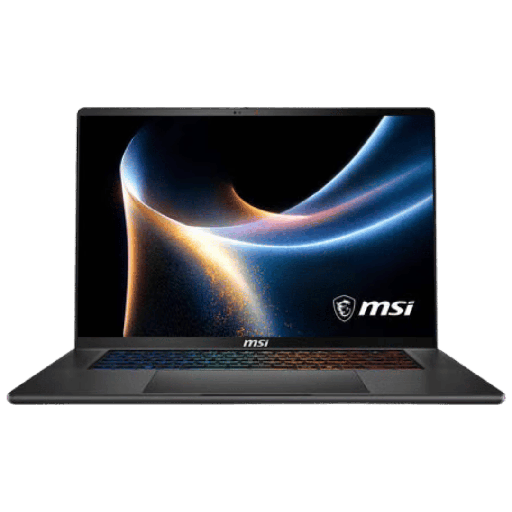
MSI Stealth AI+ 16 : RTX 5060 Laptop
RTX 5060 Laptop, Core Ultra 9, 16 GB DDR5, 16-inch OLED QHD display at 240 Hz: premium portable power.
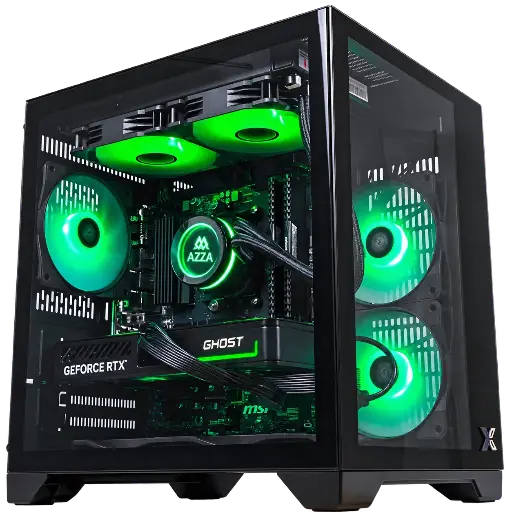
Cubi PC: RTX 5060
Ryzen 7 5700X, RTX 5060 8 GB and 16 GB DDR4: a desktop PC to game at 1080p and work, in an Xigmatek Aqua M case.
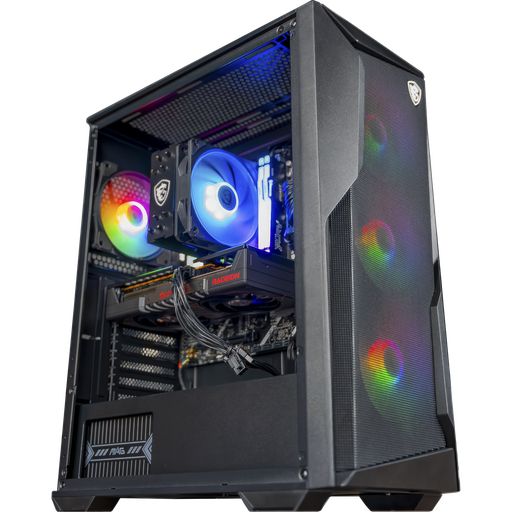
Rift PC: RX 9060 XT 16 GB
Ryzen 5 7500F or 7500X3D, RX 9060 XT 16 GB and DDR5: plenty of headroom for 3D, video editing and gaming in 1440p.
FAQ: what computer for a student?
Which computer should you buy for a student?
For most studies, a lightweight laptop with 16 GB of RAM, a 512 GB SSD and good battery life. For architecture, engineering, 3D or gaming, choose a model with a dedicated graphics card.
Laptop or desktop PC for a student?
A laptop is essential for classes. If you game or use heavy software mainly at home, a desktop PC complemented by a lightweight laptop is often more powerful and more long-lasting than just a single gaming laptop.
How much RAM for a student computer?
Minimum 16 GB in 2026, 32 GB for the architecture, 3D work or video editing.
Is a gaming laptop suitable for my studies?
Yes, it runs all software, but it’s heavier and offers less battery life. It’s a good choice if you need power on the go.
Is a Mac or an ARM laptop suitable for my studies?
It depends on your software. Some, like SolidWorks or Revit, are only available on Windows: check the list required by your school before you buy.
