 Your PC in instalments (up to 12x)
By the FlowUP team, PC gaming builder in Genappe (Belgium) · Updated 28 September 2026
In brief: to run every game released in 2025 and 2026, you need at least a recent 6-core processor, 16 GB of RAM (32 GB recommended), an SSD, and a graphics card compatible with ray tracing with 8 GB of video memory for 1080p. For 1440p, aim for 12 to 16 GB of VRAM (RTX 5070, RX 9070). In 4K, a RX 9070 XT, a RTX 5080 or better.
“A PC that runs every game”: that’s the request we hear most often. And it’s a good request, provided you specify it. Almost any recent PC can run the 2026 games. The real question is what definition and with what level of smoothness.
A Fortnite in 1080p and Doom: The Dark Ages in 4K have nothing to do with each other. In this guide, we start from the real requirements of the heaviest games of the moment, then we give you the setup that makes the grade for each resolution.
What the most demanding games demand in 2026
Three major recent releases set the tone. Their official specs show where “minimum” stands today:
| Game | Minimum configuration | Recommended configuration | To know |
|---|---|---|---|
| Battlefield 6 (2025) | RTX 2060 or RX 5600 XT, 16 GB RAM | RTX 3060 Ti or RX 6700 XT, 16 GB, SSD | TPM 2.0 and Secure Boot required |
| Doom: The Dark Ages (2025) | RTX 2060 or RX 6600 (8 GB), 16 GB, 8-core processor | RTX 3080 or RX 6800, 32 GB | Ray tracing required, even at the minimum |
| Monster Hunter Wilds (2025) | GTX 1660 or RX 5500 XT, 16 GB | RTX 2060 Super or RX 6600, 16 GB | 60 fps announced with image generation |
Sources: EA official spec sheet for Battlefield 6; Bethesda and Capcom configurations relayed by PCGamesN.
What to remember: 16 GB of RAM has become the baseline, an SSD is required, some games won’t even launch without hardware ray tracing, and the “official” recommendations increasingly rely on upscaling and image generation. In other words, an overly old graphics card doesn’t just run things slowly anymore: it can simply be rejected.
The right setup for your resolution
| Target resolution | Processor | Graphics Card | RAM |
|---|---|---|---|
| 1080p (Full HD), 60 to 144 fps | Recent 6 cores (Ryzen 5 7500F, Core i5-14400F) | RTX 5060 or RX 9060 XT | 16 to 32 GB |
| 1440p (QHD), 100 fps and above | 6 to 8 cores (Ryzen 7 7700, Ryzen 7 7800X3D) | RTX 5070 or RX 9070 (12 to 16 GB) | 32 GB |
| 4K, 60 fps and above | 8 cores (7800X3D, 9800X3D, Core Ultra 7 265K) | RX 9070 XT, RTX 5080 or RTX 5090 | 32 GB |
The graphics card does most of the work in games: that’s where the biggest share of the budget should go. The processor matters mostly in 1080p at high refresh rates and in simulation games. For the full component-by-component breakdown, read our guide for choosing your gaming PC setup and the one on the components of a gaming PC. And if you’re unsure about the high-end processor, our review of the Ryzen 7 7800X3D compares the X3Ds.
Choose the graphics card first
Our Orion PC, with its GeForce RTX 5080, runs the most demanding games at 1440p and 4K with DLSS. Here’s its full review on our YouTube channel.
Our advice: don’t go below 12 GB of video memory if you game at 1440p. Newer games quickly max out 8 GB with high-resolution textures.
FlowUP, test of the Orion RTX 5080 PC, January 2025.
Our gaming PCs to play every game
Here are the configurations from our catalogue that match each tier. All of them are assembled and tested in our Genappe workshop.
In 1080p: the Cubi PC
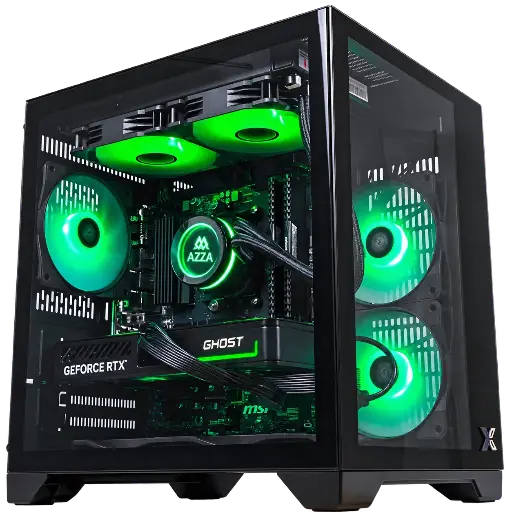
Cubi PC: GeForce RTX 5060 8 GB
The entry point to run everything in Full HD, including ray tracing and DLSS 4. Ideal for competitive games and major releases on high settings.
In 1440p: the Umbra and Sakura PCs
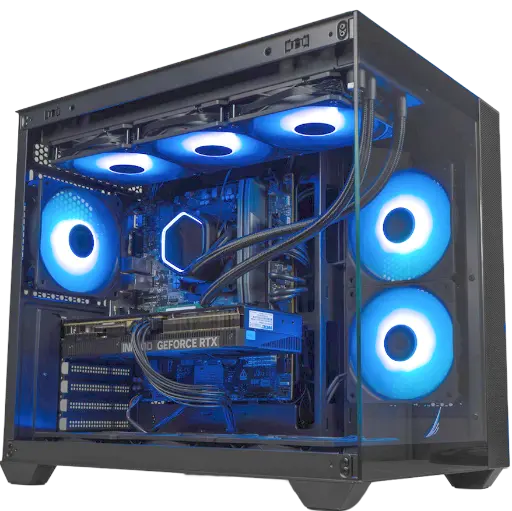
Umbra PC: GeForce RTX 5070 12 GB
The best compromise for 1440p at high refresh rates, with multiple image generation of DLSS 4.
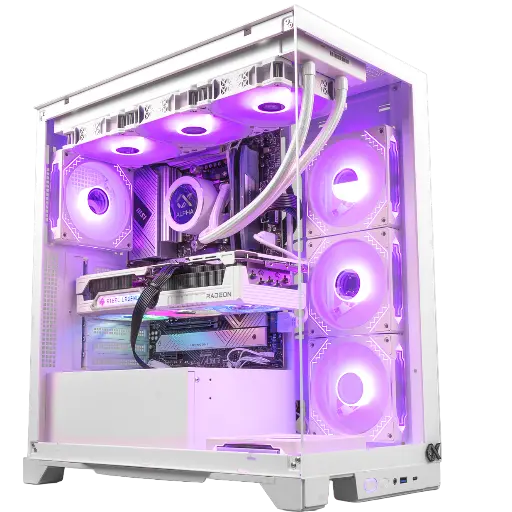
Sakura PC: Radeon RX 9070 16 GB
16 GB of VRAM to keep some headroom for the textures of the coming years, in a white case.
In 4K: the Apex V2 PC, or the Kraken without compromise
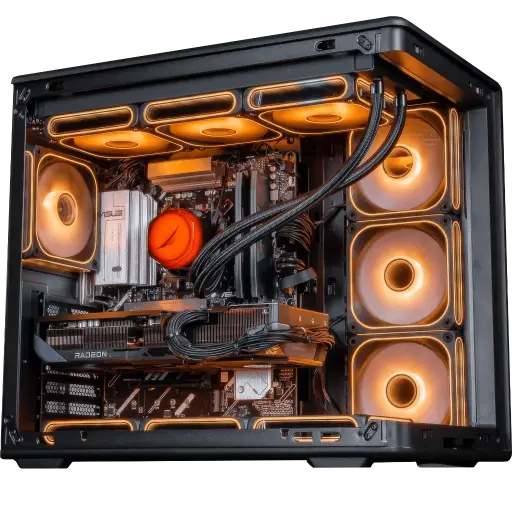
Apex V2 PC: Ryzen 7 7800X3D + RX 9070 XT
A dynamic duo made for 4K with FSR and for very smooth 1440p, with 32 GB of DDR5.
For 4K in ultra with nothing sacrificed, the Kraken PC with RTX 5090 is our most powerful configuration. And don’t forget the monitor: our guide for choosing a gaming monitor helps you match the right resolution to the right refresh rate.
The pitfalls that stop you from playing everything
- 8 GB of VRAM at 1440p: it works today by lowering textures, but it becomes increasingly stutter-prone.
- An old card without hardware ray tracing: Doom: The Dark Ages or Indiana Jones and the Ancient Circle won’t launch.
- TPM 2.0 and Secure Boot disabled: Battlefield 6 and several competitive games require them for their anti-cheat.
- A mechanical hard drive: recent games require an SSD, otherwise you’ll get endless loading times and textures that appear late.
- One single RAM stick: two sticks in dual-channel mode deliver steadier images.
- A bargain power supply: it’s the one that protects everything else.
Get the best out of your PC in recent games
Even a good PC benefits from proper tweaking. Update your graphics drivers before each major release, enable DLSS or FSR in Quality mode, and don’t be afraid of image generation if your base already exceeds 60 frames per second. Turn off motion blur, and keep an eye on your temperatures with a tool like MSI Afterburner.
Would you rather we take care of it? Our PC optimisation service will handle Windows settings, drivers, memory (XMP) and the graphics card for you.

Our game-by-game guides give the recommended setup, for example for Crimson Desert or The Sims 4.
Frequently asked questions
Which PC to play all games at 1080p?
A recent 6-core processor, 16 GB of RAM (ideally 32 GB), an NVMe SSD, and a graphics card like an RTX 5060 or RX 9060 XT. This base will run all current games, including mandatory ray tracing.
Is 16 GB of RAM enough in 2026?
Yes for the vast majority of games; it’s the minimum required by Battlefield 6 or Monster Hunter Wilds. But Doom: The Dark Ages recommends 32 GB, and for multitasking comfort (Discord, browser, streaming) 32 GB makes a strong case.
Do you need a graphics card that supports ray tracing?
Yes. Some recent games, like Doom: The Dark Ages, won’t launch without hardware ray tracing. All GeForce RTX and Radeon RX 6000 cards and newer are capable of this.
Intel or AMD for gaming?
Either will do. AMD’s Ryzen X3D chips are the fastest for gaming thanks to their cache, while Intel Core processors are still solid and versatile. The graphics card matters far more than the CPU brand.
Can a gaming laptop run all games?
Yes, but at the same chip level, a laptop is less powerful than a desktop PC and runs hotter. It’s also very hard to upgrade.
How long does a gaming PC remain capable of running everything?
Generally 4 to 6 years by gradually lowering settings. The first component to show its limits is often the graphics card, as we explain in our article on the lifespan of a graphics card.
