 Your PC in instalments (up to 12x)
Why is my PC performing less well ?
Does your computer seem slower than usual? Are you wondering why your PC is performing less well? You’re not alone. Many people come across this problem and look for solutions.
This article explores the various reasons why your computer may lose performance and gives you practical tips to get it back on track.
Want to discover the best PCs in gaming ?
Causes of decreased performance
Malware infections
Malicious software, such as viruses, Trojans, and spyware, can seriously slow down your PC. These malicious programmes use your system resources, which reduces overall performance.
A good antivirus software is essential for detecting and removing these threats.
For Windows users, Windows Defender is an excellent antivirus.
Unnecessary and outdated software
Over time, you probably install various programmes that become outdated or are no longer used. These programmes can run in the background and consume valuable resources.
Uninstalling unnecessary programmes can free up space and system resources.
Which unnecessary files should you delete?
Not enough RAM memory
RAM (Random Access Memory) is crucial for your PC to work properly. If you have too many applications open or your PC is short of RAM, performance may suffer.
Adding RAM can be an effective solution to improve performance.
Computer overheating
Computers that overheat can see their performance drop. Dust and dirt can block fans and other components, causing overheating.
Make sure your PC has good ventilation and is clean.
Checking hardware problems
Memory problems
Faulty RAM modules can also cause performance issues. Use diagnostic tools to test your RAM and replace it if it’s faulty.
You can, for example, use Memtest86.
Processor problems
An overloaded or faulty processor can significantly slow down your PC. Check temperatures and processor usage, and make sure it’s working properly.

Checking the fans
Fans play a crucial role in maintaining your PC’s temperatures. Make sure all fans are working properly and aren’t blocked by dust.
System optimisation
Uninstalling unnecessary software
Uninstall the programmes you no longer use. This will free up disk space and system resources, improving your PC’s performance.
Updating software and drivers
Make sure all your software and drivers are up to date. Updates may include optimisations and bug fixes that improve your system’s performance.
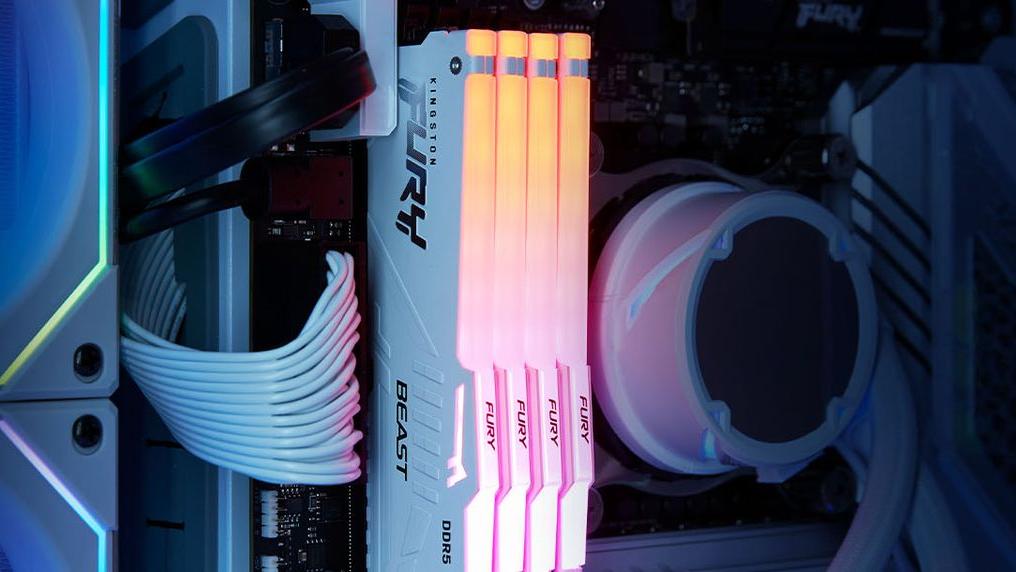
Increasing RAM memory
Adding more RAM can greatly improve your PC’s performance, especially if you use resource-intensive applications.
Be careful to use exactly the same RAM specifications as the ones you’re currently using.
Physical cleaning of the computer
Regularly clean the inside of your PC to prevent dust build-up, which can cause overheating and performance issues.
Software solutions
Using an antivirus
A good antivirus can protect your PC from malicious software. Make sure it’s always up to date and run regular scans.

Using cleaning software
Cleaning software such as CCleaner can help remove temporary files and unnecessary registry entries, freeing up space and resources.

Task Manager and processes
Use Task Manager to monitor ongoing processes and end those that consume too many resources unnecessarily.

Optimising system settings
Adjust your system settings to optimise performance, such as disabling unnecessary visual effects and managing startup programmes.

Conclusion
A PC that loses performance can be frustrating, but fortunately there are many ways to resolve these problems.
By identifying the possible causes and following the tips and solutions suggested, you can significantly improve your computer’s performance.
Don’t forget to maintain your PC regularly and protect it from malicious software to avoid future slowdowns.
Frequently asked questions
Why is my PC running slowly after an update?
After an update, your PC may run slowly because of new features or bugs. Make sure all drivers are up to date and restart your PC after the update.
How can I tell if my PC is infected with a virus?
Signs such as sudden slowdowns, unwanted pop-ups, or unusual behaviour can indicate a virus infection. Use an antivirus program to scan your PC.
Can a lack of RAM slow down my PC?
Yes, a lack of RAM can seriously slow down your PC, especially if you run multiple applications at the same time. Adding more RAM can improve performance.
How can I improve my PC’s performance without spending any money?
You can improve your PC’s performance by uninstalling unnecessary software, defragmenting the hard drive, and physically cleaning your computer.
What’s the best way to physically clean my computer?
Use compressed air to remove dust from the internal components and make sure the fans are not blocked.
Are cleaning software programmes really effective?
Yes, cleaning software can be effective at removing temporary files and unnecessary registry entries, freeing up system resources.
