
By the FlowUP team, gaming PC builder in Genappe (Belgium) · Updated 29 September 2026
In brief: the Cooler Master Cosmos Alpha is a premium full tower case (669 x 330 x 639 mm, up to 140 litres) that supports motherboards up to the EEB, graphics cards up to 400 mm, up to 15 fans and radiators up to 420 mm. Its key strengths: a sliding motherboard tray, FreeForm 2.0 modularity, and two 200 mm front fans. We built the PC for ImSoFresh in it: our verdict is very positive, with two caveats, the build takes some planning given the number of options, and the case price is very high-end.
A case that owns the role of centrepiece
Some cases try to disappear. And then there are those that embrace their status as the centrepiece in a setup. The Cosmos Alpha clearly belongs to the second category: it’s Cooler Master’s new flagship in the COSMOS range, with three simple promises. More freedom in layout, more room for components, and more clearance for cooling.
We had it in our hands in March 2026 to build the PC for creator ImSoFresh, with FrenchHardware. Here’s what we took away from it.
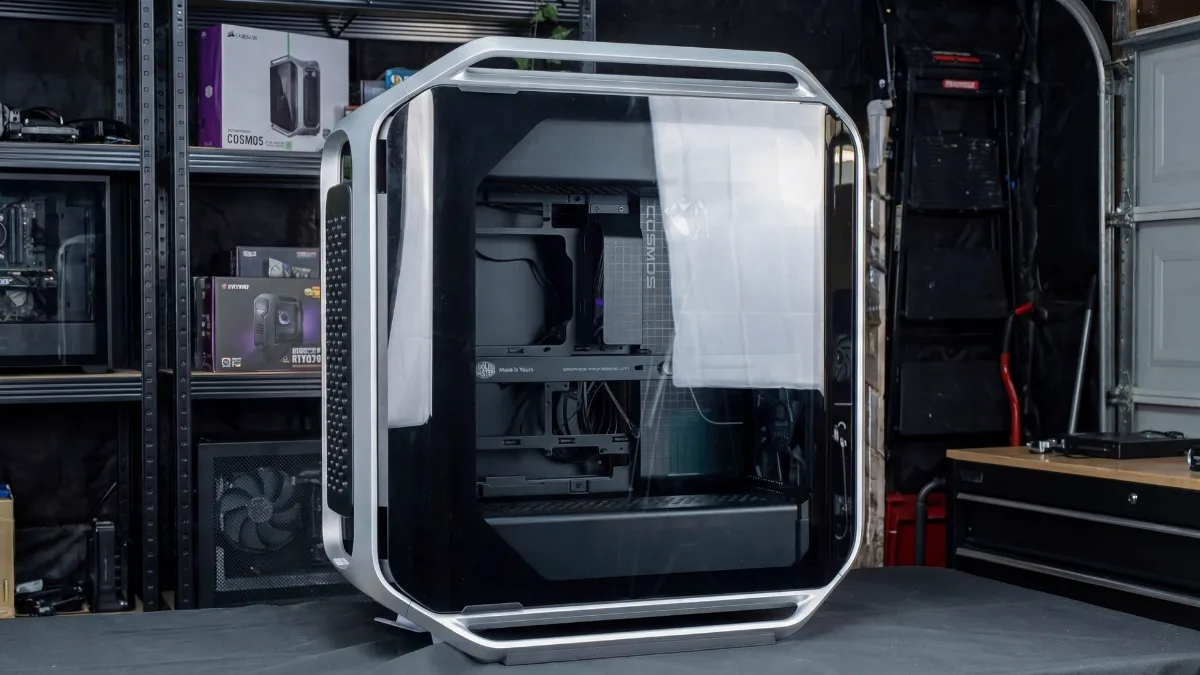
The Cosmos Alpha in our workshop, side panel open. Photo: FlowUP.
Cosmos Alpha technical sheet
| Specification | Cosmos Alpha |
|---|---|
| Form factor | Full tower |
| Dimensions and volume | 669 x 330 x 639 mm, up to 140 litres |
| Motherboards | Mini-ITX, Micro-ATX, ATX, E-ATX, EEB |
| Graphics card | Up to 400 mm |
| CPU air cooler | Up to 186 mm in height |
| Power supply | Up to 240 mm |
| Included fans | 2 x 200 x 38 mm at the front, 1 x Mobius 120 mm at the rear |
| Maximum fans | Up to 15 |
| Radiators | Up to 360 mm at the top, 360 mm at the bottom, 420 mm on the side |
| Cable space | 53 mm behind the motherboard tray |
| Front | 4 x USB 3.2 Gen 1 Type-A (5 Gb/s), 2 x USB 3.2 Gen 2x2 Type-C (20 Gb/s), audio combo jack |
| Accessories | Removable dust filters, graphics card support, decorative cover, side cable cover |
Source: specifications announced by Cooler Master at launch (March 2026).
Our build in video
We built ImSoFresh’s PC in the Cosmos Alpha, with FrenchHardware. The video shows the case from every angle and what you get from a true high-end configuration inside:
FlowUP Benchmark, “We built ImSoFresh’s PC! (ft. FrenchHardware)”, March 2026.
A recognisable flagship design
The Cosmos Alpha takes the series’ historic visual DNA and modernises it: curved aluminium frames, a large tempered-glass side panel, a honeycomb-mesh front panel, and ARGB lighting under the case. It isn’t trying to copy the towers of the moment. It has a real silhouette, for setups that must perform as well as they look.
The front isn’t just for looks: the mesh lets the two 200 mm fans breathe, and fans of this size generally move a lot of air at moderate speeds.
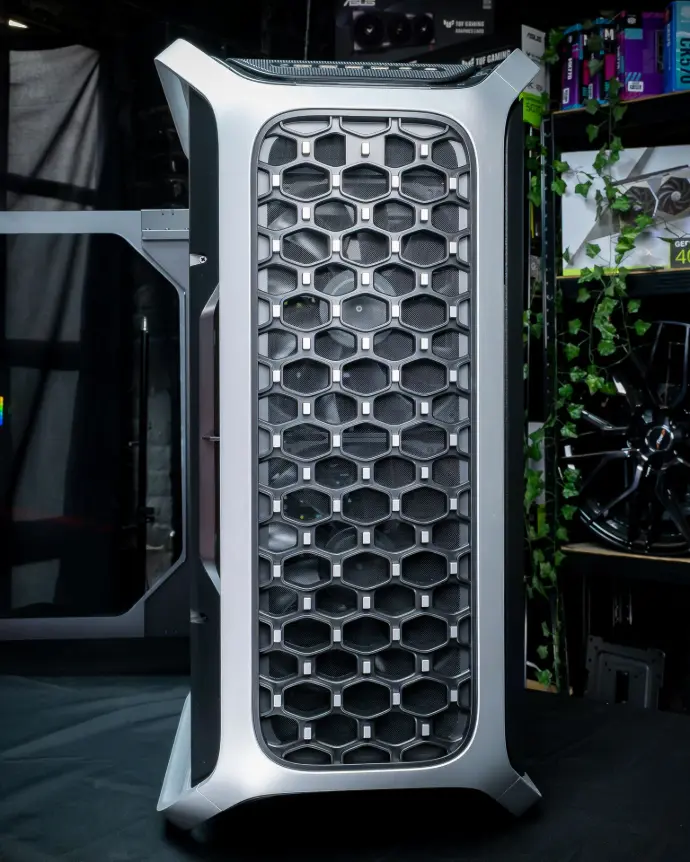
The honeycomb-mesh front, the signature of the Cosmos Alpha. Photo: FlowUP.
Modularity: the sliding tray and FreeForm 2.0
The most interesting feature of the Cosmos Alpha is its sliding motherboard tray. It frees up space inside the chassis and makes it easier to move from an air-cooled setup to a more ambitious custom watercooling build. In practice, it also lets you adjust the distance between the graphics card and the side panel, either to optimise airflow or to better showcase the GPU.
It’s paired with FreeForm 2.0, with rotating internal elements to multiply layout options, plus an adjustable, sliding fan mounting to bring airflow closer to the hottest areas.
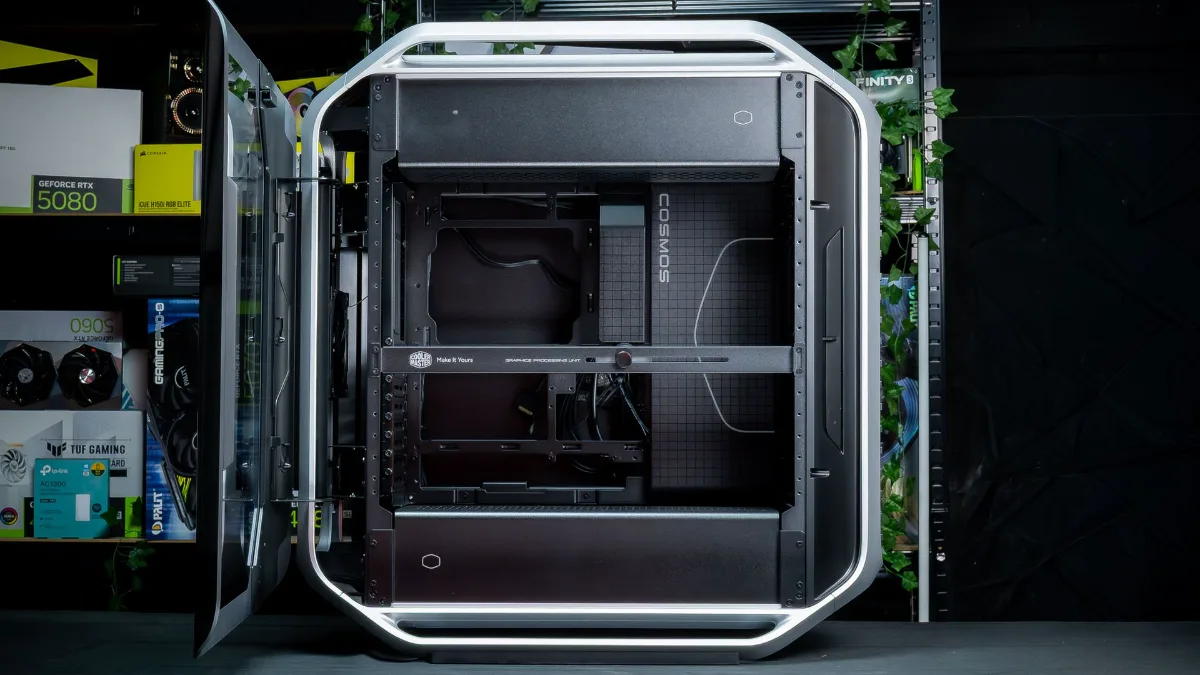
The empty interior: a real playground for a custom build. Photo: FlowUP.
Cooling: designed for custom watercooling
Cooler Master didn’t just want to make a big case, it wanted a real cooling platform. It comes with two 200 x 38 mm front fans and a rear 120 mm Mobius fan, and it supports up to 15 fans. Radiator support: up to 360 mm at the top, 360 mm at the bottom, and 420 mm on the side. For a custom loop with multiple radiators, the playground is there.
To understand what really matters in a case’s airflow (intakes, exhausts, pressure), read our guide how to choose a PC case in 2026.
Interior space and build comfort
With its 140 litres, the Cosmos Alpha plays in the big leagues: motherboards up to EEB, graphics cards up to 400 mm, and PSUs up to 240 mm. The 53 mm space behind the motherboard tray gives you room to route thick cables without forcing them, and a graphics card support is included to stop a large card from bending its slot.
Anyone who builds PCs regularly knows it: build comfort depends not only on compatibility, but on clearance. The Cosmos Alpha offers plenty of it. The trade-off is the number of options: it’s best to plan the layout before you screw in the motherboard.
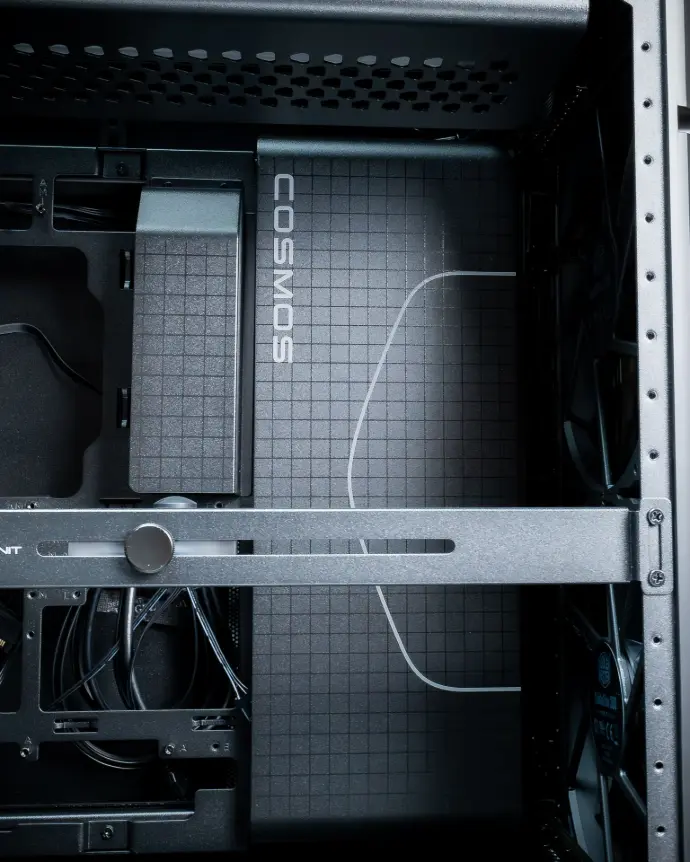
The included graphics card support and space for the cables. Photo FlowUP.
Consistent connectivity
The front panel is on par with the rest: 4 USB-A ports at 5 Gb/s, 2 USB-C ports at 20 Gb/s, and an audio combo jack. Just make sure your motherboard has the internal USB-C 20 Gb/s connector; otherwise these ports will run at a lower speed or may not work.
Removable dust filters, a decorative cover, a side cable cover: they’re details, but they’re often what separates a case on paper from one that feels great day-to-day.
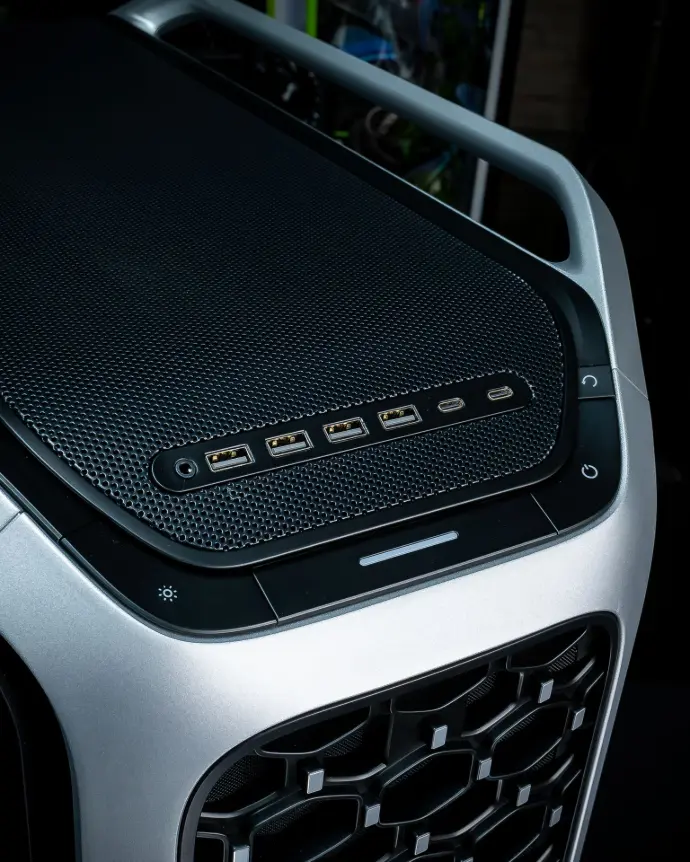
Connectivity on the top of the case, including two USB-C ports at 20 Gb/s. Photo FlowUP.
Our review of the Cooler Master Cosmos Alpha
| Criteria | What we think of it | Rating |
|---|---|---|
| Design | Premium look, imposing size | 5/5 |
| Build quality | Solid materials, tempered glass and aluminium | 5/5 |
| Modularity | Flexible interior, adjustable parts | 5/5 |
| Internal space | Plenty of space for big builds | 5/5 |
| Cooling | Good airflow, supports large radiators | 5/5 |
| Compatibility | Big GPUs, EEB, big power supply | 5/5 |
| Connectivity | Many varied USB ports, modern connectors | 5/5 |
| Ease of building | Practical access, but lots of options to plan for | 4/5 |
| Cable management | Easy-to-hide cables, clean finish | 5/5 |
| Value for money | Premium finish and very comprehensive, but a very high-end price | 4/5 |
With the Cosmos Alpha, Cooler Master isn’t following a trend: it puts the idea of a flagship case back at the centre, capable of serving as a base for extreme builds. The point isn’t that it’s big; it’s using that size to get more freedom, comfort and customisation. For whom? Enthusiasts preparing a custom water-cooling setup or a very high-end system to show off. For whom not? Those who want a compact PC, or who will never use all that space: a good airflow mid-tower case will do just as well, for less money and with less bulk.
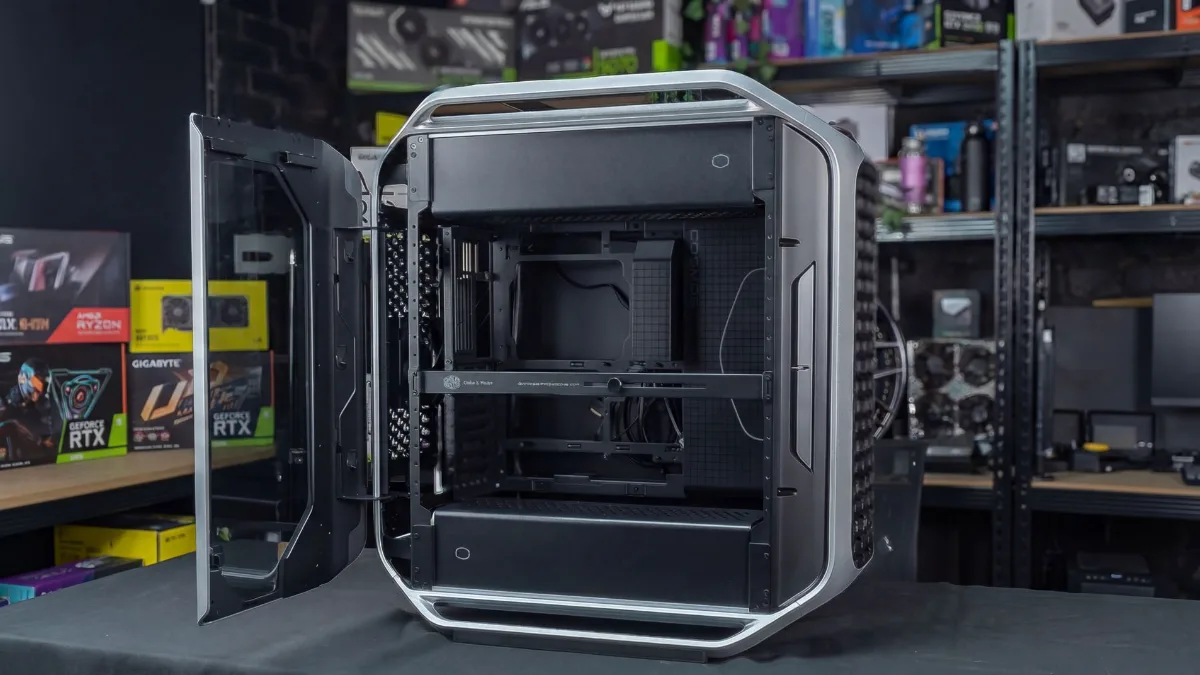
The Cosmos Alpha wide open: access to components is one of its strong points. Photo FlowUP.
Do you prefer a high-end PC that’s already built?
Our high-end setups are mounted and tested by us, in panoramic cases designed to show off the components:
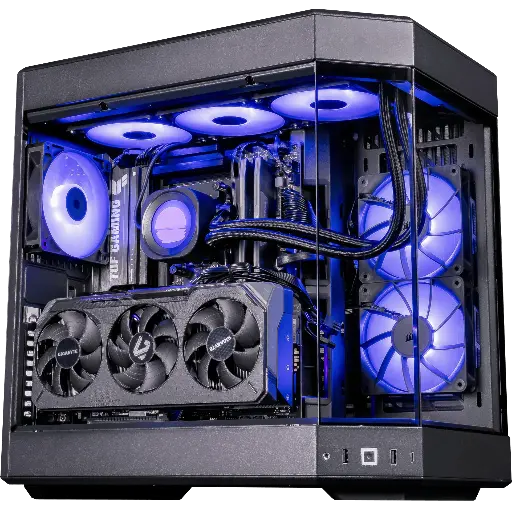
Shadow V2 PC: QHD and 4K
RX 9070 XT 16 GB, Ryzen 7 9800X3D, 32 GB DDR5 RAM and a 1 TB SSD in a HYTE Y60 panoramic case.
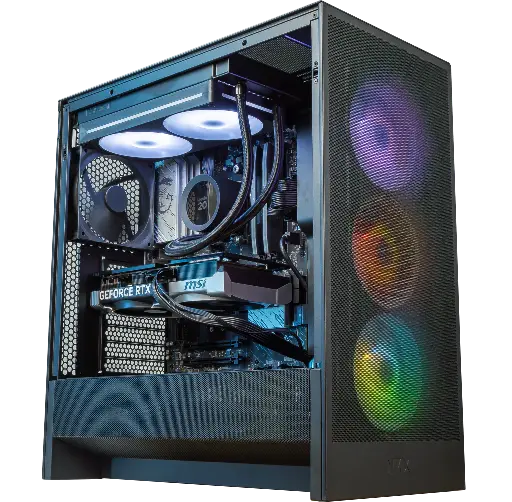
Velaris PC GeForce RTX 5070 12GB
Ryzen 5 7500X3D, RTX 5070 12GB, 16 GB DDR5 RAM and 1 TB M.2 SSD: an out-of-the-box gaming-ready setup.
To choose the rest of your setup, follow our guide how to choose your gaming PC in 2026.
FAQ: Cooler Master Cosmos Alpha
What are the dimensions of the Cooler Master Cosmos Alpha?
669 x 330 x 639 mm, for a claimed volume of up to 140 litres. It’s a full tower: make sure you have space on or under the desk.
What graphics card size does the Cosmos Alpha support?
Up to 400 mm in length, which covers the largest graphics cards currently available. A graphics card support is included.
What water-cooling radiators can you install?
Up to 360 mm on top, 360 mm at the bottom and 420 mm on the side, with up to 15 fans in total.
Does the Cosmos Alpha come with fans?
Yes: two 200 x 38 mm fans at the front and a 120 mm Mobius fan at the rear.
Which motherboard form factors are compatible?
From Mini-ITX to EEB, including Micro-ATX, ATX and E-ATX.
