
By the FlowUP team, gaming PC builder in Genappe (Belgium) · Updated 10 November 2026
In brief: An aquarium PC is a gaming PC built inside an aquarium case: glass on the front and side, with no vertical frame in the corner, so you can see the whole setup. It’s one of the most sought-after styles right now. When it’s built properly (fans at the bottom, watercooling at the top, cables hidden behind), it keeps healthy temperatures while gaming. Our aquarium builds range from 1440p with an RTX 5060 Ti up to the RTX 5070 Ti in a HYTE Y60.
You see it everywhere on streamers’ setups: a glass tower where the graphics card and watercooling are on display like in a showroom. The aquarium gaming PC is one of the most popular looks in France: several thousand Google searches per month for “aquarium PC” and “aquarium case” combined.
There’s one question everyone wonders before buying: does a glass-enclosed case run hot? Here’s what we learned by building these PCs in Genappe, and the configurations we recommend.
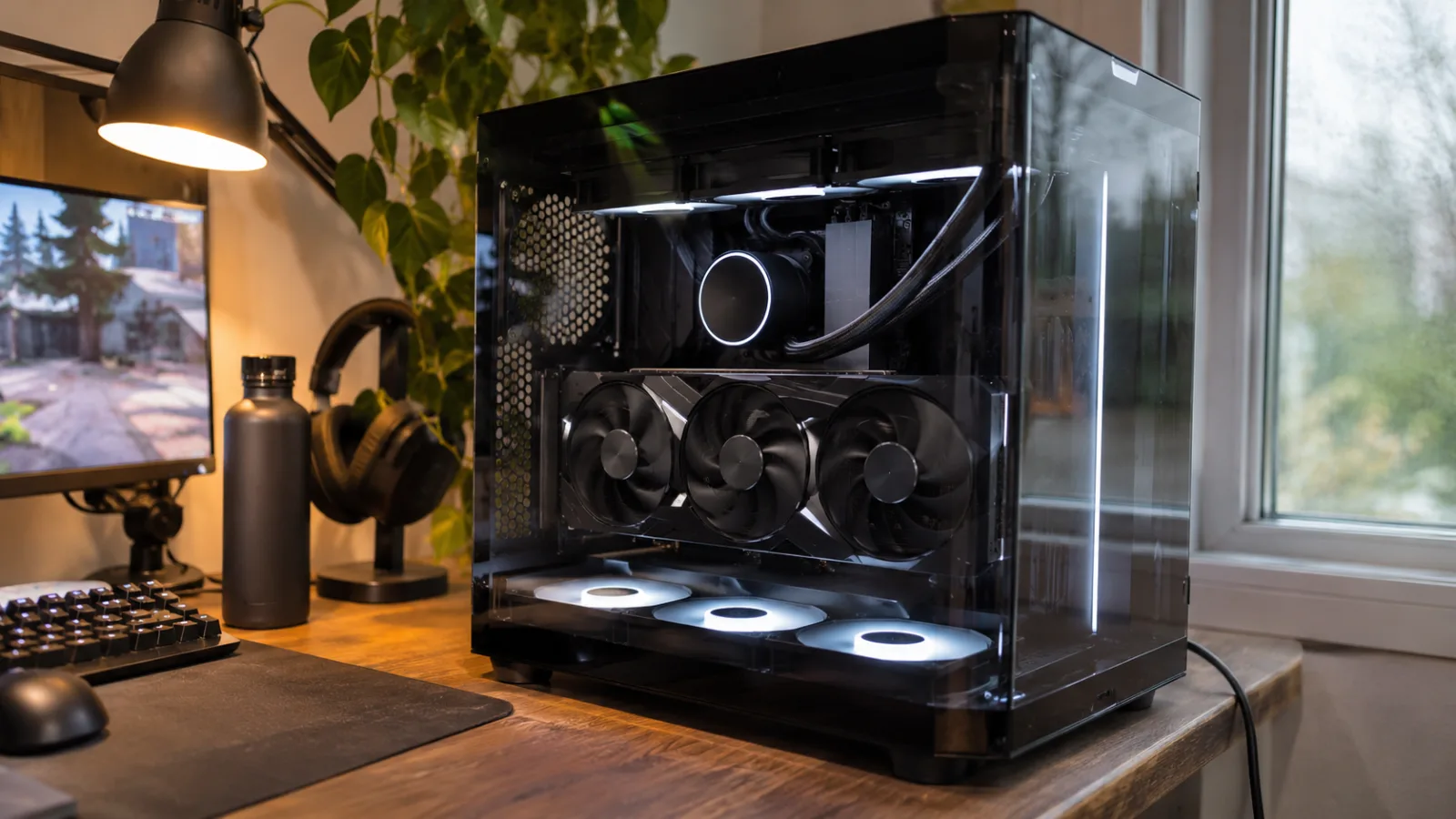
Aquarium PC (or fish tank PC): what exactly is it?
The name comes from the shape of the case: a large glass volume, like an aquarium sitting on your desk. In practice, an aquarium PC case can be recognised by three details:
- Tempered glass on two sides (front and side), sometimes three, with an angle that has no vertical frame for a panoramic view.
- A dual chamber: the power supply, drives and cables run through a rear compartment. On the glass side, you only see the components.
- No air intake at the front: the fans pull in air from the bottom and sometimes from the side, and the hot air exits through the top and the rear.
The best-known models are the HYTE Y60, the MSI PANO series, or Lian Li’s “Vision” cases. At FlowUP, we also build our own FlowUP H600 Aquavision.
Aquarium case: the real advantages, and the point to keep an eye on
A aquarium case is loved first of all for the look, but it also has practical advantages:
- A cleaner build: the double chamber hides the cables and the power supply. The PC stays neat even after years.
- Space for a 360 mm watercooling at the top, and for the large graphics cards of today.
- A showcase for the graphics card: on some models like the HYTE Y60, it’s mounted vertically, facing you.
The point to keep an eye on is the air intake. Without a mesh front panel, everything depends on the fans at the bottom. A poorly thought-out aquarium PC (two fans, no watercooling, a graphics card that doesn’t breathe well) gets hot and becomes loud. What you need so an aquarium case breathes well:
- 3 fans at the bottom that pull in fresh air directly under the graphics card;
- an AIO watercooling of 240 or 360 mm at the top, which extracts heat from the processor;
- a rear fan for exhaust to keep balanced air pressure.
With this setup, an aquarium PC maintains healthy gaming temperatures, and that’s what we apply to our builds. If you want to go further, our guide PC gamer watercooling explains how to choose between a 240 and a 360 mm AIO.
How we build an aquarium gaming PC in the workshop
An aquarium PC doesn’t forgive anything: every cable is visible. So the build takes longer than a classic tower. What we do on every build:
- Cabling at the back, attached and neatly routed, so the glass chamber shows only the components.
- Fan direction checked: intake at the bottom, exhaust at the top and at the rear.
- PC tested before shipping, like all of our builds.
- RGB your way: you change the colours or switch everything off, as you like.
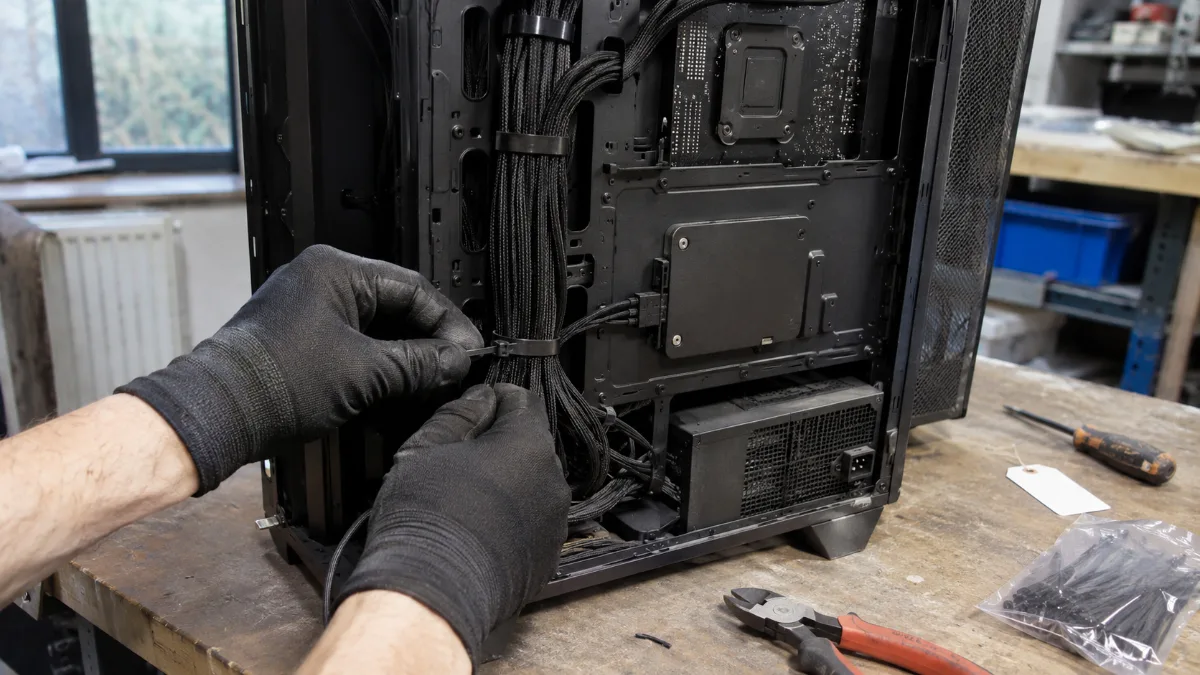
When it comes to lighting, we explain how to control the LEDs in how to control the RGB of your PC. And if silence matters as much as the look, read also silent gaming PC.
Our aquarium PCs by budget
All these builds are assembled and tested in Genappe, and available to order:
| PC | Case | Processor | Graphics card | Who it’s for |
|---|---|---|---|---|
| PC Angora | MSI MAG PANO M100R PZ | Core Ultra 5 245KF | RTX 5060 Ti 16 GB | 1080p Ultra and 1440p, compact format |
| PC CELESTE | FlowUP H600 Aquavision | Core i5-14400F | RTX 5070 12 GB | 1440p, a first aquarium PC |
| PC AQUA | FlowUP H600 Aquavision | Ryzen 5 7500X3D | RTX 5070 12 GB | 1440p, our favourite |
| PC Blackburn | FlowUP H600 | Core i7-14700KF | RTX 5070 Ti 16 GB | High-settings 1440p, 2 TB SSD |
| PC Nightmare | HYTE Y60 | Core i7-14700KF | RTX 5070 Ti 16 GB | High-settings 1440p, NZXT 360 water cooling |
| PC Abyssin | MSI MAG PANO 100R PZ | Core Ultra 7 265KF | RTX 5070 Ti 16 GB | 1440p and 4K, MSI 360 water cooling |
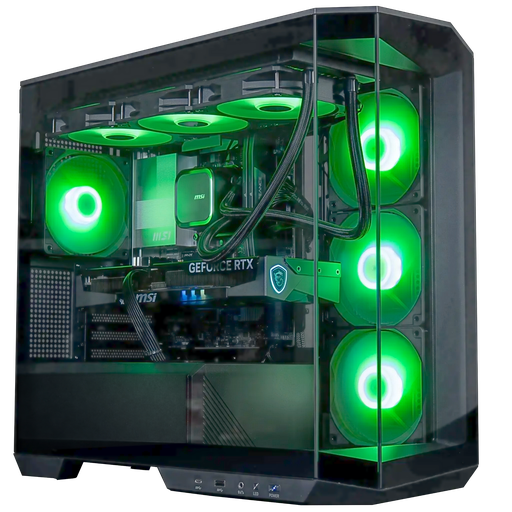
Angora PC: the compact panoramic PC
Core Ultra 5 245KF, RTX 5060 Ti 16 GB, 16 GB DDR5 and Arctic 360 mm water cooling in an MSI PANO case: the panoramic format that takes up little space.
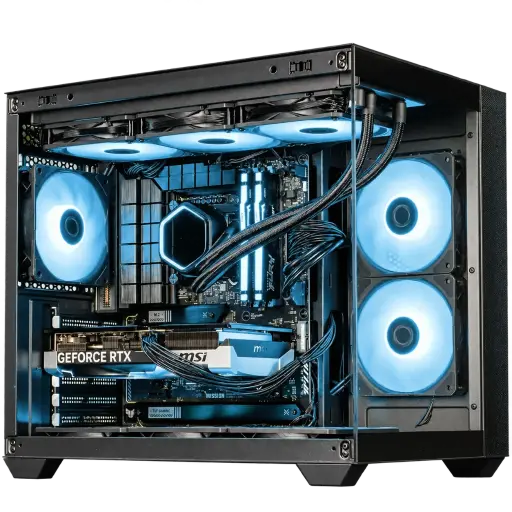
PC AQUA: the FlowUP aquarium case
Ryzen 5 7500X3D, RTX 5070 12 GB, DDR5, 1 TB SSD and water cooling in our H600 Aquavision case: the balance we recommend most for gaming in 1440p.
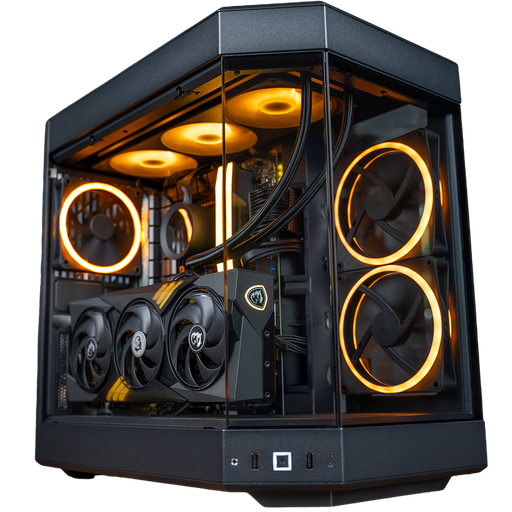
PC Nightmare: the HYTE Y60 showcase
Core i7-14700KF, RTX 5070 Ti 16 GB, 32 GB DDR5 and NZXT 360 mm water cooling in the HYTE Y60: the aquarium case you recognise at first glance.
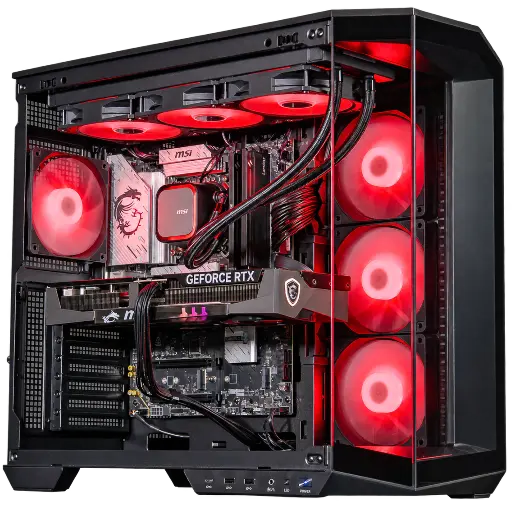
PC Abyssin: the premium aquarium PC
Core Ultra 7 265KF, RTX 5070 Ti 16 GB, 32 GB DDR5 and MSI 360 mm water cooling: one of our Outsider configurations, for high-settings 1440p and 4K.
Workshop verdict
- The look shouldn’t cost FPS: avoid aquarium cases without space for three fans at the bottom.
- Choose water cooling: all our aquarium builds have it, because a big air cooler blocks the view and keeps the heat in the middle of the case.
- For the glass, a simple dry microfibre cloth is enough. Dusting the bottom filters is done every 2 to 3 months.
Still unsure about the format? Our guide how to choose your PC case compares the aquarium to towers with a mesh front, and gaming tower takes you through the different formats. Black Friday is on 27 November: our gaming PCs on promotion are already online, and the entire range is in the FlowUP gaming PC category.
FAQ: aquarium PC
Does an aquarium PC run hotter than a regular PC?
Not if it’s built properly. Without a mesh front, fresh air comes in from the bottom. With three intake fans under the graphics card, water cooling at the top, and exhaust at the back, temperatures while gaming stay within healthy ranges.
Which aquarium or fish tank PC case should you choose?
For a PC aquarium case, look above all at the space for three fans at the bottom and a 360 mm radiator at the top. The HYTE Y60, the MSI PANO and our FlowUP H600 Aquavision tick those boxes. The rest is a question of style and size.
Can you get a white aquarium PC?
Yes. Most aquarium cases come in white. A white aquarium case simply requires a bit more consistency: white motherboard, fans, cables and sometimes a white graphics card; otherwise a single black part stands out. Ask us through our custom PC configurator.
Can you turn off the RGB on an RGB aquarium gaming PC?
Yes. The lighting can be adjusted or turned off from the motherboard or water cooling software, and sometimes with a button on the case. The PC works exactly the same way, lights on or off.
How much does an aquarium PC cost?
With us, aquarium configurations start at around €1,500 with the Angora PC (RTX 5060 Ti 16 GB). You’ll need to budget a bit more than for a standard tower with equal components, because the case and water cooling cost more.
FlowUP team, Genappe. More than 50,000 PCs assembled and shipped.
