 Your PC in instalments (up to 12x)
By the FlowUP team, gaming PC builder in Genappe (Belgium) · Updated 29 September 2026
In brief: the best CPU / GPU combos in 2026: for 1080p, a Ryzen 5 7500F with an RX 9060 XT 16 GB or an RTX 5060 Ti 16 GB; for 1440p, a Ryzen 7 9800X3D or 7500X3D with an RTX 5070; for demanding 1440p, a 9800X3D with an RX 9070 XT or an RTX 5070 Ti; for 4K, a 9800X3D or a Core Ultra 7 with a RTX 5080. The rule: put most of the budget into the graphics card, and choose a processor that doesn’t hold it back.
The rule of a good CPU / GPU combo
In a gaming PC, it’s the graphics card that generates the images. The processor, meanwhile, prepares the workload: physics, character AI, rendering calls. A good combo means a graphics card that’s as powerful as the budget allows, and a processor fast enough to keep it running at full power.
The higher the resolution you go, the more the graphics card becomes the limiting factor. The higher the target frame rate (144, 240 Hz and beyond), the more the processor matters. That’s why the same processor can be perfect in 4K yet limiting in competitive 1080p.
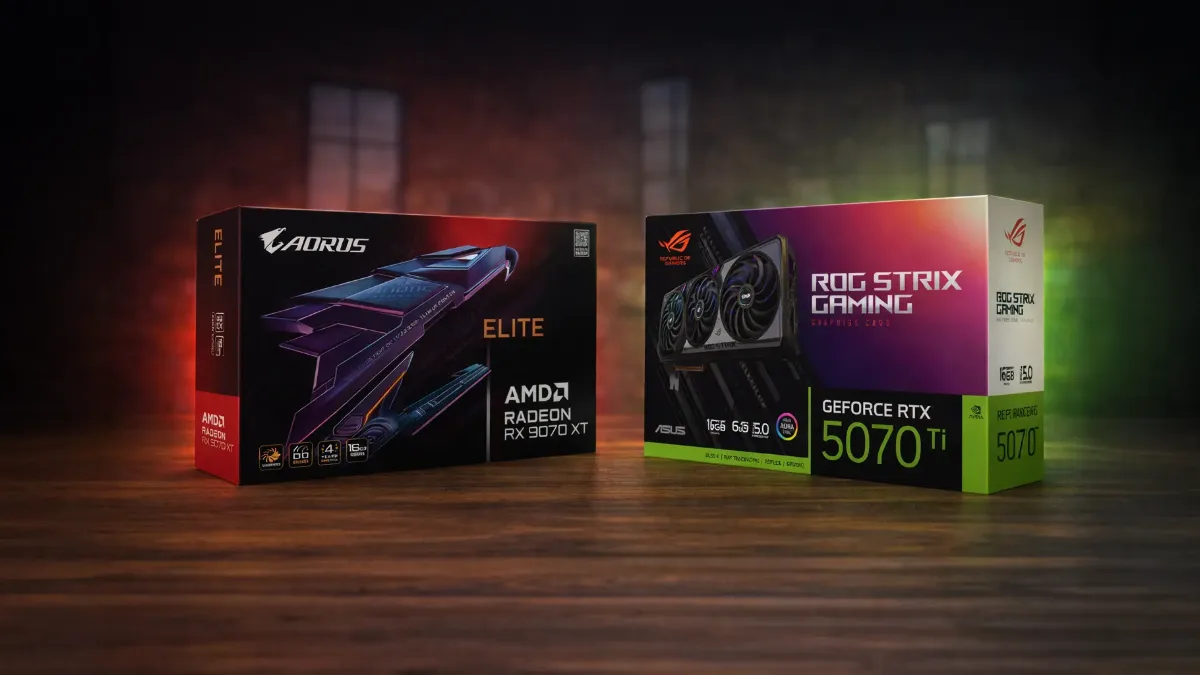
The graphics card does the biggest share of the work in games: it’s the one that needs the largest portion of the budget.
The best CPU / GPU combos in 2026
| Use | Processor | Graphics card | Why this duo |
|---|---|---|---|
| 1080p, high settings | Ryzen 5 7500F or Ryzen 7 5700X | RX 9060 XT 16 GB or RTX 5060 Ti 16 GB | 16 GB of VRAM prevents texture issues |
| Competitive, 1080p or 1440p | Ryzen 5 7500X3D or Ryzen 7 9800X3D | RTX 5070 or RX 9070 | The 3D V-Cache helps a lot at high FPS |
| Demanding 1440p, ray tracing | Ryzen 7 9800X3D or 7800X3D | RX 9070 XT or RTX 5070 Ti | The most balanced duo for 1440p in 2026 |
| 4K | Ryzen 7 9800X3D or Core Ultra 7 265KF | RTX 5080 (or RTX 5090) | In 4K, the processor matters less: prioritise the GPU |
| Gaming + streaming / editing | Ryzen 7 9800X3D or Core Ultra 7 | RTX 5070 Ti | NVENC encoder takes the load off the processor when streaming |
FlowUP summary based on Tom’s Hardware’s graphics-card hierarchy (June 2026) and our configurations.
On the graphics-card side, the differences are clear: at 1440p Ultra, Tom’s Hardware measures an average of 116.8 FPS for the RTX 5070 Ti, 116.5 for the RX 9070 XT, 96.4 for the RTX 5070, 73.4 for the RTX 5060 Ti 16 GB, and 67.3 for the RX 9060 XT 16 GB. With ray tracing, the RTX 5070 Ti pulls ahead (66.2 FPS versus 55.5 for the RX 9070 XT). The entire NVIDIA range is detailed in RTX 5000 series: dates, prices and specs, and the Radeon in RX 9070 and RX 9070 XT.
Why Ryzen X3D chips show up everywhere
The Ryzen X3D (7500X3D, 7800X3D, 9800X3D) stack a large amount of cache memory on the processor. In games, that’s a huge advantage: the data the game needs is right there, and FPS climb, especially in competitive games and simulation titles.
That’s why almost all of our high-end combos go through an X3D. On the Intel side, the Core Ultra 200S do very well in 4K, where the graphics card limits things anyway, and they’re interesting if you also do a lot of editing or rendering. The full comparison is in Intel or AMD: which CPU for a gaming PC in 2026.
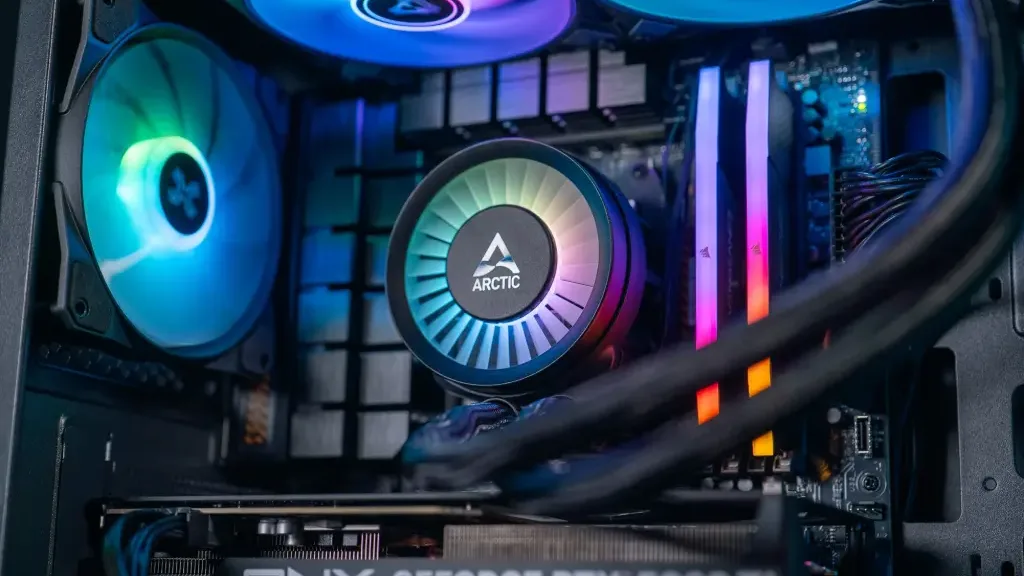
Processor, cooling and RAM: the trio that must keep up with the graphics card.
The most common combo mistakes
- A big processor with a small graphics card: a Ryzen 9 with an entry-level GPU means FPS capped by the GPU, and money sitting idle in the CPU.
- A big graphics card on an old processor: an RTX 5070 Ti on a 2018 processor won’t run at full power in 1080p and 1440p.
- Saving on VRAM: in 2026, 8 GB of video memory becomes tight in big games, aim for at least 12 GB, and ideally 16 GB. See how much VRAM in 2026.
- Ignoring the platform: AM5 will welcome future Ryzen Zen 6 chips, a real plus if you plan to upgrade the processor later.
- Neglecting the power supply: an RTX 5070 Ti requires a quality 750 W PSU, according to NVIDIA.
To check whether your current combo is imbalanced, display GPU usage while gaming: this video shows how to spot a processor bottlenecking the graphics card.
Hardware Archive, “How to detect a CPU bottleneck and reduce its impact”.
The complete method, including the thresholds to watch, is in our guide CPU and graphics-card compatibility: avoid bottlenecks, and if you want to upgrade your PC rather than replace it, read which component to upgrade first.
Our gaming PCs built with these combos
These four configurations reuse the duos from the table:
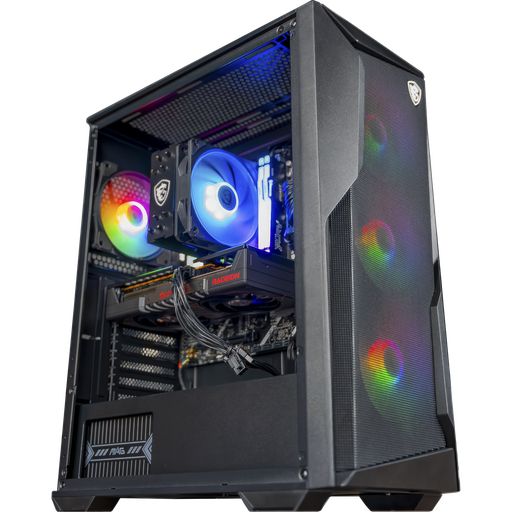
Rift PC: Ryzen 5 7500F + RX 9060 XT 16GB
The go-to 1080p combo on an AM5 platform with 16GB of DDR5.

Novara PC: Ryzen 5 7500X3D + RTX 5070
An X3D and an RTX 5070 for 1440p and competitive play, with NZXT Kraken Plus 240 water cooling.
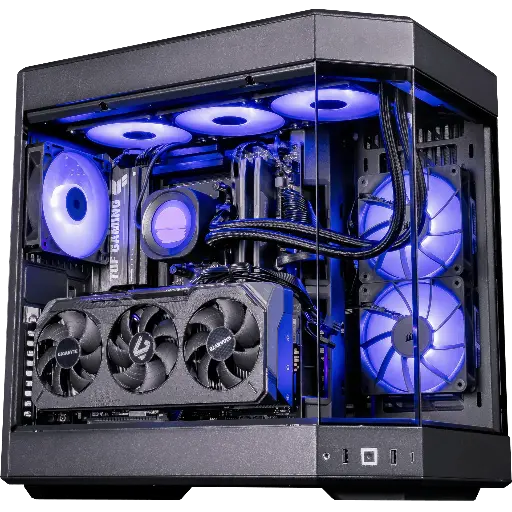
Shadow V2 PC: Ryzen 7 9800X3D + RX 9070 XT
The most balanced duo for demanding 1440p, with 32GB of DDR5.
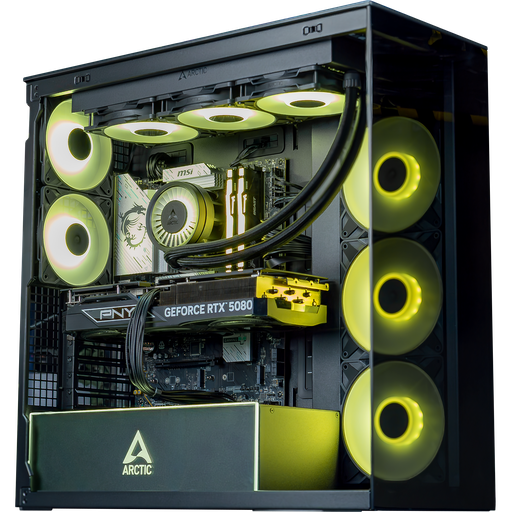
Arctic PC: Core Ultra 7 265KF + RTX 5080
The 4K combo, with an RTX 5080 for big AAA titles.
All our configurations are in the category FlowUP gaming PC, and our guide best gaming PC in 2026 for your budget helps you choose.
FAQ: CPU / graphics card combos
What is the best CPU and graphics card combo in 2026?
For 1440p, the most balanced pairing is the Ryzen 7 9800X3D and RX 9070 XT or RTX 5070 Ti. For 1080p, a Ryzen 5 7500F with a 16GB RX 9060 XT or a 16GB RTX 5060 Ti. For 4K, an RTX 5080 with a 9800X3D or a Core Ultra 7.
Should you pair an AMD processor with an AMD graphics card?
No. An AMD processor works very well with an NVIDIA graphics card, and vice versa. The choice depends on performance and budget, not the brand.
What share of the budget should go to the graphics card?
For a gaming PC, the graphics card deserves the largest share of the component budget, clearly more than the processor. The processor only needs to be fast enough not to hold it back at your resolution.
Is a Ryzen 5 enough for an RTX 5070?
A recent Ryzen 5 on AM5, such as the 7500F, is suitable for 1440p. If you want very high FPS in competitive play, an X3D such as the 7500X3D or the 9800X3D will perform significantly better.
How can I tell if my processor is bottlenecking my graphics card?
Display GPU usage in-game with MSI Afterburner: if it stays well below 95% while your FPS are low, then the processor is limiting performance.
