
By the FlowUP team, gaming PC builder in Genappe (Belgium) · Updated 26 October 2026
In short:
- A gaming tower is the central unit of a gaming PC: case, graphics card, processor, memory, SSD, power supply, and cooling. The monitor and peripherals are added on top.
- What really matters: the graphics card first, then the processor, and then a case that breathes. RGB comes last.
- The form factor: a mid-tower ATX in 90% of cases. Big enough for a 30 cm graphics card and a 360 mm radiator, compact enough to fit under a desk.
- Our advice: choose the tower for the screen it will power (1080p, 1440p, 4K) and insist on a tested build. A cheap, poorly ventilated gaming tower ends up costing more.
“I’m looking for a gaming tower, not a laptop.” That’s often where our conversation starts, and it’s already a good decision: for the same budget, a tower is more powerful, quieter, and easier to repair. Now you just need to know which one.
At FlowUP, we build towers all day long, from the small 1080p model to the 4K machine with custom watercooling. So we know what makes the difference between a gaming PC tower that lasts five years and one that starts heating up after six months. This guide sums it up, without unnecessary jargon.
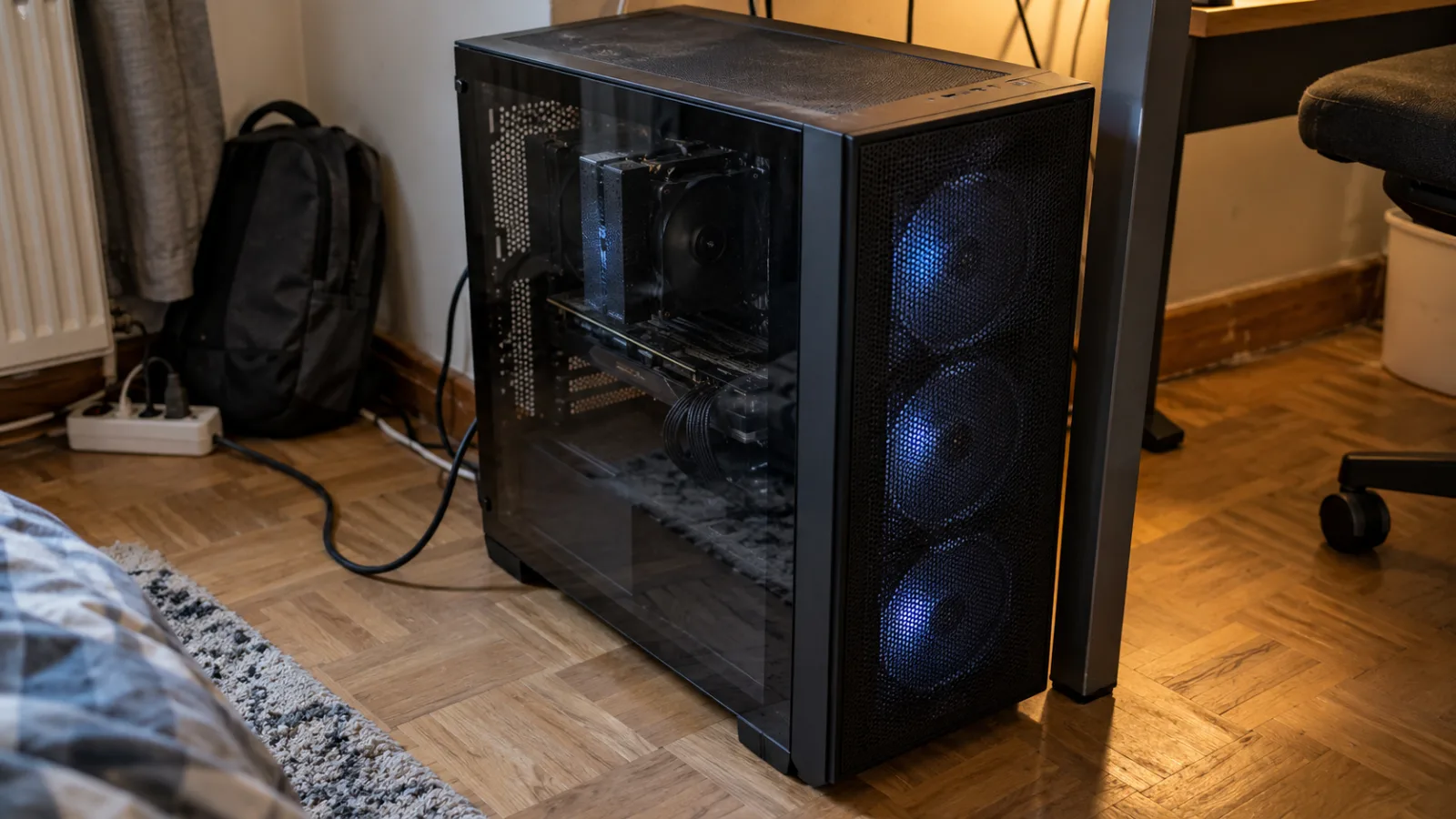
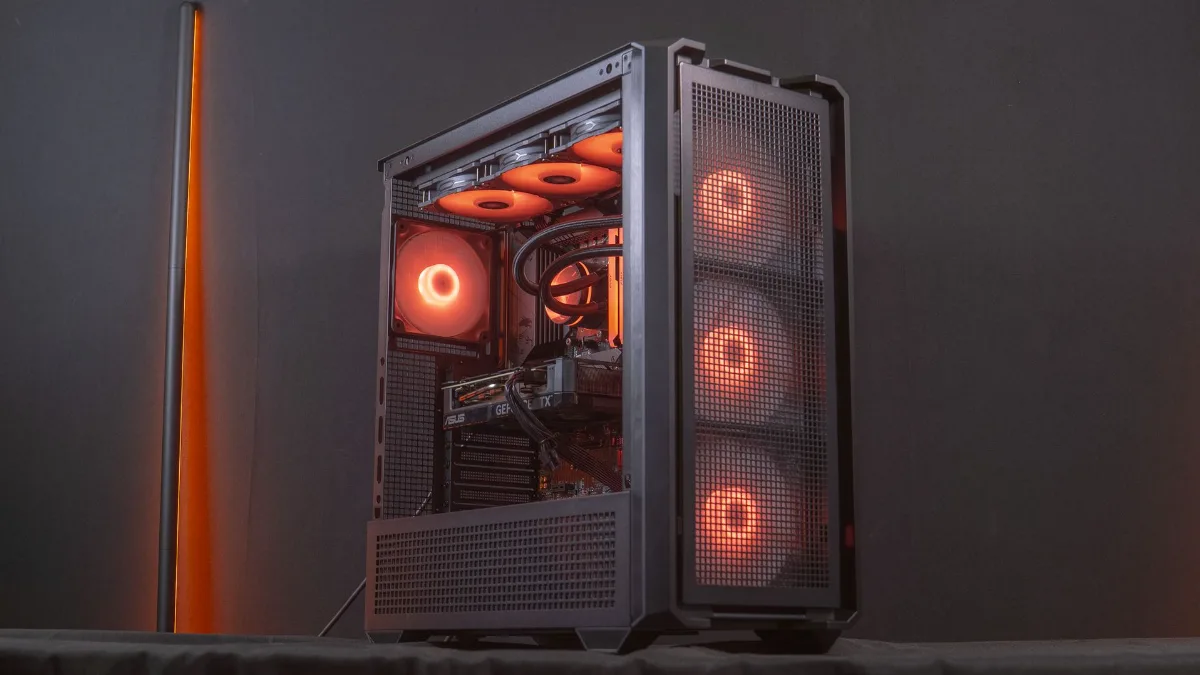
Mid-tower on the floor, mesh front panel: the format we build most often.
Gaming tower, gaming PC tower, desktop gaming PC: what are we talking about?
A gaming tower is the central unit of a gaming computer: the vertical case that holds all the components, without the monitor, keyboard or mouse. You can also call it a gaming tower, a PC gaming tower, a gaming PC tower, or a gamer’s central unit, it's the same thing. In contrast to a laptop PC, where everything is built in and nothing can be changed.
- Mid-tower (ATX): the standard. Supports ATX motherboards 305 × 244 mm, large graphics cards, and 360 mm radiators.
- Mini tower (micro-ATX): shorter, for a motherboard of 244 × 244 mm. Less space for cooling, but enough for a 1080p or 1440p setup.
- Big tower (E-ATX): for extreme configurations, dual radiators, custom watercooling. Rarely useful for gaming.
- Panoramic cases (“aquarium”): two glass panels, components clearly visible. Nice, as long as you have side or bottom fans to make up for the airflow.
If you’re still torn between a tower and a laptop, we’ve written an honest article on the topic: why buy a desktop PC. In two words: same price, more performance, and components you can replace one by one.
Tower or laptop: for the same budget, the tower wins on both performance and lifespan.
What’s inside a gaming PC tower, and what really matters
In a gaming PC tower, the graphics card creates most of the images, the processor powers it, and everything else is there to make it last over time. That’s the order in which we allocate the budget in the workshop.
- Graphics card: RTX 5050 or 5060 for 1080p, RTX 5070 or RX 9070 for 1440p, RTX 5080 for 4K. It’s the number-one choice.
- Processor: a Ryzen 5 is enough for 1080p and 1440p, a Ryzen 7 X3D if you’re aiming for very high frame rates.
- Memory: minimum 16 GB, 32 GB from the mid-range. The September 2026 Steam survey shows 32 GB as the most common amount (42% of players).
- NVMe SSD: 1 TB, to install games without counting the space.
- Power supply: 80 Plus Bronze is enough for entry-level, Gold once you move to an RTX 5070 Ti or higher, using the power recommended by the card manufacturer.
- Cooling: a decent air cooler for a Ryzen 5, 240 or 360 mm watercooling for a Ryzen 7 or a Core i7.
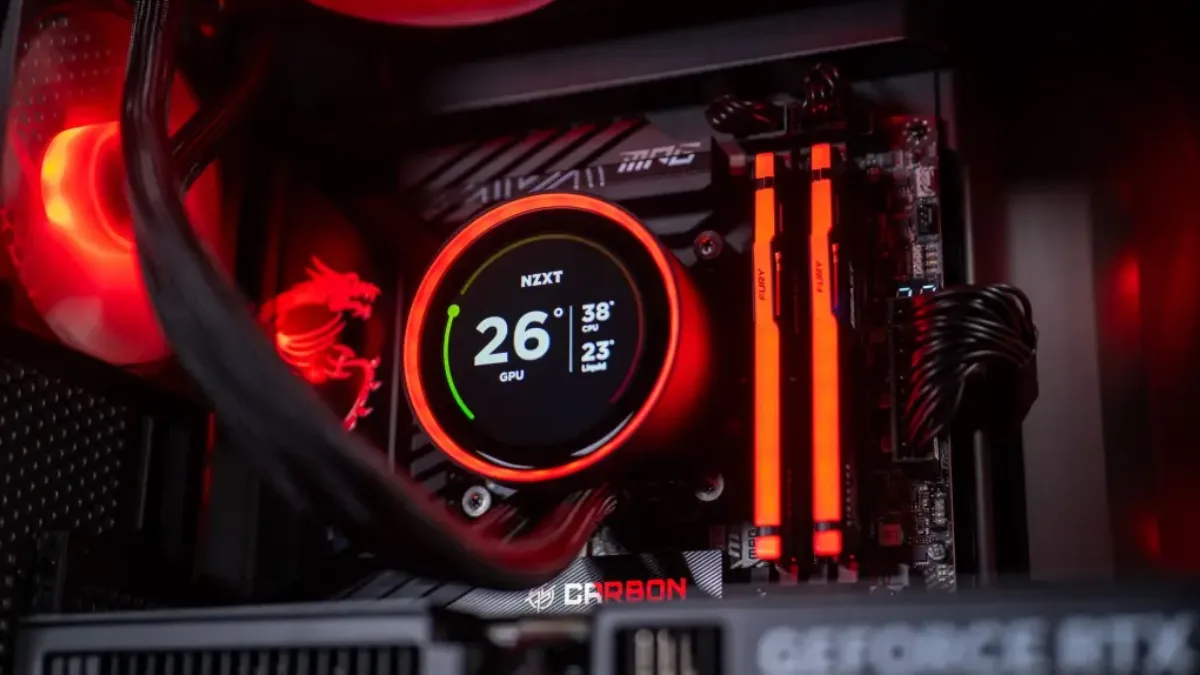
Graphics card, watercooling, DDR5: inside a mid-range gaming PC tower.
Gaming PC case and airflow: the difference between a tower that lasts and one that runs hot
A gaming case isn’t just about looks: it determines whether the graphics card can run at its frequency or throttles after twenty minutes. Three rules we apply to every tower that leaves the workshop:
- A front that lets air through: mesh grilles or wide openings, never a solid panel. The MSI MAG Forge, NZXT H5 Flow or Xigmatek cases we use are picked for exactly this.
- Fans in the right direction: air intake at the front and bottom, exhaust at the back and top. Three intake fans is a good place to start.
- Space for the graphics card: newer three-fan models often go beyond 30 cm. Check the clearance before ordering the case, not after.
A dust filter at the front and under the power supply, plus a clean-up every six months, adds years to a tower. For more, see our guides: how to choose your PC case and how to choose your PC fans.
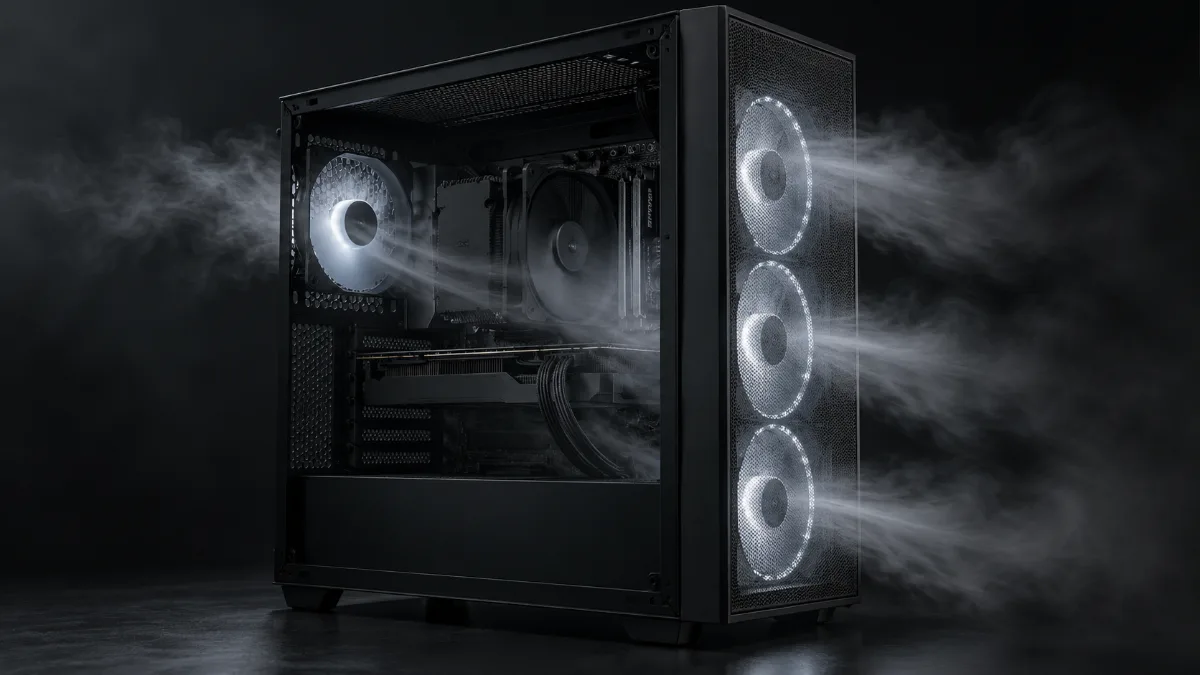
Intake at the front, exhaust at the rear and top: the airflow we replicate in every tower.
Which gaming tower PC for which screen and what budget?
You don’t choose a gaming tower just for its own sake, you choose it for the screen it’s going to run. Here’s the selection grid we use in-store, with the towers we recommend most often.
| Your monitor | Graphics card | Processor | Examples of FlowUP towers |
|---|---|---|---|
| 1080p, 144 to 180 Hz | RTX 5050, RTX 5060, RTX 5060 Ti | Ryzen 5 5500 / 5600 | Corvus, Banger, Savannah |
| 1440p, 144 to 165 Hz | RTX 5070, RX 9070, RTX 5070 Ti | Ryzen 5 9600X, Ryzen 7 9700X, Ryzen 7 7800X3D | Spatium, Rampage V2, Polaris, Requiem |
| 1440p 240 Hz or 4K | RTX 5080, RX 9070 XT | Ryzen 7 X3D, Core Ultra 7 | Taro, Prism, Orion |
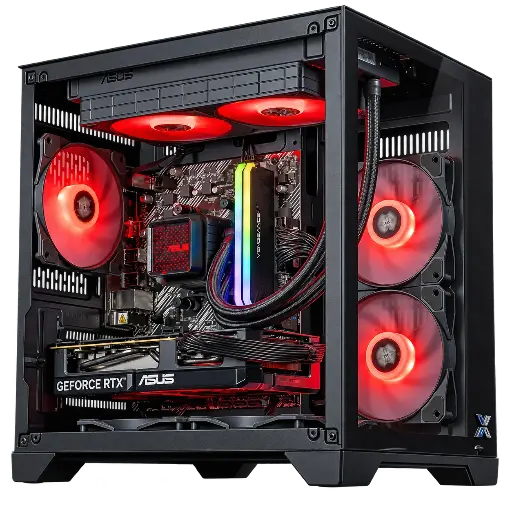
PC Banger GeForce RTX 5060 Powered by ASUS
The gaming tower we recommend for a 1080p monitor: RTX 5060 8GB, Ryzen 5 5600, 16GB RAM, 1TB SSD, and ASUS 240 mm water cooling. Quiet and ready for competitive games at high framerates.
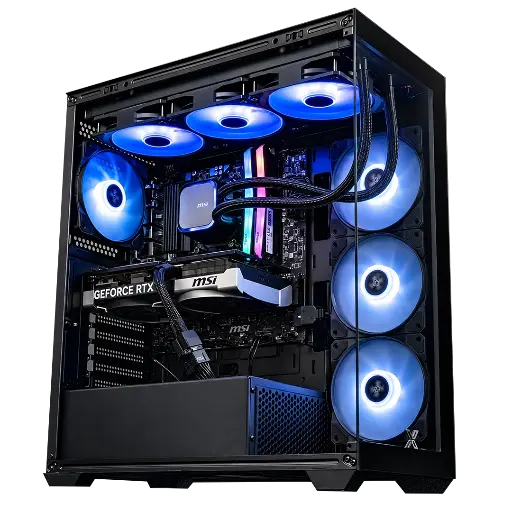
PC Rampage V2 GeForce RTX 5070
A gaming tower we recommend very often for 1440p: RTX 5070 12GB, Ryzen 7 5700X, 32GB RAM, 360 mm water cooling in an Xigmatek case with an airy front.
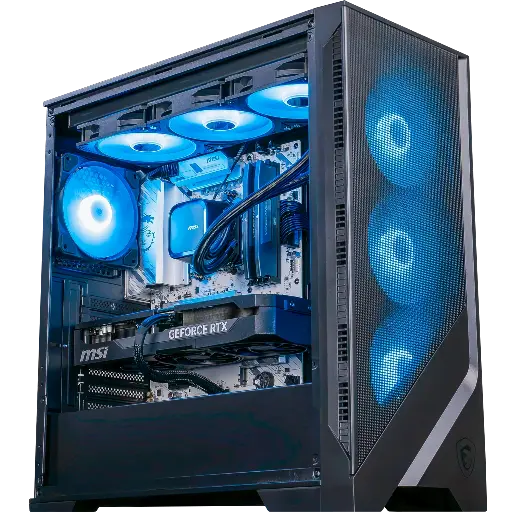
PC Requiem GeForce RTX 5070 Ti
For high-framerate 1440p: RTX 5070 Ti 16GB, Ryzen 7 9700X, 32GB DDR5, 360 mm water cooling and a 750W Gold power supply, in an MSI MAG Forge 320R Airflow case.
Cheap gaming tower: where to spend and where to save
A cheap gaming tower that’s actually worth it is a recent graphics card, 16GB of RAM, an NVMe SSD and a branded power supply. Everything else can wait. What we see far too often in entry-level gaming towers sold in big-box stores is the opposite: a case full of LEDs, and a graphics card from three generations ago.
- Save on: the RGB, the water cooling in 1080p (a good air cooler is enough), the high-end motherboard, the 2TB SSD.
- Don’t skimp on: the graphics card, the power supply (no-brand units, we refuse to fit those), dual-channel memory.
- Be careful: second-hand towers without an invoice and refurbished units without warranty. We cover this in where to find a cheap gaming PC.
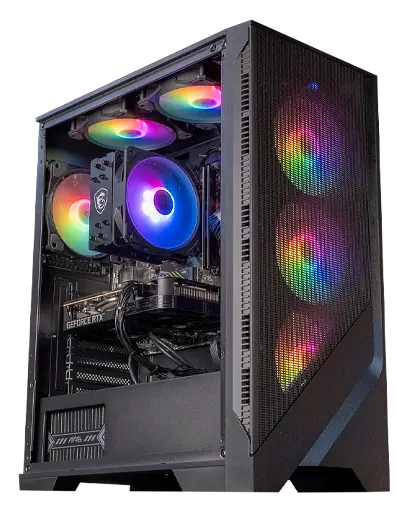
PC Corvus GeForce RTX 5050
Our no-compromise cheap gaming tower for the essentials: RTX 5050 8GB, Ryzen 5 5500, 16GB RAM, NVMe SSD and an MSI MAG Forge case with an airy front. Neat 1080p at 144Hz.
Pre-built tower PC or build it yourself?
Building your own tower saves you the assembly cost, but not the cost of mistakes: an undersized power supply, single-channel RAM, or a poorly tightened CPU cooler cost you FPS and can cause breakdowns. At FlowUP, every PC tower is assembled, cabled, updated and tested on a test bench before shipping, and the warranty covers everything, not each individual part separately.
If you’re keen to build it yourself, read our step-by-step build guide and our comparison build your PC or buy it pre-built. And if you’d rather have a tower ready to game, here’s what one of ours looks like in the hands of Mathis and Gauthier:
A raised tower draws in less dust and breathes better.
Mathis and Gauthier test the PC Rift from FlowUP (video in French).
Workshop opinion
The right gaming tower is the one where the graphics card matches your screen, with a case that breathes and a branded power supply. For most players, that means an average mid-tower with an RTX 5060 Ti in 1080p or an RTX 5070 in 1440p. The rest, including RGB, is down to personal taste. And if you don’t want to think about it, we build it, test it, and send it to you.
Also to read: how to choose your gaming PC in 5 steps, the best gaming PC for your budget and ready-to-play gaming PC: what to check before buying.
Gaming tower FAQ
What’s the difference between a gaming tower and a gaming desktop?
None, really: the gaming tower is the main unit of the gaming PC. When we say “tower”, we mean the machine without the screen or peripherals.
What size gaming PC tower should you choose?
A mid-tower ATX in the vast majority of cases: it supports all current graphics cards and a 360 mm radiator, while still fitting under a desk. A mini-tower micro-ATX is suitable for a compact 1080p setup.
Does a gaming tower use a lot of electricity?
When gaming, a mid-range tower consumes a few hundred watts, and much less when idle or for office work. We broke down the figures and the settings that reduce your bill in our article on the power consumption of a gaming PC.
Do you need a tower with RGB?
No. RGB doesn’t change performance. Put your budget first into the graphics card and cooling, and then into the lighting if you’re into that.
Where should you place your gaming tower?
On the desk or on a stand, rather than directly on the floor where it draws in dust. Leave ten centimetres free behind and above for air extraction.
