 Your PC in instalments (up to 12x)
By the FlowUP team, PC gaming assembler in Genappe (Belgium) · Updated 28 September 2026
In brief: air cooler or AIO watercooling? For the vast majority of gaming PCs (Ryzen 5 and 7, Core i5 and i7, Core Ultra 5 and 7), a good air cooler is enough: it’s reliable, quiet, and cheaper. AIO watercooling becomes interesting with power-hungry processors (Core i9, Ryzen 9 under heavy load), in small cases, or for a very clean, glass-panelled PC. In all cases, avoid the stock cooler if you want a quiet PC.
Cooling isn’t a bonus anymore. It’s what determines whether your PC stays calm while gaming, keeps its maximum boost frequencies, and lasts over time. And the choice has opened up: many processors are now sold without a cooler, or with a very basic model, while all-in-one watercoolers have become much more accessible.
Here’s how to decide, using simple rules based on your processor.
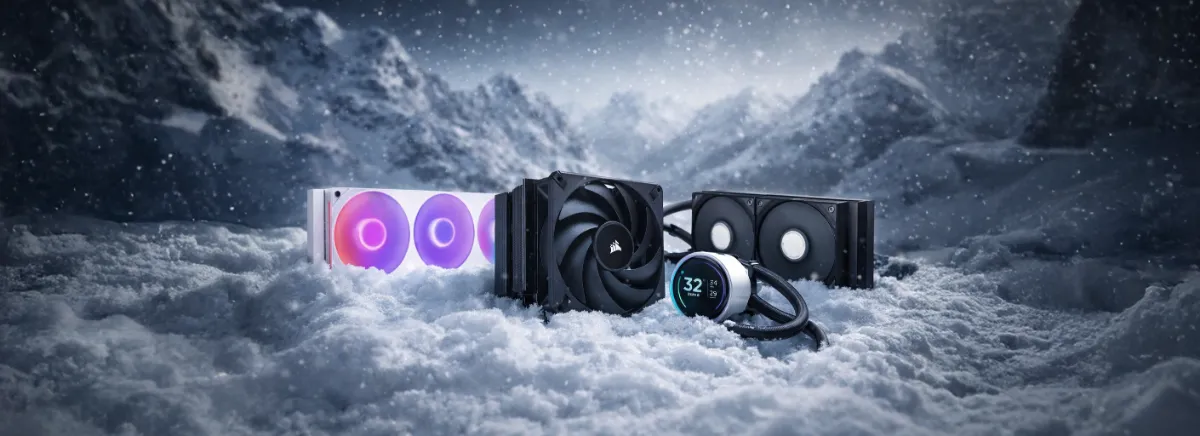
Air cooler or watercooling: the comparison
| Criterion | Air cooler (air) | AIO watercooling |
|---|---|---|
| Performance/efficiency | Excellent for most processors | A 360 mm AIO has the edge for processors that go beyond 200 W |
| Noise while gaming | Very low with a good model | Very low, but the pump can be heard in silence |
| Reliability | Nothing to worry about: no pump, no liquid | Pump and liquid: a rare but possible failure |
| Lifespan | Almost unlimited: the fans can be replaced | Warranty often 5 or 6 years, depending on the brand |
| Price for the same performance | Cheaper | More expensive |
| Space requirements | Height is worth checking: it may interfere with the RAM | Check the radiator mounting position |
| Appearance | Bulky in a glass case | Keeps the view clear, ideal for panoramic cases |
Why avoid the stock cooler
The coolers that come bundled with the processors run the system, but they’re small: the fan has to spin fast, so you’ll hear it, and they leave little headroom during prolonged load or in a moderately ventilated glass case. AMD has also reduced its bundled coolers, replacing the stronger models with simpler versions or removing them on certain Ryzen (…Gaming PC, Tom's Hardware). Takeaway: plan proper cooling from the moment you buy.
The air cooler: enough for most setups
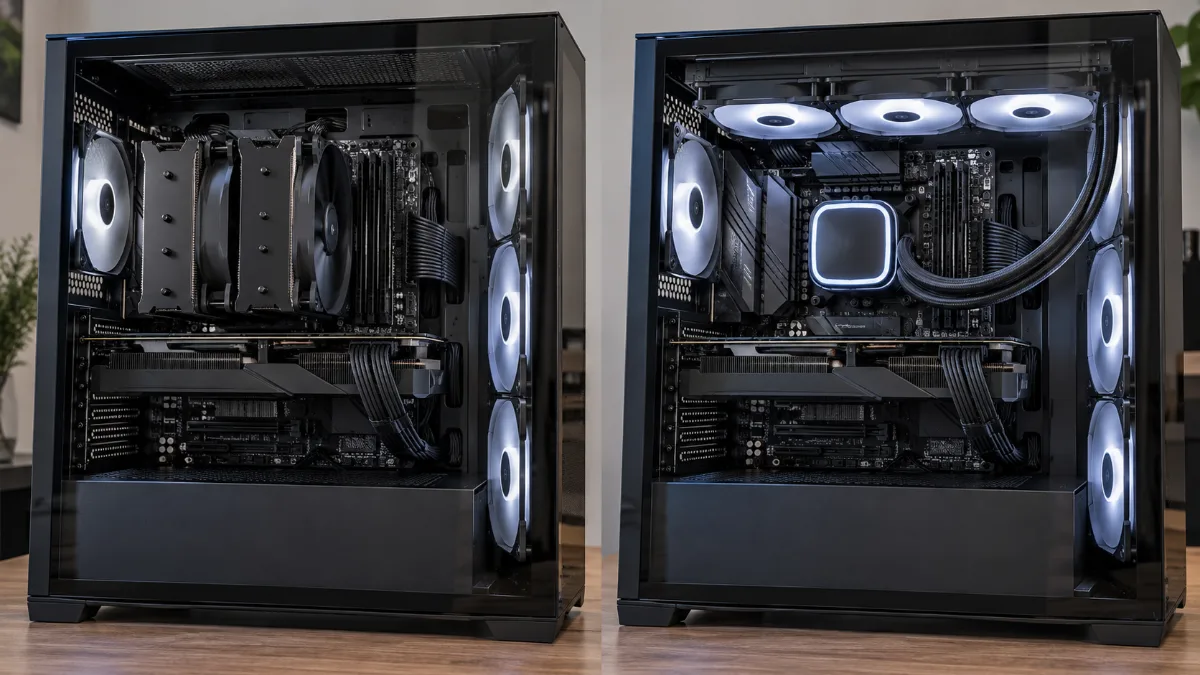
Good news: for most gaming processors, a quality single-tower air cooler does the job perfectly. A simple four-heat-pipe single-tower model works for Ryzen 5 and Core i5, while a dual-tower model is suited to Ryzen 7 and Core i7. Media selections from specialised outlets, such as those from Tom's Hardware or GamersNexus, show that even affordable air coolers deliver very good results.
Two things to check: the maximum height your case allows and the space above the RAM sticks.
AIO watercooling: when does it become useful?
An AIO (All In One) is a closed-loop watercooling system, ready to install: pump on the processor, tubes, and a ventilated radiator. There’s no maintenance. It becomes worthwhile in three cases: a very power-hungry processor, a compact case where a large air cooler won’t fit, or a glass-panelled PC where you want to keep the components’ view unobstructed.
The iXPé journalists, RTBF’s gaming channel, compared air cooling and watercooling on the same gaming PC, with temperatures and noise as proof. A good visual demonstration of the temperature and noise differences between the two solutions.
What cooling for which processor?
| Processor | With an air cooler | With an AIO watercooling |
|---|---|---|
| Ryzen 5 7500F, Core i5-14400F, Core Ultra 5 | Single-tower air cooler, 4 heat pipes | Not necessary |
| Ryzen 7 7800X3D, 9800X3D, Core i7, Core Ultra 7 | Dual-tower air cooler | AIO 240 or 280 mm |
| Ryzen 9 9900X, 9950X, 9950X3D, Core Ultra 9 | Large high-end dual-tower | AIO 280 or 360 mm |
| Core i9-14900K and overclocked processors | Not recommended | AIO 360 or 420 mm |
Two numeric benchmarks: for the Ryzen 7 9800X3D, AMD recommends at least a 240 to 280 mm AIO, or an equivalent cooling solution (…Tom's Hardware). At the other extreme, a Core i9-14900K can exceed 300 W under heavy load depending on … GamersNexus, to the point where even a 360 mm AIO can be borderline. To compare the processors themselves, see our guide Intel or AMD: which processor should you choose.
Common misconception: recent Ryzen chips run very hot
It’s the opposite. Ryzen 9000 is known for its efficiency, with modest power draw and temperatures depending on the measurements by Puget Systems. The X3D models, like the 7800X3D, consume little in games, as we explain in our review of the Ryzen 7 7800X3D. A good air cooler, or a 240 mm AIO, is therefore enough for many Ryzen 7 and 9 CPUs, as long as your case has airflow.
The 5 checks before you buy
- The socket: AM5, AM4, LGA1700 or LGA1851. Check that the mounting kit is included.
- Cooler height and the clearance above the RAM.
- The radiator size for an AIO, and the intended mounting positions in the case (top, front, side).
- Case airflow: great cooling won’t help if the hot air can’t escape. See our guides for choosing a PC case and choosing your fans.
- Your priority: silence, a glass-panel look, or maximum performance.
If your PC is already running too hot while gaming, start with our article Why does my gaming PC get hot when I play? before changing your cooling.
Our gaming PCs, cooling included
On a built PC, the system integrator sizes the cooling based on the CPU and the case. Two examples from our catalogue:
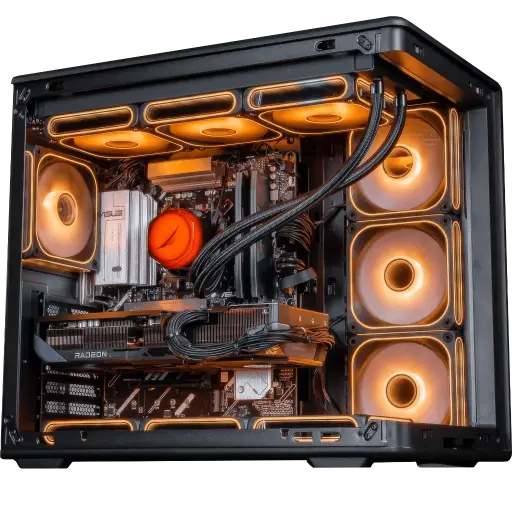
Apex V2 PC: Ryzen 7 7800X3D + RX 9070 XT
A restrained X3D processor for gaming, ideal for a powerful PC that stays quiet.
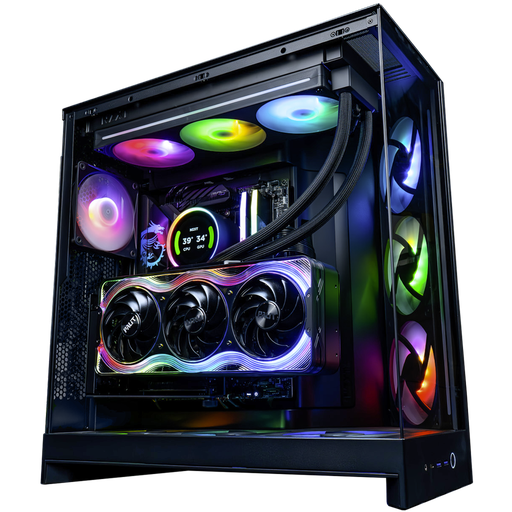
Kraken PC: Ryzen 9 9950X3D + RTX 5090
Our most powerful configuration, designed for 4K gaming and heavy content creation.
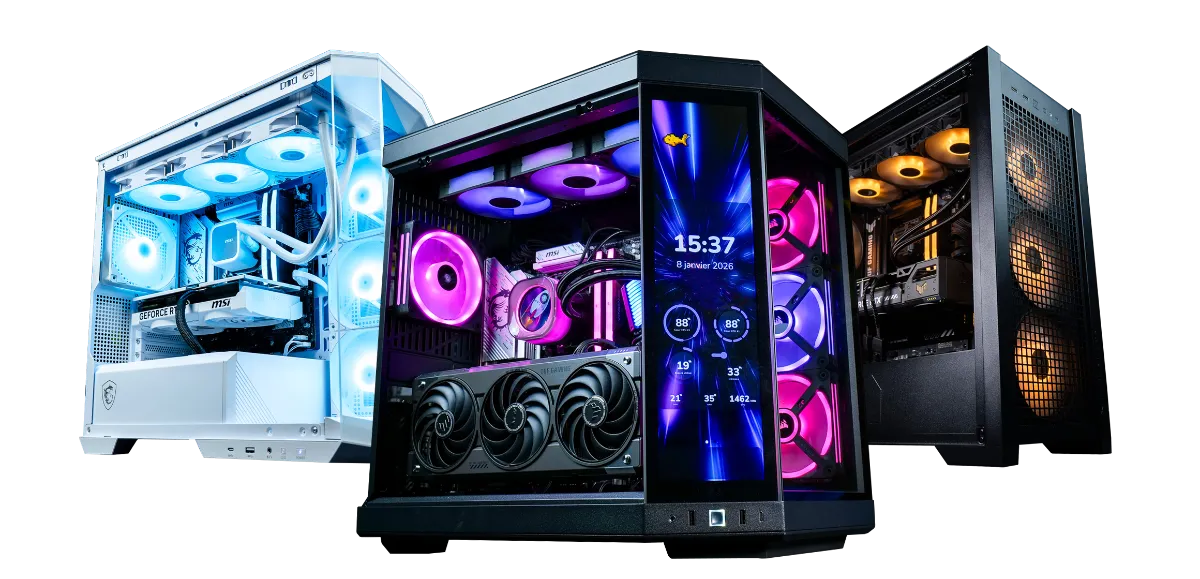
Each PC is assembled and tested in our Genappe workshop before shipping.
Air cooler or watercooling, contact with the processor goes through the thermal paste: our thermal paste guide explains when to replace it and how to apply it.
Frequently asked questions
Air cooler or water cooling for a gaming PC?
A good air cooler is enough for most gaming processors. A water-cooled AIO is justified for power-hungry processors, small cases, or a very clean-looking glass PC.
Does AIO water cooling cool better than an air cooler?
A 360 mm AIO performs better than an air cooler on processors that use a lot of power. For a typical gaming processor, a good dual-tower cooler performs just as well as a 240 mm AIO.
Can an AIO water cooler leak?
It’s rare, but possible. AIOs are sealed and guaranteed for several years, often 5 or 6 years depending on the brand. An air cooler has no such risk.
What size of water cooling should you choose?
240 or 280 mm for a Ryzen 7 or a Core i7, 360 mm for a Ryzen 9, a Core i9 or an overclocked processor, 420 mm if your case supports it and you’re aiming for absolute silence.
Is the stock air cooler enough?
It will run the processor, but it’s often noisy and limits performance during prolonged loads. For a quiet and long-lasting gaming PC, a dedicated air cooler is strongly recommended.
