
By the FlowUP team, gaming PC builder in Genappe (Belgium) · Updated 6 November 2026
In short:
- The processor: in a DAW PC, 8 modern cores can handle a home studio of up to around a hundred tracks, depending on Spitfire Audio’s chart.
- RAM: 16 GB for beatmaking and synths, 32 GB as soon as you load sampled pianos, drum kits or strings.
- Storage: an NVMe SSD for the system, a second one for sound libraries.
- Silence and latency: slow-running water cooling and an external audio interface with an ASIO driver.
A click-crack in the headphones right at the moment of the chorus. The load meter turns red as soon as you add a second layer of string parts. A fan you can hear in the vocal take. If you’re looking for a DAW PC, you’ve probably already lived through one of these three moments.
Music production doesn’t require the same machine as gaming. A DAW PC runs on its processor, its memory and its quietness, and the graphics card takes a back seat. Here’s how we dial in a setup in the Genappe workshop, from the first beat on FL Studio to the full orchestra in Cubase.
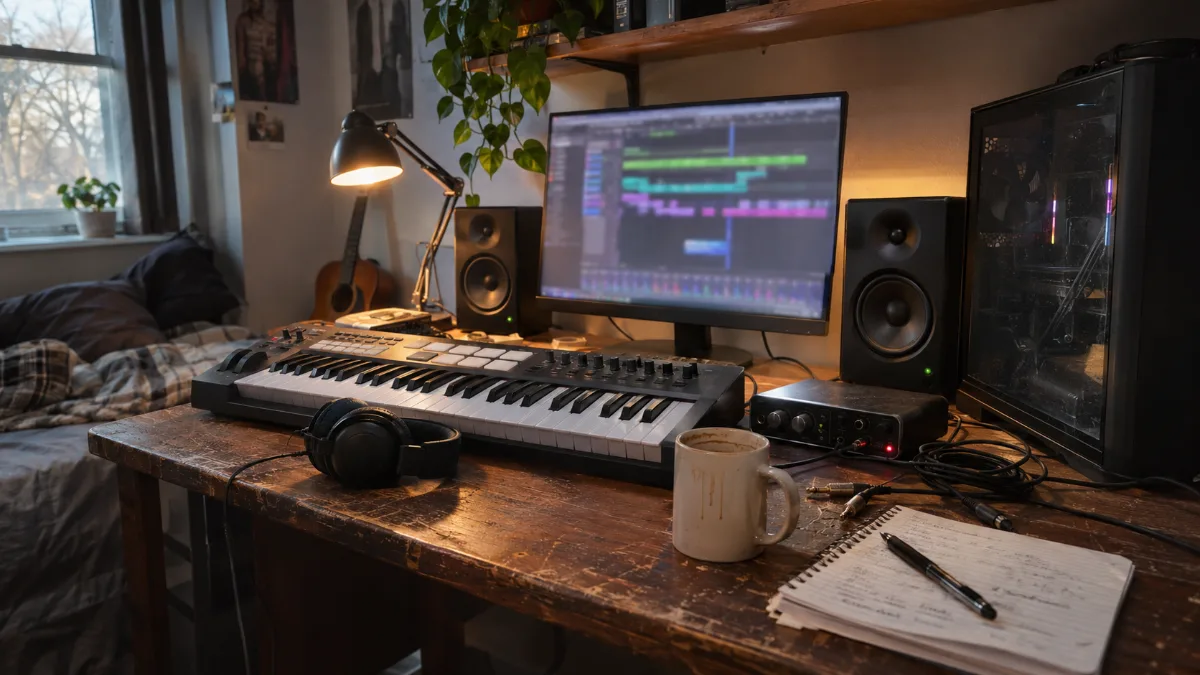
The typical home studio: master keyboard, audio interface, monitoring speakers, and a tower that you barely notice.
Which music production PC should you choose in 2026?
A good PC for music production combines a recent 8-core processor, 32 GB of RAM and an NVMe SSD for sound libraries, in a silent case. The tuning depends mainly on the number of tracks and the weight of your virtual instruments. Spitfire Audio, publisher of the BBC Symphony Orchestra orchestral libraries, shares a simple chart:
| Profile | Projects | Processor | RAM | SSD for samples |
|---|---|---|---|---|
| First projects | Under 30 tracks | 4 cores | 16 GB | 500 GB |
| Established home studio | Up to 100 tracks | 8 cores | 32 GB or more | 1 TB |
| Professional studio | More than 200 tracks | 16 cores | 128 GB | 4 TB |
Source: Spitfire Audio hardware chart (help centre, July 2026), consulted in November 2026.
Our view: for a home studio that combines beatmaking, vocals and a few sampled instruments, the right target in 2026 is a Ryzen 7 with 8 cores and 32 GB of RAM. It’s the PC Rampage V2, and it’s the DAW PC setup we most often recommend without blowing the budget.
Processor: the engine of a DAW PC
Every synth, every compressor, every reverb runs on the processor. It’s the one that determines how many tracks you can stack before glitches.
- Very low minimums: Ableton Live 12 is satisfied with a 5th-gen Core i5 or a compatible Ryzen with AVX2, and FL Studio doesn’t impose any specific model. These minimums are meant to let you open the software, not to mix 60 tracks.
- 8 cores, the right step up: this is the level Spitfire Audio recommends up to 100 tracks. The Ryzen 7 5700X in the PC Rampage V2 and the Ryzen 7 7800X3D in the PC Apex fall into this category.
- 6 cores to start: the Ryzen 5 5600 in the PC Banger is enough for beatmaking and mock-ups with fewer than 30 tracks.
- Beyond 16 cores: a professional studio DAW PC changes scale. Puget Systems equips them with Threadrippers ranging from 24 to 32 cores, for sessions with several hundred tracks.
Image-Line says so in its own documentation: the more powerful the processor, the more instruments and effects you can run. Our advice: keep the budget for a 16-core setup for the RAM, unless you’re composing for film or image with full orchestral templates.
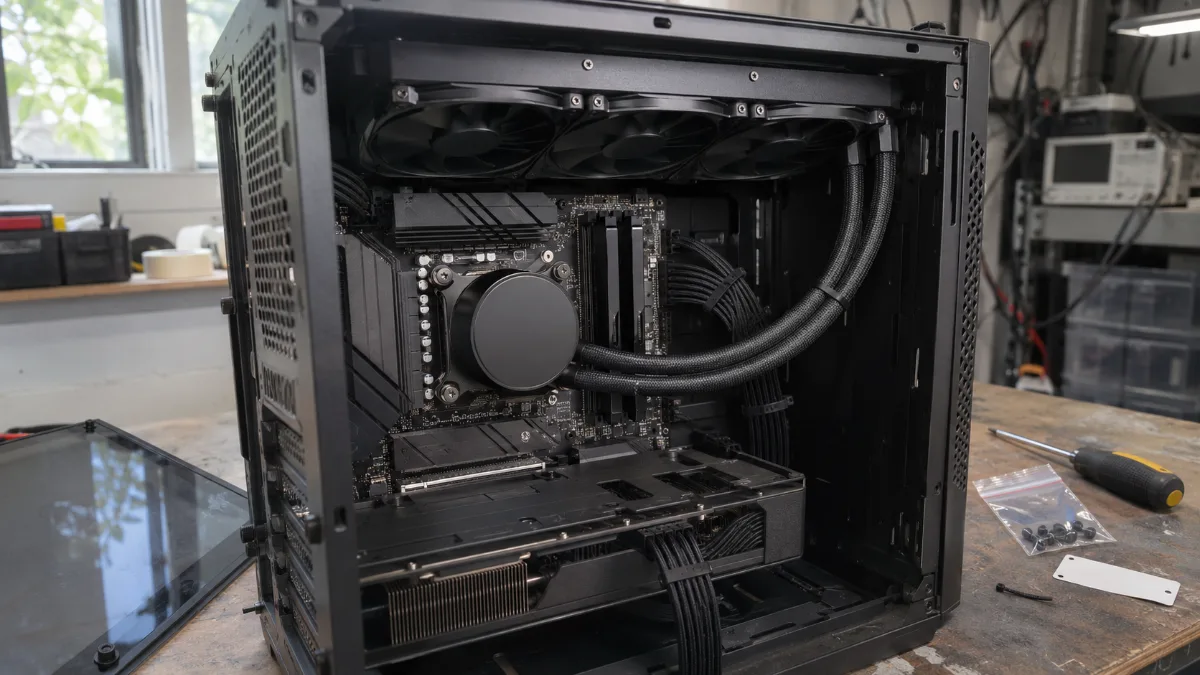
An 8-core processor under 360 mm water cooling: room to spare for plugins, with fans that run slowly.
How much RAM and which SSD for a music production PC?
Start with 16 GB, go for 32 GB as soon as you load sample-based instruments. It’s the memory that keeps your pianos, drum kits and strings ready to play.
- Beatmaking, software synths, vocals: 16 GB is enough. A synth computes its sound in real time and uses little memory.
- Sampled pianos, drum kits, strings: 32 GB. Spitfire sets the bar at 32 GB and goes up to 100 tracks.
- Full orchestral templates: 64 GB and up. Spitfire mentions 128 GB for projects with more than 200 tracks.
- Storage: an NVMe SSD for Windows and software, and a second drive of at least 1 TB for sound libraries. Puget Systems recommends these two drives and rules out mechanical hard drives, which are too noisy for a studio.
As an example, the optional audio content in Ableton Live 12 alone can take up to 76 GB. And the price of memory has risen sharply this year (why RAM costs more in 2026): choosing 32 GB from the start avoids a more expensive upgrade later. The 16 vs 32 GB comparison is detailed in our RAM guide.
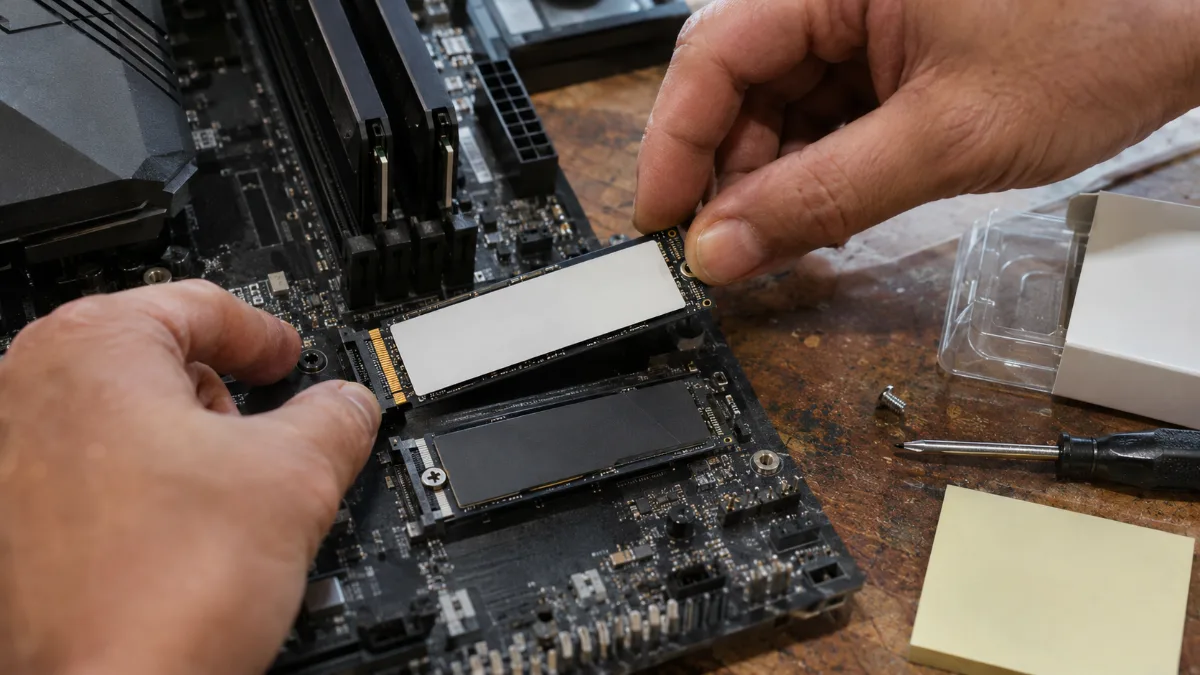
A second NVMe SSD dedicated to sound libraries: your instruments load in a matter of seconds.
Latency and audio interface: the key to PC music production without crackles
Crackles rarely come from a PC that’s too weak. They come from setting the latency too tightly or from the sound output of the motherboard.
- An external audio interface with an ASIO driver: this is Puget Systems’ recommendation. The ASIO driver bypasses Windows’ audio layer and reduces latency. When used externally, the sound is also further away from the case’s internal noise.
- Buffer size: at 48 kHz, a buffer of 128 samples is about 2.7 ms. Keep it low for recording, then switch to 512 or 1,024 samples during mixing to free up the processor.
- The LatencyMon test: this free software identifies the driver that causes dropouts. Run it as soon as you unpack your PC, before installing your plugins.
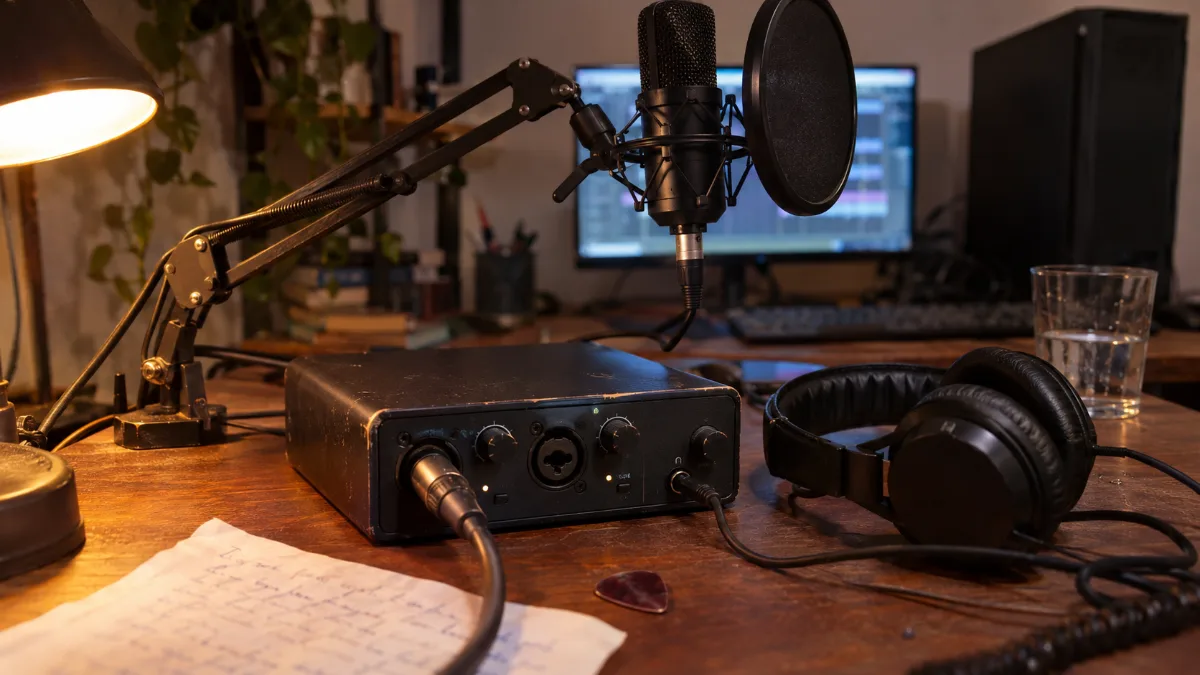
External audio interface, closed-back headset and microphone: it’s the interface that handles the sound for a home studio, not the motherboard.
Silence, graphics card, laptop: the other choices for a music production PC
A music production PC is also judged by what you hear: a fan that blows ends up in your vocal recordings.
- Silence: a 240 or 360 mm watercooling unit keeps the fans spinning slowly, even when the processor is working. The three PCs in this selection are equipped with it.
- The graphics card: it matters little for music production, except for running two monitors. Puget Systems especially discourages turbine-style cards, which are too noisy. A gaming card also lets you play or do video editing between two sessions (our guide to PCs for video editing).
- A music production laptop: perfect for the stage and mock-ups on the go. For the studio, a tower remains more powerful, quieter and more upgradable for the same budget. See our comparison MSI Cyborg or Stealth.
- Mac or PC: Ableton Live, FL Studio, Cubase, Bitwig Studio and Reaper run on Windows. Only Logic Pro remains exclusive to Mac.
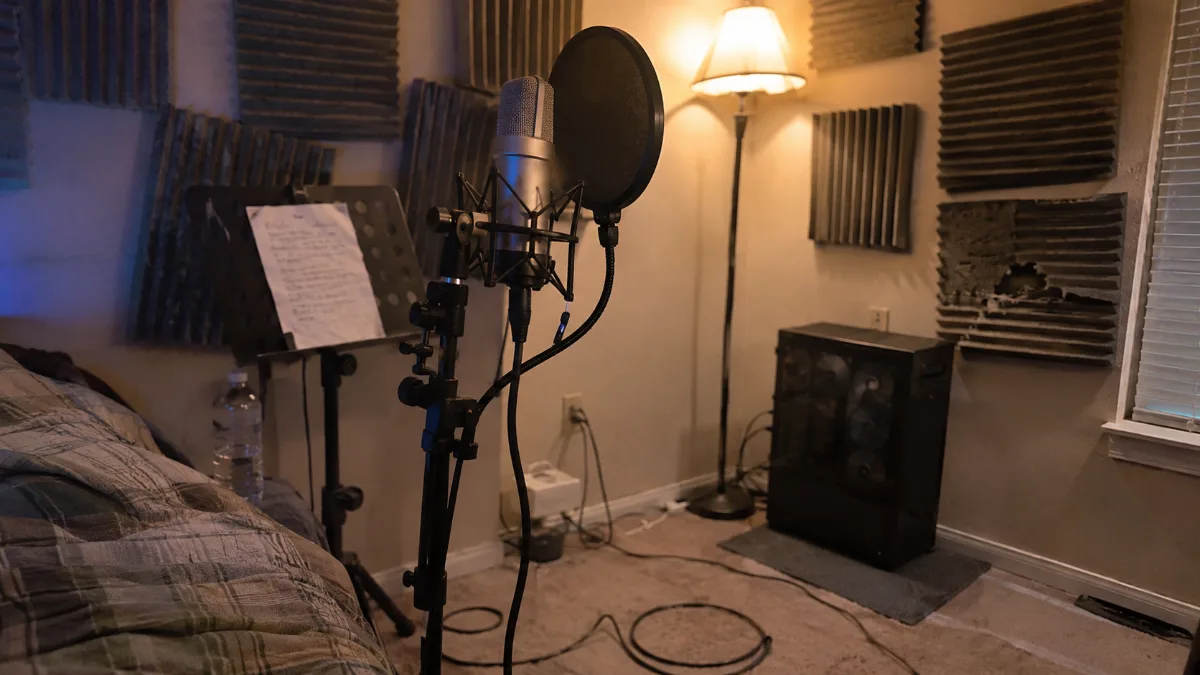
Microphone and tower in the same room: the PC noise must never be audible in the recording.
Our music production PCs: which one should you choose?
These PCs are assembled, cabled and tested in Genappe before they ship. Each one is an excellent music production PC: you receive it ready to host your audio software and sound libraries. The current price and shipping lead time are shown on each product page.
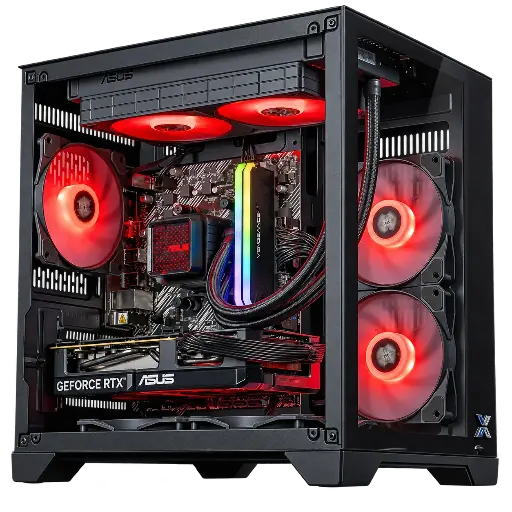
PC Banger GeForce RTX 5060 Powered by ASUS
- Ryzen 5 5600 (6 cores, 12 threads), RTX 5060 8 GB
- 16 GB DDR4, 1 TB M.2 SSD
- ASUS Prime LC II 240 ARGB watercooling
The music production PC to get started: beatmaking, vocals, software synths and projects with fewer than 30 tracks.
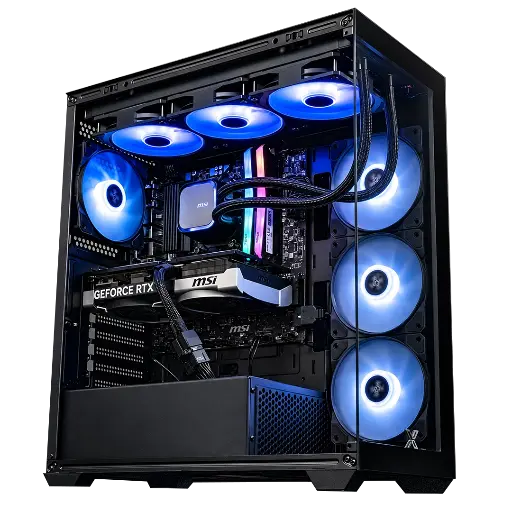
PC Rampage V2 GeForce RTX 5070
- Ryzen 7 5700X (8 cores, 16 threads), RTX 5070 12 GB
- 32 GB DDR4, 1 TB M.2 SSD
- MSI MAG Coreliquid A13 360 watercooling
Our recommendation for a home studio: 8 cores and 32 GB for sampled pianos, drum kits and strings.
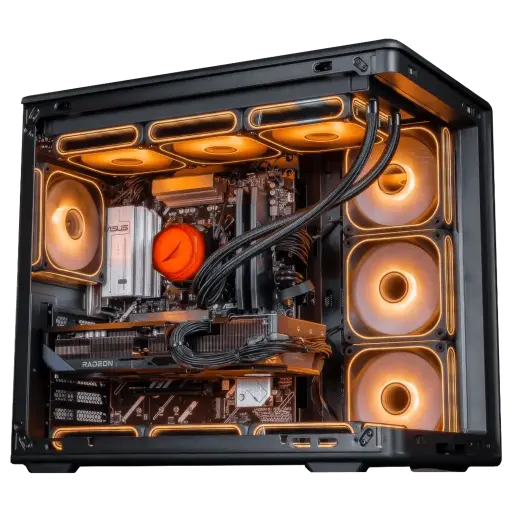
PC Apex Radeon RX 9070 XT 16GB
- Ryzen 7 7800X3D (8 cores, 96 MB L3 cache), RX 9070 XT 16 GB
- 32 GB DDR5, 1 TB M.2 SSD
- Cooler Master MasterLiquid Core II watercooling
For big projects: DDR5 platform, 32 GB and an 8-core CPU with a large cache to mix and play on the same machine. It’s part of our Black Friday Top Player picks.
The workshop’s verdict
- Beatmaking, vocals, small budget: the Banger PC.
- Home studio with sampled instruments: the Rampage V2 PC.
- Big projects, mixing and gaming on the same machine: the Apex PC.
- Have a specific setup in mind? Build your custom PC.
- More than 50,000 PCs shipped from Genappe: each PC is tested before it leaves.
Also worth reading: Graphics designer PC, PC for streaming and PC for local AI.
Music production PC FAQ
What music production PC setup should you start with?
A recent 6-core processor, 16 GB of RAM and a 1 TB NVMe SSD are enough for beatmaking, vocals and software synths. Add an external audio interface with an ASIO driver.
Can you do music production on a gaming PC?
Yes. A gaming PC has what audio software needs: a fast processor, an NVMe SSD and, with water cooling, quiet operation. Aim for 32 GB of RAM if you use sample libraries.
How much RAM for Ableton Live or FL Studio?
Ableton Live 12 needs at least 8 GB and FL Studio 4 GB. In practice, go for 16 GB for comfortable composing and 32 GB with sampled instruments.
Is a music-production laptop enough?
For gigs and mock-ups, yes. For a studio, a desktop tower offers more power, more silence and more space for sample SSDs, with the same budget.
Do you need a powerful graphics card for music production?
No. It’s mainly used to drive one or two screens. A more powerful card is only useful if you’re playing or editing video on the same machine.
