
By the FlowUP team, gaming PC builder in Genappe (Belgium) · Updated on 6 November 2026
In brief:
- Screens first: a trading PC is chosen based on the number of screens. An RTX 5060 graphics card can drive up to 4 screens, according to NVIDIA.
- The processor: 6 cores are enough to keep up with the markets; 8 cores if you run backtests or dozens of live charts.
- RAM: 16 GB for a typical trading computer, 32 GB if you keep your browser, platform and spreadsheets open all day.
- Reliability: NVMe SSD, an Ethernet cable and a PC tested before delivery matter more than raw power.
Three charts in different time units, the order book, a news feed and a tracking spreadsheet. It’s 3:30 pm, Wall Street opens, and that’s when an old laptop starts to lag. If you’re looking for a trading PC, you already know that smoothness isn’t something you can bargain for at that moment.
Good news: a trading station doesn’t require an overpriced computing machine. What it mainly needs is video outputs, memory and reliability. Here’s how an investment PC is set up in the Genappe workshop, from the first extra screen to a wall of four monitors.
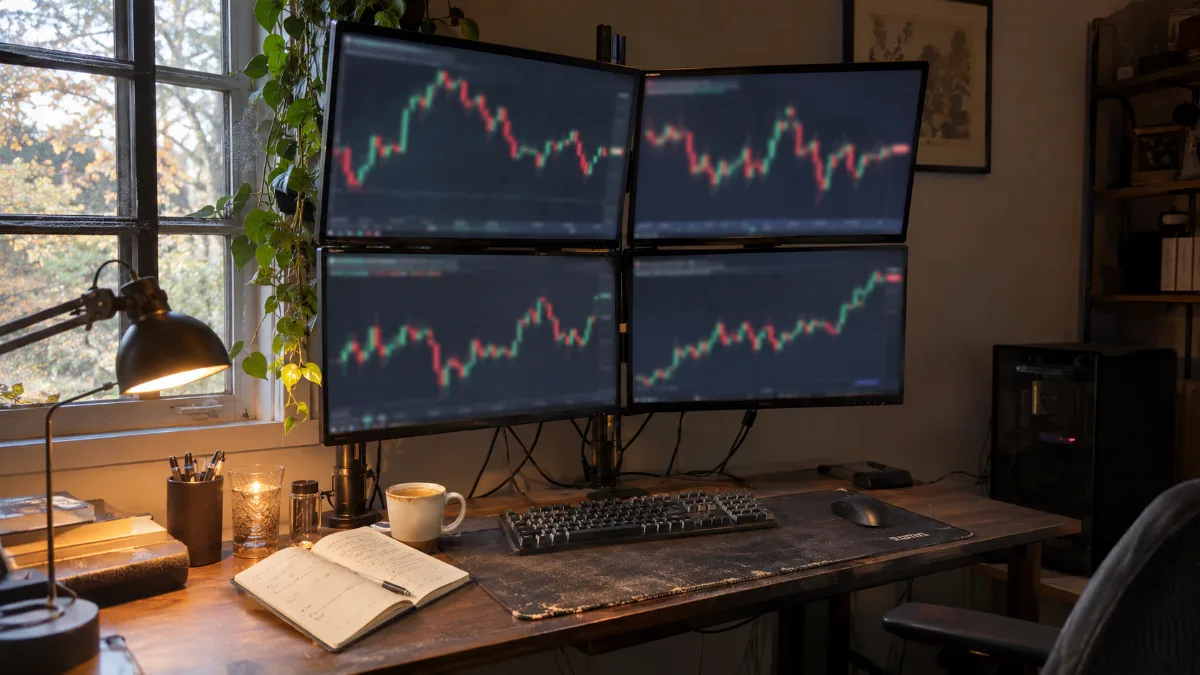
The typical trading setup: four screens on an arm, a tower on the floor and a desk that actually gets used
Which PC to choose for trading in 2026?
A good trading PC combines a recent 6- or 8-core processor, 16 to 32 GB of RAM, an NVMe SSD and a graphics card capable of driving all your screens. The platforms themselves are hardly demanding: it’s the number of windows open at the same time that makes the difference.
| Profile | Screens | Processor | RAM | Our PC |
|---|---|---|---|---|
| Investor, follow up in the evening | 1 to 2 | Quad-core 2 GHz and up (NinjaTrader recommendation) | 8 GB (NinjaTrader recommendation) | Any recent PC |
| Swing trader, multiple platforms | 2 to 4 | 6 cores | 16 GB | PC Banger |
| Day trader, backtests and alerts | 3 to 4 | 8 cores | 32 GB | PC Rampage V2 or PC Apex |
Sources: NinjaTrader 8 recommended configuration (NinjaTrader help centre) and the number of screens for the RTX 5060 (NVIDIA product sheet), consulted in November 2026. The 6- and 8-core tiers are the workshop’s view (FlowUP).
Our take: for most individual traders, the right trading PC configuration in 2026 is a 6-core CPU with an RTX 5060 and its four video outputs. That’s the PC Banger: it runs four screens without adapters and leaves room for what comes next.
How many screens for a trading setup, and which graphics card?
The number of screens depends on the graphics card, not the processor. So, before buying a trading computer, count your screens.
- Up to 4 screens with an RTX 5060: NVIDIA states that it supports 4 independent 4K screens at 165 Hz, thanks to 3 DisplayPort outputs and 1 HDMI. The RTX 5070 on the PC Rampage V2 does the same.
- 4 screens on the AMD side too: the Radeon RX 9070 XT in the PC Apex supports 4 monitors, according to the Puget Systems specs.
- The trap of a CPU without a graphics chip: Ryzen 5 5600 and Ryzen 7 5700X don’t have integrated graphics. So all your screens plug into the graphics card, and that’s perfectly fine.
- Beyond 4 screens: you need a second card or an ultra-wide monitor. For the vast majority of setups, four screens are more than enough.
Our tip: two 27-inch screens at 1440p give you more clarity than four small 22-inch ones. You’ll find them in our screens.
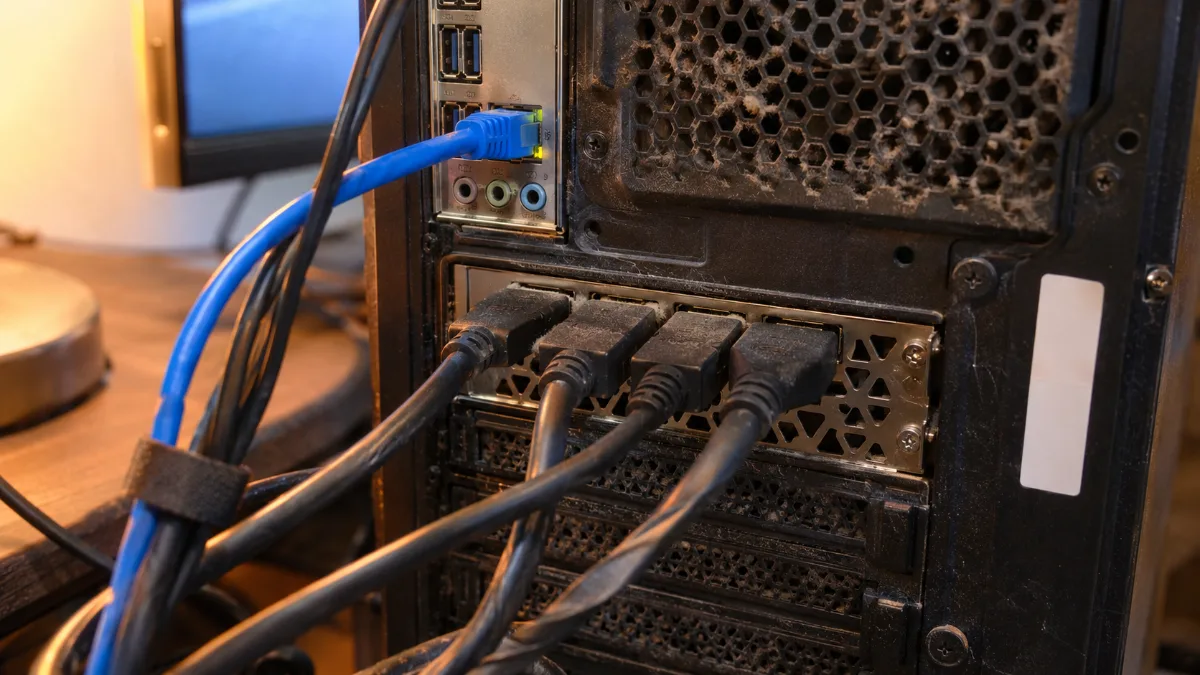
Three DisplayPorts and one HDMI: one graphics card is enough to power a wall of four screens.
Processor and RAM: what a trading computer really uses
Trading platforms run on modest machines. What makes a trader’s computer lag is the accumulation: ten tabs, three platforms, a spreadsheet and a video call.
- Very low minimums: NinjaTrader 8 recommends a 64-bit quad-core at 2 GHz, 8 GB of RAM and an SSD. TradingView Desktop requires Windows 10 or 11 version 22H2 and an Intel or AMD 64-bit processor.
- RAM, the real lifeblood: every live graphic, every browser tab keeps its data in memory. 16 GB are enough for normal use, 32 GB for a workstation that stays open from opening to closing.
- The processor for calculations: an 8-core Ryzen 7 leaves plenty of headroom for backtests, custom indicators and scripts running in the background.
- The NVMe SSD: fast boot, pricing history loaded without waiting. A traditional mechanical hard drive has no place in a trading workstation anymore.
The 16 or 32 GB match is detailed in our RAM guide.
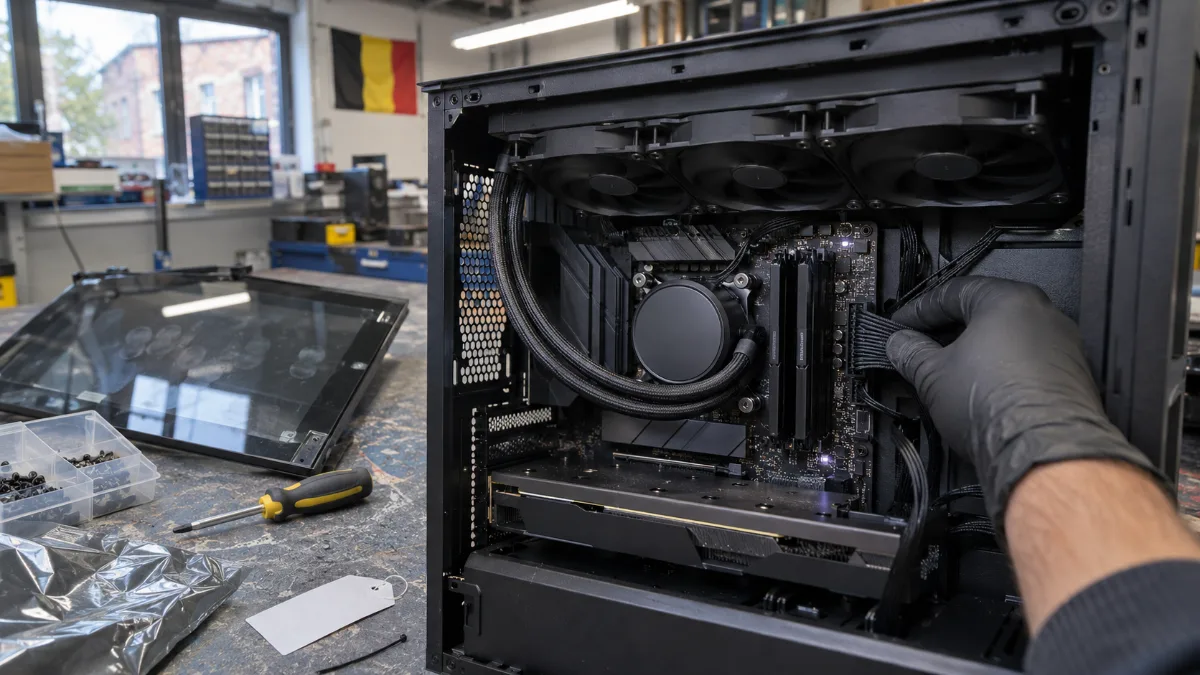
8-core processor under water cooling and 32 GB of RAM: headroom for a whole day of markets.
Reliability, silence and connectivity: the details that matter in trading
A crash at the wrong moment costs more than a slightly less powerful PC. A pc for trading is judged by its stability.
- The Ethernet cable: Wi‑Fi sometimes drops for a few seconds. Plug your trading computer into the router with a cable, it's the most cost-effective move in this article.
- The UPS: a power cut lasting just two seconds is enough to switch the tower off. A small UPS gives you time to close a position properly and shut down cleanly.
- The silence: you spend hours in front of your screens. A 240 or 360 mm water cooling setup lets the fans run slowly. All three PCs in our selection are equipped with it.
- A PC tested before delivery: each FlowUP PC runs load tests in the workshop before it leaves. You plug it in, install your platform and you get to work.
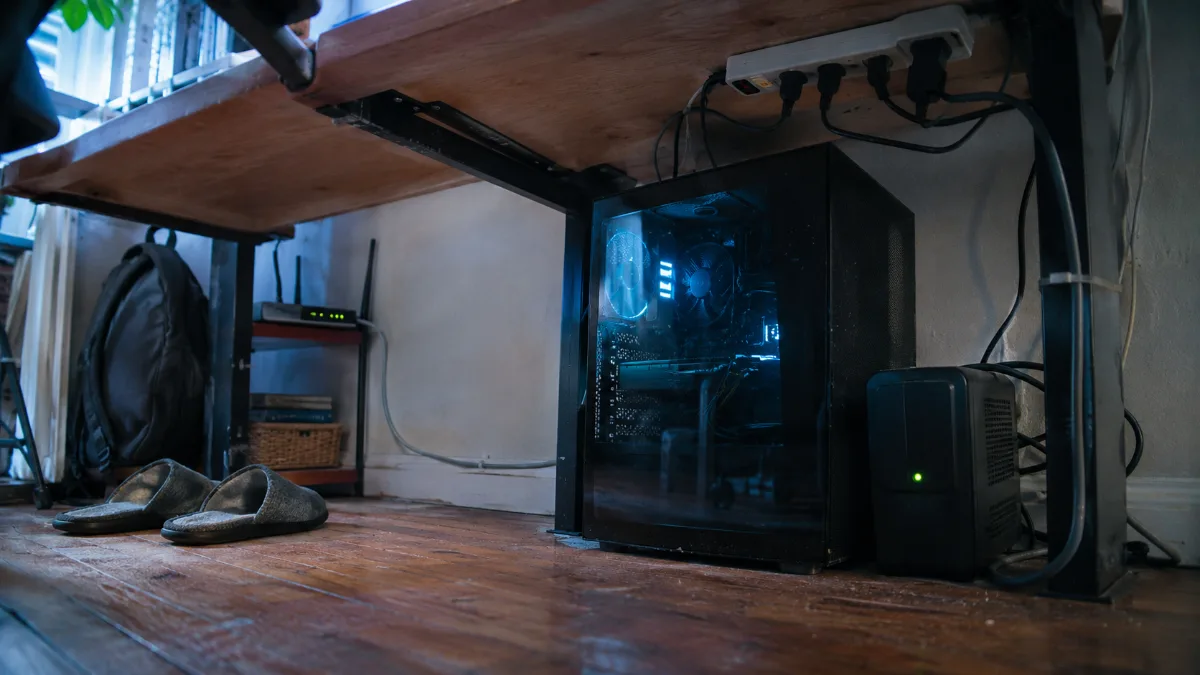
Ethernet cable plugged in and UPS under the desk: the two accessories that prevent unpleasant surprises during a session.
Laptop, Mac or desktop PC to trade?
As soon as you talk about multiple screens, the desktop tower wins hands down. The laptop remains an excellent extra for keeping an eye on your positions on the move.
- The desktop PC: four video outputs on a single card, better cooling and expandability. In ten minutes, you can add RAM or an SSD.
- The laptop: practical, but two external screens are often the most comfortable setup. See our comparison MSI Cyborg or Stealth if you’re unsure.
- Mac or PC: TradingView works on both, but NinjaTrader 8 requires Windows. With a Windows PC, you keep access to all platforms.
- A gaming PC for trading? Yes, and it’s often the best choice: a fast processor, a multi-screen graphics card and well-tuned cooling. It also lets you play or edit a video after the close.
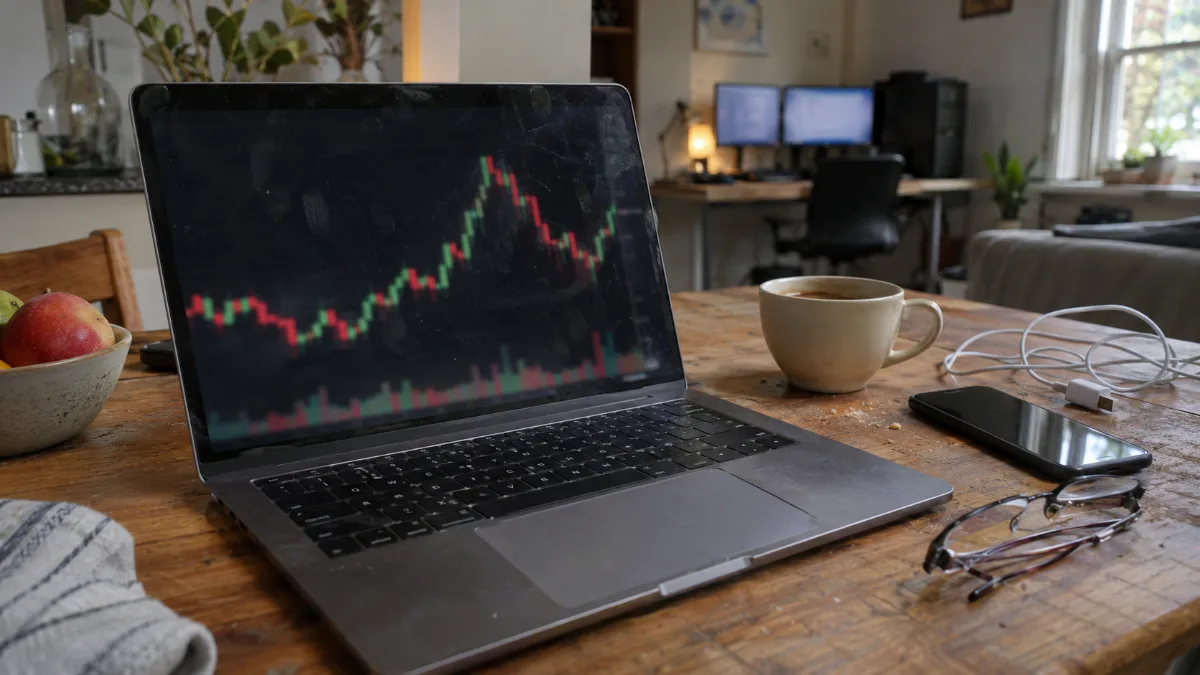
The laptop to follow your positions on the move, the tower for the main multi-screen workstation.
Our PCs for trading: which one should you choose?
These PCs are assembled, cabled and tested in Genappe before they ship. Each one drives up to four screens using its single graphics card. The current price and the shipping lead time are listed on each product page.
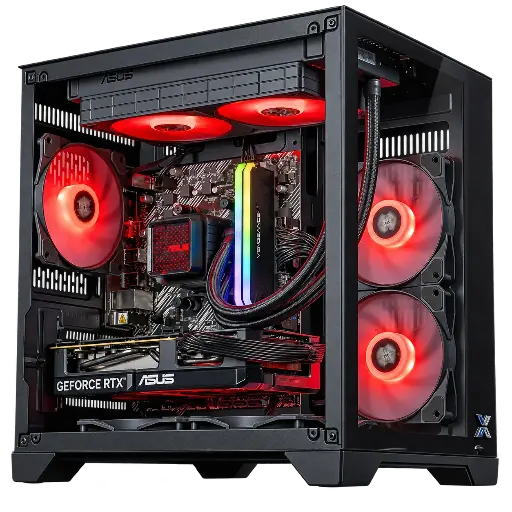
PC Banger GeForce RTX 5060 Powered by ASUS
- Ryzen 5 5600 (6 cores, 12 threads), RTX 5060 8 GB
- 16 GB of DDR4, 1 TB M.2 SSD
- ASUS Prime LC II 240 ARGB water cooling
The most well-balanced trading PC: four video outputs, enough memory for multiple platforms and discreet operation.
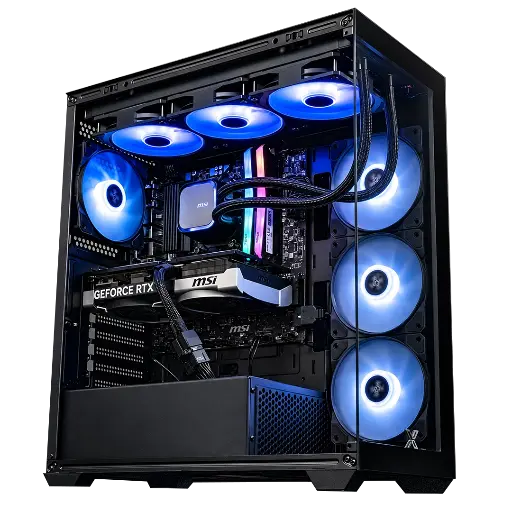
PC Rampage V2 GeForce RTX 5070
- Ryzen 7 5700X (8 cores, 16 threads), RTX 5070 12 GB
- 32 GB of DDR4, 1 TB M.2 SSD
- MSI MAG Coreliquid A13 360 water cooling
For day trading: 8 cores and 32 GB to keep platforms, browser and backtests open all day long.
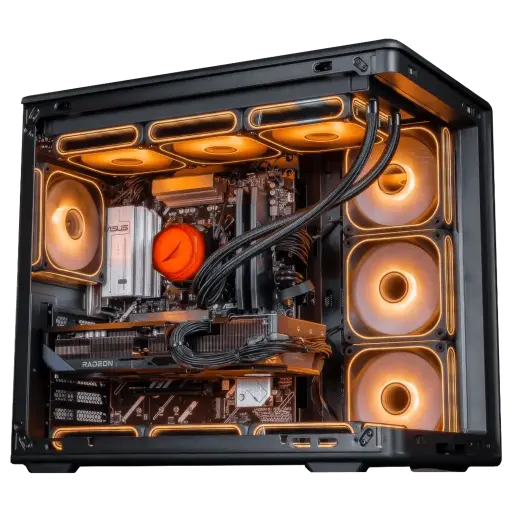
PC Apex Radeon RX 9070 XT 16GB
- Ryzen 7 7800X3D (8 cores, 96 MB L3 cache), RX 9070 XT 16 GB
- 32 GB of DDR5, 1 TB M.2 SSD
- Cooler Master MasterLiquid Core II water cooling
The trading workstation that also knows how to game: DDR5 platform, 32 GB and an 8-core CPU with a large cache. It’s part of our Black Friday Top Player lineup.
Feedback from the workshop
- Two to four screens, multiple platforms: the PC Banger.
- Day trading, backtests, everything open all day: the PC Rampage V2.
- Trading during the day, gaming in the evening: the PC Apex.
- A precise setup in mind? Build your custom PC.
- More than 50,000 PCs shipped from Genappe: each PC is tested before it leaves.
Also to read: PC for local AI, PC for an architect and A complete gaming PC with screen.
FAQ PC trading
What trading PC setup should you choose to get started?
Aim for 6 recent cores, 16 GB RAM, an NVMe SSD and a graphics card that offers at least two video outputs. Add an Ethernet cable and two 24 or 27-inch screens.
How many screens do you need to trade?
Two screens are enough to start: one for the charts, one for the platform and news. Day traders often go up to three or four. A RTX 5060 in the driver allows up to four.
Is a gaming PC a good computer for trading?
Yes. It has what trading needs: a fast processor, NVMe SSD, a multi-screen graphics card and good cooling. And in the evening, the same machine runs your games or your video edits.
Do you need 32 GB of RAM for a PC for trading?
Not to start: 16 GB is enough for one or two platforms and a browser. 32 GB becomes useful if you keep lots of charts, tabs and spreadsheets open all day.
Can you trade with a Mac?
Yes for TradingView and web platforms. Some platforms such as NinjaTrader 8 require Windows: a PC lets you choose from all platforms.
This article talks only about computer hardware. It does not constitute investment advice.
