
By the FlowUP team, gaming PC builder in Genappe (Belgium) · Updated 30 September 2026
In brief: the Moll-E is a FlowUP gaming PC launched in September 2023 with an Intel Core i5-13400F, a GeForce RTX 4060 Ti, 16GB of DDR4 and a 1TB NVMe SSD inside an MSI MPG Gungnir 110R case. It’s no longer in the catalogue. If you already have one, it’s still a good machine for 1080p and 1440p with a few tweaks. If you’re looking for one today, the closest option is the PC Swift: the same case, an i5 from the next generation, and a RTX 5060 Ti 16GB.
So what was the Moll-E PC?
The Moll-E is the PC we launched in the autumn of 2023 to replace the Savannah from back then. The idea was simple: offer a machine that could play in 1440p without moving up into the expensive tiers, with well-known-brand components and a carefully designed case.
At the heart of the build was the Core i5-13400F and RTX 4060 Ti pair. A sensible, no-frills processor that was fast enough not to hold back the graphics card, and a recent card at the time, featuring DLSS 3 and the image-generation generation. On a high-refresh 1080p screen or in 1440p, it was a consistent combo.
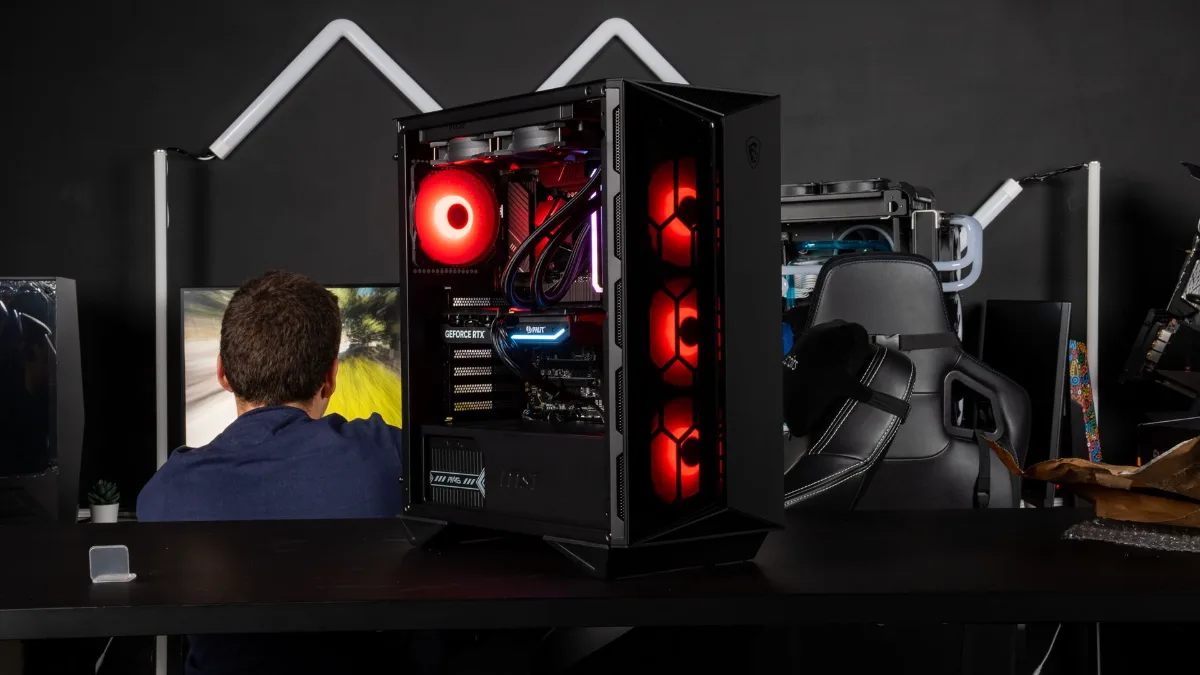
A FlowUP gaming PC in action: the Moll-E was aimed at gaming in 1080p and 1440p.
Complete Moll-E configuration
| Component | Moll-E PC (2023) |
|---|---|
| Processor | Intel Core i5-13400F |
| Graphics card | NVIDIA GeForce RTX 4060 Ti |
| Motherboard | MSI PRO B760-P, with Wi-Fi and Bluetooth |
| Memory | 16GB DDR4 3200 MHz Corsair Vengeance RGB (2 x 8GB) |
| Storage | 1TB M.2 NVMe SSD |
| Case | MSI MPG Gungnir 110R |
Launch configuration for the Moll-E, September 2023.
How good is the Moll-E in 2026?
Our builder’s take: the Moll-E isn’t outdated, it’s simply moved to a different category. In 2023 it targeted 1440p on high settings. In 2026, it’s a very good PC for 1080p and a decent PC for 1440p, as long as you enable DLSS and don’t push textures to the maximum in the heaviest games.
The i5-13400F still holds up well in games thanks to its 10 cores. The limit will first come from the graphics card: newer games consume more and more video memory, and that’s where the Moll-E starts to show its age. To understand what happens when the VRAM is full, read our article on the lack of VRAM.
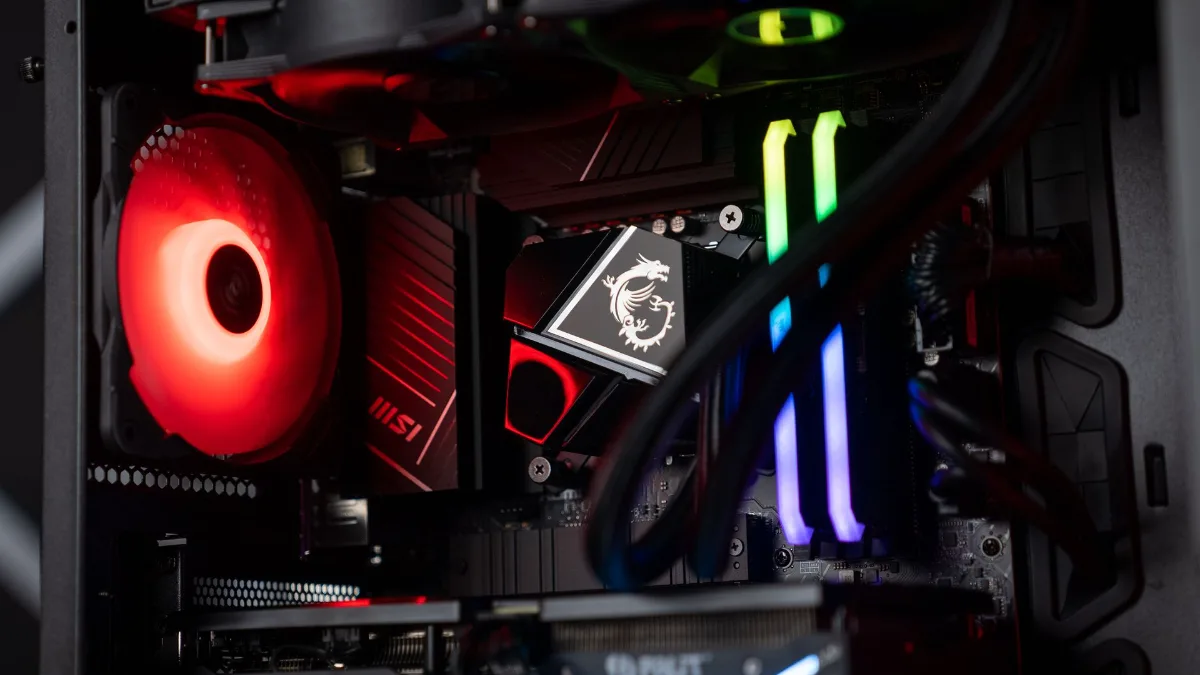
Inside one of our PCs: an MSI motherboard and a GeForce RTX graphics card.
Can you upgrade a Moll-E?
Yes, and it’s often smarter than replacing everything. Here are the upgrades that make sense, in order:
- Switch to 32GB of DDR4: useful if you stream, edit videos, or keep lots of applications open while gaming. Since the motherboard is DDR4, you must stick with DDR4. The details are in 16GB or 32GB of RAM.
- Add a second SSD: 1TB fills up quickly with today’s games.
- Change the graphics card: that’s the upgrade that delivers the biggest improvement in games. Check that your power supply supports the new card before buying. To choose, see how to choose a graphics card in 2026.
If you’re torn between upgrading your PC and buying a new one, our guide upgrading or replacing your gaming PC to do the calculation.
Mathis et Gauthier presented and tested the Moll-E in-game at launch:
Mathis et Gauthier, presentation and in-game test of the FlowUP Moll-E PC, September 2023.
Which FlowUP PC replaces the Moll-E?
No model carries the same name anymore, but four PCs from our current catalogue take on its role. All of them bet on a 2025-generation graphics card, and three of them have 16GB of video memory.
| PC | Processor | Graphics card | Memory | Case |
|---|---|---|---|---|
| Swift | Intel Core i5 14400F | RTX 5060 Ti 16GB | 16GB DDR5 | MSI MPG Gungnir 110R |
| Aqua V2 | Intel Core i5 14400F or i5 14600KF | RTX 5060 Ti 16GB | 16 or 32GB DDR5 | FlowUP H600 Aquavision, water cooling |
| Rift | AMD Ryzen 5 7500F or 7500X3D | Radeon RX 9060 XT 16GB | 16 or 32GB DDR5 | MSI MAG Forge 130A Airflow or FlowUP H600 |
| Savannah | AMD Ryzen 7 5700X | RTX 5060 Ti 8GB | 16 or 32GB DDR4 | MSI MAG Forge 120A |
Configurations noted on the flowup.shop product pages on 30 September 2026. Available options may change.
In terms of performance, the cards in these PCs are very close in 1080p. The gap widens in 4K, where the 8GB version of the RTX 5060 Ti lacks memory:
| Graphics card | 1080p ultra | 1440p ultra | 4K ultra |
|---|---|---|---|
| RTX 5060 Ti 16GB (Swift, Aqua V2) | 105.2 FPS | 73.4 FPS | 40.2 FPS |
| RX 9060 XT 16GB (Rift) | 98.3 FPS | 67.3 FPS | 35.2 FPS |
| RTX 5060 Ti 8GB (Savannah) | 100.4 FPS | 68.6 FPS | 28.1 FPS |
Source: Tom’s Hardware, graphics card ranking (average in rasterisation, no upscaling), updated 24 June 2026.
Our recommendation: if you liked the Moll-E for its look, go for the Swift, which uses the same Gungnir 110R chassis. If you want water cooling, the Aqua V2 adds it in the FlowUP H600 Aquavision case. The Rift is the AMD option, and the Savannah is the entry point, with the 8GB version of the RTX 5060 Ti, best kept for 1080p and 1440p.
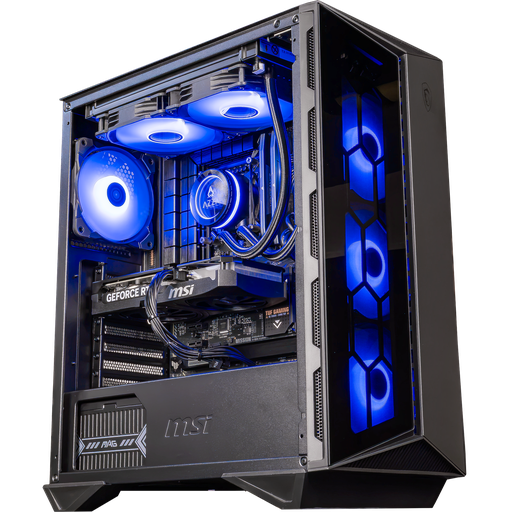
Swift PC: RTX 5060 Ti 16GB
The same case as the Moll-E, a Core i5 14400F and 16GB of DDR5 RAM: the closest to the Moll-E, for 1080p and 1440p.
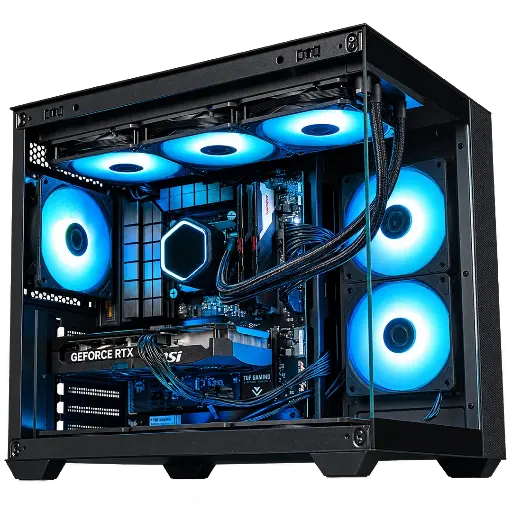
Aqua V2 PC: RTX 5060 Ti 16GB
RTX 5060 Ti 16GB, Core i5 14400F or 14600KF, water cooling and FlowUP H600 Aquavision case.
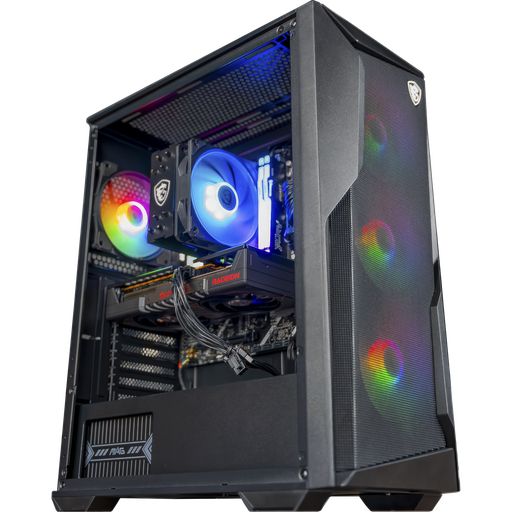
Rift PC: RX 9060 XT 16GB
Ryzen 5 7500F or 7500X3D, RX 9060 XT 16GB and DDR5: the AMD alternative.
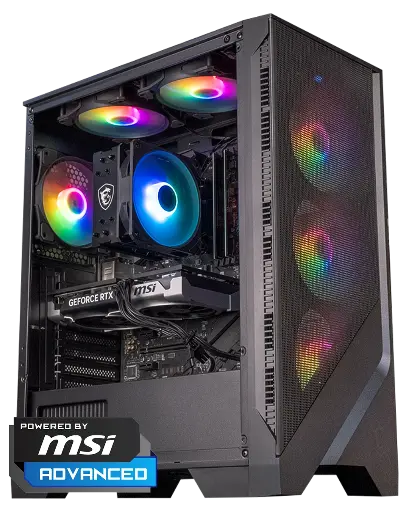
Savannah PC: RTX 5060 Ti 8GB
Ryzen 7 5700X and RTX 5060 Ti 8GB: our entry-level option for 1080p and 1440p.
FAQ: the Moll-E PC
Is the Moll-E PC still sold?
No, the Moll-E is no longer in the FlowUP range. The closest model today is the Swift PC, which uses the same MSI MPG Gungnir 110R case.
What is the configuration of the Moll-E?
An Intel Core i5-13400F, a GeForce RTX 4060 Ti, an MSI PRO B760-P motherboard, 16GB of 3200MHz DDR4, a 1TB NVMe SSD, and an MSI MPG Gungnir 110R case.
Can the Moll-E run games at 1440p?
Yes, but in 2026 you’ll often need to enable DLSS frequently and lower some settings in newer games. At 1080p, it remains very comfortable.
Can you add more RAM to a Moll-E?
Yes. The motherboard supports DDR4: increasing from 16 to 32GB of DDR4 is the simplest upgrade.
Which FlowUP PC should you choose instead of the Moll-E?
The Swift to keep the same case, the Aqua V2 for water cooling, the Rift for an AMD setup, and the Savannah as the entry point for 1080p and 1440p.
