 Pay for your PC in installments (up to 12 payments)
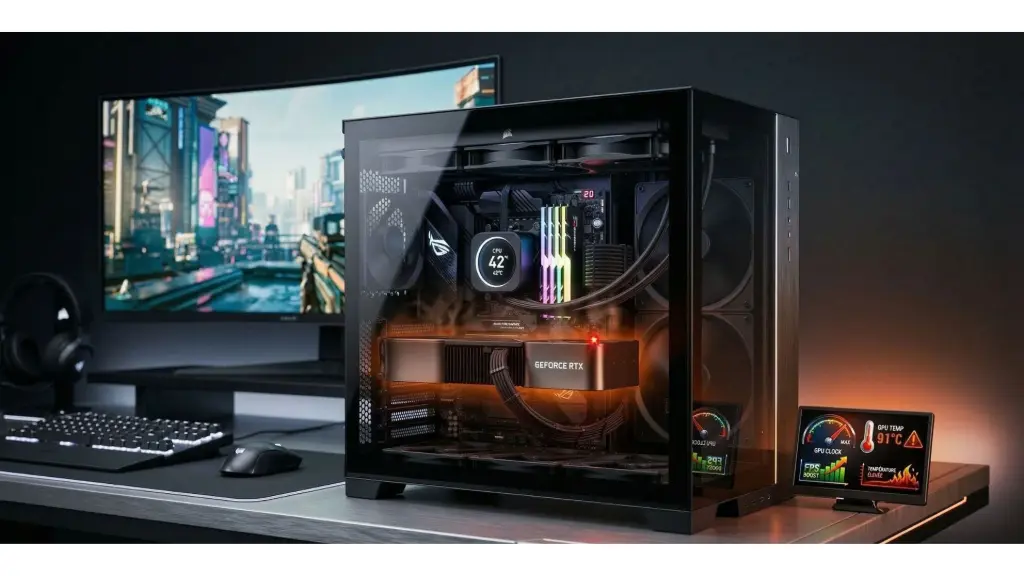
Why does my gaming PC heat up when I play?
If your PC heats up while gaming, there’s really only one question to ask: is it heating up normally because it’s working, or is it heating up too much because there’s a cooling, airflow, dust, thermal paste, settings, or background-load problem?
👉 If you already want to see FlowUP gaming PCs designed with consistent cooling and tested before shipping:
A gaming PC that heats up while playing—does that necessarily mean there’s a problem?
No. When you play, your CPU and GPU are under load, so they heat up more than when idle.
For example, AMD lists a Tjmax of 95°C for the Ryzen 5 7500F, but 89°C for the Ryzen 7 7800X3D. Intel, for its part, reminds us that the maximum Tjunction varies depending on the processors, generally between 100°C and 110°C, and that thermal protection mechanisms reduce the frequency or shut the system down if needed. So no—there isn’t one single universal temperature that automatically indicates a problem on every PC.
In other words, a gaming PC that heats up when you play isn’t necessarily in danger. What should alert you is mainly if you experience one of the following issues:
- FPS drops
- Stutters
- Fans running at full speed all the time
- Crashes
- A burning-hot case
- Abnormal heat even when not gaming
Solve your overheating problems; overheating PC: causes, diagnostics & solutions (2026)
The most frequent causes when a gaming PC overheats
Most of the time, a PC that overheats while gaming doesn’t suffer from just one “mysterious” problem. There’s generally a very clear cause behind it.
The most frequent causes are therefore as follows:
- Dust in the fans or the radiator
-
Insufficient airflow inside the case
- High ambient temperature
- Worn-out thermal paste
AMD explains that temperature depends directly on the cooler, the airflow, the ambient temperature, the settings and the load. Microsoft also points out that dust, background applications, poor ventilation, or using the device on an unsuitable surface can increase heating up, especially on more compact machines or laptops.
Dust and airflow: the two most common culprits
This is probably the most common case. When dust builds up, it blocks the passage of air, clogs the fans, reduces efficiency and makes temperatures rise. Microsoft explicitly recommends cleaning the vents regularly and removing any dust that obstructs airflow. Microsoft also recommends placing the machine on a surface that allows air to pass properly, and avoiding soft surfaces that block ventilation.
On a desktop PC, poor airflow can make the CPU and GPU temperature climb. Too few fans, the wrong direction of air circulation, a front panel that’s too closed, an over-compact case, or poorly thought-out cable management—all of this can turn a good setup into an oven.
Learn how to: How to clean your PC: the complete guide for effective maintenance
Is the CPU cooling sufficient?
Another very common case is CPU cooling that’s too light for the processor being used.
AMD reminds you that you need a properly mounted cooling system, matched to the processor’s TDP, with thermal paste in good condition. On some models, AMD even explicitly lists a sturdier recommended cooling solution: for example, the Ryzen 7 7800X3D is shown with the note “Liquid cooler recommended for optimal performance” and a Tjmax of 89°C.
👉How to choose your cooling in 2026? (Air cooling vs Water cooling)
Is it the background apps that make your PC run hot?
Yes, sometimes. If a CPU runs abnormally hot even when it looks like it’s in idle, background apps such as RGB tools or other software could be the cause. Microsoft also recommends closing unnecessary background applications to limit CPU load and heat.
You want to know: Why is my PC performing less well?
And what about overclocking in all of this?
Yes, the overclocking can obviously make the temperature rise. It’s even one of the first things to check if you’ve changed the settings on your CPU, your RAM, or your GPU.
The temperature depends on your custom user settings, which includes the manual performance settings. If you’ve enabled an aggressive profile, raised the power limit, changed the voltage, or played around with certain memory profiles, the heat can climb.
How do you know if the temperature is really too high?
The most important thing is not to panic about a single isolated reading.
AMD reminds you that each CPU has its own thermal limit, and Intel does too. For example:
- Ryzen 5 7500F: 95°C Tjmax
- Ryzen 7 7800X3D: 89°C Tjmax
- Intel: the Tjunction max usually varies between 100°C and 110°C depending on the model
So the real right method isn’t just “I saw 80°C, so it’s serious”. It’s more a case of looking at: whether the temperature rises and then stabilises, whether FPS drop, whether the noise becomes abnormal
Conclusion: a gaming PC that’s running hot isn’t necessarily a PC in danger
Yes, a gaming PC gets hot when you’re playing—that’s normal
No, it’s not necessarily a problem as long as it stays within a reasonable, consistent behaviour
The real danger starts mainly when the heat causes throttling, reduced stability, crashes, or abnormal noise
In most cases, the real causes are very concrete: dust, airflow, cooling, settings, background load, or ambient temperature
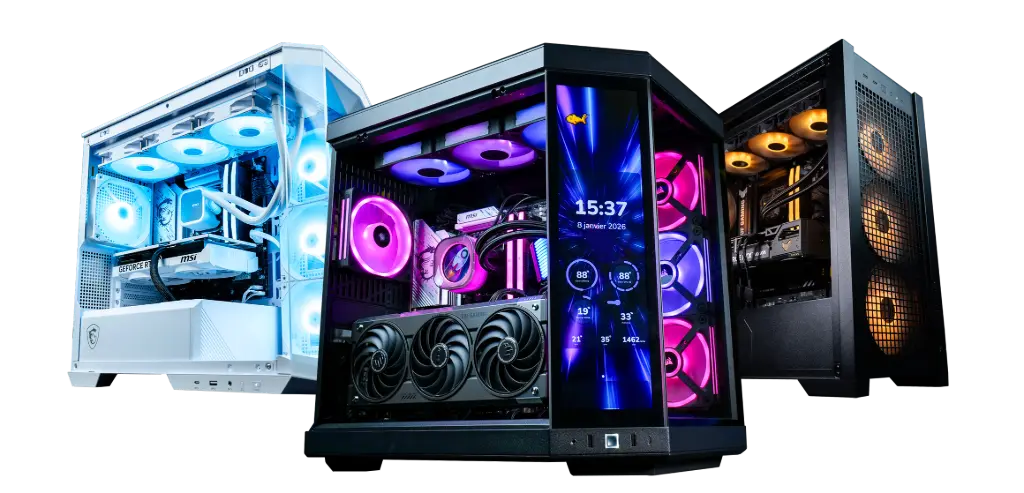
At FlowUP, the idea stays simple: to offer assembled, tested, and well-matched gaming PCs, with suitable cooling, rather than impressive-looking builds on paper but thermally unbalanced.
FAQ Why does my gaming PC get hot when I play?
Is it normal for a gaming PC to get hot while gaming?
Yes. When you’re gaming, the CPU and GPU work harder, consume more power and therefore run hotter. The real issue shows up mainly when the heat comes with throttling, stutters or crashes. Intel explains that throttling reduces the frequency when the temperature exceeds the processor’s thermal limit.
Why does my PC run hotter than before?
The most common causes are dust, degraded airflow, ageing thermal paste, background apps, or more aggressive settings. AMD and Microsoft explicitly cite the cooler, airflow, ambient temperature, and background applications as heating factors.
From what temperature should you be worried?
There isn’t a single universal figure. For example, AMD lists 95°C for the Ryzen 5 7500F and 89°C for the Ryzen 7 7800X3D, while Intel says that the Tjunction max generally varies between 100°C and 110°C depending on the processor.
Can overclocking make a PC run hot?
Yes. AMD states that custom user settings directly affect the CPU temperature. So overclocking or overly aggressive settings can cause the system to run hotter.
Can background apps make a PC run hot?
Yes. AMD explains that apps such as certain RGB tools or background software can keep the CPU under unnecessary load. Microsoft also recommends closing any non-essential apps to reduce heat.
What should I do if my PC gets too hot when I play?
Start by cleaning the machine, checking airflow, the fans, software load, and settings. Only then should you look at whether cooling or certain components need to be revised.
