
By the FlowUP team, gaming PC builder in Genappe (Belgium) · Updated 12 November 2026
In brief: An RGB gaming PC doesn’t play any faster than a restrained PC: the lighting changes nothing for FPS. What matters is choosing well-connected ARGB lighting, one single piece of software to control everything, and a case that keeps good airflow. In this guide: the difference RGB or ARGB, where the light is hidden inside a PC, and our RGB PCs built in Genappe.
A PC that turns purple and blue when you press the button is often what makes you fall for it, especially for a first gaming PC. The problem is that behind the word RGB sit very different things: either proper controllable lighting, or three fixed LEDs and an annoying piece of software.
In the workshop, we assemble bright PCs every day. Here’s how we choose an RGB gaming PC that looks great in the evening without sacrificing performance, silence or budget.
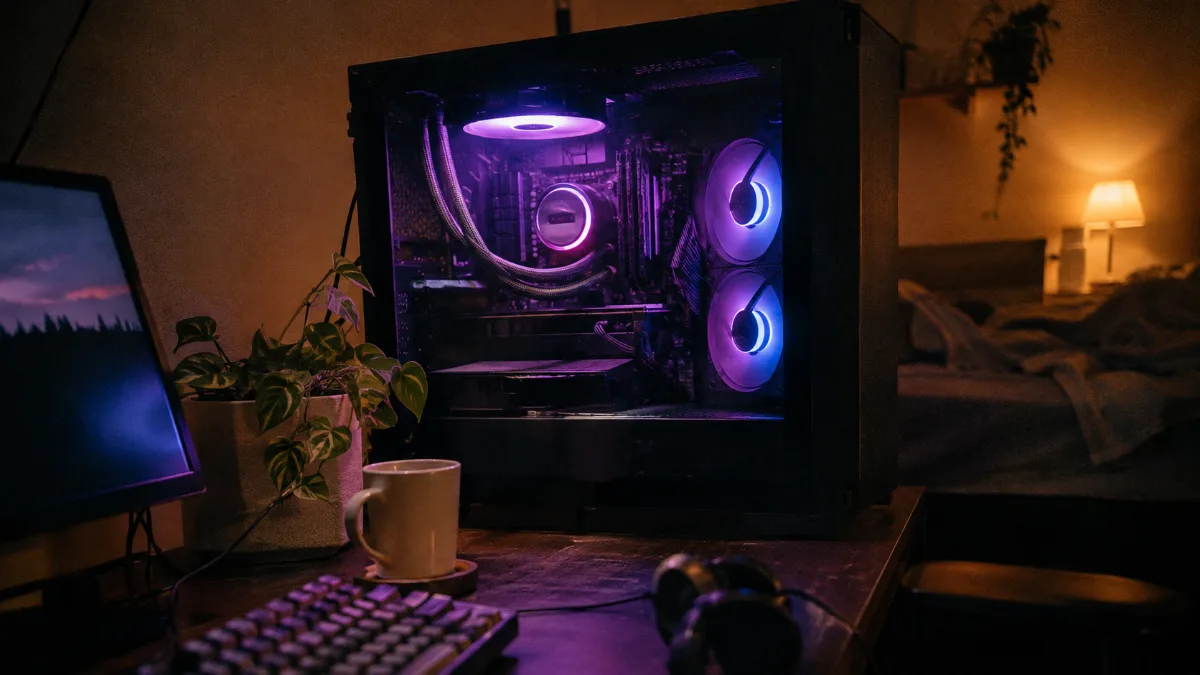
RGB gaming PC: what the lighting changes, and what it doesn’t
You’re asked this almost with every order, so let’s settle it right away: lighting costs you no frames per second. The LEDs are powered separately, while the graphics card and the processor don’t handle it.
- Performance: no effect in games. A bright PC and its non-LED version, with the same components, run the same.
- Power draw: a few LEDs in fans and a watercooling unit is minor compared with what a graphics card pulls when gaming.
- Software: that’s where RGB can start to annoy you. Two or three lighting apps running at the same time end up fighting over the same LEDs and make Windows startup heavier.
- Noise and temperature: a pretty glass case, but closed at the front, heats up more. Airflow comes before decoration.
And if you play in the dark and the light bothers you, everything switches off: using the case button, the software, and on many motherboards in the BIOS.
RGB or ARGB: the difference you need to know before buying
Both produce light, but not in the same way, and they don’t plug in the same place.
- RGB 12 V: an analogue signal that gives a single colour to the entire strip or fan. You’ll still find it on older fans and LED strips.
- ARGB 5 V, “addressable”: the signal is digital, and the motherboard can assign a different colour to each LED. That’s what enables rainbows and colour waves.
- RGB gaming PC: this is today the standard on new PCs. You’ll find it on the cooling solutions in our glowing builds: Arctic A-RGB, ASUS PRIME LC II ARGB, Corsair Nautilus ARGB.
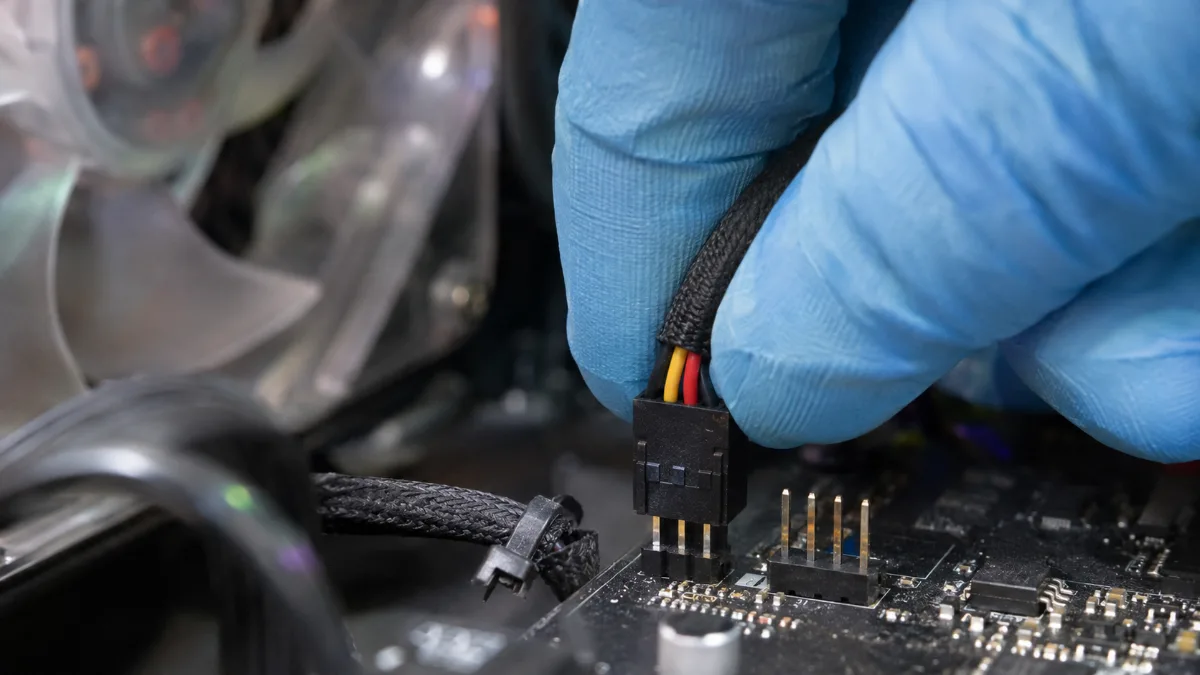
An ARGB connector with three wires plugs into the 5 V socket, never into the 12 V RGB socket with four pins.
| RGB (12 V) | ARGB (5 V) | |
|---|---|---|
| Connector | 4-pin | 3-pin (one position blocked) |
| Voltage | 12 V | 5 V |
| Effects | one single colour at a time across the entire strip | each LED can have its own colour: gradients, waves, animations |
| Name on the motherboard | RGB_HEADER | ARGB or ADD_HEADER |
| Our opinion | outdated on a new PC | the standard to aim for |
Source: NZXT, “5V ARGB vs 12V RGB”.
The classic trap when you add fans yourself: plugging an ARGB 5 V connector into an RGB 12 V socket. NZXT says it plainly: this wrong connection can permanently damage the LEDs, the motherboard, or both. On a pre-built PC, this risk disappears, because everything is connected and tested before shipping. To choose ARGB fans, see our guide How to choose PC fans.
Where is the lighting located in an RGB PC?
In a RGB PC, the light rarely comes from just one place. Here are the parts that light up, from most noticeable to most discreet:
- The case fans: three ARGB fans at the front are often what gives the PC its style.
- CPU cooling: an A-RGB air cooler or a ARGB watercooling system with glowing rings on the fans, sometimes an LCD screen on the pump.
- The case: a panoramic RGB PC case, with two glass sides, puts the whole interior on display. It’s discussed in PC aquarium.
- RAM and graphics card: light-up heatsink memory sticks, an illuminated logo on some cards. Nice as a complement, but rarely essential.
Our tip: a successful luminous gaming PC plays on two or three well-synchronised light sources, not on ten different effects. For the case format and airflow, read How to choose your PC case.
Controlling your RGB without spending the whole evening on it
- The case button: on many cases, a button cycles through the effects without any software.
- The motherboard software: ASUS Aura Sync, MSI Mystic Light and their equivalents control everything that’s connected to its ARGB ports.
- The brand’s fan software: Corsair iCUE, for example, when the PC uses a Corsair ecosystem.
Keep one single software to control everything; uninstall the others. The full step-by-step guide is in How to control the RGB on your PC.
Our RGB gaming PCs built in Genappe
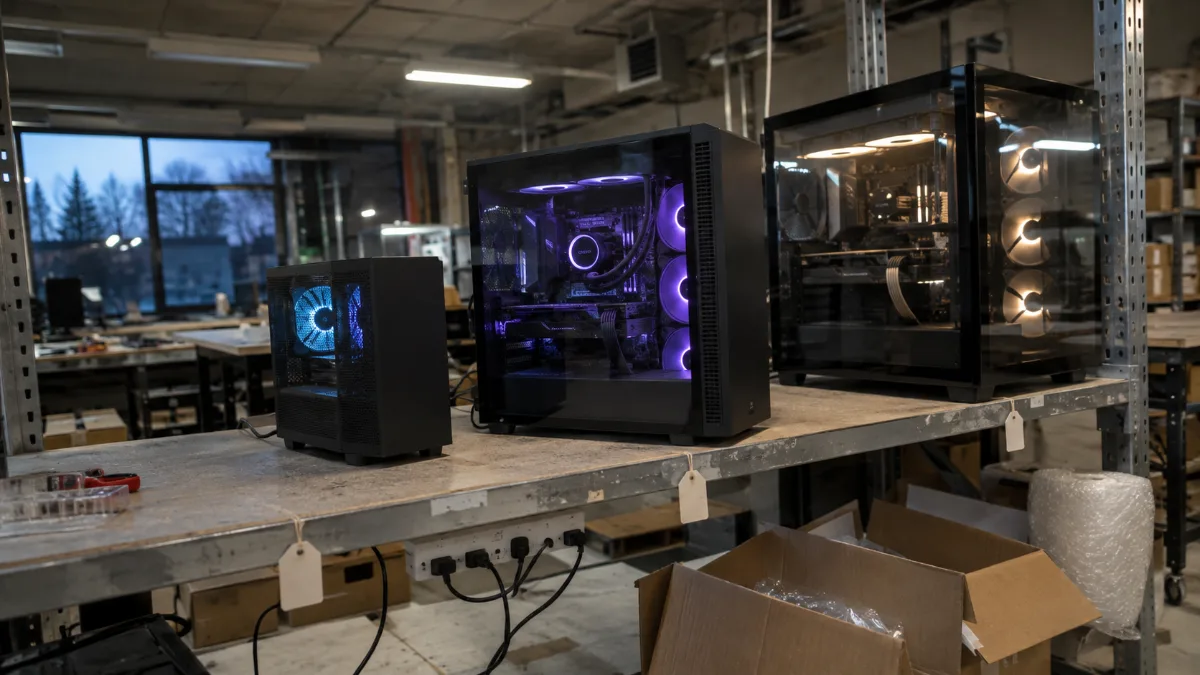
At the Genappe workshop: mini tower, mid tower and a panoramic case tested before shipping.
More than 50,000 PCs have left our Genappe workshop. Each RGB gaming PC there is cabled, assembled and tested before it ships: the processor and memory run through OCCT in 20-minute sessions. Here are three lighting setups, from a tight budget to very high-end.
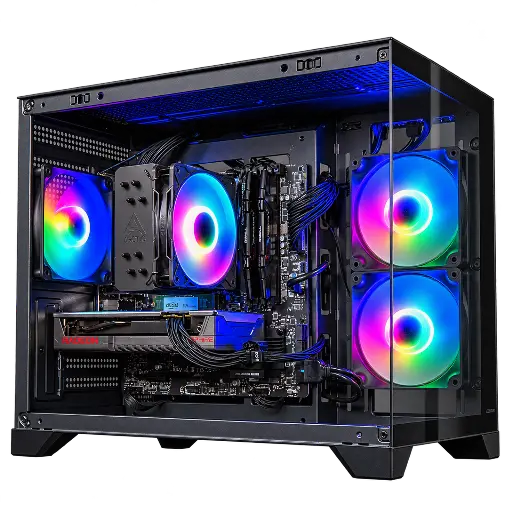
Toyger PC: compact RGB gaming
Ryzen 5 5600, Radeon RX 9060 XT 8 GB, 16 GB DDR4 (32 GB optioneel), 1 TB SSD and Wi‑Fi, in a COUGAR FV150 Mini RGB mini tower case with an Arctic Freezer 36 A-RGB air cooler: our cheap RGB gaming PC for 1080p.
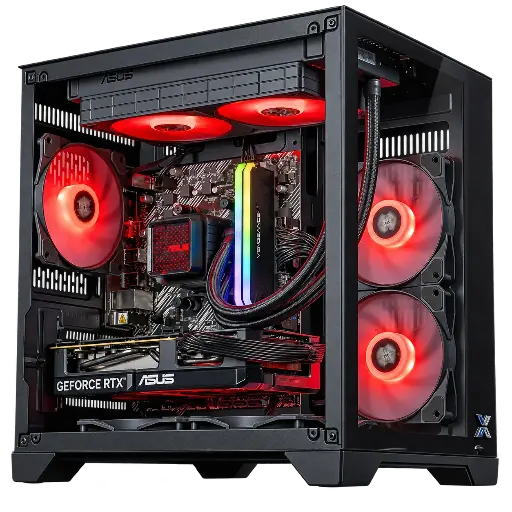
Banger PC: ARGB water cooling and RTX 5060
Ryzen 5 5600, GeForce RTX 5060 8 GB ASUS Dual OC, 16 GB DDR4, 1 TB SSD and ASUS PRIME LC II 240 ARGB water cooling in a Xigmatek Aqua M case: a bright PC for playing in Full HD.
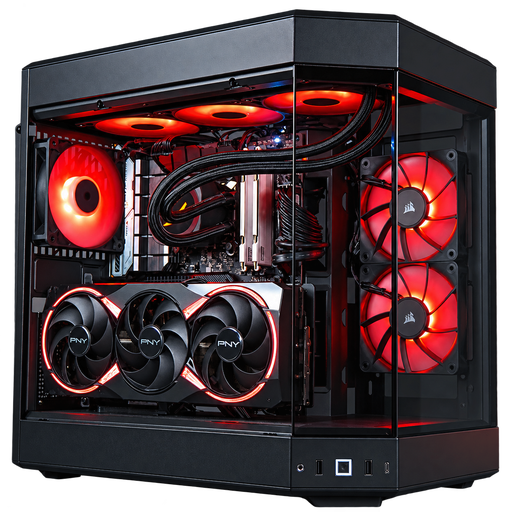
Sunfire PC: the high-end ARGB showcase
Intel Core i7-14700KF, GeForce RTX 5080 16 GB, 32 GB DDR5, 1 TB SSD, Corsair Nautilus 360 RS ARGB water cooling with LCD module and three Corsair RS120 ARGB fans in a HYTE Y60 panoramic case: for 1440p and 4K.
Workshop verdict
- First choose your graphics card based on your screen, then the lighting. An RGB PC remains a gaming PC.
- Aim for ARGB 5 V: more effects, and it’s the standard on recent motherboards.
- A single software to control everything, with a discreet setting for night.
- Airflow comes before the showcase: an open front case keeps the PC cool and quiet, as explained in Silent gaming PC.
Black Friday is on 27 November: our gaming PCs on promotion for Black Friday are already online. Want to choose your own case and fans? Our custom PC configurator is made for that. All our configurations are in the FlowUP gaming PC category.
Also worth reading: Gaming tower: which gaming PC tower to choose.
FAQ: RGB gaming PC
Does RGB lower FPS?
No. The LEDs don’t put any load on the graphics card or the processor during gameplay. Only stacking multiple lighting software can slightly slow down the start-up of Windows, which is why it’s better to keep just one.
RGB or ARGB: which should you choose?
The ARGB. At 5 V, each LED can display its own colour, which allows for gradients and animations. With 12 V RGB, all the light points on the same strip change hue together.
Can you turn off the lighting on an RGB gaming PC?
Yes: via the case button if it has one, via the motherboard’s software, or via the fan brand’s software; and, on many motherboards, in the BIOS.
Can you connect an ARGB fan to an RGB socket?
No. The 5V ARGB connector has three pins, while the 12V RGB socket has four. According to NZXT, this incorrect connection can damage the LEDs or the motherboard. Check the label on the connector before plugging it in.
Does an RGB PC cost more?
A little, because of the fans and the case. But set-ups like the PC Toyger show that there are affordable RGB gaming PCs, without sacrificing the graphics card.
Sources
The FlowUP team, Genappe.
