 Your PC in instalments (up to 12x)
By the FlowUP team, gaming PC builder in Genappe (Belgium) · Updated 1 October 2026
In brief: the thermal paste fills the micro-gaps between the processor and its cooler so that heat transfers properly. You don’t need to replace it every year: Noctua states that its pastes support up to 5 years of use, and advises replacing them only if temperatures rise noticeably. To apply it, a pea-sized dot in the centre (or five small dots on an AM5 or LGA1700/1851 processor) is enough: the cooler’s mounting pressure does the rest.
Thermal paste: what is it and what is it used for?
The top of a processor and the base of an air cooler or a watercooling unit look smooth. Under a microscope, they’re full of tiny pits. The air trapped inside conducts heat very poorly. Thermal paste fills in those gaps and ensures contact between the two surfaces.
It doesn’t replace the cooler: it helps it do its job. A layer that’s too thick or not spread properly, and the processor will run hotter than expected.
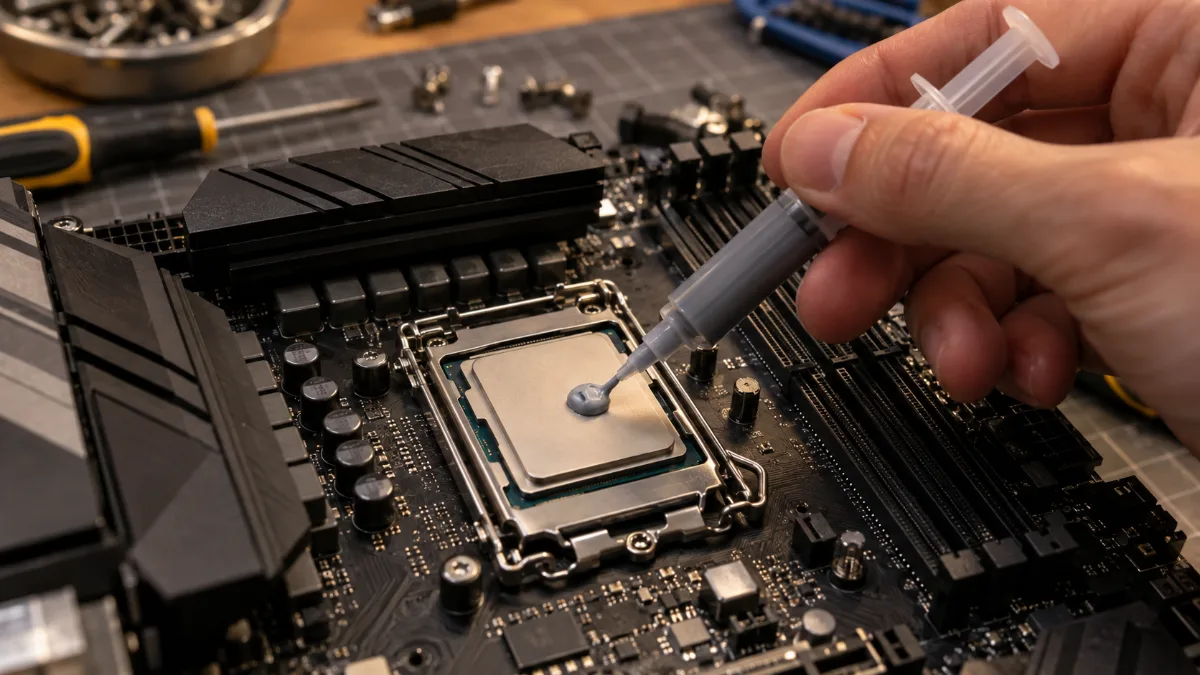
A small dot in the centre: the pressure from the cooler spreads the thermal paste.
When should you change the thermal paste?
Less often than you might think. Noctua indicates a usage life of up to 5 years on the processor for its NT-H1 and NT-H2 pastes, and notes that they often last much longer. The right habit: monitor temperatures, and replace the thermal paste only if they rise noticeably under the same load.
- Temperatures climb in games compared to usual, with the same room temperature and settings.
- Fans spin faster than before for the same load.
- The processor reduces its frequency (throttling) as it approaches its maximum temperature.
- You remove the cooler: in that case, you always apply fresh thermal paste.
| Processor | Maximum temperature (Tjmax) |
|---|---|
| Ryzen 7 7800X3D | 89 °C |
| Ryzen 7 9700X | 95 °C |
| Ryzen 7 9800X3D | 95 °C |
| Ryzen 9 9950X3D | 95 °C |
Source: AMD, official datasheets. A processor that stays under these values during gaming doesn’t need fresh paste.
Before blaming the paste, also look at the dust. A dust-clogged heatsink raises temperatures just as much as dry paste. Our guide fans and airflow explains how to keep the airflow clean.
How to change thermal paste, step by step
- Switch off the PC, unplug it, and let it cool down for a few minutes.
- Remove the cooler: undo the screws in a cross pattern, then turn it slightly to loosen it without forcing it.
- Clean off the old paste from the processor and the base with a lint-free cloth, either dry or moistened with isopropyl alcohol.
- Apply the new paste: a pea-sized dot in the centre, or five small dots on an AM5, LGA1700 or LGA1851 processor.
- Reinstall the cooler perfectly level, and tighten the screws in a cross pattern, a little at a time.
- Check the temperatures at idle and while gaming.
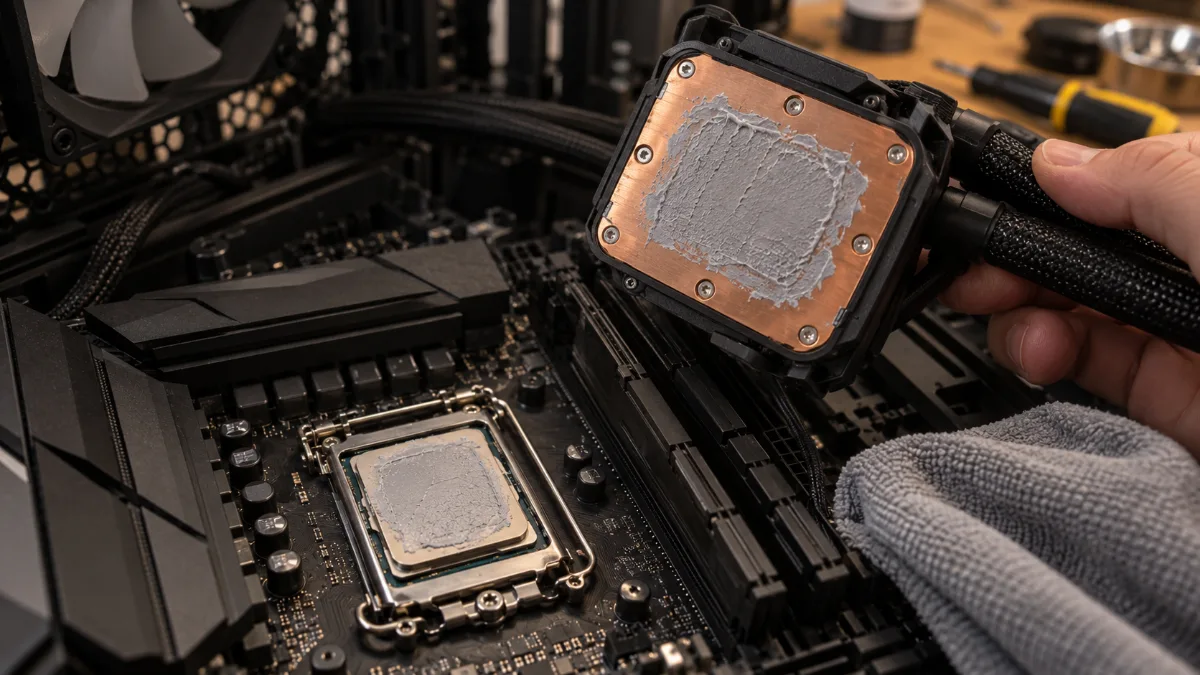
The imprint of the old thermal paste: everything is cleaned before applying it again.
Our builder’s take: tightening matters as much as the paste. A cooler that’s tightened unevenly leaves a corner without proper contact, and the processor heats up. Always in a cross pattern, a quarter turn at a time.
How much thermal paste should you use?
Less than you might think. Noctua recommends a single dot for small processors, and four small dots around a larger one in the centre for mid-range processors (AM4, AM5, LGA1700, LGA1851). Arctic adds that its MX-6 doesn’t spread with a spatula: it’s the cooler’s pressure that distributes it. Too much paste can squeeze out over the edges without cooling better.
To see the technique in action, FrenchHardware assembles a complete gaming PC, including the cooler:
FrenchHardware: how to build your gaming PC in 2026.
Mistakes to avoid
- Forgetting the plastic film under the base of a new cooler: that’s the most common mistake.
- Reusing the old thermal paste after disassembling it: it no longer spreads correctly.
- Applying conductive paste (liquid metal) without protecting the surrounding components: reserved for experts.
- Keeping an opened tube for years: Noctua states it lasts 2 years after the tube has been opened.
Air cooler or watercooling, the choice of cooler matters more than the paste brand: we compare the two in our guide air cooler or watercooling.
Our well-cooled gaming PCs
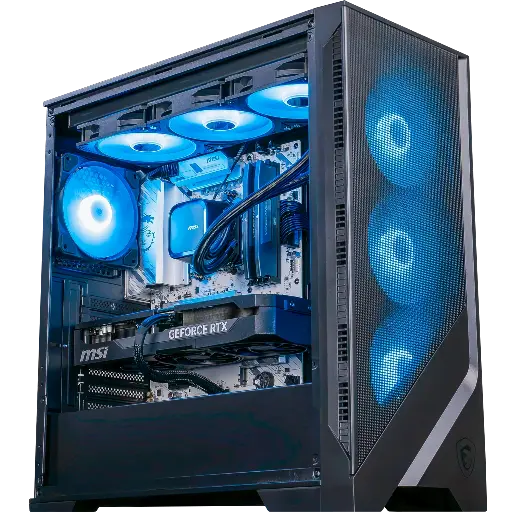
Requiem PC: 360 mm watercooling
Ryzen 7 9700X, RTX 5070 Ti 16 GB and 32 GB of DDR5, cooled by an MSI MAG Coreliquid A13 360: calm while gaming.
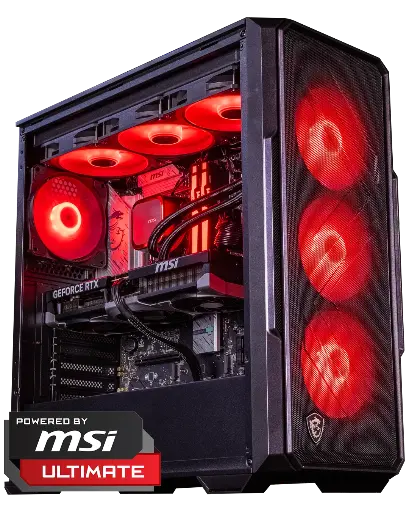
Abyssin PC: 360 mm watercooling
Ryzen 5 7500X3D and RTX 5070 Ti 16 GB, with MSI Coreliquid A13 360 watercooling and a Forge 340R Airflow case.
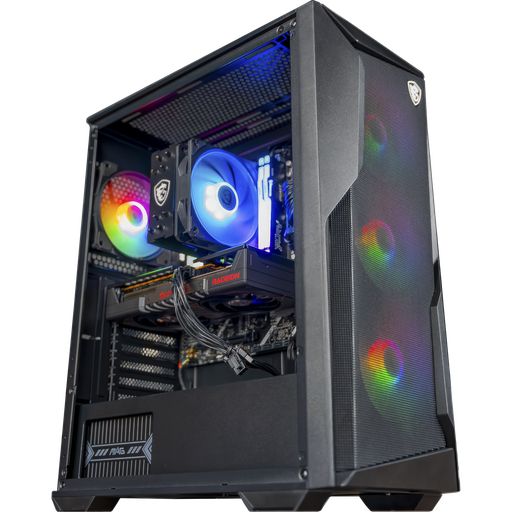
Rift PC: air cooler and Airflow case
Ryzen 5, Radeon RX 9060 XT 16 GB, MSI CoreFrozr AA13 air cooler and Forge 130A Airflow case: simple and effective.
FAQ: thermal paste
How often do you need to change the thermal paste?
Rarely. Noctua states up to 5 years for its pastes. Replace it if temperatures rise noticeably, or every time you remove the cooler.
How can you tell if the thermal paste has dried out?
CPU temperatures rise under the same load and the fans run harder. When you remove the cooler, dried paste is cracked or powdery.
How much thermal paste should you use?
A pea-sized blob in the centre, or five small dots on an AM5 or LGA1700/1851 processor. The pressure from the cooler spreads it.
Should you spread the thermal paste?
No, it’s not necessary: Noctua and Arctic recommend letting the pressure from the cooler distribute the paste.
What should you use to clean off old thermal paste?
A lint-free cloth, dry or moistened with isopropyl alcohol. Noctua also specifies that a little soapy water on the cloth works too.
