
By the FlowUP team, gaming PC builder in Genappe (Belgium) · Updated 28 October 2026
In short:
- For gaming only: a balanced i5 gaming PC is enough at 1080p; it’s the graphics card that delivers the number of frames per second.
- For gaming and streaming, video editing or creating: the Core i7-14700KF and its 20 cores remain the best Intel gaming PC you can build in 2026.
- Core Ultra 7 265KF: a bit more efficient, on a newer platform (LGA1851), slightly less fast in games than the i7 at launch.
- The i9 gaming PC: rarely useful for gaming, your money is better spent on the graphics card.
“I need an i7”: that’s often the first requirement people set when looking for a gaming PC. It makes sense for a streamer or a video editor; much less for someone who mainly plays Fortnite in 1080p.
An i7 gaming PC isn’t automatically faster in games than a PC with a good i5. The answer lies in what you do in addition to gaming. We explain where the Core i7 makes a difference, where it makes none, and which Intel gaming PCs we’re building in Genappe today.
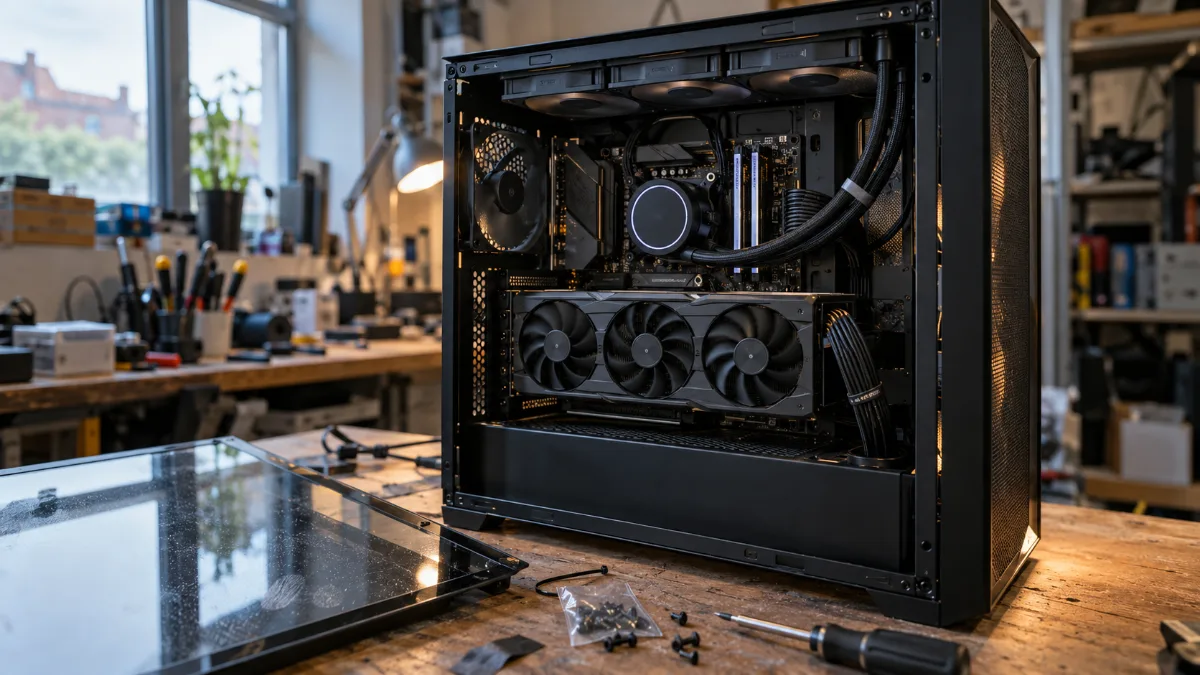
An Intel gaming PC at the end of assembly in the workshop: the Core i7 sits under the watercooling pump.
i5 or i7 gaming PC: which one should you choose for gaming?
For gaming only, a well-balanced i5 gaming PC is enough; an i7 gaming PC becomes interesting as soon as you stream, record your matches, or do video editing. In games, the graphics card calculates most of the frames. The processor prepares the work, and a recent Core i5 can do that quickly enough for most graphics cards at 1080p and 1440p.
The Core i7 mainly adds more cores. The i7-14700KF has 20 (8 performance cores and 12 efficient cores) for 28 threads, compared with 6 cores and 12 threads for the Core i5-11400F in our entry-level PCs. These cores are useful when several heavy tasks run at the same time: the game, OBS, Discord, a web browser, a video export.
Here are the three Intel processors we’re currently building into our gaming PCs:
| Processor | Cores / threads | Max frequency | Power (base / turbo) | Platform | For whom |
|---|---|---|---|---|---|
| Core i5-11400F | 6 / 12 | 4.4 GHz | 65 W | LGA1200 | First PC, competitive gaming in 1080p |
| Core i7-14700KF | 20 (8P + 12E) / 28 | 5.6 GHz | 125 W / 253 W | LGA1700 | 1440p and 4K gaming, streaming, video editing |
| Core Ultra 7 265KF | 20 (8P + 12E) / 20 | 5.5 GHz | 125 W / 250 W | LGA1851 | Gaming and creation, a more efficient and upgradeable PC |
Intel official specifications. The F in the name means the processor has no integrated graphics: video output goes through the graphics card, which doesn’t change anything in a gaming PC.
Why the Core i7-14700KF remains the heart of an Intel gaming PC in 2026
The i7-14700KF is the most versatile processor we build: it can handle the top-tier in gaming, and its 28 threads take streaming and video editing in stride.
In TechSpot’s test of the Core Ultra 7 265K (14 games, RTX 4090 graphics card), the Core i7-14700K remains on average 8% faster in games than its successor. That’s why we pair it with our high-end graphics cards: the Radeon RX 9070 XT in the Phantom PC and the RTX 5080 in the Sunfire PC.
However, it does require proper cooling. On our i7 gaming PCs, we therefore pair it with an AIO water-cooling solution and a Z790 motherboard.
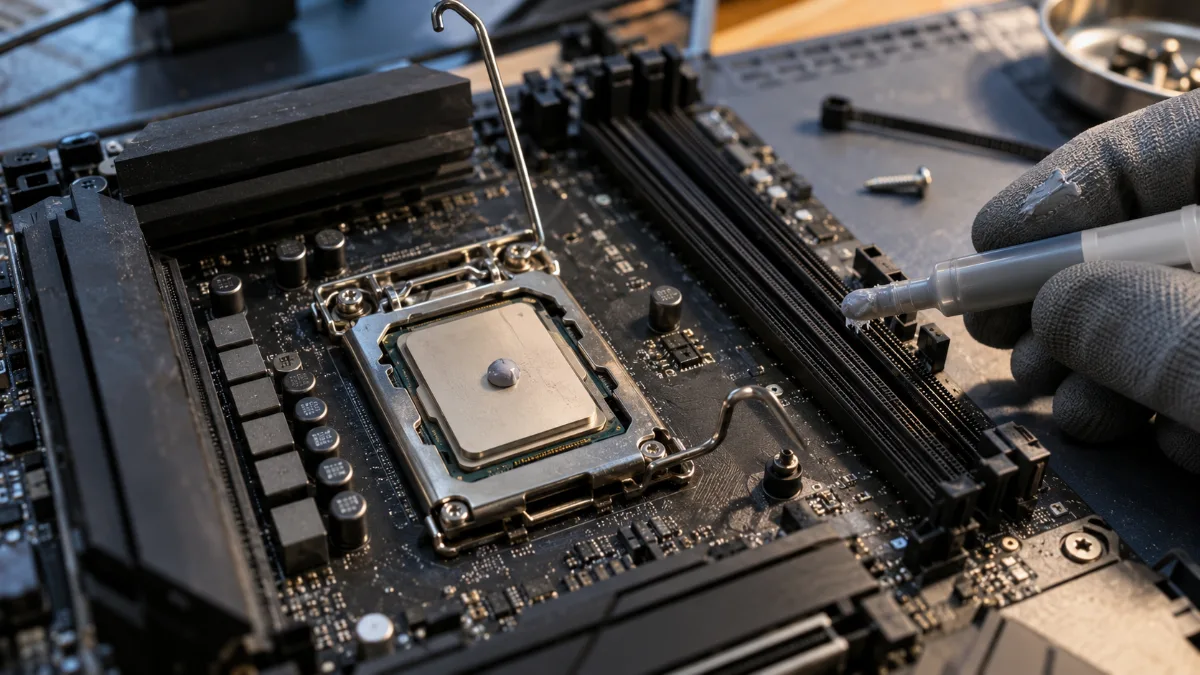
An Intel processor on its LGA1700 socket: the i7 needs cooling worthy of the task.
A word about reliability, because the question keeps coming up. The cores of the 13th and 14th generation experienced instabilities in 2024 related to excessive voltage. Intel corrected them with microcode updates (0x12B, then 0x12F) delivered in the BIOS of the motherboards. Our article on instability issues with Intel 13th and 14th generation processors explains everything, and our guide on how to fix stability problems with Intel processors shows how to check the BIOS version.
Core Ultra 7 or Core i7: how does an Intel Core i7 gaming PC stack up against Arrow Lake?
The Core Ultra 7 265KF consumes significantly less than the i7-14700KF for similar performance; it delivers a slightly lower number of frames per second in games, but it runs on a newer platform.
- In games: according to TechSpot, the Core Ultra 7 265K was 8% behind the i7-14700K at launch. Intel has improved its performance since with updates, and the gap shrinks further at 1440p and 4K, where the graphics card is more of a limiting factor.
- In power use: under Cinebench 2024, TechSpot measures 218 W for the 265K and nearly 100 W more for the i7-14700K.
- In upgradability: the LGA1851 socket and B860 or Z890 motherboards are Intel’s current platform; the i7-14700KF’s LGA1700 is end of life.
Our view: for a PC that has to run hard and for a long time without warming up the room, the Core Ultra 7 is a very good choice. That’s what we included in the PC Arctic, with an RTX 5080 and a white case. If you’re chasing the latest frames per second, the i7-14700KF still has a slight edge.
Our Intel gaming PCs built in Genappe
These four Intel gaming PCs have been built, tested under load and are ready to play on delivery. Prices noted on flowup.shop on 28 October 2026.
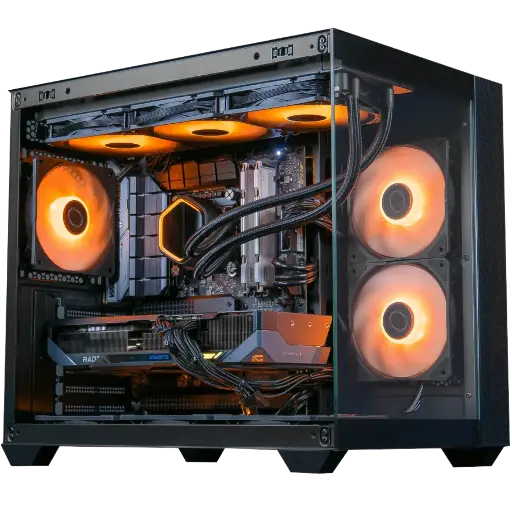
Phantom PC Radeon RX 9070 XT 16GB
- Core i7-14700KF, Radeon RX 9070 XT 16 GB
- 32 GB DDR5, M.2 SSD 1 TB, ASUS TUF Gaming Z790-Plus WiFi motherboard
- Water cooling AIO Cooler Master, 750 W 80 Plus Bronze PSU, FlowUP H600 Aquavision case
- €2,378.65 instead of €2,538.00
Our most balanced i7 gaming PC: ultra 1440p in games and enough threads to stream at the same time.
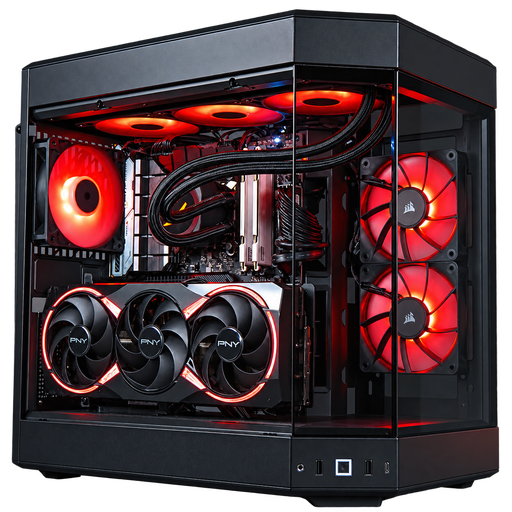
Sunfire GeForce RTX 5080 PC
- Core i7-14700KF, GeForce RTX 5080 16 GB
- 32 GB DDR5, M.2 SSD 1 TB, ASUS TUF Gaming Z790-Plus WiFi motherboard
- Water cooling Corsair Nautilus 360 RS ARGB, MSI 1000 W 80 Plus Gold PSU, HYTE Y60 case
- €3,800.40, built to order
The Intel i7 gaming PC for 4K and high-quality streaming, with a power supply that leaves plenty of headroom.
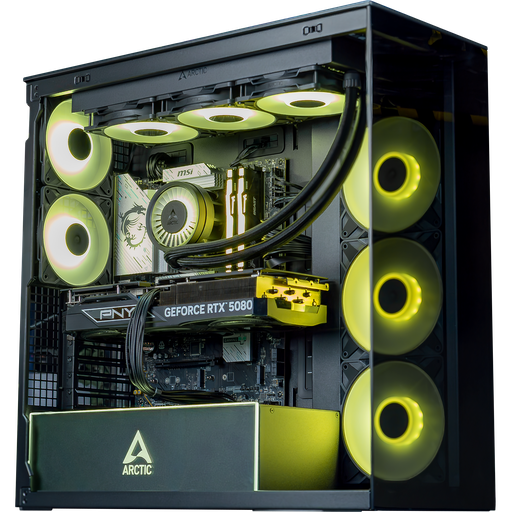
Arctic GeForce RTX 5080 PC
- Core Ultra 7 265KF (optional Core Ultra 7 270K Plus), GeForce RTX 5080 16 GB
- 32 GB DDR5, M.2 SSD 1 TB, ASUS TUF Gaming B860-PLUS WiFi motherboard
- ARCTIC 360 mm water cooling, MSI 850 W 80 Plus Gold PSU, ARCTIC Xtender white case
- €3,326.50, built to order
The Intel gaming PC on the LGA1851 platform: more understated than the i7, with the graphics card mounted vertically.
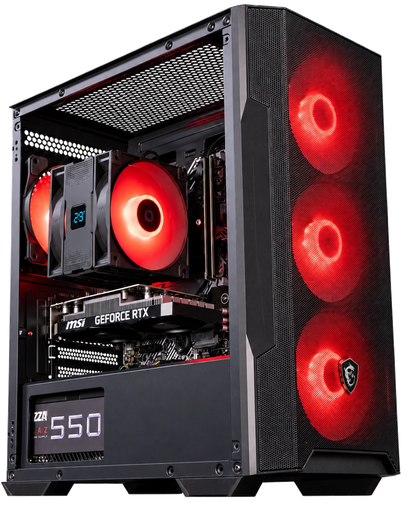
Bengal GeForce RTX 3050 PC
- Core i5-11400F, GeForce RTX 3050 6 GB
- 16 GB DDR4 3200 MHz in dual channel, 500 GB NVMe SSD
- DeepCool AG400 ARGB air cooler, 550 W 80 Plus Bronze PSU, MSI MAG Forge M100R case
- €795.58
The i5 gaming PC to get started in 1080p: Fortnite, Valorant or League of Legends in good conditions.
i9 gaming PC: useful for gaming in 2026?
For gaming, an i9 gaming PC adds almost nothing compared to an i7: those extra cores are mainly for 3D rendering and heavy video encoding. In games, with the same budget, a graphics card one tier higher always makes a bigger difference than switching from an i7 to an i9.
- Are you gaming in 1440p or 4K? Spend the money on the graphics card: an RTX 5080 with an i7 is better than an RTX 5070 Ti with an i9.
- Are you doing 3D rendering or 4K editing every day? That’s where the extra cores pay off. Our article Core i7 or i9 details the cases where the i9 is justified.
Intel or AMD: when should you choose an Intel gaming PC?
For pure gaming, AMD’s Ryzen X3D models are ahead; an Intel gaming PC keeps an advantage when the PC is also used for streaming, building or working. In its test of the Ryzen 7 9800X3D, TechPowerUp places it on average 7% ahead of the best 14th-gen Core chips in 1080p. Its 3D V-Cache helps deliver more frames in the most processor-heavy games.
The i7-14700KF takes the lead again as soon as the workload is spread across many cores: compression, video export, rendering, compilation. For streaming, the encoding anyway goes through the graphics card (NVENC on NVIDIA, AMD’s encoder on Radeon cards), and the i7’s 28 threads keep everything running smoothly.
If you’re still hesitating, our comparison Intel or AMD covers both ranges in detail.
The workshop’s opinion
The best i7 gaming PC is the one where the processor serves the graphics card. The Phantom PC is our best Intel compromise: Core i7-14700KF, RX 9070 XT 16 GB and 32 GB of DDR5, for ultra 1440p and streaming. If you game in 4K or stream in high quality, the Sunfire PC and its RTX 5080 moves up a notch. And for a first PC, the Bengal and its Core i5 does the job very well in 1080p.
Also read: how to understand the names of Intel processors, which RTX 5080 gaming PC to choose and which RX 9070 XT gaming PC to choose.
Read also: Ryzen 7 gaming PC: which AMD PC to choose, if you are weighing up an AMD processor.
i7 gaming PC FAQ
Is an i7 gaming PC better than an i5 gaming PC for gaming?
Not necessarily. In single-player, the difference is small with a mid-range graphics card. The i7 takes the lead with a powerful graphics card, for streaming and content creation.
What is the best processor for an Intel gaming PC in 2026?
For gaming and multitasking, the Core i7-14700KF remains our choice. For a more discreet PC on a recent platform, the Core Ultra 7 265KF is an excellent alternative.
Do you need water cooling with a Core i7-14700KF?
We recommend it. Its turbo power can reach 253 W: an AIO water cooling unit of 240 or 360 mm keeps it cool and quiet during long sessions.
Is an Intel Core i7 gaming PC reliable despite the issues with the 13th and 14th generations?
Yes, with an updated BIOS. Microcodes 0x12B and 0x12F fix the voltage responsible for instability. Just take a look at the BIOS version, and if it’s old, an update resolves the issue.
Is an i9 gaming PC worth it for gaming?
Rarely. For gaming, it’s better to get an i7 with a more powerful graphics card. The i9 makes sense for 3D rendering and intensive video editing.
